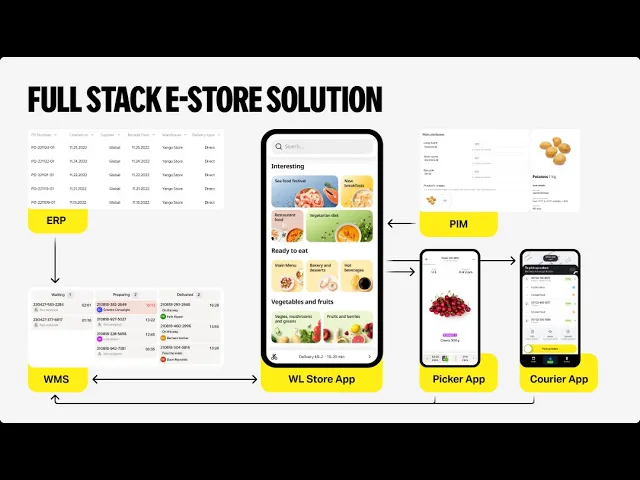
[Music] in this video you will see the full demo of orderflow through yongo tech software what will you see first a white label store application to show the customer journey in the Second Step the warehouse management system and picker application to explain order picking lastly the order delivery process process goes through the dispatch dashboard and Courier application let's begin wh label Store app is a wh label application meaning no customized development with your branding it will look different but the customer experience will remain the same firstly customers add their address manually or automatically through a
map like Google Maps to match with the closest dark store why to match the assortment available at that dark store customers can only order what is available in their closest store making orders larger and promotions like bundles and seasonal offers more effective while searching for items customers can use different tags for example if they are allergic to nuts they may choose no nuts or no peanuts the system will show if the chosen item contains these ingredients back to our order let's search for an example water it's a commonly bought item even water can have tags
for example sparkling or natural like in this example upsells are ml-based functionality that suggests products based on previous orders of our customer or their previous cart this option is available in three places in catalog in an item card and in cart during checkout let's add watermelon white label Store app can integrate weighted Goods making ordering Fresh Goods possible here's our order watermelon and water next is payment you can add instructions for The Courier or simply leave at the door different payment types white label Store app is really flexible here tips for the couriers can also
be included here also there can be different types of promo codes for our customers press pay we see here what we call customer promise when the order will be delivered and other details of the order including the option to contact support the order is now in the realtime updating warehouse management system let's see how it looks there now you can see the parts of the screen on the left side we see our warehouse management system and the order that we have created on the right is the portable data terminal the Picker receives the order and
presses start to pick the order picker navigates the warehouse with Smart Warehouse topology showing the most efficient route to do the collection there's no need to think just follow the route when taking each item it must be scanned with picker app so let's scan the watermelon and now let's go to pick the next item water that's it picker app notifies the Picker about packaging according to Warehouse rules after which the Picker finishes and confirms that the order is completed we press yes and the information is updated the order is completed now status is automatically changed
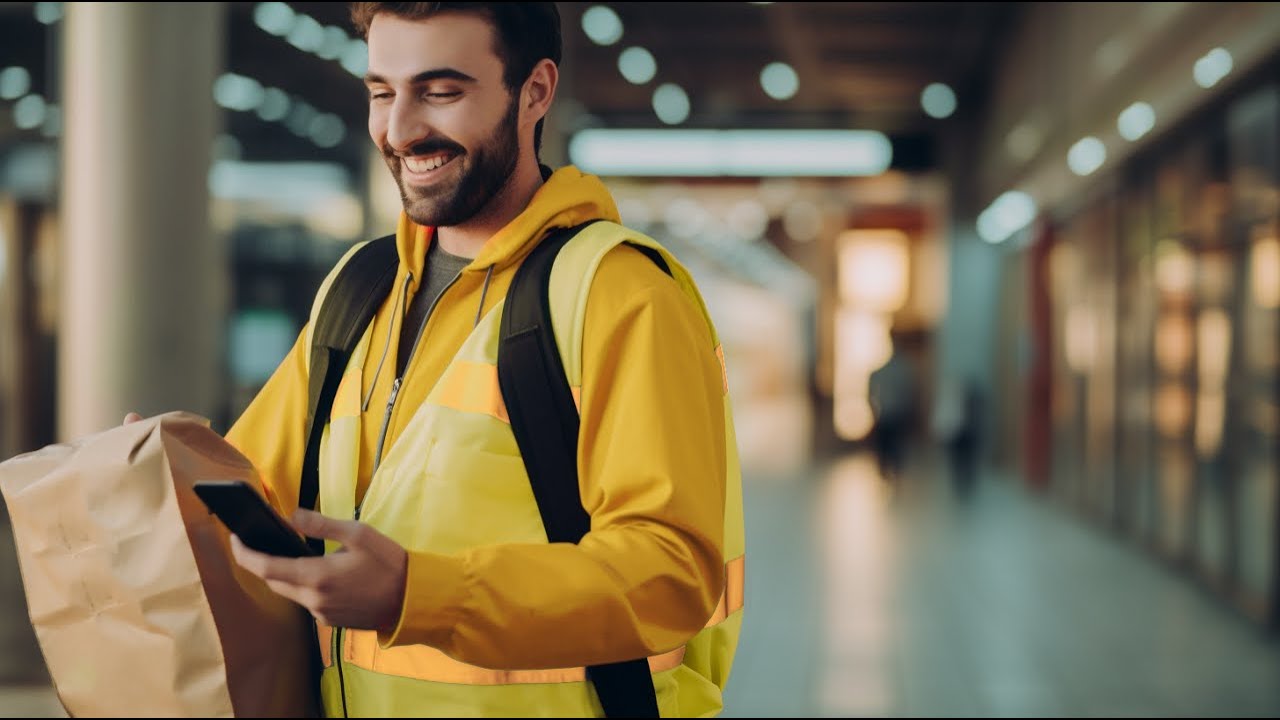
to done and updated in the warehouse management system in real time picker moves on to another order and we continue to track the order in real time through the order dashboard new status done the order is ready for pickup in the delivery dashboard our order was automatically accepted The Courier can also accept the order manually The Courier app is a very simple Android application it shows the order contents support menu and smart route The Courier has already been assigned so let's imagine that a courier came to the store to pick up the order The Courier
chooses order picked up and Courier app instantly opens a map here we have Google Maps and it calculates the optimal order route in seconds on the left side in the warehouse management system you can see that the statute has changed automatically from ready for pickup to delivering on the way to client back in The Courier app The Courier can contact support if the customer is not responding that does happen even though the customer is also able to track their delivery in real time order has arrived to the customer usually The Courier puts handing over the
order when they enter the building or simply when they are near the warehouse and support are here just a click away in the delivery dashboard the status has been updated again the order has been delivered this Courier is available for order delivery again our customer's order was delivered in time in full and our customer left us a positive review it's easy to manage an order when your store is backed up by a reliable system thank you for following order with us book a demo to see more [Music]