Realtors if you want to generate virtually unlimited leads using Google ads all by yourself then this video is for you I'm going to give you all the secrets we've used at agent launch to spend well over $10 million on Google ads specifically for Real Estate so you don't have to make the same mistakes I did along the way I'm actually going to give you my full Google ads cheat sheet this is full of all the keywords we use so you can copy and paste your way to success and I'm doing this in the brand new
Google ads UI new for the end of 2023-2024 if you stay until the end I'm actually going to give you access to our full and complete Google ads course which has our full sop guide and a full video course of how to actually set up what you're going to want to set up after this campaign so this is going to be the most fundamental setup for your Google ads campaign the course that I'm going to show you how to get access to towards the end of this video is actually going to show you how to
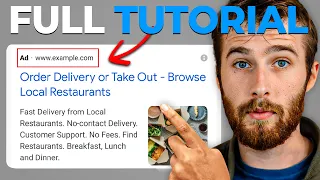
build on that with retargeting longtail campaigns and a whole bunch of other things such as optimization and conversion tracking so the first thing I want to talk about is why Google ads and how is Google ads different than Facebook ad the most basic type of Google ad you're going to run for Real Estate is a search ad so if I look at homes for sale Vancouver BC which is where I'm from you're going to get some ads essentially what you're going to see is ADS at the top and then you're going to see the organic
search results so the organic search results how you get better there is called SEO search engine optimization really hard to get there as a real estate agent you can see that you know it takes a lot of blogging copyrighting technical SEO to get there and in Canada as in the United States it's usually realtor Zillow big companies at the top rarely ever do you see agents there that's why Google ads are so important is that you can push your way to the top of the search result let's get into what do these ads look like
well you can see three ads at the top there's Vancouver BC homes for sale North Vancouver tow houses and MLS listings in Vancouver BC there's two reasons why these ads are not uh running properly right now so the first is you see the second ad it says North Vancouver tow houses right now I didn't search North Vancouver that's a different municipality so they made a stake there this is very common sometimes when I see home s sale Vancouver I'll see results for West Vancouver North Vancouver and other parts of Vancouver which aren't actually technically Vancouver
and so that's the first thing you need to be really specific with your keywords and you need to do this properly because it's really easy to derail a campaign and not even be aware that it's not performing as well as it could because of some small little technical detail the second thing with these ads is I'm in Mexico right now Canada has a foreign buyer band so they should not be marketing to people outside of Canada so for all our canadi clients we're only targeting just Canada now because of this foreign buyer ban because there's
a really limited inventory in Canada it's a bit of a crisis and so those are two reasons why these ads are not performing as well as they could be okay it's really important to do these right and most people don't I promise you Google ads you can derail a campaign by just clicking the wrong button uh really simply so the second thing I want you to understand is Google ads versus Facebook ads okay Facebook ads are a lot different when you go to Facebook usually the second post is an ad as you can see here
um and and then you see ads on the top right hand uh side of your screen essentially there's there's a big important difference on WE to understand with with Facebook ads and the first is how you target people so with Google ads it's really interesting because you can Target people searching for your area who are anywhere in the world and you can control that with Facebook when you see an ad they're targeting you based on your location essentially what that means is you can drop a pin and create a you know a 25m radius around
that pin and target people within that location that's why I say Facebook ads are like putting a billboard on a highway you're targeting a specific people that go through that highway right and when you look at a Facebook ad there's a lot going on like driving on the highway you got your partner beside you got your kids in the back you got traffic everywhere you got Billboards everywhere there's signs there's stores there's a lot going on that's kind of what Facebook ads is like is you're trying to stop people on that and get them to
pay attention to your ad right Google ads is more like a digital storefront so when someone comes to Google to search homes for sale in Vancouver BC or homes for sale in Seattle or whatever they come there with some intention it's called search intent right just like you would walk into a store you walk in there with some kind of intention to buy something now obviously sometimes you're just a look L you don't buy anything maybe you don't like what you see maybe you didn't like what they had on offer um or maybe you were
just bored and you walked in the store to look you get some of that with the leads you get from Google ads right but the point is you get more intention behind Google ads than you do with Facebook ads both serve a purpose I spend a lot of money personally on both so they both work but I like Google ads to generate more of a audience because you know that these people have some kind of search intent behind them when they're in on Google searching for homes so that's the big difference is Google ads you
can Target people searching for Vancouver who are anywhere in the world you could do just in Canada you could do just in another Province Facebook you can't do that you can only target one location right and you can't Target people very specifically anymore because of the new rules so I mean they're not that new at this point but that's just a little bit about Google ads uh this is search ads there's a bunch of different kinds of Google ads which I'm going to get get into in the tutorial like YouTube ads run in the Google
ads dashboard um you know display ads which are the ones you see all of our different websites and blogs uh there's shopping ads which you see when you search for products it'll show at the top um so there's a bunch of different types of ads there's also local service ads which I have another tutorial on my channel for Google local service ads um if you guys are interested in that but that's using your Google my business profile to run ads as like a Google guaranteed like a Google verified service provider so anyways let's get into
actually this tutorial I just wanted to give you a highlight level view of what this looks like basically what you're going to do is you're going to go to ads. goole.com and essentially what you're going to do from here is click Start now to start setting up a Google ad campaign um it's going to ask you to select an account but what you're going to do is just go new Google ads account um but what it's going to do here is actually get you to kind of create your first campaign off the bat in like
a simplified way so you don't want to do this you actually want to go skip campaign creation at the bottom um and then if it's going to ask you about your billing country so you know I could just put Canada whatever time and then I could put Canadian dollars in this case um do you want personalized guidance no do you want tips no one of the most important pieces of advice I can give you guys and please pay attention to this is ignore the Google reps they are going to reach out to you it's their
job to increase your spend and try to help you optimize your ads but they do not know what they're doing in a niche context if they were good media buyers they would be working for themselves or they'd be working for advertising agency but they work for Google and they're very much generalists in nature now trust me when I say this I've had many clients listen to them change their ads and derail the campaigns that we had set up and we optimizing uh on our end and we're doing really well and then they made these little
changes that were really they just derailed the whole campaign so please don't listen to the Google ad reps I've been through this time and time again I've asked them to stop reaching out to our clients they don't it's really annoying what you're going to do is hit done and then go explore your account now you're in your Google ads account okay so this is the new look now I'm gonna be honest with you guys like when they put out a new look like this they don't actually fundamentally change anything so there's nothing fundamentally different right
now about Google ads they just Mo mve things around and tried to make it more modern if you want the old view you can do the use previous design up here um and you can go back to the old view which looks like this which in my opinion is a lot more straightforward um but that's probably just cuz I'm used to it so like in our company agent launch like I'm not in the day-to-day running the ads anymore I have a director of advert iing and a media buying team uh who are just as good
at as me at this these days so I'm going to take you through the new design cuz most of you going to see this and if I stutter for a second it's because they maybe moved some little thing but uh nothing is really that different so anyways the first thing you're going to do with Google ads is you're going to set up your conversion tracking okay conversion tracking is kind of an annoying little thing that you need to do so what is conversion tracking well conversion tracking is creating a piece of code in your Google
ads account that you install on your website okay that talks to allows your website to talk to your ad account so when you put out an ad like you saw on Google people click on it they go to your website and I'll get into all the details of where we're running the traffic and all that stuff but basically once they do that um if they become a lead your website sends that data back to your ad account so you can track what is your cost per lead how many leads did you get what campaigns are
generating the leads generally you're you're aiming for a$1 to $20 lead cost with Google ads but like I just did a testimonial interview with a client who was 3 weeks into our program in New York which is typically a high high lead cost environment and we basically had a few different campaigns set up for him and one campaign was like $15 a lead one was like 25 and one was 50 because we were targeting different areas different strategies and this is three weeks in so this is normal 3 weeks in you're you're going to get
these high variations of lead costs and what's important is to communicate with in our clients example us of like where are you getting the best opportunities and it turns out and I'm just launching this testimony on my YouTube channel with uh with Jason and so you can check it out but he has a six and an $8 million opportunity and the six is like about to close already which I don't set the expectation that you're going to get like a closed $6 million deal in the first three weeks that's not normal that's um a really
good result that happened really fast usually it takes you know a few months of nurturing for people to get through the Finish Line with real estate right we have a really long sales cycle but the point I want to make is the deal the $6 and8 million deal came from the $50 per lead campaign so it's not all about lead cost it's about where you getting the the best cost per acquisition right and the only way you can track lead cost which is the first step is by actually doing uh your conversion tracking properly so
if you go over to goals over here uh you're going to see conversions and go to summary um basically what this is going to give you the option to do is create a new conversion action so create a new conversion action you're going to hit website so the kind of conversions you want to track so this is basically people that are going to your site um so I'm going to go and I'm going to use my old website to give an example YVR homesearch.com which someone else now owns so it's not mine anymore but basically
uh it's how I set it up so essentially put in your website now it's going to give you some options here to create your conversion code basically your unique code that you install on your website that will connect to this specific ad account um but basically what you're going to do is go down to create conversion action manually by code and go add conversion action manually now the goal action and optimization just hit use sign up that's the simplest one and then I would title this like ibrom search.com sign up the value is don't use
a value cuz this is for e-commerce if if like you're marketing a product and it has a specific value and then the count is one so one means if people sign up twice it's not going to count it as two leads it only counts as one um and then you're going to hit done um now you have your conversion Action Sign up and you're going to hit uh agree and continue and basically what that's going to do is give you kind of the the next steps to actually install this now how you install this depends
on your your website provider so like with the real Geeks for example you email it to them and they will install it now you always want to check that it works because they don't always do it right they usually do most of the time now but not always and KV core you actually install it in the back end yourself so um if you hit setup it's going to go ahead and give you that um code what they call their Google tag um so you can go ahead and look at that and just hit install manually
and you'll see that you can get your um tag here but basically um that's kind of the default of how to set it up um you can also see your invent event snippet here so there there's really two pieces of code there's the global tag which goes on every page on the website and then there's the event snippet which goes on like the thank you page after they sign up so it's like once that page loads after they become a lead um then it sends that back that they became a lead so essentially there's those
two pieces of code that you need and that's basically how you install your tag so again some websites it depends on how to do it some of you send it to their support team some of you can go on the back end and do it um at the end of this tutorial I am going to basically send you guys or I'm going to get you access to our full complete Google ads course where you can take everything that you've learned in this video by setting up the core foundational campaign that I'm going to show you
right now and then you're going to be able to expand on that with retargeting you're going to be able to expand on that with longtail campaigns and you don't need to know what that means right now but that's going to take what we've done today and build upon it and we're also going to show you how to optimize your campaigns over time so in agent launches brand new free community and app we have a full Google ads course and I'm going to take that my director of advertising Axel runs and basically after this I'm going
to show you how to get access if you stay at the end we'll be able to take this all to the next level so let's get in here and go back to the campaigns so the first thing we're going to do is create a new campaign so there's really three layers to a campaign there's the campaign there's the app ad group and then there's the ad itself so you can have multiple ads within an ad group and you can have multiple ad groups within a campaign right um so basically we're going to start by saying
new campaign now what you do here doesn't matter too much you just don't want to put like app promotion or local store visits so basically like website traffic is usually what I would do and then if you use the conversion goal that you set this is how we're going to actually track that right now you could do that by putting leads as well it actually doesn't really matter so you can put leads or website traffic um and then hit continue um so the next thing we're going to do is actually this is more important is
select the campaign type okay so what you select here will give you different options down below right um so that's why this is it's not really important like you could do create a campaign without guidance it'll give you a little bit more options but just use website traffic because it's going to prompt you to actually have the conversion action right away otherwise you might have to do it later um so anyways selecting a campaign type what we're going to do is search so basically um like I said I will get you access to our full
course where you can do other types of campaigns including display ads for retargeting but for the core fundamentals of Google ads your your main campaign is going to be a search campaign so like I showed you on Google search um so then we're going to put in yr home search.com um and we're just going to name this search easy uh as our campaign name So within search we can have multiple different campaigns and you set your budget at your campaign level and it'll distribute it throughout all your other AD groups and ads so basically we're
going to focus on conversions uh this is the bidding strategy so this is how we want to like spend our money um so there's a few different things in here you don't really need to know them but you don't want to focus on clicks you get set a maximum cost per click because that's how Google ADS works is you pay per click and how much you pay per click depends on how much uh demand demand is in the Market at the time how much supply and demand so like for example if you have a ton
of people searching for Real Estate because it's a hot spring market and you don't have that many advertisers advertising the costs will come down but if it's like a slow time of year and all the same amount of advertisers are advertising but people aren't searching as much your costs will go up so Google ads kind of go in a supply and demand curve but basically you want to leave this as conversions you don't want to set a Target cost per action which is known as a Target CPA you want to just leave it at maximized
conversions okay then we're going to go ahead and hit next so you're also going to deselect the Display Network here cuz we only want to run these ads on the search Network the display network is really for retargeting which again we'll show you in our full course after we get through this foundational tutorial on Google ads display ads are like the ones you see around different websites and stuff like that not the best for cold lead generation better for retargeting but let's get into location so what you're going to do is select location options I'm
going to spend some time here so pay attention this is really important to understand so basically there's two ways to Target people there's presence targeting or presence or interest targeting so presence targeting means people in or regularly in your targeted locations okay so what that means is you basically people who live in those areas so if you Target Canada let's say then presence targeting it's people who are regularly in or live in Canada now if you target presence or interest it doesn't actually really matter where you Target because or interest means people in a regular
land or who've shown interest in your Target location so someone in Brazil could be searching for real estate in your area and that would fall into the interest category so when you're selecting your location if you're going to select presents or interest know that you're actually targeting the whole world so you could get people from all over the place so what you want to do is Target presence Target now it also depends where you at CU in Canada there's a foreign buyer band even in the US these days we find we find domestic traffic to
be the best so if you leave it at presence or interests you're going to start targeting people from all around the world and in some cases that can be good and I'll give you an example of when that's good for example we've had you know a client in Miami who was from Argentina um and he actually wanted to explore targeting the Latin American market and that worked really well for him so we started targeting like um Argentina and some other Latin American countries that worked really well we also had another client in Miami who's French
so we were targeting France but even in those places we're using presence targeting because we're just targeting France right um if you want to taret presence or interest you can do that and how you can do that is like say I just want to Target the Spanish Market you could add a language like Spanish in here and delete English and then you could do presents or interest and just Target um Miami and you'll actually be targeting the whole world but just people who are searching in Spanish right um the way I prefer to do it
is presentence and then Target a specific location like you could Target all of the United States or what you can do in some cases is Target specific provinces so say we were Target I'm going to use you know Vancouver as an example in this video because that's the website we're using but say you're in Austin and you know that there's a lot of people moving from California and New York what you can do is you can Target California um and New York and basically you can just run your ads to people in California and New
York who are searching for real estate in Austin right so that's a cool example so for us generally for Vancouver I would Target actually all of Canada um if I was in Calgary I know there's a ton of people moving to Alberta from BC and Ontario so for some of our clients we're targeting just BC and Ontario and that's working quite well so you got to use your judgment where are people coming from or do you just want to Target domestically the whole country okay so that's location targeting really important understand and not screw up
because if you do presents or interest you may not realize that you're actually targeting the entire world if they're searching for your area languages pretty straightforward just leave it as English or if you have another language you can do that too audience segments um basically what audience segments is is Google has a lot of data okay and audience segments are things they know about people is the easiest way to say it so if you put in real estate in here you'll see these inm Market audiences is what they call them so you'll see in Market
audiences real estate um basically what you want to select is Residential Properties houses and down at the bottom we should see homeowners homeowners so basically Google knows to agree who's a homeowner who's using Google and who's recently searched for Real Estate using Google basically what you can do is you can choose targeting here and that's only going to Target people Google already knows is in the market for real estate what I recommend though is observation because this will observe if the people that fall into these buckets are converting better than people who aren't and it
will prioritize your ad spend towards them so the truth is is Google doesn't know everything so you want to use observation because there's going to be a lot of people who aren't in these buckets who could be Hot Prospects hot leads getting into the market so you don't want to just fully rely on that but these are the three you really want to um select and you notice that I only put the ones that say for sale like if I was going to do you can add new houses in here too um I would actually
probably do that but if you are running a separate campaign such as new construction a new construction Campaign which is working super well right now for our clients we actually build custom landing pages cuz a lot of times new construction aren't on their idx website so we build custom landing pages for new construction but that's working really well right now just because of lower inventory um but you want to just Target the ones that are for sale you don't want to Target the for rent you don't want to Target commercial you don't want to Target
necessarily Apartments I mean Apartments could be fine as well um because it is for sale not for rent um but those are pretty much the oops those are pretty much the ones you want to Target um these days I I leave out Apartments but it's honestly not that big of a deal because at the end of the day apartments and condos sometimes are used syn in synchronicity um there's also new apartments um so you can just leave these in again it's not a big deal it's just taking people who Google already knows is kind of
in the market and um observing if they're converting higher right if they're not converting higher it's not going to use it anyway broad match keywords basically you want to select this as off uh you're going to use your own keyword match types and I'm explain to you what that means more settings you're not going to change anything here you're just going to um leave the ad rotation as optimized for the best performing ads which is what you want you want Google to obviously show the ads that are working the best for you uh more often
so that's campaign settings now we're into keywords and ads so basically what we're going to do here is this is like this is our ad group um so I would name this ad group Vancouver um by the city we're going to be targeting so it's the search campaign Vancouver is the ad group and then I could build other AD groups within this for Richmond kitum other areas around manc that I wanted to Target okay basically Google is going to recommend a a bunch of keywords but you're not going to follow these keywords because they're really
general homes for sale buy house house sale Google doesn't know everything and I cannot stress that enough so instead what we're going to use is our keywords that we've optimized over many years and I'm just giving to you for the very first time so leave a comment below comment cheat sheet if you want a copy of this and I will send you a link uh if you want that link right away just make sure you use the word cheat sheet in your comment because uh that will allow us to actually automate the delivery of that
link to you so make sure that you leave that comment we'll get you a copy to this what that's going to do is take you to this page here where you can get our full guide and that's going to have a link to this cheat sheet in there so if you look at this guide basically uh we're going to have a lot in here about how to R run a really winning Google ads campaign like we've spent over $10 million optimizing this for real estate you're going to find this link in here so there's going
to be a link to a video but it's going to be my video from last year right now and I'm going to update that uh to this video but but basically click on this link and that's going to take you to this full Google ads cheat sheet where you're basically going to copy and paste this stuff to success so I'm going to show you how to do that okay so basically if you go down to the residential search campaign you'll see there's a lot of um like there's a lot of different campaigns in here but
for this video let's focus on the residential search there's condos foreclosures new construction luxury home valuation there's other types of campaigns you can build from this cheat sheet but for now we're going to focus on residential search so take your keywords copy paste them over here and then basically you're going to replace city with the place you're targeting okay now here I'm going to do Vancouver so just replace Vancouver or city with Vancouver and then replace state with BC whatever your state is now sub area I'm going to delete because we're not targeting a sub
area that's a separate campaign if I wanted to Target like Kitsilano or Mount Pleasant or somewhere else within Vancouver which is a good idea um then you would create a separate ad group for that okay okay targeting different keywords because your keywords live under your ad group um but basically what I want to say is don't follow Google's advice please do not use the suggestions I assure you these are the keywords you want to use for a more General campaign now basically you want to have the words for sale the reason is we're using broad
match here so there's three types of keyword match types basically broad match means if I search Vancouver BC homes for sale what this means is with broad match it's going to if someone searches anything close to that in Google your ad could show up and if they click on it you're going to pay for that okay so they could search like you know Vancouver for sale homes and your ad would show up they could search just like home for sale near me if they're in Vancouver right and that could show up because it's broad match
so generally what we do is we start with broad match and we optimize accordingly if you use broadwatch you need a lot of negative keywords and I'm going to show you where those have a place but in your negative keyword section you you can put all these words in here like rental rental rental cheapest Mansions Marketplace some Spanish words foreclosed Etc so we've optimized the broad match strategy so that we have enough negative keywords that you can actually rule out a lot of bad searches but in the optimization process if you want to tighten up
your searches tighten up your keywords you can use phrase match which is when you put quotes around these and then what that means is if someone searches homes for sale Vancouver BC or Vancouver homes for sale or Vancouver BC homes for sale it will show you're at every time because it'll only show if it's really closely related to that but it won't it might not show if they save homes near me or something a little more broad so generally we start with broad match we look at the data and we see uh if there's any
gaps in the strategy and this works really well but it really depends on your market and it really depends on the time of year and there's a lot of factors in here and like I said at the end of this video if you stay I'm going to show you how to get access to our full course where we're going to break down the optimization process this video we're going to do how to get like a a bulletproof campaign setup so those are your keywords trust me on that don't try and get creative like anything follow
a structure follow a process and once you understand it well enough that's when you can get creative but if you're watching this video you're probably not there yet so just please follow the process let's get into actually creating the ad so we're going to put our URL in here which is where are people going to go when they click on your ad well these are the ads here and if you click on them they're probably going to go to a search result is my guess so let's click on this ad yes which is generally the
strategy you want to go for so anyways basically what I'm going to do is go to YVR homesearch.com and you're going to build yourself a link so if I go to Advanced Search I'm going to Target Vancouver um now Vancouver is broken up to East and West so say we wanted to do all of Vancouver now I think Vancouver this isn't the perfect strategy but this is going a bit more broad how I like to do these in actually Vancouver and this really depends on on the city is Target more specific areas within Vancouver but
I'm just going to use Vancouver as an example so I'm going to command click Vancouver east and west and that'll give us all of Vancouver and then literally I'm just going to hit search and I'm going to get all the properties in Vancouver now it's going to start with highest price but we're going to do newest now I want to stop for a second and explain the website process because I have this conversation all the time and you need to use a specific website for this to work okay the recommended websites we have today are
real Geeks and CR interactive if you use real Geeks you need to pair it with a better CRM like follow boss where you can make your calls and set up better automations and things like that with s interactive it's an all-in-one I highly recommend it we love them both um and I have links for both of those down in the description below if you want to check them out but like I have I seriously have this conversation all the time and I need you to really trust me on this that like these websites are optimized
for Google PVC I'm sorry but k core does not work well it's a a jack of all trade solution it doesn't work well for Google PBC I wish it did cuz so many people have it for free and it would make my life a lot easier if we could but these websites are fully optimized for Google ads you're going to get a much lower cost per lead and it's going to be much more profitable by using these sites so I need you to trust me on that I highly recommend SI interactive as an all-in-one solution
these days again we have links in the description for those uh they both have great support shime like now they're called lofty it works but they have the worst support and we're just finding more and more issues with these days so we we've really isolated down to real Geeks and Fallout boss together or sier interactive are the best solutions for this and I need you to trust me on that because I I find a lot of people sometimes they watch my tutorials and they're like why are my ads working and I find out they're using
KV core and I'm like well that's your problem like I told you yeah anyways it's really important but basically now we have a big list of all Vancouver properties in Vancouver east and west and essentially that's a lot of listings 3 3,624 in reality what you probably want to do is build a campaign for like kits salano and Mount Pleasant but using this exact same structure I'm just going to keep going with this as an example though and you're going to take this link and that's going to save how this is set up but basically
what you want to do you don't want to run it to a grid you don't want to run it to a map you want to run it to a list like this okay this converts the best so take that link drop it in here it's a very long link and basically what you're going to do now is you're going to see how it just says yar homesearch.com so you can create a display path so what I'm going to do now is YVR homesearch.com Vancouver or if you wanted to do a part of Vancouver you do
Vancouver mountpleasant if you were doing Mount Pleasant right now if you were just doing Vancouver and you didn't have the word search in your camp in your in your uh URL you want to just put the word search here and then Vancouver CU having the word search is good because you're really pushing people that they're going to get to a search so if you this has the search in the URL so I don't need to put search twice but if you don't you want to put search in there it's just a small trick little psychology
of people looking at your ad really quickly oh yeah Vancouver search great perfect um now we're going to look at our headlines so headlines are literally uh how your ad's going to show there's three headlines that it'll show at a time two to three um and it'll give you a preview of what it's going to look like here on both a desktop and on mobile um but you're not going to use the recommended again you're going to use copy paste sheet here basically I'm just going to copy these over so that's why we want to
make this super easy for you now I promise you the recommended headlines that Google is going to give you are not going to be as effective as these ones so I need you to again trust me on that um we have optimized these over many many years spending a lot of money just use these if you want to have a slight variation it's sometimes okay but you you really don't want to Veer from these two too much now what you're going to do is you're going to replace City with Vancouver everywhere right you're going to
drop the number of active listings so it was what 3624 um 3624 now that's going to change obviously but it's it doesn't matter um so basically what you're going to do next is you're going to pin these in their respective positions so if you see the the the sample here if you don't pin them it might start with search active listing MLS Vancouver BC that's not a good way to get people's attention with an ad so what you want to do is you actually want to pin these so I've set them up so it's you
pin them one to three so that the first thing that we show is always like Vancouver property search or Vancouver Homer sale or Vancouver real estate search so those are the big three things that you want to focus on and so essentially the first thing you want to show is like the big keyword like Vancouver sale Vancouver property search Etc and then the next two are complimentary so like live MLS search updated listings 24/7 fast and free real estate search 3624 active listings search active listings award-winning property search the last one down here is you
want to change this from city state to Vancouver BC now this is interesting what this will basically do is take exactly what they searched and put it into the headline so it makes them feel like whoa that's exactly what I search for but as a backup the default text if it doesn't work out so basically it'll automatically update your ad with the keywords that cause your ads to show so if they literally search Vancouver property sale it'll say exactly that then the descriptions you're going to do the exact same thing you're going to copy and
paste our descriptions from here I mean these you can you if you want you can get a little creative with adding something to them they're really just to spruce up the ad a little bit so I'm just going to drop these all in here and then yeah so now you have your basic ad setup so this is your most fundamental basic setup for an ad okay it looks good Vancouver Home Live MLS sech you can almost get any preview and it's going to look good Vancouver real estate surch fast and free real estate search Vancouver
real estate search search active listings Vancouver homech sale live MLS search any way you cut it it's going to look good so that's the idea behind this now it'll show two sometimes sometimes it'll show three now how do you add more to this ad well if you go back to Google here um and you remember these These are called site links so these are basically like Vancouver BC home for sale live MLS search I bet you this person watch my tutorial basically Vancouver detached Vancouver luxury Vancouver Town Homes you can have Vancouver condos those are
site links so those are going to go to a different link okay so those are to call people out if they do search homes for sale in Vancouver but they're actually looking for detach they might end up clicking on that and getting a more specific search so you don't have to think too much because we've already done this for you site link extensions option one option two just Kos Town Homes Dash luxury or you can do a surrounding city um so how this would look is like you could do Vancouver homes for sale and then
you could go search Kitsilano search Mount Pleasant search East Vancouver instead or you can do Vancouver condos Town Homes attached luxury so you do property types or sub areas those are the two options for site links essentially if you want to do this you just add a site link here it's really straightforward so I would go in here and just do like you we don't really have to copy and paste so like you could do search Vancouver condos and then what you would do is go back to YVR home search and then in our advanced
search here we would do Vancouver East West as we did then type of dwelling we'd put aart apartment condo and then we'd search for that and now we see 200 2002 listings so again I would make sure you go newest right so it's not like a $12 million listing right away and then you're going to take that link and you're going to drop that in here yeah so I'd almost put this as just like Vancouver condos and then in the description search Vancouver condos updated listings 247 so you'll see that that's dropping underneath the ad
here as a um so go ahead and do that for all four types whoops save um and then you're going to get a nice complete ad with like condos Town Homes detached homes luxury that's a great way to do it call outs really simple I mean we have call outs in here too basically upsizer down sizers relocation first- time buyers you're just trying to call out to like um people who might be doing one of these things upsizer Downs it's not a big deal this one it's going to just show up in your description first
time buyers reloc okay then you click apply and now we're getting to a point where we have a pretty complete ad right so now we're starting to look good don't pay too much attention to ad strength i i people ask me about this all the time like you can say make headlines unique um and it's going to give you these horrible recommendation everyday low prices um so don't worry about ad strength I promise you I have ads performing extraordinarily well that have a poor ad strength it's just Google trying to make their best guess about
how you're setting up your ad if you don't know what you're doing okay so yeah that's basically your ad build we're going to go ahead and create I don't know why the thing isn't coming up right there then we're going to set our budget I usually recommend $1,000 a month or more some of you may not be able to afford that I get that but at least start with 500 the more you spend the quicker you're going to get to your goal so 33 a day works out to be about 990 a month um and
some cases just over a th000 and then basically that's going to get you enough of a volume to really sharpen your skills get enough leads in the pipeline focus on the good leads the problem is if you spend too little you're going to focus on the bad leads the fake phone numbers which is just part of it so if you spend more you're going to spend more of your energy on those good opportunities and those good leads now if you do this basically now we're going to publish our campaign and that's it guys We're Off
to the Races follow this to a te if you want to have a successful campaign as I mentioned leave a comment if you want a copy of our $10 million Google ads guide with our full cheat sheet now I did tell you I don't know why this text is coming up weird but uh you're going toe and hit publish and then you're going to let your campaign run for a few days and you're going to focus on optimizing okay so in our full course are we're going to show you how to optimize your campaign over
time what to look for across different devices across different areas all of that stuff um so I'm actually just going to go in here and pause this campaign because I actually don't want to run this campaign don't listen too much to the Google recommendations listen to our structure on how to optimize you're going to have to put in your billing and all that stuff in here we'll show you in that Pro program how to optimize your keywords look at your Search terms optimize your areas all that fun stuff so I'm going to show you how
to do that right now basically what you're going to do guys is you're going to go to app. agent launch.com and you're going to sign up to get access to our brand new free community where we have all our courses resources everything for free so basically what you're going to get is all of our free resources so you're inside here you're going to get our Google ads cheat sheet you're going to get our um full Google ads sop uh right here here you're going to get all of our drip campaigns we use to Target Google
ads leads you're going to get our scripts and objection handling literally this is like all of our scripts we use to actually Prospect these leads and ask the right questions to help you actually succeed you're also going to get our free Google ads course like I told you about it's a complete course from our director of advertising axle who manages all of our campaigns in house and basically we're going to teach you literally everything you need to know about um the basic campaign I to set up but also longtail retargeting a lot more we're going
to teach you how to optimize your ads all the insights you need to actually do this long term so I hope you guys really enjoyed this tutorial I always do my best to um give you everything uh so that you can actually be successful and not just like a partial solution so uh so if you guys want to be a part of that join our community subscribe to this channel cuz I will be dropping an awesome Facebook ads tutorial we spend a lot of money on that as well and we have a brand new strategy
that I'm going to be revealing on how to actually run a successful Facebook ads really excited about that subscribe to the channel if you don't want to miss it and I'll see you guys in that video