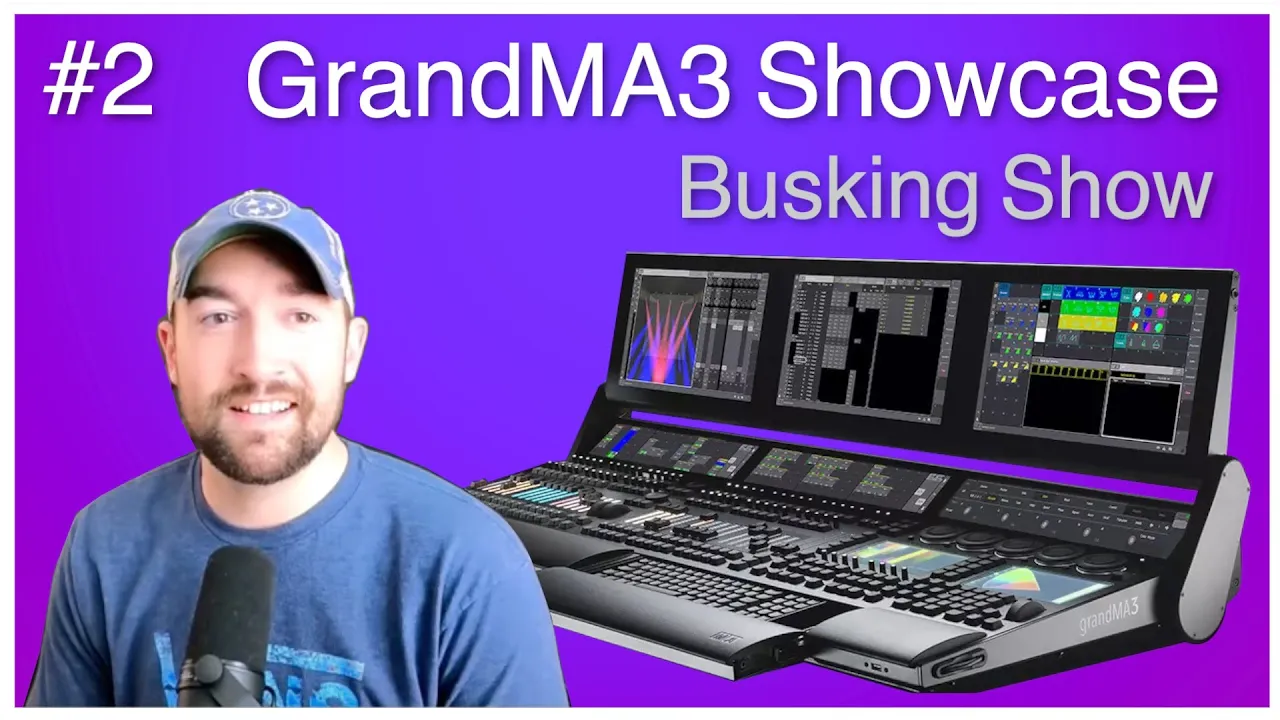
Hi, and welcome to another edition of "Show Me Your Workflow" here on the Event Lighting Channel. Today's guest is Matt Wimpleberg from Nashville, Tennessee, in the USA. Matt is 28 years old and primarily does busking shows at some local venues in Tennessee. We had some technical difficulties today starting up this whole thing, so we're going to jump a little bit weird into the conversation. I hope you are okay with that. Let's talk about Matt's past and what he's done before, and then we're going to jump into his show file later on, and he's going
to walk us through his entire way of building the show file. It is really interesting and complex in many ways, but he uses recipes, a lot of macros, and stuff like that, so I think you're going to find it really interesting. So let's jump straight in. Yeah, so like you said, I'm from Nashville, Tennessee, here in the U.S. I've been in lighting since about 16 but primarily working in GrandMA3, actually since August of last year, 2022. I came up—I had some DJ friends, and I told them, "Hey, I want to do this thing," and I
bought some lights. I learned Chamsys at the time, and that was fun—very quick and easy to throw together. But I realized I really enjoy this, and I want to learn how to take it further. So I downloaded the MA2 software, which, at first, I thought was the most amazing thing, and just started learning. I like to claim that I am a forever resident of YouTube University, so everything I learned on MA2 was either trial and error or a whole lot of YouTube. It's been awesome being able to learn MA3 and what MA saw needed to
change, take away, add, all that type of stuff going from MA2 to MA3. And again, with it being such fresh software, there really weren't a lot of tutorial videos out there. Luckily, I did find the Event Lighting Channel and a few others after I got to a certain point where I was like, "I'm really feeling comfortable with this." I actually started making some of my own tutorial videos. Part of it was—of course, I wanted to contribute to the MA community—but it was also a little bit for me, where a lot of the touring LDs that
come through the venue I work at are still running MA2 software. Whether they're on MA2 or MA3 hardware, they're still running MA2 software. So I wanted to find a way to better talk to them about the software itself. I wanted to help some of them realize that the jump from MA2 to MA3 maybe is not as daunting as it first appears to be. So I started making these tutorial videos so I could better learn how to talk about it, and it's really helped me. I’ve already seen the fruition of that in how I'm talking with
some of those LDs that come through. My YouTube channel, for anyone that might be interested, is MW Lighting, all lowercase, no spaces. We'll put a link in the description to make sure that people can find it afterward. Awesome! I appreciate it. You know, it's been something I've been able to work on in my free time, so I can't say I have the most consistent upload schedule, but I do have some fun plans for it in the future and hopefully getting Event Lighting previewed in mind as well here in the near future. How do you find
MA3? You came from MA2. How does it work for you? Do you have any major issues? Did you experience any crashes or anything? Is it a stable platform for you to work on? Sure! So when I downloaded it, we were still at version 1.5, which was just really starting to gain its viability in the consistency of the program. I think there were still a few bugs that would cause crashes. Luckily, I didn't dig too far deep enough to find many of those. I think I've come across one since working primarily in it since July in
prep for working at that venue in August. So, you know, I wouldn't say gripes, but there are things I wish would not have left—absolutely the MA2 FX engine. The simplicity of creating effects, the simplicity of creating bounce effects and one-shots, being able to set your highs and lows, and really being able to have templates and selective effects—there's a lot of things in the learning that you're going to have to give up going from the MA2 FX engine to phasers. However, it's not only phasers that they replaced opportunities with; it was also with their recipes, which
I run almost all of my show file out of. Recipes, I think, were one of the greatest things that they could have possibly added to the MA3 software. I'm finally starting to dig into Magic Presets. I've actually got a video coming on that here in the near future. You know they definitely made some amazing additions in the MA3 software, and it’s one of those where I would selfishly wish I could combine MA2 and MA3—everything that they have together. It may not be an option, but for what they did give, there's a lot of viability. And
now we're at 1.8.8.2! Yeah, and you know, I'm hearing murmurings of what might be coming here in the near future, and it honestly just becomes a point where there's more to look forward to, and I hope that they're taking that into consideration. Other LDs that really have taken that deep dive—what suggestions they might have because they're doing very well. It's just, you know, if we can get some of those last little bits taken care of, the viability will just continue to go up. Yeah, but I also think, I mean, this is going to come, especially
bounce effects and single shots, as you mentioned. That's one of the most requested features in many of the internet forums you can find out there. So, I definitely think they're going to work on that, maybe not in this software, but in the future, definitely. Yeah, I hope to see them; I really miss them. Yeah, but should we have a look at your show file to see and maybe you can explain how you do stuff, how you build it, how you structure it, and how it works for you? Sure, let's do it! I can actually just
push this one, then we can see you and your show file, just for the beginning anyway. Perfect! Let's do it! Let's see, so in my show file, it's all punting. I've got nothing connected with time code, really. The main thing that I try to keep available is just the addition of other fixtures. The house does have their own flown rig that never changes; however, sometimes there are some ground packages that do change. Not necessarily the tour’s ground package, but for some events, I'm the one actually creating the ground package, so I don't want to have
to keep going in and out and cloning and reassigning or anything like that. I'd rather have it available to where it can either be put in or taken out with as few factors of the show file being changed. The main thing—that's where you use recipes just... oh yes, yes, yeah, recipes save me on that like crazy! The biggest thing I feel like that absolutely factors into having a multitude of different types of fixtures is actually in the bottom left—if you're able to see my cursor right down here. Yeah, this is just one big eight by
four grid, and basically, all it does is it'll either add or take out groups of fixtures at a time. So, like, for instance, these four: I've got, you know, on the left side you can see G1, G2, G3, and G4, yes? And then along the top, you see the different fixture types. The house rig is what I have selected here—spot being wash and MH1. You know, G1 through G4 are connected to my first four faders on the command wing we have there. So, no matter what I put in, I could even select other fixture types.
Those are now added to that master, and now, you know, just by that, I can either take them in or take them out. I can change which ones, you know, I want in a different fader master. So, let's say I wanted to reverse this entire thing—no problem. I can just quickly go through and boom! Now, you know, my first fader is now my—what I named MH1 or moving head one—which is some busy washes. So how does that work behind the scenes? What is happening in the console when you do that? So, um, one quick part
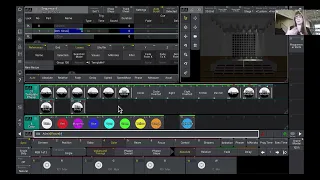
that I want to hit before I get directly to that is I've definitely tried to make everything—um, all my views on the right side connect to different sections, whether it be live or in the programmer. So, "program" is just simple effects; "effects" in our program is simple, um, you know, presets and pull items. "In general," "effects" is all recipes, and "execs" is where I bring those pool items into recipes or the few that are actually executors. So, if we hop into execs right here, "dimmer execs," and we go to "group gym execs," which I actually
need to rename to just "group execs," because this used to only be connected to anything with the dimmer. I've now got it connected to, you know, colors and a multitude of other things, other than just dimmer. So basically, you know, you can see the grid down here. This is all just one big layout with a bunch of labels and a bunch of macros inside of it. So let's say, you know, if I were to click this spot one in group one, if I go up here and click on the macro, we can kind of quickly
see what is going on in the background. So, I'm sorry to interrupt, but I need guests on this show to make it happen! So, if you are a GrandMA3 programmer, I would love to hear from you. You don't have to be skilled; you can be brand new; that's fine with me. You can be working with theater, you can be working with tours, you can do corporate—that doesn't matter as long as you want to be a guest on this show and we can look into your show file the way we are doing today. So, please sign
up for the list below and I will be in touch with you. So let's continue! You know, S1 with asterisk is just my spot one. Sometimes we run flown spots and ground spots, so S1 is always flown. After selecting that group, it takes it, I store it into my G1 group, and then it just merges—that doesn’t overwrite, because I want it to combine with any of the fixtures that are in there. And I confirm that I don't have any crazy pop-ups while it's on, and then just clear all. And then so I always make sure
that my programming is always taken care of first before appearance has, you know, been adjusted. Any changes? Because the main thing I want to see is that the lights are doing what I want them to do, not the screen showing what I want the screen to show. So, I always put the programming at a higher priority than just the nice appearance. You know, after I select it, it changes the appearance to what I've called "Green Fill," which is one of the many appearances I have in my appearance pool at macro 1201. That macro also does
all this in blind, that way nothing, you know, it's all taken care of almost in a separate programmer that is not viewed on the stage. Yeah, so this is a two-part macro; that's why there's a second "Go" in here. The second part, so after the blind off, the next action would be after "Go," after the macro is pressed again. So then, basically, all it does is the same thing, except instead of merging that Spot 1 group into the G1 group, we're now removing it. Fixtures can go in, fixtures can go out. Again, the programming is
ahead of the appearance—it just goes to a black fill again at the same macro, blind off, and that's pretty much it. That's, uh, and then right up here you can see my G1 through G4 groups. As far as the recipe for those, my playbacks, I can just open. So, I just made one cue; it had nothing stored in it. I started a recipe down here at the bottom; I selected group 501, which is my G1 group, and then in dimmer, I just put "Dimmer Preset Full." That is a universal preset, so regardless of what is
selected or what group is selected, the full preset will automatically connect with that group. Yeah, and that's pretty much it. I can also show you my 3D. Let me see if I can make this work correctly. Oh, there we go! It looks like it's working. Yeah, so, um, I'll say I had just those MH1, those Zoom washes. You know, if I bring that up, you can see them. Um, and then, you know, if I add spots in there, they'll jump right in because the recipe is all just like one group. If anything is added to
the group, it automatically jumps in there. There is no fading, so if I make any changes, it's typically when the fader master is down. So yeah, that's pretty much how this runs. I, on this screen, do have playbacks for each individual fixture type as well, but I have come to find out very quickly that this expedites my workflow incredibly quickly. Yeah, so when you—this is all, I presume, in setup when you, uh, when you—I mean, you patch all this when you know what your ground package is? Or how do you go about this? Yeah, so
I typically build that ground package, so I know, um, I mean, I'm worrying about it at all—not just the addressing, but also the power distribution; just the general signal flow going from, you know, one tower over to the next one. Um, yeah, so I'll basically build it all in the show file as far as the patching goes. After I have that, then I'll worry about power, and after that's done, you know, of course, in my program, in my special groups—that's just where I might make any changes over to. Let me just switch this back; you
should see that in a second. Um, you should see, you know, all the different groups I might have. Not all of them are directly connected to that, you know, grid of fixtures. Some of them are some special; some of them are additive, that way I can take them out if I don't like them. But that's pretty much it for that part. Yeah, that's really cool. I mean, it's very versatile when you want to take something in or take something out. I think it's really cool. Yeah, no, I've thoroughly enjoyed it. It's, like I said, I
can have all the fixtures on all at the same time, or I could just have a certain select ones going at a, you know, at once, and it expedites that workflow very quickly. Let's see, I think—are there any hot points, you know, after you've seen my screen, one of the show file? Anything that you specifically want to dive into? Well, no, I mean, for me it's very important to show other users how you can build a show file, and especially the mechanics behind it and the thought behind it, because this is for inspiration. So people
can inspire to say, "Okay, I need this part; it could be really cool in my show." Or what I experienced from the last session I had with Nathan, is that we get a lot of questions afterwards on show files and how it works and how it's built, and why he did certain things. I think you can expect that as well when we go live with this interview. I think that's the cool part of it. Yeah, well then, in that case, I guess I'll just keep diving into how I created my general punt workflow. You know,
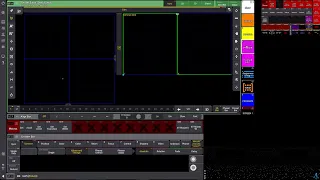
we can select our groups over here on the right, you know, in the—sorry, in the center section we can see, uh, this is all just position information. So I've got basically an "All Position" that, you know, this is just like a go-to. So it would give me this pop-up for here. Let me turn some lights on; I can show you how it looks. Um, so you use the pop-ups during your shows simply to select a new position or something different? Well, it's a combination, and I'll show that here in just a moment. A second, so
my position is that this macro is just a go-to, so it'll open my sequence which I've built with recipes again, where I've just got some simple, quick ones built. So, if I, let's say, I've got "wider low" selected right now, let's say I went "X One Low lower outs," which all those words are just a combination of all the recipes of the positions the recipes have pulled together. Yeah, so it's basically loaded; you can tell this used to be blue, now it's red with an empty center. When I press "go," they'll immediately go to it.
You might be able to see that. Yeah, there we go. So now, I don't have to use the go-to all the time; I can just press "go," and it'll continue just going through that exact same sequence, but I'm bypassing the go-to. It's just automatically connecting to the next one. I've got individual fade times down here, so if I wanted to snap, I can press "position fade zero," and then go to the next one, and they'll jump. Above that is just my main three moving fixture types. I can do very specific X and Y positions with
them, so all it does is the same deal, where the left side is "go to" and "load," and the right side is the trigger. So I could say "spots," let's say I wanted them "X2," and I could either fire it right then, or if I know I want an X and Y look, I could go higher on the tilt position, and then I can just go boom and boom, and they'll immediately take. You know, I can also set them on the same fade times that the main position sequence was taking, so I can change those
on the fly however I want. If I know at the beginning or end, especially if I'm looking for a very specific thing, I can either make a sequence with those specific presets and just store that in another fader, or I can call those same presets on here with recipes and essentially get the exact same effect. So it's just a little bit of redundancy for me; that's all it comes down to. I like having as much in front of me without it being over-cluttered. So I can't say I use this all the time, but I have
used it sometimes, and I really do like having it. To the right of that, I do have another layout pool where basically I just have different layouts available. Here, I've got my dimmer execs. So let's say I wanted my wash to begin fading. So wash is in my G2, so I'll just press that, and you might be able to see. Speed that up a little bit; they're kind of jumping around, or I could just throw them. I can throw them all into a fade, so they'll all start doing that. I used to have a selectable
fade time, but I started to realize I just always used the one-second fade time, and so there's no reason to have it anymore, right? Yeah, so yeah. Can you, I mean, you were in the left side we were working just before. When you do all this load logic, and you can choose between loading and not loading or go to or not go to, how is that built? Sure. So if I go back into my execs again, separating out what you're trying to do; that's everything to me. So if I go down exact same position execs
right here—basically, the back end of what we are seeing on the other side. Yes, yeah, this is everything on the back end. This is how I create that live punt page. So all it is for the position recipes or sequences is just actually a total of seven, or sorry, excuse me, a total of—let me do quick math—thirteen sequences. Yeah, sorry. So one sequence is designated as my go-to and loading, and the other one is set up for the actual firing of, you know, moving those fixtures to a specific preset through the recipe. So, on the
left side, sorry, let me back out so you can see it again, the left group of six right here are my load sequences. There's actually nothing stored in them; it's all just command information. So, if we go over here and expand that out a little bit, you're basically just triggering the other side. Yeah, so it's nothing but commands for the other sequence that's correlated. So we're in the "spot X" queue; it would go to the "spot X" queue for the actual—where the actual information is being stored. So load queue one, page twelve point two zero
six, and then label macro "Xbot" straight loaded. That way I know, hey, my straight tilt preset has been loaded. So we can, let's say it's basically—that's a very cool workflow and quite simple when you dive into it. Then it's actually quite simple what it does, yeah. So again, because that command line says load queue one, not, you know, go queue one; all it does... So if I were to click this and let's say I did that straight, we can see that now on the right group of six—the spot, oh, we're, so sorry, we're in pan,
not tilt, excuse me. Now the straight pan position cue is now loaded in. What will be fired? So we can see, you know, it's popping up loaded because it's ready to go; it's ready to hear that go command. All that's happening in there is it—this one I don't actually have the recipes in; these are no, but I am going to change them over to recipes here soon. These are cues with the presets directly stored in them. Once I hit that go button, it will, you know, fire that cue, and then after that, there's command information
there as well, saying, you know, this macro label it straight, and then change that where it was, where it did say straight loaded. Now it will say spot X, so we can see that fire live. So right now in this grid, we can see straight loaded. As soon as I hit, like, the go button, it's now saying spot X again. That way, I know it's that quick reference. You may have a quick second to see it, but I can go right back to clicking spot X, knowing I'm about to change the spot pan. So that's,
you know, the position it's in now. Yes, it does also change; it's, you know, spot X is ready to be loaded again, but straight is what's currently going. One addition I do eventually want to add is whenever I hit the go button on, like, all my positions, that all of them change to show what has been fired. That's quite a bit more in the back end, and it doesn't allow for a lot of changes. If I change what the position is in a recipe, I now have to change what the new label will be, which
is a lot of manual changes, whereas recipes are one click, and you're done. So, yeah, I'm trading off on that one, but we'll see. I might make that addition here soon. The evidence—I mean, it looks like a show file where you spend quite a bit of hours to make this work. Oh yeah, there was probably at least 20. I mean, this is also like version 117; like, this is not version one. Yeah, yeah, version one took me about 20 hours because I was also learning and it was gaining just enough information to get a punt
file put together. And then, as I started doing it more routinely, it was, okay, what do I want to see and what do I want to have access to? So that's where I got to this point. Yeah, yeah, really cool. Can we dive deeper into your show file? What do you think? Um, yeah, absolutely. So there is one big thing I want to hit, but I want to save that for the end as like my grand finale. But no, so further to the right of my position layout, I do also have the dimmers. Like we
just looked at my movement executors, so basically, same deal. Rather than it being a load, it is an actual fire. So, let's say I wanted my, you know, all of them, or let's say even just my spot circle. This would go anti-clockwise. I do currently have them, if I'm not mistaken—no, they're all one continuous flow, not mirrored. So even though the spot circle does show as selected, we can see that the spots aren't moving. One thing I very much wanted to make sure I had in my MA3 show file was a similar workflow in MA2,
where I basically had size masters. Now, there was a lot of remote stuff you had to do; there was some additional workflow that you had to do to, you know, make the size fader work the way you wanted it. But, you know, if I bring up my move effects fader, we can see that now the higher I bring that fader up, the more they're moving. So, you know, for instance, right now we can see all the fixtures that we have up—the spots and those moving washes—those are now moving in the movement effect that we have
put on them. I can also change all this live, so I could change... I could tell those I just want them straight now. Again, you may have just seen that jump; that's another piece I am in the midst of figuring out, which is instead of them all running through one recipe, to have them run through their own. That does allow them to fade back to zero in their position movement. So if there's anything that anybody takes away from this workflow, it's definitely that per the programming, never stops. You always figure out something new you want
to change, so this is just where I've gotten to at this point. There's plenty, plenty of additions to come. That's also because, if I, like, this kind of evolves and your need for what you wanted to do evolves with it. Yes, yes, absolutely. Where, you know, so like my group grid that I made, I didn't make that 'til probably two months ago, and I've been there for coming on seven, almost eight months. I'm terrible at quick math, but somewhere, you know, since August, I did not have that from the get-go. So, you know, once I
got to the point where I'm like, I wonder if I could do this, and then on the back end, I started working on it and created that. And you know, I worked the kinks out, and now it works seamlessly. I'm like, you know, okay cool, I just did that, I wonder what else I can change too to make this punt file work more seamlessly. Yeah, but it also speaks into how personal a show file is because you need to know the logic behind it; otherwise, you will make it work the first time and then something
breaks, and then you will... you kind of sort of can figure it out, and suddenly everything falls apart because you don't know where to look, or you don't have the mindset of that show file, right? Yeah, I mean, there's been a few instances where other LDs, they'll come in with a tour, but, you know, for whether it be the production finances or whatever, they may have not... Come in with a desk, with any type of, you know, um, you know, control lighting desk. Sometimes they’re using my show file, so that’s been a fun learning curve
of, like, you know, showing them how I think through my show file in a way that makes sense to them. Sometimes some of them get the hang of it; a lot of times they don’t, but it’s not a fault of theirs. It’s just because I’ve built this around the things that I know I would use, the things I want to see, and the things I want to have available. You know, every LD has a different type of workflow. This currently works for me, as well as all the additions I want to make, but different LDs
aren't worried about having, you know, my move execs each picture type having its own movement type. They may want, if I say "Circle," for all of them to go "Circle," you know? So, that’s the difference between working for yourself and working for a system. It’s kind of hard to do; it’s too perfect on both ends because you need simplicity when you’ve put someone else into your show file. You need simplicity, too, so anyone with little or no experience can actually operate it when the band brings a friend or a father or someone who's doing lights
for them, which happens. Yes, you need simplicity, and doing that combination of simplicity and that extremely advanced show file you have is kind of in opposite directions, isn’t it? Yes, there! It’s simple to me, but that’s because I took the time to build it, and I know where things are. I know how things are routed and mapped. You know, I would say I do intend to maybe make some type of way simple backup punt file. That way, if I do need to hand off the desk to another person, rather than just the DMX lines, I’m
actually handing off the entire desk for someone else to use. It’s a much, much simpler setup. But, you know, like I said, 99% of the time, if someone from the house rig is being used, or if the house console is being used, I’m the one on it. Yeah, so that’s where I’ve like, okay, I really want to dive in and do this. And, you know, it could leave some people in the dark that maybe last minute are like, “Oh, by the way, we didn’t bring a console.” Yeah, maybe it could, but that’s where maybe I
could back up. That’s where, you know, I could back up with a second show file to where they have exactly everything they need at their fingertips, and they can make the changes they want that won’t affect my show file whatsoever. One of the main things I’ve learned in building this show file is that while it is very specific to me, not everybody can grasp it. I think that speaks highly to everybody’s different types of LDing, or like what it is they want to have available, and what it is they want to be able to quickly
throw on and make this effect go. Or if they just, you know, they specifically want just my spots on this first fader instead of it being able to be selectable. You know, I know in my workflow that I can make whatever I want happen live instead of always having to hop back in the programmer and change things around, but that’s specific to my workflow. So, you know, I mean, we’re working in a concept with, there’s no standard of anything. So there’s no right or wrong. I talked to Nathan last episode about that as well. It’s
all up to the individual, so that means that it’s going to go in opposite directions for different guys or different people. One of the coolest things I’ve recognized while watching other touring LDs that come in is that, you know, first off, I always make sure I’m not in their space if I am trying to observe their workflow. But I do tell them I like learning other people’s workflow because there are things that they will be educated on in their programming that I have yet to learn. But me watching them, that could be the moment where
I’m like, “Oh, I want that,” or “I want to implement something of similarity.” Now, a lot of times, like I said, their stuff is, most of the time, time-coded, so there’s not always that availability of seeing what’s happening when they’re moving through things live. But of the few times where they, excuse me, they are punting through, I’m able to take away a lot from their show file, I should say, because their groove helped them figure out a major piece to their show file. So it’s a never-ending learning process, which I absolutely love. It is an
absolute pleasure of mine to always just continue learning this because the opportunity is literally endless. Yeah, but it’s a time-consuming hobby. Oh, my goodness, the amount of time I’ve spent on this is unlike any other job. But as long as it’s fun! Oh, yeah, 100 percent! Shall we go back and have a look? Yeah, sure! So, I’m gonna bring the spot move back down, which I’ll show that real quick, too. So I move effects; all that is, is just a sequence with a recipe inside of it where I’ve got my specific groups. These are different
from the G1 through G4 that we saw earlier. These are the specific moving heads just because I don’t want to—if I said, you know, group one, group two, group three, group four—if I had a non-moving fixture in one of those groups, then I’ve now... Wasted that space, so these are specific to moving heads that I would have in my show file. Yeah, all that's happening on the back end, same as many of many other places. These are all just referencing a phaser, a movement phaser. I don't assign any MAtricks to them because some of them
already have MAtricks information in them, so I want the recipe to automatically assume that preset MAtricks information rather than me trying to insert it on the back end. All—and then in the handle—I've changed the fader to a temp fader instead of just Master because that allows me for it to be additive. It allows it to be brought in and taken out so that, you know, that allows me if I were to bring it up just a little bit like this, I can get them, you know, moving in their Circle, but very, very small. So that's
how you control the size of the movement. Yes, yeah, yeah, it's basically a size Master for all of my movement. You know phasers, I do have a movement speed or a speed master connected to it, to where I can have them going almost berserk in that small circle, or I can have them look like—I mean, they are moving, but you can barely see it. Sometimes that's a very nice, just simple theatric, you know, if the music has come down, it's a very soft, quiet part of the music. There can still be some emotion in movement,
but it's not overbearing; it's not overpowering. So, Matt, you know, pairing that movement effects sequence with the recipes, along with the movement speed, you're able to—I mean, not every circle is going to look like the last Circle, right? Yeah, so, and on top of that, if I change the position—so if I put Fade two and go there—it's still doing the Circle, but now in a different place. Yeah, so that's just a relative movement on top of a position. Yes, yeah, all of my movements are relative; positions are all absolute. I did that, you know, obviously
very specifically so that I can stack the phaser on top of an absolute position. But, you know, it's just that safety net to make sure that one thing is not overriding the other. If I were to go off on it now, trying to recall that last position and whatnot, it just gets chaotic. It has the ability to get chaotic very quickly. So yeah, it helps expedite that part. What else is there? I do have a spot tilt—this is cool for you can kind of see the spots just moving up and down. I'm actually controlling that
on a fader. You can, yeah, you can just see them going up and down. Basically, once again, all that is is a temp fader. I'll open that up real quick. That's just a temp fader with the high value, like the position, the tilt position High, stored in. Then once again, it's just a temp fader. So basically all it's doing is staying additive. You know, when I bring the fader down, it's taking out the addition of that high value; whereas if I add it, the more I add it in, the more those lights begin to go
up. The more I take it out, they're going down. So you can add some very, very quick but very cool looking like, you know, if we just had a big hit and I knew it was coming up, you know, I could prep it where it was up, and then— I wish my touchscreen was multi-touch because this would be a lot cooler to show—but you know, let's say they were faded out, and then I know it's coming, so I bring it up, and then they're coming down, and I've got, you know, the other lights doing some
crazy movements and whatnot, and it's just an additional quick effect. If I also know it's going to be a lot simpler— or for corporate events, because we do also have corporate people come through—I could just keep the spots High. I could put a Gobo on them, you know; I could put prisms on them, whatever, and just have them move throughout the ceiling. Basically, you know, the corporate audience can still feel like, oh, we're doing a show, but I'm not blinding them the same way I would if it's a concert. Yeah, so it's also the show
file, in addition to being for your live shows, is also built in a way to where I can run very simple corporate stuff off of it. It's not like I needed to add a lot of stuff to it anyway, but it helps. That's the cool thing about a busking show file, if— I mean, versatility and options. That's basically what you need; you need to be prepared for anything. Yes, absolutely, absolutely. So this is the only kind of like additive position preset that I've put in here just because really with how wide I can get those
spots, I'm not really worried about beams or anything else really doing the same, being able to react the exact same way. Let's see, moving down through the layouts. I basically just built these because I don't always use—I don't always have access to every single one of those. You know, I could have cluttered my entire screen one with each different feature type, with dimmers, move, Gobo. I could have done that, or if I know I'm gonna have this thing this way for a little bit, I can—let's say I want the Gobo one and I want them
on dots, which I call them cool. I can just hit that and I can go on to another page. Let's say, okay, I'm gonna have prism on. Cool, now I can walk away and go to another page, and let's say I know I'm going— To be affecting these dimmers for a little bit, or the dimmer, you know, phasers and whatnot, I can just stay on this page and all that's going on, and I don't have to clutter up the rest of my screen with every single feature type. But how do you go back? I mean,
if you want to reset everything, do you have a quick way of doing that? I haven't added a quick way. A lot of times in between, like I'm not doing a ton of EDM where it's just constant; you always need to have the next thing ready. A lot of times, it is, you know, bands. It's DJs that are really putting their ebbs and flows—DJs more so for corporate events. So that's that alone is a lot simpler. So right now, I don't have an immediate "off" for everything, you know? I could go off and turn off
certain sequences in that window, but a lot of times I'll just go back to those layouts: gobo off and prism off, and now we're back to where we were. So, one thing is to put great stuff into the moving lights; another thing is to take them out again because sometimes it has to be yes fast. So, yeah, it's all about options. When I program the open wide and gobo, it's the one I program first, so I know how to get out of it again. Yeah, yeah, yeah. And you know what? Even you just saying that
right there already gives me the idea of how about making an "all effects off," you know, or "all additions off," other than open, other than intensity, pan, and tilt. Right, exactly! So that’s, you know, exactly what I was getting at earlier. Even just watching things on YouTube and picking and talking to other people, the idea of just adding an "all additional stuff off" on one button, you know, I'm about to add that after we are done here. So, you know, that's cool. Yeah, but the last thing I have in this group of layouts is just
focus execs. Once again, I've got fade times and whatnot on it, but let's say I put fade four on my MH1—again, those moving washes I have right now that are narrow. I can hit wide, and now in the visualizer, we can see they're just taking that four seconds to get wide. Same thing for the spots. So now, you know, I can set those; I can set them and forget them. Um, yeah, I could add those to a, you know, snap back to additional stuff back at zero, but you know, this workflow so far has worked
for me. But again, that may want to be one of those things in the future where I'm like, "All right, it's time to change this; I'm going to do this differently now." So, yeah, but then again, it could be because your need for change is there. Because sometimes you have to do something different, and then the mindset of working in that kind of show file needs to be adjusted. Yes, exactly. Um, let's see, one thing I do again right before I hit my—well, maybe we're not there yet—but one thing I do want to show too
is for those that don't have command wings or a touchscreen: having the accessibility of certain quick functions. So you could go every time to the command section window clicking this button. I've just got it on a different screen right now. Clicking the command section menu, and then let's say I wanted to store something, or I want to delete, or whatever. We have the addition of swipeys, which has been great. A quick thing like that is just if you click and hold, drag down, you now have your list of options there. On top of that, I
also put a sequence of just command line information—store, copy, move, delete, label, select, assign. Now I built that before I really started using swipeys, but the nice thing is if there are certain, you know, other things I want to add in, you know, you can just do that very quickly. And let's say I did have—say I wanted to copy something—we can now see in the command line, "copy" is now put in, and I can go on to the next thing. So, um, that was a very quick but incredibly resourceful user thing that I put together.
I can't remember who I picked that up from, but that was from MA2 that I saw that, and again before I got into swipeys, I started using those. So yeah, and again, you can still use the hotkeys on your keyboard. If you open the command section, you can use all the hotkeys from the keyboard. What was that? Yeah, I’m trying to say—yeah, sure, no, it's okay. I think it was—yeah, if you remember all the shortcuts, you can actually—I talked to a guy the other day who memorized all of them so he could work really, really
fast on his keyboard on PC because he remembered all the shortcuts. And I mean, I would never learn all those shortcuts, but of course, it’s an option. So if you want to work faster on PC, it's definitely possible. Yeah, yeah. I have good memory in certain areas, but remembering what each letter connects to, like a certain function, I can't say I'm the best at. So that’s where I just kind of fell back on the, you know, sequences with just command line information. But yes, no, shortcuts are fantastic. I should probably spend a little bit more
time learning those shortcuts just to make my workflow a little bit easier. Yeah, and that's also sometimes you don't have to type the entire word. I mean, if you... Press "S." That's the same as writing "store," so there's a lot of fast stuff built into the control in the OnPC. Anyway, absolutely. Um, let's see. As far as my everything I do on here, it's all screen one, and if I've ever run a screen two, it's always just been additional. You know, I may have my sequence pool on there, or I may just do some quick
programming on there, that way I don't have to leave this page, especially if I'm in a live situation. Yeah, but typically I only run one touchscreen, and I'm only looking at this page. I don't need a 3D page because I'm looking at the stage itself, so yeah, I've tried to make sure that my workflow is conducive to having one screen, one touchscreen at that, and this workflow has really worked for me. So, the only other addition that I made was just a quick color fade. So, let's say if I bring my beams in—should be those
guys—there we go. Cool, that's on in this top left section. Let's say I wanted them to kind of color fade to yellow, let's say, since we're doing this, you know, purple and yellow thing. Let me take those spots out so you can see it better. Um, same deal where I have macros that basically just add or take away groups, like groups, to then a template group, essentially. So if I select "beam" right here, all that's doing is moving the fixtures that are in one group and adding them into another group that this recipe will then
affect. So beam one, or, excuse me, beam, and yellow. And then we can see it's off right here. If I just hit "fade three," we can see that those are automatically jumping around. I also have my movement speed master, and then I also have just another general speed master, so I can slow that nice and slow, bring it down, or I can just, you know, have them go crazy by bringing that speed master up. So, you know, when I can, I can change that on the fly. If I wanted to, I could do a sweep.
I want to say this one I've gotten working correctly. Oh yeah, this is just basically like an into-out sweep, essentially. Yeah, and then "rainbow," I figured that's pretty self-explanatory; it'll just take whatever I have selected here and make them do red, green, blue, and fade in between all the colors. So yeah, the last thing I really feel like—and this one I feel like is like—so I found this out like three weeks ago, and since then I implemented it that night, and I had another show the next day and was already using it. It's using sound.
So yeah, both consoles and OnPC can receive sound signals. Consoles have a sound in for OnPC users, or Command Wing users, I want to say. No, the Command Wing does not have a sound in; it has an LTC in. But on the PC, you can connect an audio interface, and basically all it does is it will— you know, you connect that to your computer, make sure you've got your drivers and whatnot. When you open MA3 after the audio interface is connected and everything, you'll have a drop-down list. I don't have that same audio interface that
I normally use connected specifically in this instance, but you'll have a drop-down for like your input. So for instance, let's say I just use the microphone that's on my PC. I could click that, and now you can see there are bands that are picking up my voice. If I were to tap near the microphone, which I'm doing now, yes, you can see that it's starting to spike in certain bands. So you have your, you know, all—then you know there's basically 12 bands you're seeing here. The first one's "all," the next three are low, mid, and
high, and then the next seven are band one, two, three, four, five, six, seven. So one thing I started doing with that is actually just making—just for now, nothing too crazy. In addition, I started making a sound dimmer. It's just basically full, but it's only sound active. So if I were to take, let's say, I've got—let's go to my beams, and let's see I've got them on. Let me go to a different one. Let me just do my "all," that way we can make sure we see it. And then I fire that toggle. Now, if
I bring this out, if you can hear me tapping—yes, it's a little bit out of sync, but that's because of the connection; you are halfway around the world from me, so your image and your audio are not in sync. So, but yes, I know what you mean, that's really cool. Yeah, so that just helps, especially like—so what I've done with our, you know, our audio guy that's there at front of house, he'll typically just give me a feed of the bass, of the kick and the snare, I should say. So I'll run that into my
channel one, and then he'll give me another line that I'll put in a separate channel—that's the full mix. That way I can listen to everything in my ears, and I'll have the MA only listen to that kick and snare channel. So that may limit me down to only listening to band one or two and six and seven, but the thing is I can get some very specific reactive, um, you know, effects and whatnot, and it helps simplify things for me, especially there are certain genres that I just maybe I'm not that interested in. And it's
not for the lack of interest in lighting; it's just for the—it's got ebbs and flows in places you can’t imagine. Does or in general, you're just not that used to that music, and so maybe that's just its weak point for you. This helps me take out a lot of that guesswork to where I know, regardless of ebbs and flows, regardless of what I don't know is coming next in the tracks, I can follow those highs and lows. The MA will follow those highs and lows for me, and then, you know, I can bring my master
back in, my group master back in. So, you know, let's say I take it out; we can see that it's reacting. Now, me adding the fader master or bringing the fader master back to 100 essentially takes it out, but all it's doing is adding on top of that. So the fade is—um, or not—yeah, so that kind of dim fade is all relative. My fader masters are all absolute. So, yeah, the fader masters will always overtake the relative presets. As soon as I figured that part out, I've started using that all the time. It has been
a lifesaver in some instances. So that sends you a little bit about how versatile the desk is and how much you can do. I mean, there's some I've used MA for, I don't know, 10 years or 12 years or something—for real, yeah—and I've never used the sound input. Never. Yeah, yeah, I think I'm going to now. No, it was an EDM show, and you know the first couple of openers; they're not worried about giving them all the crazy stuff. So he put—he was running MA2 on an MA3 light—and he ran the sound in, and he
was able to follow those ebbs and flows and really just do—I mean, even just this—this is just a dim, sound-active. He was able to do certain effects where they would just, you know, kind of fly out with dim effects and whatnot and do certain movements and whatnot. So this can continue growing, and like I said, I've only been using this for a couple of weeks thoroughly at this point. There's so much more that you can do with sound, and it's crazy too because I've barely seen any videos on YouTube for that. It's almost going to
open up a world on its own! Oh yeah, yeah. Now, it does need to come with a big old asterisk—read this at the bottom—where MA is not an audio desk. MA is not—no, it doesn't pick up all the bands. It's not going to be perfect; it's not going to read all the music correctly. But for what you do get, it can do enough. So it can help you; it can help absolutely. It doesn't need to be taken as a fix-all. Now I can just walk away from my desk and let the show run. I'll be
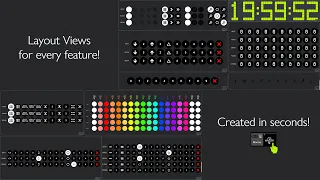
in K train from now on! Yeah, exactly. But the addition of it has been so incredibly resourceful. It's helped me in a few places, but really, the most important thing—the most important thing on my show file, if you want to show it real quick—most important thing, this is my last thing. See that clock right down there, bottom center? Yes, that thing has saved me so many times where it's like, "Oh wait, we’re about to start," or, "We're in the middle of a changeover," and, "Okay, how much time do we have left?" That clock is so
important. But yeah, no, I'm mainly just making fun. But yeah, it's been helpful. So yeah, it has been an absolute pleasure talking to you. It has been eye-opening in many ways. We can tell everybody we had some technical difficulties before starting up this interview here. We worked for about an hour or two figuring everything out, but it has definitely been worth it. I think your show file is amazing, and I want to thank you for taking the time to do this. I appreciate it. Likewise, this has been an absolute pleasure of mine too. I hope
to see you out there somewhere, and as I said, I will put a link to your video—sorry, on your channel—down in the description, and I hope to see you somewhere else sometime. Yeah, and I can't wait to have you on one of mine as well. That would be cool!