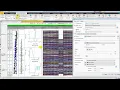
[Music] welcome to petrol town in this video i will take you through petrol 2013 seismic multi workflow the new concept of user perspective allows you to focus on your workflow by filtering domain tabs accordingly seismic multi is available in seismic dissimulation geology and geophysics and advanced geophysics perspective let's select dng perspective as we select gng perspective we notice different domain tabs for the gng workflow are placed in a logical order to capture user workflow as we know synthetic generation is an integral part of seismic interpretation so we are going to select seismic interpretation domain tab
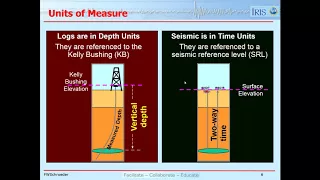
seismic interpretation domain tab has seismic weld calibration 2d 3d interpretation attribute and other work step again logically ordered according to the interpretation workflow seismic well calibration have various tools needed for a comprehensive synthetic generation workflow let's select seismic world type dialog box insights vegetable type process dialogue under the study type we have four different type of studies i will be discussing sony calibration and synthetic generation let's perform sonic calibration first for well a which is a deviated well to correct the sonic lock velocities to time that data and for accurately hanging the sonic lock in
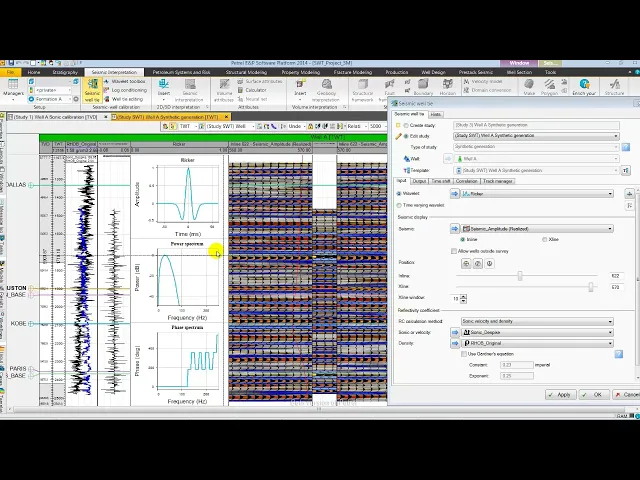
time let's select edit study to open a pre-existing sonic study here we are using a d-spike sonic lock conditioned using the interactive lock conditioning tool of petrol and for time depth relationship we are using checkshot also from the track manager i am going to modify the predefined templates here removing the input average velocity and two-way time picked [Music] as you see here in display from left to right we have tripped residual drift sonic calibrated sonic input and output into a velocity with well tops displayed now i am going to auto hide the input pane as
in petrol 2013 it is not needed to have input pane displayed all the time this provides us larger workspace while executing our workflows i will also open the well editing tool palette and can call other tools depending on the workflow using the tool group here in this case i'm going to select cross-section editing as i will be using it for editing section later all this allows user to execute their workflow effectively and efficiently next from the tool palette i am going to create knees at displayed markers before doing further editing let me color fill the
output interval velocity directly from tool palette to notice the changes in velocity easily let's select edit mode to adjust one of the knee points as i will adjust one of the knee points you will observe the changes in the various curves specifically in the residual drift curve and the differences between sonic and calibrated sonic curve let's go to tool palette and select delete knee point and delete the edited knee point followed by deleting all the knee points directly from welter editing tool palette next let's create nice a check shot from tool pallet [Music] as we
analyze we observe the residual drift curve values are dropped except at few points we also see the difference in sonic and calibrated sonic curve but with reliable velocity variation from the output interval velocity curve as we are satisfied with sonic calibration let's open seismic wall type dialog [Music] here in the output tab we can save or set calibrated tdr as active tdr let's set calibrated tdr as active td as we will be using calibrated dd relation for synthetic generation [Music] now let's open the input tab to carry on synthetic generation study using the edit study
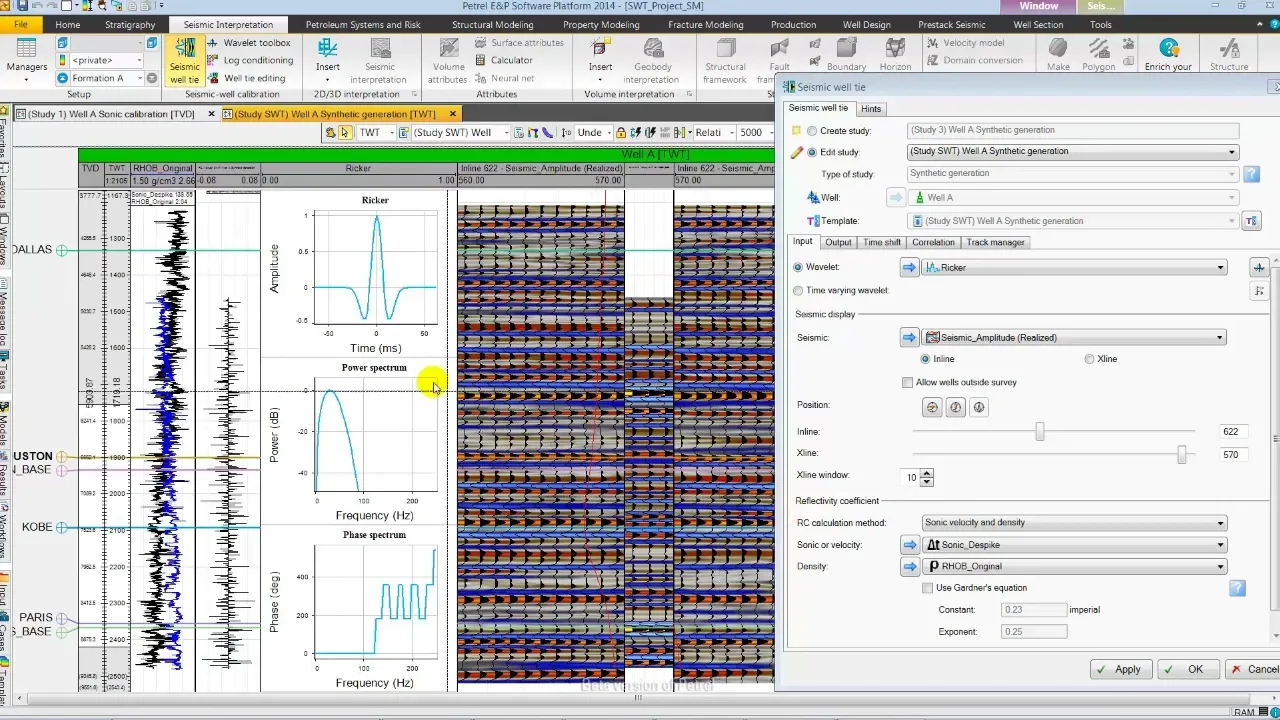
mode i am going to select a pre-existing synthetic study which opens a new well section window here in the input i have rekord wavelet with 20 hertz central frequency a seismic amplitude data and for reflection coefficient calculation sonic and density log [Music] let me move the seismic well type dialog to the right so that we can see the synthetic with seismic petrol 2014 allows you to generate and analyze the frequency spectrum of the seismic data using inspector which is a key aspect in the seismic multi workflow [Music] i have opened inspector using shortcut shift ctrl
spacebar followed by selecting a location using select mode this will display the seismic frequency spectrum we can easily read out the frequency by just selecting the spectrum and by moving the cursor [Music] this gives us a good basic understanding of the dominant frequency let's close the inspector let's change the central frequency of the rigor wavelet to 30 hertz based on the frequencies we have observed as a starting point [Music] we notice one issue in the first track the input testing log in blue color is missing for the shallower section compared to the sonic resulting in
missing reflectivity and hence synthetic for the same interval in petrol 2014 using well-known goddess relation we can directly fill the gaps where one of the input log is missing once i select garnish relation it generates the reflectivity enhance the synthetic for the missing interval directly from seismic wealth i dialog let's move the seismic multi dialog to read the timesheet values from the correlation track for achieving an optimal match the value is 10 millisecond let's enter the same in the time shift tab of seismic multi dialog [Music] we notice some improvements in the match let's next
to rc modeling for partial synthetic generation let's activate it from seismic well-tied tool palette [Music] by default it is generated for the full range let's delete it now let's zoom in here near brown color marker houston which is a strong reflector from the reflection coefficient series track let's select the reflection coefficient near houston if we notice partial synthetic signature is still different from synthetic once i add few more reflectivities the event in synthetic partial synthetic and seismic matches in this way reflection coefficient modeling can be really helpful in validating polarity and also analyzing the contribution
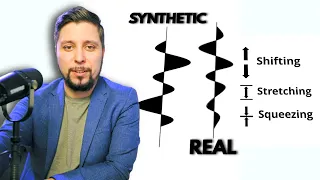
of various reflection coefficient for a synthetic trace event generation [Music] in this display i have zoomed out and removed parcel synthetic as we analyze we do see mismatch between synthetic and seismic at shallow level while the strong even near houston matches well let's try stretch and squeeze to address this [Music] the changes due to variable time shift in the drift curve and velocity are quite unrealistic so let's remove the stretch and squeeze by removing the alignment points followed by deleting the alignment points [Music] let's open the seismic wealth eye dialog and select a deterministic wavelet
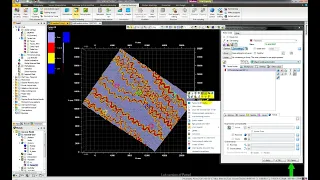
extracted using seismic and log data [Music] as we qc we observe a really good match between seismic and synthetic [Music] next we are going to display the synthetic in the interpretation window let's close the tool palette and from the favorite pane open the interpretation window with a random line passing through well a also toggle on the interpretation to open the synthetic we will use the new search functionality of petrol using the control f shortcut key i have opened the search we can quickly search by typing synthetic and then selecting the synthetic and display it from
the input pane [Music] we can notice a pretty good match between seismic and synthetic to summarize i have demonstrated seismic wealthier workflow in petrol 2014 in which all the utilities and tools needed for detailed seismic voltaic workflow are directly available in seismic bulk calibration group and the seismic interpretation domain tab offering a true interactive environment for you to be close to your data and hence assured productivity [Music] you