what's up OD doers and welcome back to do or not to Odo it really isn't a question the answer is pretty clear especially when it comes to scheduling sales activities in your CRM app from your first demo to the next quotation activities are an important part of the sales process Odo takes those activities to the next level with automations and Reporting so we could help my sales team move through the sales Pipeline and make sure all all of our customers are engaged and taken care of let's take a look at how we automate and check
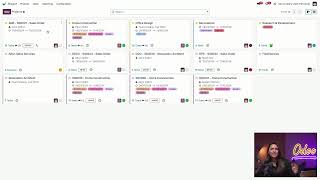
activities in the CRM app we're starting in the stealthy wood CRM pipeline as you might remember from our other previous CRM tutorials the different icons on opportunity cards represents activities that are associated with that potential sale ODU also allows us to automate activities by creating activity chains to do this we'll click on configuration at the top and then select activity types here are all that types of activities that we can assign to our business flow OD do provides these activity types by default but we can always create new ones or even edit existing ones let's
open up an existing one like make a quote for example and from here we could see under the action field that I can choose a specific action that will be triggered under this activity type for example we have upload document phone call meeting request signature however we're going to keep this on none for now and by leaving this on none this indicates no specific actions for the scheduled activity I also have a few other configuration options for this activity type we have our dashboard visibility field which allows me to choose if this activity type will
show up on my dashboard right now I have this set to own activities which means my dashboard defaults to only show my make quote activities now below that we have the default user this automatically assigns this activity type to a specific user I'm going to leave this blank for now but this is for any team members that were designated for certain activities for example before stealthy wood got big we had less customers to handle and we had a quotation manager who's in charge of all sales quotes moving on we have our default summary field and
here's where I can add default text to show up at the top of the activity box here is something we could put like create sales quotation and this is a good way to quickly let the salesperson know what they need to do for this activity and below that in the keep done field if this is ticked completed activities under this activity will remain visible in the activity view now I want to keep track of all my quotes for my sales teams so I'm going to go ahead and tick this and just like the default summary
what I typed in the default note field will come up as a default text in the activity so for this activity type let's put yeah add product item lines and customer pricing while the default summary is great for a quick highle summary for the activity types the default note is a great place to add more details on how we can accomplish this activity and what we need it for not only can we configure d details for the activity type but we can also set up specific actions to help our team move forward on the next
activity these automations mean we never have to wonder what comes next which cuts down on any confusion and even wait times now in the chaining type field here I can automate activity scheduling if I choose suggest next activity ODU will suggest the next activity of my choosing to the salesperson right after they schedule this activity if I click into the suggest I can see all the different types of activities that I can suggest for the next step so for example we can add call for demo as well as call and this is going to help
remind my sales team that we value constant Communication in follows with the customer or if I already know for sure what should happen next I can choose trigger next activity as the chaining type and Odo will automatically schedule a new activity for my salesperson once the previous one has been completed which I can designate here in the trigger field let's say I want my team to send an email right after the quotation is created so let's click down on the trigger field and select email we can only trigger a single activity so make sure you
really think about what should come next I can also assign specific email templates for the new triggered activity I'd like my sales team to go ahead and get a demo in the books once they create a quotation so I'm going to leave this set to the welcome demo email template lastly I can choose exactly when I want the next activity to be scheduled I can choose any number from days weeks as well as months and here in the completion date area we can schedule to set this to after previous activity deadline or after completion date
but let's make it 15 days after I complete this activity now we're going to save this manually now at any time someone compl completes a make quote activity ODU will automatically schedule an email activity so let's go back to the CRM dashboard to see this in action and all we have to do is Click sales at the top and then my Pipeline and even though it's not going to make too much of a difference we're going to remove the my pipeline filter here and my customer AB Abigail Peterson really wants some nice area rugs to
fill out the front rooms of her business my salesperson already had a preliminary call with her to go over what size color and design she likes now it's time to schedule their sales quotation by clicking on the activity icon on the opportunity card then selecting schedule an activity for the activity type I'm going to select make quote and all my configurations come up I'll go ahead and schedule this for next Monday and let's also sign this to Mitchell admin my best salesperson and once everything looks good all we have to do is Click schedule great
now if we click on her handband card and scroll down here in the chatter we can see the record of all the activities ever done for this opportunity including the one we just sched now let's say Mitchell Saw the planned activity and just created this quote in that case we'll click Mark done and I'll go ahead and write a short note about the quote we'll say created and pending approval now when I click done and schedule next we'll see in the chatter that a new activity for an email was automatically scheduled super easy now if
we click done and schedule next without the activity to be triggered configured the activity popup window would appear and we could manually choose which activity to schedule next ODU also has a great reporting feature that shows a Consolidated view of all of your completed activities to take a look at that all we have to do is click on reporting at the top and then select activities we'll also remove this filter to get things started and here we have a ton of options for grouping our activity information if we hit the drop down filter area we
can narrow this down by stage as well as salesperson and when we do we're able to see a proportion of activities that have been done by each salesperson this makes it so easy to track your salespeople performance and if we look at this one here it looks like Mitchell has been doing the most way to go Mitchell we can also see a detailed list view of all these completed activities group in a similar Way by checking this list icon view here on the right from here we can see a different View and click on the
different stages like new to reveal all the activities under that stage as well as the names like Mark demo and when we do we're able to see the activities that are assigned to which salespeople now for our spreadsheet fans we can also switch to a pivot table view by clicking the icon in the upper right hand corner and like in other formats we can also also customize our view so if we tick on the plus icon on make a quote and for example click on stage to check on how many quotes we have assigned and
what stage they're in we're able to see that updated information here super convenient and as you can see ODU makes it incredibly easy to track and schedule your activities so you'll never forget to follow up with your customers activities are super efficient for you and your team to stay attentive to customer communication and ensure you never miss a beat in the sales flow for even more ways to automate your workflows and nurture your opportunities check out odu's marketing automation app which allows you to create automatic targeted marketing campaigns and automate business processes for every Department
involved that's all for now o doers thanks for watching and remember it's O do and not o don't