[Music] what's going on everyone it's Justin here and today I have another workflow software video this time focusing on AI presentations and so over the years I've talked here and there about the behind the-scenes process day in life my favorite Mac apps as well as productivity workflow and of course desk setups which you guys have seen before and I've gotten some comments in the past about business questions of how I go ahead and make pitch decks how to start working with Brands as well as how to develop a workflow for creatives in today's video I'm
going to show you guys how to make presentations and Pitch decks using gamma app it is an AI powered platform that harnesses all the amazing elements of AI text generation and content generation as well as image generation and it will be able to give you a presentation document web page or deck in a matter of of 30 seconds or less and you don't have to have any experience when it comes to coding web development and personally as someone who started as a content creator first I never actually had any experience in creating documents and graphics
and I would say that gamma is sort of like the marriage between canva and notion which are two platforms that I used before and bringing it all together to be able to let you create what you would like easily I want to give a huge thanks to gamma for sponsoring this video I'm going to be giving away a Mac mini with a one-year subscription to gamma app so if you guys want to win that make sure you go ahead and drop a like on this video subscribe to the channel and also comment down below what
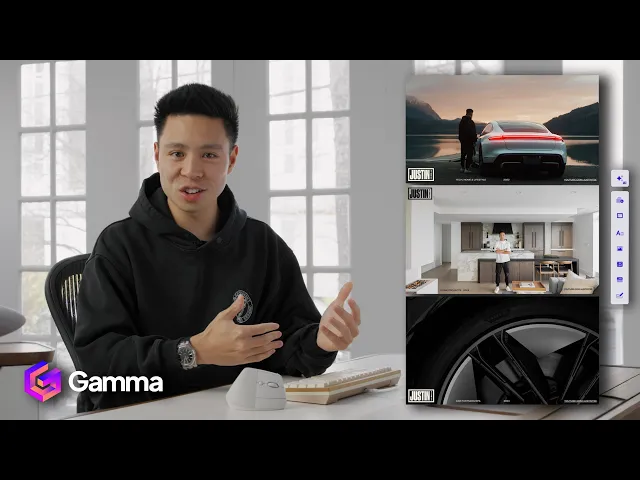
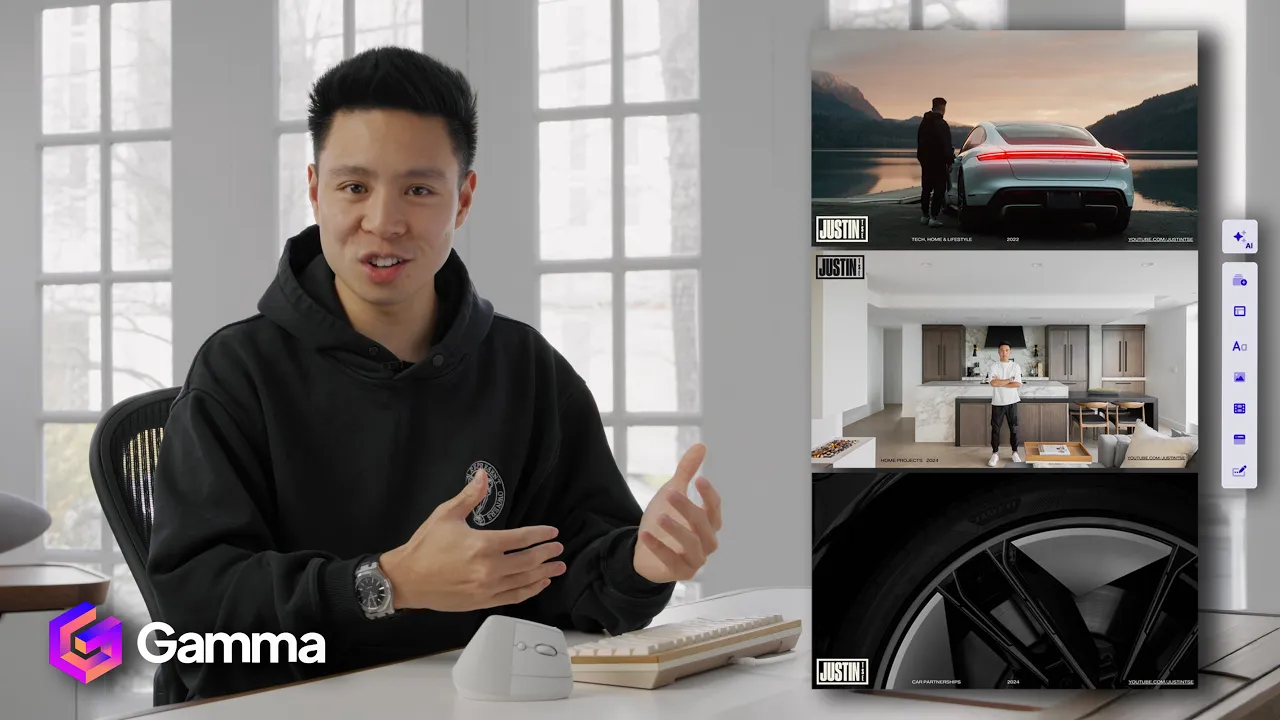
type of things you'll be creating with gamma and on the Mac Mini as well as your Instagram username and we'll be contacting a winner directly on Instagram in two weeks and pinning the comment down [Music] below so when it comes to creating pitch decks here are some of the ones that I've had in the past and I like to create like curried ones in different categories such as pitch checks for CES as well as in the car industry in the home and real estate space as we try to work with different partners on different projects
and I like to just have an element of curation specific to those categories but I will say it does take many hours and I find that a lot of times I just need something that is quick to be able to convey that message across talk about the things that we've worked on in the past as well as what we can bring to the table and examples of how it is going to be visualized and so with gamma I'm able to create these presentations just a lot quicker than I ever was before with the power of
AI you can go to their Inspirations tab where they show you different designs that other people have created as well as some idea starters which I think is a very common thing in AI that is important and as you go over to templates this is where I like to spend a lot of time because a lot of times you might have an idea in mind but once you're able to see what it could look like that is where you can start working from there and so with gamma you can go ahead and pick a actual
like sales and marketing pitch company fact sheet quarterly Business review and be able to create a presentation last minute or if you need it really quickly from one of these idea starters but first we're going to go ahead and make a pitch deck and so let's just go ahead and click on create with AI and you can see it gives me three different options of how to start the first one is to be able to generate it can generate from a one line prompt of what you need so say it is create me a business
pitch deck create me a quarterly Business review of financials or create me a one-pager summarizing what my company does in addition to that you can also create from a notes outline or existing content so for example if I have like an idea Board of a video that I'd like to present into a presentation that is more visualized or you can also add an import of a file or URL of existing presentations documents that you want to be able to optimize customize or build upon so for starters we're going to go ahead and just go to
generate and from there I can select the criteria of presentation web page document or social and I can choose approximately the number of cards this can always be changed later but I can choose between a default traditional and Tall structure as well and also the language so let's see from the example prompts marketing research on the skincare industry sales proposal for B2B um in my case I want to be able to make a social media pitch deck for a car company so I'll generate the outline and very quickly you can see it gives me the
options of the different slides generally summarizing what I would like to have in my deck but maybe I want it to be more curated towards social media okay so this looks more like it um and I might want to add things like our video production process influencer partnership models successful Automotive campaigns um experience within the automotive industry is another tab that I'd like to add and then maybe I want to just be able to U modify some of the tabs here and this is already a perfect basis of where to start and then the next
step is choosing some of the other things such as your themes your content and your image source but first starting with a theme I'm just going to click view more here um and whether I want like a large light dark professional colorful or even like maybe a friendly theme where is just a bit more muted I can click here and just see which one fits the vibe of the whole pitch the best um I personally like a dark theme um to be honest or maybe like a luxury theme where gold or bronze is kind of
the the color scheme but I don't know maybe something a little bit darker as well but actually for this one I think um chisel works pretty well so I'm going to select that theme and from there scroll down I think details per card medium detailed and then from the image source this is where we can decide whether we use web images automatically select the best for each image stock from unsplash which is actually where I get a lot of my wallpapers or I think it's most impressive feature is actually being able to access AI regenerative
image platforms to create each frame through AI directly from gamma app so you can see now it is generating the entire presentation within the span of like 30 seconds and you can see it generating live one after another and I think that is super cool and what's great about this is that you can also train it to kind of improve on certain things as well as change certain things and I mean the AI generated images actually look really good if I want to go ahead and modify the specific image I can type something like driving
down a windy road with beautiful snowy scenery and from there I can enhance the prompt and also scroll between the three different options and so I feel like people who are really well-versed in AI are able to utilize this to their advantage as well as people people who are just getting to learn about AI can also utilize a platform like this to learn how to tell what you want the prompts to do and then I'm just going to type to generate that and then there you can see I have my image with like the snowy
mountains and stuff and I think actually this is a good generation so from there I have the style light colors neutrals brown and beige but I don't know I think I kind of want to adapt this to a dark color and I think that actually looks even better um the way I've set up the car to be a little bit dark at least allows the frame itself to kind of be the star of the show and then as I'm in the theme right here I can customize the theme within to actually be a darker color
um so let's see the solid color on the background maybe I want to just go with like a dark gray and then I might also want to play with the color code a little bit to be maybe a bit more aligned with what I have on my brand Media Kit there we have it and it actually takes all of the manual work out of having to go in and change each little text thing and reformat it each time which was something that like back in the Photoshop days I definitely had to do because I didn't
really know how to create a deck but as I take a look at this presentation right here I mean it is a really good starting point and that is the whole point of it you don't want to just submit a whole AI presentation as it is you want to be able to use the power of AI to then be able to customize your presentation a lot quicker and also a lot more efficiently while not having any experience in design or coding so maybe in this case I want to go ahead and add my own image
so I'll just click to upload I have my little folder right here with some of the past car work and let me see a horizontal frame I think is going to be the best okay so now I've added my own photo for this Frame we have like all the case studies and from there I can actually add my own information so on this slide specifically there is a little AI edit button so I can improve the writing fix the spelling and grammar translate make it longer make it shorter simplify be more specific and I can
also change the layout by clicking on the little card styling button on the top and that allows me to really play with the type of image backdrop and layout that I would like and to go ahead and add new cards just click the prompts on the right side and it'll have blank card image text columns and all this kind of stuff it gives you a lot of options and what I also like is if you have like a more technical pitch to make you can actually go through all of the different charts and add specific
information based on that the smart layouts are also really handy so see you have like data and analytics stats Circle stats bar charts um personally I don't usually use these as much but I love how it is all built in right here and with AI you just have to go ahead and input line information and it will generate the visual charts for you you can also have basic blocks for text images through all the methods that we've talked about videos in media that can even embed YouTube videos so in my case embedding a YouTube video
for this would make a lot of sense and I love how simple they've kept it it's all very visually intuitive and I just love softwares that utilize modern day Tech such as Ai and the power of that while still making it easy to create I think the whole intention and philosophy behind gamma app is to allow you to just focus on your ideas in your imagination and letting it take all of the other tedious guess work out of you and say you want to add a point to something that they already have so they have
concept development production editing distribution so in this case when I take a look at the steps I need to maybe add an element that says add concept call and contract to one as one because I feel like that's like the first step before the actual concept development in this case but everything else I feel like the basis is already there and then I'll refine each thing and you can see just like that it has it set concept call contract concept development production and editing and all that kind of stuff and it actually reformatted in a
way that it feels best because of the new spacing and so that is example of how the automatic AI element is able to do that and from there I can either give it a thumbs up or thumbs down or or go back to the original with just one click if I don't feel like it is what I exactly had in mind I think the choice between having AI generated images is great but I also like to be able to just grab visuals from say unsplash that are a little bit more refined or you can also
search the internet to have um the description find you some stock images and you can also pick the license of all images free to use and also free to use commercially because I know sometimes that is important so as you scroll through you can see we take the like generative element of it use that framework add our own images to be able to have the end result of a beautiful deck for a quick presentation you can also share it with other team members and work on it collaboratively which is very important and then once you're
ready to go just enter the presenter mode or you can even send a URL over to your client that way you're not sending like a large file but you do also have the option of being able to export it out and use um a PDF file so having that versatility and the sharability is awesome so beyond being able to create things effectively they've actually made it very easy with tools that are built in for actually presenting it as well without having to use any other platform so now I'm going to show you guys another method
and that is pasting in your text and here are some of the notes that I made for a video where I'm going to be comparing some of the best phones of 2025 so far and I made a few little bullet points of like what is each phone known for and these are just like General notes but from there I can just paste in all this information and ideally if it is slightly organized it is definitely going to give you a better end result but I can choose between a presentation web page document or social and
the orientation of it so Square stories or portrait and I'm just going to hit configure and from there I can either have the text condensed preserved or even have it generate beyond that but I feel like all the information that I have right here is already pretty condensed I'm going to have each card be brief and then when it comes to AI images in this case these are of actual product so I'm going to have it set to web images and I think I would also like for each card to actually have a break and
you can see right here it is actually divided it in to five different cards one for each device which is very handy and exactly what I wanted and from there I can also add some more cards as well so once all of this looks good um I can also drag and rearrange the order in this case that doesn't really matter too much but I'm just going to hit continue and it's going to give me different theme options depending on what I'm looking for so I think this one looks pretty good so let's go ahead and
click the generate and now you can see the actual live generation of each frame is being put together and it's actually been able will divide all the different features really nicely and there you go so discover the feature of smartphones Samsung Galaxy s25 it's listed out those features maybe I might have found that everything was a bit too condensed so I'm going to make it a bit longer and there we have it you can see that I've been able to make each card a little bit longer split it up into five different notes and so
these are going to be handy for when I make the video talking about these phones but in this case like maybe I want to change up the image a little bit so I'm just going to simplify that the s25 ultra and you can see here are all the images of the phone and I can pick the one that I believe makes the most sense for this Frame so I guess yeah in the theme of AI let's go ahead and stick with that and there you can see this document with a visual summary and formatting of
all of the key points of the smartphone was formulated in just a couple minutes minutes and it is now good to go to present whether it's for my own reference or for General use when it comes to creating a document based on an existing URL document presentation or web page let's see how well this actually works so I'm just going to type our company website right here and from there I want to turn the web page into a presentation deck it's crazy that just from putting my web page here of my company and all the
things that we do without any sort of intervention it has been able to create an eight-page slide summarizing pretty much what I have on the homepage of my site if I want to go ahead and change that have it had more frames again all of the AI tools allow you to easily kind of play with the actual end result and get it exactly the way that you would like but otherwise thank you guys so much for watching this video where we talked about how to make pitch decks quickly and easily at as a Creator or
business owner in 2025 and as I said I was a previous user of canva and I still use notion for example and so having something like this allows me to just use my imagination type it in use my visual assets and all the stuff that we have actually created and are good at creating and display it all in one beautiful place if you guys found this video helpful and want to see more behind the scenes make sure to go ahead and drop a like subscribe to the channel and I'll see you guys in the next
video go [Music] [Applause] [Music]