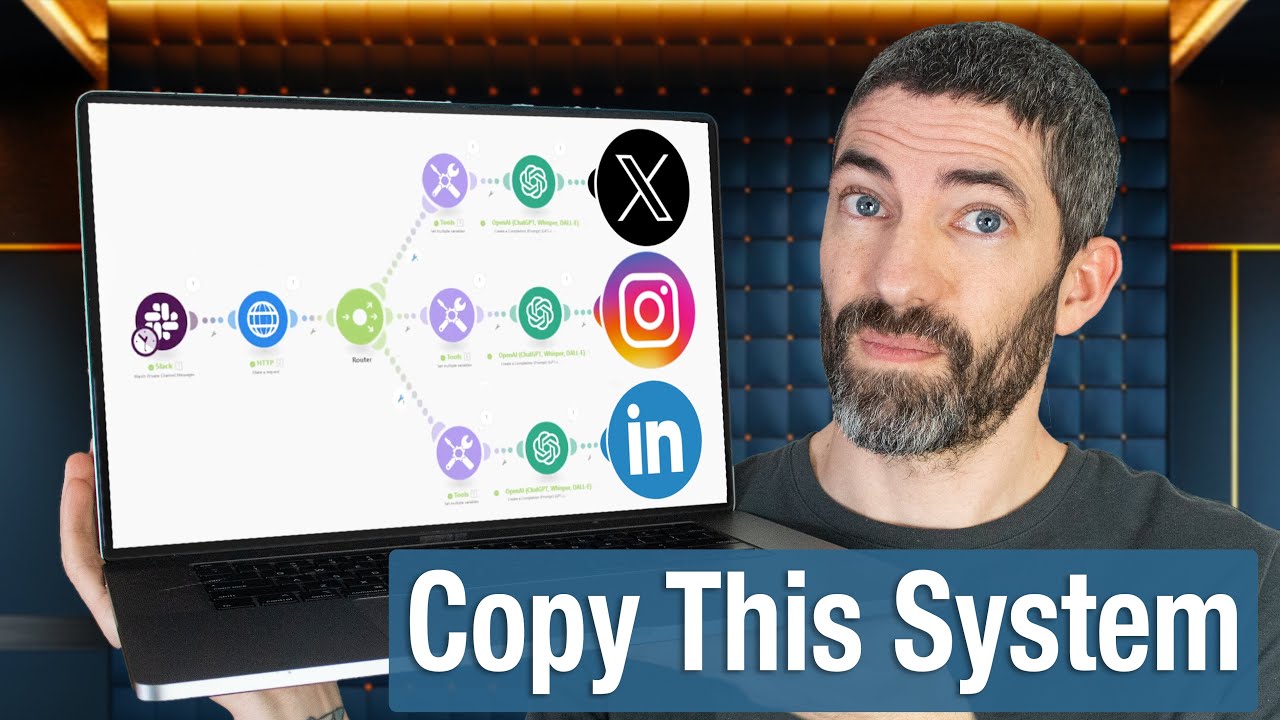
in this video I'll show you how to transform any article any blog into over 50 pieces of viral ready social media content the automation starts by picking a blog or an article say for example this on open aai the second they updat it or they produce an article here's what happens we grab it automatically we run it through our system we Splinter that article off into five subtopics automatically all handled by our AI Bots then for each of those five sections we're going to create a tweet we're going to create an Instagram we're going to
create a Instagram po we're going to create link in post one for whatever you want Facebook and you end up with individual optimized stuff by using our Twitter agents our Instagram agents for example this tweet here big news and Tech and journalism news corpor and open I have partnered to merge cutting AI with trusted news services with the question with hashtags and guys this runs automatically in the background for you literally there's nothing needed and everything then goes and falls into this where we have the blog post the Instagram the Twitter you can have your
Facebook your LinkedIn and if you don't know who I am my name is Jack and I YouTube channel and my school Community are all about the latest AI we're about incredible automations and most importantly we're about the stuff that works so every automation do a channel is available in school Community including all the ones I don't in terms of generating income and different automations and cool stuff like that so essentially all you ever do when you build automation is you come here you come down to more import blueprint and when you selected the file you
click save and the automation populates automatically and guys I am competing in the school games and in less than like probably 24 hours from watching this video the school games is going to end and if I landine of top 10 they're going to fly up to Vegas they're going to put the Jack Roberts YouTube channel and the AI automation Jack community on the map so if you're thinking about joining I would love for you to come join the price is going to go up for our community after that at 10: p.m. tomorrow UK time so
I'd love to have you over there we've got bonuses for joining at the moment it's a really exciting time but when you join I will be honest with you you're going to start at the bottom of the turtle pole what do I mean by that well here's the thing we have ranks it's a gami platform so when you come in you start off as a fax machine at level one and you earn points by being in the community and you can work your way all to the top where you reach Singularity I'm only like level
six I'm the AI wizard at the moment but you work your way up the group you earn points it's a really fun environment everyone supports each other and I appreciate you being part of the community anyway YouTube channel but if you want to take it to another level I would love to have you over there and support you now look with that in mind let's start shall we with the tools that you need for your Automation and I'm going to show you exactly how you build this step by step so look the first thing you
need to build this is a no code automation platform we use make.com now make.com you could use zap here you can use a few different ones essentially means that we can connect loads of modules and different things together to build incredible automations that we used to need coders and Developers for so you need access to me.com and again I'll put all the links Down Below in the description for you so you can just press buttons and and get started the other thing we need here is an RSS feed now you could connect this if you
want to to Wordpress that's another thing you have have a WordPress module if you want so look if I come here I can type in WordPress and boom I can do this to watch whenever you post on your own blog for example but the reason being an RSS feed is because I think most of you will want to grab it from different places and you can use that yourself and actually have the RSS feed on your own website so we're going to need access to RSS doapp and RSS doapp is an incredible uh an incredible
like platform and you can use it for free to get started and there's things you can upgrade to but you can get started straight for free we enter the blog you we want and essentially the second a new blogger article appears we grab it we pull it down and then we're ready to go what else do you need you need access to a language model that could be chat GPT it could be clae I'm using clae in this model because I found that for the purposes we're going to use it for more reliable to be
honest with you and I I always tell the honest my honest opinion on what I think is best and I think Claude I found more reliable and essentially in this basically you add funds like $5 and you get charged per usage it's pretty good affordable you can pick the models and we're going to use this instead of using it as a user we're using it like on a technical side like coders which is really cool so you're going to access to either open AI or clae for this what else do we need well the only
thing that I'm going to use here I'm going to be using this thing here called perplexity doai and if you're not familiar with px. a it's like a really big AI search engine it kind of takes like Ai and search and combines them together so what we'll be asking perplexity to do is actually enrich the information that we get we get BL article we get the snippet and we say look get this grab more research for me and bring it back so we can search the web find out what's relevant find out what's new and
not only give us a latest article it can enrich it with more context that some language models might not have you can create an API for that this is also an optional step you don't have to do that if you don't want to but I think it's a pretty cool one and we love to see it then the next thing we're going to need after that uh you can do this to Google Sheets if you like to I'm using a table because as I say a table is like Google Sheets in the gym it's way
more configurable it's more more first I really love to use it and I'll always share the stuff that I think is awesome for you to use but again you can sub out Google Sheets and once you got that guys you are literally ready then to run this entire automation from scratch and so with that mind guys let's run through the entire Automation and then cover how we build it step by step so look I click on r one in the bottom left this rssv is going to grab an article then we grab the HTTP from
that article which basically get to the HTML and then we've got Json 5 not to be confused with Jackson 5 basically it will take the text from the HTTP file and it will identify like five threads of the article five different points five different sections when it's got that it'll then split that off into five different topic clusters that we can take to make content from then we've got this thing here called passing Json I'll explain why we need that in a second and what happens here with anray aggregator but suffice it to say that's
how we get from five output from this and then I actually split it into five completely different flows and automations it goes through to perplexity perplexity enriches the data so perplexity basically it's like a AI search engine it will go through will enrich the data then we create a viral tweet with our tweet agent then an Instagram post and then it gets added to aable and then if I come over here guys it starts to pull through so I open this up for example big news and so the Instagram post we've got here big moves
in teeken Media news Court meets open AI in a groundbreaking partnership it breaks through everything and then we've got all these hashtags at the bottom grab them get out of here and then we've got the Twitter version of it which is big news and AI Media news cor and open have Inked a $250 million deal to integrate major publication content into open ai's Tech aiming to boost decision- making with reliable info how will this reshape access to news we get all of that from this Automation and how incredible is that and that's how you go
from one blog post to literally dozens and dozens and dozens of pieces of content so I going to show you how you build this step by step straight from the beginning so we do that by creating a new scenario now the first thing we're going to need is what we call an RSS feed now I'm going to go over to rssa now and you can see exactly how this works okay so when you go over to rssa you're going to see something that looks like this big Bluey purpley screen you're going to press the buttons
and sign in now in my last video I covered a little bit more about RSS feeds but sufficing to say you can pick anything any article any blog any topic you want we can create a feed on multiple feeds and bundle them together and essentially what we say is anytime anything happens here an article's posted or a new piece news about a topic that will pull automatically into our scenario and kick off our automation so I'm going to take a side step away from that and I'm going to go for Elon Musk so come to
the left and type in Elon Musk and what we'll say is look get me just all the information about let's just say we have a page it's like Elon Musk for you or whatever it is this for example will pull every article that it finds on Elon Musk so what I do is when I find the stuff that I want and again we can create bundles we click save feed then when we've got that you're going to copy the XML and then you're going to come over to your new scenario and what I need to
click on is well basically when you do this you will select watch RSS feed item because you'll be saying look here's my blog right every time I add a new article to that blog I want to grab it and pull it so it's more of a watch whereas we're going to retrieved because otherwise we'd be sat here like with our coffees waiting for something to drop in so we're going to do retrieve instead of watch so we'd click on retrieve RSS feed items on the URL you're going to enter the link I'm going to scroll
down and then for maximum return of items just put one and then we click okay then let's just test it it works so we hit run once in the bottom left incredible and look at this guys you see Tesla CEO Elon musk's 56 billion payday gets odd argument against the firm that sound familiar to you well I'm going to say it does we just saw it right seconds ago that is the RSS feed that's how cool it is so look I'm going to zoom out a little bit sweet and of course guys we need to
name this right we'll call this one let me come off let's name ausar is okay call this one oh my goodness get out of here my guy blog Automation and of course we need a little Emoji we're going to have a little diamond emoji cool now we've got the RSS feed we found out Something's Happened now we need to actually get the information and this basically what we'll do then is we look on this module going to type in HTTP and click on get a file so what get a file will do is basically from
that URL grab all the information from the file which is Ace so we click on this and we scroll over and we're going to come down and we're going to find the url which is right here perfect then we click okay amazing then you're going to click on another one I'm going to come here and going do HTML to text and essentially what that will do is take the text from that and turn it into something that we can actually physically understand incredible now we've got that let's run the automation one more time so we
can do this that's okay transform should be last part we don't mind it's come through it just happens so instantaneously so as you can see here this is all of the HTML the reason it was okay in the previous automation is because sometimes a HTML can be short but sometimes guys it can be a behemoth but here we've just got the text how cool is that incredible now we zoom out a little bit this is where we bring in our language model now I'm going to use anthropic in my testing for this I personally found
anthropic to be more effective more reliable so what's going to be the role of anthropic here so click on the plus button and again guys you can sub that for different if you want to I'm going to go for cloud create a message now if you've not connected it yet you'll need to go over to as we said before anthropic excuse me anthropic console. anthropic decom don't worry I'll put the links down below so you can just kind of press the buttons and run with it cool and then basically when you're here you can get
API Keys you can deposit five bucks so you connect those together the model we're going to pick is going to be the most powerful model which is going to be Opus and then we've got Max tokens down there at the bottom so let's check what we had in our Max tokens for this one we had four 4,096 which I believe is the maximum for that the cool thing about when using an open AI one is that if you put zero just defaults to the maximum 496 then we click off that we click message you pick
roll going to pick user excuse me uh you're going to come down and then it asks for content content type is going to be text we don't need image function ality and you this text box the question is what do we put in the text box well look let's go find out and this guys is where I want you to give it the Five summary prompt and again all the agents the blueprints the transcripts all this code all this stuff is going to be down below in SC Community for you to grab but I'm also
going to run you through because a I think it's important you to understand to learn and B if you want to make it yourself you can figure out all the cool stuff that we're doing so look I come over let me zoom in slightly cool please create a Json array now hang on a sec what is a Json array let me zoom out and explain what's going on here right why on Earth do I need to do ideally right if this was like a super intelligent system we've got the article here we've got the HML
and then we're feeding it to anthropic I and basically the output from the language model is going to be like here are five threads from the article and ideally we'd say great and we we want to pass off each of those five threads but the problem is because this gives you an output you see look here it gives you output one output two output three output four output five we need a way to like kind of pull them apart a little bit cuz look I want output one to go up this way output two to
go here output three to go there so essentially what we're saying with this Json malaky is we need to configure a mechanism there's a few ways you can do it to basically send output one up there output two output three I just want to make that clear just so you know why we're using Json in the first place I have to credit to Andy O'Neal in our community he loves the Json strategy I think it's phenomenal actually and it works really well that's why we're doing Json so essentially what we're saying is I want you
to give me the output in the Json format which by the way looks like this because then we're going to use something called a Json passer and an array aggregator to kind of tease out those different elements to run through our separate automations and that's how you can get an output from language model that can give you a list of 20 things and far off 20 separate outputs how cool is that I think it's awesome so look now let's go over to our prompt do not include any additional information information only the Json output you
might have guessed it sometimes it's like great here's your no no I don't need that we just need the Json ensure the Json is properly formatted and includes a valid key value pairs for each section with the key being content that that was included just to kind of reduce the um likelihood of it failing your task is to act as a Blog summarization agent you'll receive full text of a blog post after analyzing a post generate five separate summaries each focusing on a different key topic or theme from the article each summary should be roughly
100 words capturing the essential Point related to specific topic from the blog post each summary should make sense if it's R sound without any other context the topics you choose should be the five most important or prominent themes covered aimed to provide a comprehensive yet compact overview through the five topic Focus summaries very St each summary to keep them engaging cool and then we just reinforce the fact we don't have any additional information each five must separate distinct into the information do not some information multiple times then look we we specify the Json format of
how we want this to pass out so you see has that has that there has that there has that there how's that there cool so now what we do is we copy the whole text from this come down grab it and then you're going to head over to our automation which is here and then basically the text we just enter boom you see da da all the way down and it says data is not recognizing it so we just come off that and we're going to enter the text from the text parel like so cool
we click okay then we run one just to see it working anthropic is going to work his magic in the background he's looking at it he's thinking hm what are the top five sections then he's going to let us know so come back over to automation I'm going explain what happens here okay pass Jon structure all we do is give it the Json string and then we'll build it in a second and then we've got an array aggregator where we just pick the content does that sound simple it really does sound simple but I promise
you it's not simple when your starting out I promise you that but with all things it doesn't make sense until it makes sense right so look I look over here and you see anthropic clae Whata output text response and beautiful look at this all this stuff phenomenal thank you very much anthropic now look we open up we're going to grab this Json pass Json and then get in a aggregator now look pass Jon here Json string is going to be from anthropic and guys this is the reason why I use anthropic because if that Json
string zigs when it should have zagged it colons when it should have semicolon you're you're a crap creek without a paddle basically you're done for that's why you need it to be reliable and that's why the reliability so important this ever fails it could just be due to the randomness of the model so one out of x 100 times or 20 30 40 times it may not work but that's okay you can rerun it and that's just part of the variability of it that's also the reason why I'm using anthropic over open AI I just
find it to be way more consistent now look I come here and then what's the next thing we want well as you can see this a r aggregator and look at this you got a nice little nice little bo to it and in the array aggregator as you come down you can basically select all the different things that you need so I click okay I come here I type in Array aggregator awesome and then what am I looking for I'm looking for the Json module here right so look well you can you see nothing's popped
up and nothing's popped up because look hang on a sec let's see if we can find it beautiful there's nothing to select and you can't select anything because the J pass Jon not happened yet so we unlink it we Auto align and we run ones so we've got to flood it with data so it can actually find the things give us an output and then with the output we can connect it then anthropic is finally working it magic in the background he's going to pass out for us and then we can pass it out in
the Json file itself which is cool right and then we get to build out basically grab that data and start firing off in several different aspects that look it's done it's complete and by the way guys if this occasionally failed it's completely fine it's normal it's to do with the anthropic module it's just one of the things of the automation so look we come over we click here and guys look at this at this beautiful bundles bundle one has to show Elon musk's 56 billion pay package and then this one's here his pay package was
approved the upcoming shareholder vote glass Le's arguments G musk's pay package the outcome of shareholder vote blah blah blah so he's basically taking the article split it into five different things incredible now we add in this beautiful array aggregator but I'm going to delete him first the reason I'm doing that is because we come here array aggregator we come in we pop him there now this guy should be able to see the output from the Json so we click on him let's have a look we are looking for the source module which is going to
be the Json pass Json Target data structure leave that as it is and then you just click it on content then you click okay incredible now the next thing you want to do is going to be to add a router like so add a router sweet and then basically guys what I want you to do is add this wonderful module here which is going to be perplexity now perplexity is optional especially do you want to enrich the data a little bit or do you not so like if it's about Elon Musk just agreed in share
bonus I said great we'll go research that and said well actually did you know that two weeks ago there's this huge dispute about something else we can pull that in and make it a more relevant seasoned kind of well-rounded tweet from from us so look what do we do corate a chat completion and again guys you would go over to perplexity doai um and you would get again once again you would have um an API key You' have an API that you can grab from perplexity that you then grab and reinform and put back into
meg.com again I've got like tutorials on how to connect things like this in the school Community if you want to go and check that out so look we come over now model we're going to go for I'm going to go for the Llama 83 8B instruct Max tokens I'm going to put at 4,000 going to come down got a message now again the a aggregate hasn't happened yet so what we're going to do is we're going to unlink this and we're going to run this again one more time and you guys should know Opus is
significantly more expensive than GPT so you may want to run this with GPT 4 compare the output so for example I pulled this up look GPT 40 cost per million output tokens Can Be L as 5 million per 1 million tokens but Claude by contrast is1 15 million per input and $75 per million output so essentially it can be like 15 times more expensive I say that to say does that mean we shouldn't use Opus not necessarily but just be aware of the price so experiment with GPT 40 I'm going to build the GPT 4
model out for you here so you know how to do that if you want to go do that some people really love anthropic and they appreciate the reliability so that's a decision for you to make so like if I come down I go on to um open AI I come here I click this guy I come down to create a completion I come here look I click on him that's okay he needs connecting we'll connect him at the end now Max tokens for this one be zero model would be GPT 40 which is excellent add
a message basically grab this come down grab all of the content click okay come down to this guy hit roll hit user hit message content and then paste it in and you click okay so we can still use this guy and what I'll do with the automation when I send it over in the group is I'll leave it here so you can substitute it bring them in bring them out but that's just for you to know clo is very expensive and if you're give for cost efficiency you want GPT 4 oh okay cool now we'
got to rate aggregator and we've got all the stuff out now in bundles which is incredible now what we need to do is connect it to perplexity so we click that one there and this is where the cool magic happens now look the question really becomes how do we get how do we tell perplexity to grab that right cuz look if I come over now let's just say delete this and I come down and I come down F perplexity uh correct chat completion come here connect it click on him come over pick a preferred model
which is going to be this one and now Max tokens again 4,000 blah blah blah come on to add item content look can you see guys um we've got an array and it just shows content it's like well how do I know like what thing I need so here's what I want you to add in again I'll put this down below in the description so you can copy paste it and play with it lucky click on it and you're going to say look research this and provide a concise 100w summary of relevant data released with
the last 3 months and then we specify this and look that's 22. array one with content this is 22. 222 content this one's 224 content this and we'll see like a go down that'll be a five there you go boom so essentially we grab this and we just put that in okay and that is the that's the kind of structure we need for it so look I come into content now it's not recognized it that's completely okay so look I click on the content here and that's seven array and what we do is we put
a one in the middle and that's it that's all we do put a one in the middle and that's the entire thing and then we click okay sweet that's not done the roll we want user come down we click okay and then what we do is rename this guy rename him one and then all we do is we clone him we bring him down we rame this guy this guy we call two we click on it and you might have guessed it we changed the one to a two and then we click okay and then
we do the same thing again clown it come down click on this guy three come down of course rename to three come on him let's clone him come down oops sometimes they get sticky and they like link to each other link him to the rotor click on him this one's going to be four click okay rename to four click that click this guy clone it come down connect them to the router rename five and make sure we got five in there as well bam there we go and then a line sweet so now we've got
we're grabbing the article automatically we're getting HTTP to text we're passing our tacks we're getting a full five splinted article then we're going to have a Json the aray aggregator and then it's going to fire off to our five different research agents and then this bit guys is essentially where you decide all the agents you want to add so if I can move to my school Community I head up to classroom let me go down to prompts and agents and I've got all my different agents here so have a look I basically picked the one
that I want I by the way I love the Pinterest when we had some comments on that it's really cool look check this out I gave it this image and it gave me this really sick prompt with hashtags I love it so for example we come on we grab the agent we want we come down we basically click on this wait for it to load a little bit we can come we can grab it and we copy or write your Twitter prompt of preference and we come over and then click on new again we're going
to search for this guy we going to go for create a completion obviously you can create an assistant in platform. open.com which I prefer to do I'm just going to show you the correct completion for this example the reason that's cool is we create an assistant in platform. open.com I'll show this in the video I've done my last two videos I'll put a link up here somewhere in description so you can see it and how to do that but basically whenever we change the master prompt all the automations that connect to the assistant will also
change so it'd be super super cool now look come down create a completion amazing Max tokens zero model GPT 40 system message now check this out the role is going to be user the message content is going to be essentially what we're going to do we're goingon to add two things in okay we're going to add in the message content here and but before that we're going to say in fact I'm going to put okay for this come over to this guy grab and copy that okay come down come here and then here like this
paste it come down supporting research oops let me restart that bit come over here grab copy come here great and then we come here come down to choices message content I'm just let me just double check that's exactly what we have in this one it is awesome C just want to make triple short call and all I say is come down supporting excuse me supporting research nice is it choices message content let's check that's it choices message content awesome and then guys because we've created our Twitter agent now look what do we do we come
up we come down then all we do guys is we come over now to our Twitter agent which is going to be here which is cool we're going to copy all the data like so grab it then we're going to come back over then to our automation at the top type it all in the article boom there you are how cool is that and then that is all essentially complete then we click okay wonderful and of course it wants one of little thing so we come down Max tokens set it zero then we click okay
we come on it we rename them tweets a little birdie and then that's it guys so all we can do is come in we're going to clone him bring him down connect him to two click on him here but he won't have access to this this so all we do is we get rid of that we come down choices message content and then we need to change the array from one to two then we click okay and then we come down again and we just keep on repeating this process all the way down until we've
done every single one so instead of two we want three so that choices doesn't exist and the reason that's grayed out is because that hasn't happened yet right that's why because basically it will not have access to this will only have access to this cuz that's its route we come down we clone it we come here we click on it again we scroll down this time we're going for number four and then supporting research let's add the supporting research in and the bottom choices message content fantastic and then finally we're going to clim going to
come down look at this guy click on him here all the way down to the bottom and finally number five supporting research and then let's have a look again go to choices go to message go to content and we're sorted and then guys Let's do let's do Facebook next let's come back over then to our Bots come over to Facebook here let's go down let's check out the agents click on the agent here of course I've downloaded the Facebook agents let's copy the entire thing shall we let's come down here grab them more here we
go get the brand voice incredible come back over then now come back over to our prompt we're going to clone this guy we're going to come here click on him and then everything above this can just be replaced with the Twitter prompt with the Facebook prompt excuse me come up there you go then we're done amazing right how cool is that and then basically I'm going to rename this one to be Facebook and of course give it a Facebook appropriate thing we'll call it the alarm Bell for Facebook maybe I don't know click here and
then guys you just repeat again the exact same thing all the way through down at the bottom come down grab them come up paste it done rename Facebook so let me just quickly do all those things now incredible i' had a lot of recommendations actually about how we could potentially I mean if you've got you know a business client and they've got a lot of content on their website and thinking about dude how do we really just crack into social media you know this kind of automation is phenomenal for that because essentially what we can
do realistically speaking now is actually for the first time ever take all of that information they've got and we can turn it into some sick ass content do you know what I mean it's just like you create it in one place and then all of a sudden you're ready to rock and roll I mean it's literally it's literally ridiculous we come this one over here grab him come down let's have a look come to the top enter boom done and of course I'm just going to quickly name all these guys and then I think we're
going to be ready for the final step of the automation now guys the final step of the automation here is going to be where we actually add this then to air table so what we could do once it lands an air table is we could then add an approval system where we go through the tweets and decide whether that we want to do it let's Auto align those for us or we could just post it directly it's completely our core so I've done tweets Facebook you can add in Instagram you can add in LinkedIn you
can add in all your platforms this would be the module of how it works now that's happened what do we do well what we're going to do next is we're going to head over to a.com you going to sign up the way that you connect with this you come down to bottom left to create a create start with data choose a workspace and create it now when you're in this you'll add an a table module okay come down create a record incredible now you create a record you pick the base you want right you'll be
asked to sign in it will open a new window you sign into a table we create this one here what do we want the first thing we want is the article like so and then let's give it maybe I don't know something article related a little green shoot perhaps not too AR correlated but that's okay then we've got notes so let's call this one Twitter long text is fine assign e click on it edit field here we're going to call this one Facebook with a nice little thing and change it to it could be long
text it could be single line text whatever you want cool and then we' got status so for this one we can right click on it with edit field and we can say publish deny and then guys and so I've just and I've just delete the state that if you wanted this to be something where you would have an approval system Twitter Facebook what I would recommend that you do is have social media profile per tab so this one would be article Twitter right I add a new one here start from scratch this would be article
Facebook I a new one article Instagram and it's essentially I'd rename it here like look table one would be Twitter table two would be Instagram and so on and so on and essentially then what we will do and I'll show you exactly why in a second okay so look Twitter Instagram I've added these two things I come back over to the automation now I click on plus I go for air table I go for create a record I zoom in I check this out we'll wait for it we hit the base now I'm going to
build what do we call this base we can call it anything right so let's call this one Build Together blog and make it Pink okay awesome now look I come back over to our automation just for the sake of finding it I'm going to delete a table and bring it back in again okay create a record Sweet we come over the base Build Together blog now guys check this out so what would I do if this is the case if I wanted to do an approval system I would pick the table which would be Twitter
I would select tweets I would then dupc and I then here I'd SE Twitter look at this result okay then clone bring him here click on him instead of Twitter I want Instagram right and then essentially I'd add it now the reason you're seeing name notes ID is because I didn't add those fields in but if I added the field turn you would see Bam Bam Bam then essentially guys what that would do um what that would then do is basically have an air table for each of the automations and you'd rename them you'd actually
rename them right so you'd name this guy tweets with the Emoji so you could actually see which air table is responsible for what that's good practice Bam Bam Bam and that's it and that's literally how you would do it then we'd add an approval now if you want a video on that let me know down below I can show you how you can do that automate it and get flying but for this video guys guys I'm just going to show how create it because I don't know if you want like a 15 hour video so
look on Twitter I want the result on Facebook I want the Facebook result and that's it that's literally it and the article I click on article I come down all the way now to the bottom where I've got this URL and I could just put the title if I want to or the URL you'll call really I click okay now what do I do I'm going to first I need to rename him okay I'm going to call him table boy is table boy the best name ever for a thing it could be right maybe it
is maybe table boy is the best thing we could call him he's going to rage now and decid to not actually do anything about it call it table oh my goodness can I spell table that's the real question call him okay he's table tenus boy there you go table boy clone him bring him down table boy clown him bring him down table boy there's something really satisfying by the way about cloning these guys and bringing it down I think it just looks sick then of course we need to click on him because he's not going
to have any of this stuff and all we do then guys is look replace tweets replace the Facebook and we come down we go on this guy replace the tweets with tweets and the Facebook with the Facebook then we click okay then this guy here exactly the same thing this is starting to getting a bit rhythmic right we kind of get into a little bit of a Groove Facebook Facebook Twitter Twitter and then finally Facebook Facebook Twitter Twitter on Twitter boom Facebook boom and you are seconds away now from completing this entire automation now we
look now we go to Aline and congratulations you just created the Auto blog post to 50 social media post would it be 50 yeah Instagram LinkedIn Facebook um we've got Twitter you could then add on top of that like threads if you wanted to we could add on top of that Tik Tok scripts if you follow on the other videos I mean like the platforms you can do with this are literally insane and you're also not limited to five threads like so these Beast the Articles could be 10 then you got 10 times set I
mean it it gets crazy right he get it gets really really crazy out of control now look sent you now if I run this automation from the top we will see in our Build Together database all these different things coming through which will look phenomenal okay look so now let's do this we hit run once we come in RSS feed to grab the article HTTP has got it then it's got the HTML from it we've taken HTML DET text anthropic clae is working very hard for us in the background once again we can use this
lonely GPT down there if you want to you want to save cast that's absolutely cool it's based on your preferences anthropic is working on it once it's done that it's going to go through the Json passer then it's going to go through our array aggregator and then it's going to go through our Mega System of Agents Bots to run through and create something truly truly spectacular all culminating with the final output bam here we go look this is really fun to watch this is just cool to see tweet Facebook then going to table boy let's
go over now and check cuz once this is done there we go guys check this out big news Tesla shareholders glass Lewis recommends rejecting Elon musk's $56 billion payday due to its excessive size and timec consuming projects is the pay package too generous that's my Tweet now I want a Facebook page breaking shareholders to vote on El musk 56 billion and can you see how these are formatted guys look at this Emoji word text like normally it does not get that right like this is why anthropic so sick it is more expensive but again play
with different models see what you think and what do you think what's your thoughts on must compensation justifiable reward or risky overreach drop your comments below loads of hashtags guys how insane is this then we come back over now to the automation I zoom out and look guys every single one of them has been complete I come back over let's zoom out a little bit get off and there we are guys can I zoom out this I it's like an ongoing joke right with this it's ridiculous and there we go criticizing Mo pay shareholder split
and now we've got guys all these different things all these different Facebook posts we've got all these different things all from one entire blog guys I really hope you found this this automation interesting it was actually a request from a user my community you wanted know how to do it I was also inspired by Andy O'Neil's post so thank you Andy for the Automation in the group and wonderful guys tomorrow I might be going live here in the runup to the school game so if you want to support the channel you want to help on
the journey to get to Las Vegas I would super appreciate you come over and say hello in the school Community but in any case guys let me know down below what you'd love to see in the next video I really appreciate you and with that in mind have a wonderful week and I'll see you you in my next video


![Create 1000's images on auto-pilot with Midjourney without discord [Automation Tutorial]](https://img.youtube.com/vi/GR7ymHgKDio/maxresdefault.jpg)