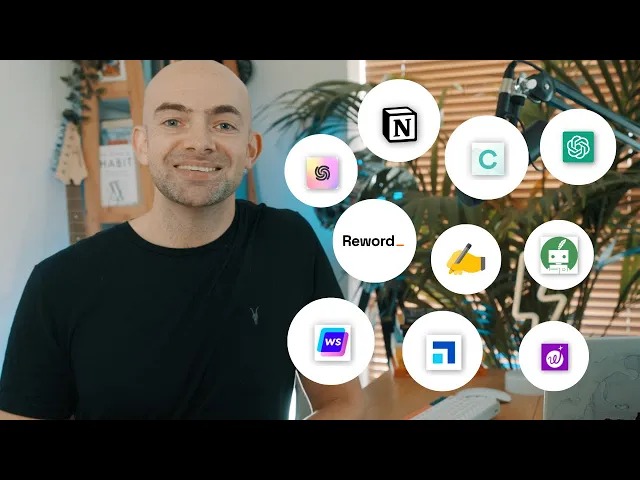
in this video I'm going to break down my top 10 AI writing tools because being actively is an essential skill if you want to get top grades grow an audience or make money online whether you're writing an essay creating captions for social media or putting together an irresistible offer for a sales page having a go-to writing system will help you create high quality content while avoiding writer's block and saving you tons of time the problem is that with the GPT API openly available AI powered copywriting tools are absolutely everywhere if you search Google or look
through appsumo or product hunt it can be really difficult to figure out which is the best for you and you can end up spending more time deciding rather than actually writing so to help you out I signed up to as many free AI copywriting websites as I could find and use their free tiers to write blog posts over a week-long period to figure out which were the easiest and most effective to create content with I then put together a list of what I consider to be the 10 best AI writing tools that you can use
without having to pay anything and I've even included a bonus 11th and 12th at the end of the video with my personal take on what the best AI writing tool is and why so make sure you stick around now hit that subscribe button and let's get into it kicking things off is reword as you'll see this is a little bit different to other AI writing tools on the list rather than just responding to prompts reword is unique because you can actually train the AI using your existing articles and your writing install one of the major
issues with AI generated content is that it isn't unique and lacks some of the opinion and creativity of a human writer reword tries to improve upon this by asking you to Prime the AI by giving it information about your readers and what you write about in general you can then either manually upload examples of your writing or and this is where reword really comes into its own connect it up to Google search console now when connected to GSC reword will be able to understand the search intent behind your articles and analyze click-through rates which is
a killer feature if you're growing an online Blog the writing interface is nice and Minimus too and I love the ux because it's just so simple you're encouraged to brainstorm titles and sections for your article in the right hand bar and reword will then offer a selection of suggested titles and sections for you to choose from which massively reduces your research time the actual writer has three quick launch AI buttons AI enrich rephrased and shorten and then has AI command which opens the right hand window where you can then enter prompts or use templates one
of my favorite functions is to select a chunk of text and then use the prompt edit in a natural internal link and then you insert your link this will then find an appropriate place to enter a link in your article and you can specify SEO related keywords too adding links can be really time consuming and this is a great feature if you have your own blog reword has two big pluses to it firstly it's free tier and low pricing for page users makes it super accessible and secondly that ability to train and personalization means that
the content produced is less generic rewords only downside is that it's run by small team so you're not going to get all the additional features of some of the larger companies that we'll see later on in the list the free tier for reword offers unlimited AI systems with basic AI training and an article cap of up to four articles created a month and the pro version starts at 48 dollars per month copy AI provides a range of automated creativity tools to overcome writer's blog along with AI generated template so they can jump start your writing
projects the platform also includes a long-form document editor that allows you to centralize your ideas and streamline your writing process copy ai's workflow includes AI powered writing tips and ideas to help you create effective content copy AI features a chat interface similar to chat GPT but pairs this with a notes field on the right hand side of the screen so that you can save your responses directly into your text editor unlike chat GPT the copy chat bot has the ability to scrape websites for public data which means it can personalize emails from data on LinkedIn
or summarize a YouTube video if you just Supply the link and it can even search PubMed if you want to supply links to research articles for academic research the pop-up modal based interface may not suit everyone's taste but it is fairly simple and minimalist to use copier's biggest benefit is its pricing it has a 2 000 word limit on its free plan and then unlimited words on its paid plan which starts at 49 a month writer is an affordable AI powered content writing platform that helps you generate content at scale for any Niche if you've
never used an AI powered writing tool it's a good one to start with as its interface is incredibly simplistic its free tier offers up to 10 000 characters not words as well as AI generated art unlimited characters will then set you back 39 a month writer has a built-in plagiarism detector to ensure any content created is original which is a feature that lots of AI copywriting tools lack writer is quite basic but it's a good entry level if you've not used tools before pseudorite is an AI writing tool that's gone in big on unique ux
and visual story writing tools it's very user friendly with an engaging aesthetic and it uses prompt templates really effectively with large buttons automating key tasks like write describe rewrite and more now pseudo Wright's main order audience is story writers with prompts designed to generate ideas for characters plot twists and genres like romance or thriller the writing layout is really clean with the prompt window on the right hand area and a really cool drag and drop interface pseudo Wright's most unique features come in the form of its feedback canvas brainstorm and visualized prompts at the Press
of a button feedback will give you simulated feedback from a reader Persona to check what you've already written brainstorm will generate alternative words and character names for you to make your story more engaging while visualize will produce AI generated art from your descriptions canvas is a separate brainstorming area where you can then generate alternative plot points character secrets and plot twists for inspiration and reference all in one place if you're looking to write a novel pseudo write is a great choice now if you've used notion before you'll probably love Jenny because it borrows a lot
from notion's minimalist interface when you start a new project Jenny asks you whether you're a student writing an academic essay or a content creator writing copy for a Blog this then personalizes the tone and Jenny guides you through the writing process Jenny comes with a plagiarism checker on paid plans and also has a citation generated to save you time the free tier comes with 2 000 words a month or two blog posts a month and then pricing scales up right Sonic has got a huge amount of features as well as more in terms of customization
right Sonic features a chat gbt style interface called chatsonic and a generative art tool called photosonic chatsonic has a really nice feature that allows you to select a persona for your AI from a drop down menu to save you lots of time now unlike other tools right Sonic allows you to edit some of the internal workings of its API for example in photosonic the AI art tool you can easily switch between dually and stable diffusion in chatsonic you can include web scraping and even activate text-to-speech conversion if you wish but one of right Sonic's coolest
features is this bulk added ability which is unfortunately just on page plans if you have lots of content that needs to be written or edited you can upload an Excel file set the parameters and then have everything written all at once write Sonic's vanilla editor is really nice too there's a huge prompt Library which is nicely organized with editors choices and each prompt has got a rating based on user feedback to help you find the best prompt for you you can save your own prompts as well when writing a new article write Sonic has a
really user-friendly interface with a full screen writing mode that has Integrations to Surfer SEO as well as a stepwise Blog creation process which takes you from the blog title all the way down to writing paragraphs of text there's even a one-click WordPress export and some really nice prompts including creating copy for a whole landing page and a Twitter thread write Sonic's free tier gives you a generous 10 000 words and there's a 30 discount on paid plans for students the entry-level paid plan comes in at 12.67 per month and that comes with 6000 and Words
which is a little bit less than a Harry Potter novel or around 61 000 blog posts per month now I can't do a free top 10 list without mentioning chat GPT it's completely free and its responses are excellent provided you have a solid understanding of prompt engineering and you know how to use it there are no prompt template buttons here and at peak times you might get locked out for a while but for the most part it's excellent and it's completely free chat GPT plus comes in at twenty dollars per month and offers availability even
when demand is high faster response speeds and Priority Access to new features like new GPT models when they're released in my experience the response time and availability is actually pretty good on the free tier and when other paid Solutions offer full text editing and prompt templates you're probably best to stick with vanilla chat GPT as a quick extra here you can also use the open AI playground which comes with some free credits and it allows you to select from different language models too if you go over the limit you will then be charged but it's
a nice option to have and if you have some engine engineering skills the API is really easy to integrate into pretty much any tax field which is why we have so many AI writing startups at the moment like lots of note-taking apps notion has integrated generative AI into their platform allowing users to create content directly from their notion dashboard notion already has a really nice minimalist interface with the full screen mode making your writing area the center of your attention notion comes with a host of pre-configured prompt templates that can be activated at the click
of a button and includes everything from grammar checking and translating to generating new tags you can also enter your own prompts too so anyone using notion as a second brain the AI writer is a great way to summarize your saved articles expand upon ideas or just improve the readability of an essay notion AI isn't designed for a specific use case and there's no chat interface here all ways to scrape the web or pull in SEO data but if you're an existing notion user or your primary focus is on note-taking and basic writing it's a really
great option pricing starts at eight dollars per month which is a nice entry point for an already great tool and you can access a lot of this on nation's free tier scale nut combines AI writing with SEO research it's comparable to using SEO tools like Surfer but with the added benefit of not requiring the purchase of two separate tools simply input your desired keyword and scale nut provides a document editor that focuses on your keyword complete with a panel on the left displaying all your competitors scale nuts workflow is very much for writers who are
looking to optimize their search engine optimization and ensure they rank for keywords within the article that they're writing it also comes with the Google Chrome extension and if you use WordPress for your blog it also has the ability to publish directly to your WordPress site for this reason the interface is a little bit more complex than other pure AI writing tools and if you aren't already familiar with SEO and keywords and using Google search console it's probably best to choose another writing tool and focus on producing high quality original content if you're searching for an
all-in-one tool that includes sea capabilities however and an unlimited word count scale nut is a great choice scanner has a free paraboteer which caps you at 2 000 words and then the growth plan comes with unlimited words and starts at 29 a month quill bot is an awesome tool that has a few really unique features when it comes to writing top of the list is its paraphrasing tool that allows you to quickly enter text or upload a whole document and paraphrase and change the tone in a Flash quillbot is designed for research and academic study
and its co-writer has some really nice features when it comes to researching and generating original content quill Bots research functioning k-write is able to pull in similar articles from the web and list out the key points and even the keywords these can then be used to structure your own article there's also a citation generator that allows you to reference these articles really quickly now one drawback here is that although the co-writer will generate new content and rephrase existing text there's no way to enter your own prompts to customize it beyond the co-writer quilbar also features
a host of tools like grammar Checkers and translators and even a summarizer as well as a plagiarism Checker which is a really great function to check originality of your article which is missing on many AI writers quill bot features plugins for word if you want to work right from your documents and also a Chrome extension so that you can use quill bot on any web page quillbot features a free tier with an annual plan of 99 a year which is excellent value for what you're getting okay so just before I wrap up and give my
opinions on the best free AI writing tools I want to cover two bonus tools that didn't quite make the list first up if you're looking for an even simpler version of quail bot what watching is really cool because it offers a free Chrome extension as well as a long form document editor one of the key features of wordchin is its ability to improve readability it uses AI to suggest changes that can make your writing clearer and more concise this feature can be particularly useful for those who struggle with wordy or convoluted writing word Tunes prompt
template buttons focus on rephrasing and changing the tone of what you've already written with the ux showing a list of options for you to choose from word tune is a completely free browser extension and perfect for fine-tuning your work paid plans then start at 9.99 a month for unlimited rewrites and expanded turns unlike the other tools we've seen so far on this list Jasper is trying to be an all-in-one platform offering everything covering generative AI from art to text but unfortunately it doesn't have a free tier and comes in as being quite expensive despite that
it has some awesome features if you're willing to pay and it's interesting to see how these compare Jasper's integrated chat into their interface like lots of other tools on this list have done to help you overcome writer's block the chat interface is a little bit similar to copy Ai and write Sonic but lacks the ability to scrape external data Jasper's prompts library is pretty expensive compared to other AI writing tools with everything from writing a movie script to technical blog formats at the Press of a button Jasper's Chrome extension which allows you to use generative
AI on any web page reduces the time required to application switch and its Integrations with tools like Surfer SEO are really helpful even if the latter integration comes at an additional cost Jasper also has image generation capabilities though these come in an industrial cost too Jasper's main selling point May well be its Community however Jasper has been able to grow quickly before the new wave of open AI API powered apps and it did this with effective marketing and a supportive Facebook community of copywriters helping each other to improve now the actual responses output are exactly
the same as any other AI copywriting tool that uses the GPT API and so if this is your primary need other Solutions May produce the same results at a lower price point and if you're looking for a complete solution definitely try this against right Sonic in terms of features and pricing so what is the best AI writing tool in my opinion well in creating the list I focused on the three tiers available and look specifically at the features and ease of use this was a little bit of an Epic Quest as there were just so
many out there and new ones arriving every single day and so I discounted anything that was crazy expensive or whether ux was slow to get into we want tools that get out of our way and help us to write as quickly as possible so for me personally I found that because it's free and very easy to use I tended to default back to chat GPT itself over free Alternatives if I was doing things like brainstorming blog titles or simplifying texts for creating longer form blogs I found that reword with this ability to train itself based
on your existing posts was really cool and its interface is very easy to use in terms of academic writing I think quill bot or word tune combined with something like notion or copy Ai and its citations is super super powerful and if I was looking for an SEO specific tool for writing with more in-depth keyword features scale nut is a great option but isn't for the Casual user I also want to put an extra shout out to sudo write which is just so unique if you're looking to write a novel now the overall thing that
I took away from all of this is that there are lots of these tools out there and they pretty much have the same function they all use similar apis and it's more to do with the user interface and pricing than the actual output they produce while they all generate content you want to be producing unique and valuable content rather than spamming out AI generated text that lacks originality and with Microsoft integrating GPT into Office 365 AI writing is becoming the norm and so it's really important to choose a writing tool that saves you time over
features you may not need and also ensuring that you dive into the prompts and understand prompt engineering for this reason I've put a link in the comments below to some of my prompt engineering templates that you can use and plug into any free tools to help you get the best results and I've also added a couple of videos up here that you should dive into now which cover prompt Engineering in detail which I definitely recommend checking out thanks so much for watching do hit that subscribe button if you enjoyed this video and I hope you
found it useful and I'll catch you again next time



![Master the NEW Perfect ChatGPT Prompt Formula [2024]](https://img.youtube.com/vi/rYi6xLCsidw/maxresdefault.jpg)



![+9 Best AI Writing Tools for 2024 [Ranked by Categories]](https://img.youtube.com/vi/cmY5mK9388U/maxresdefault.jpg)