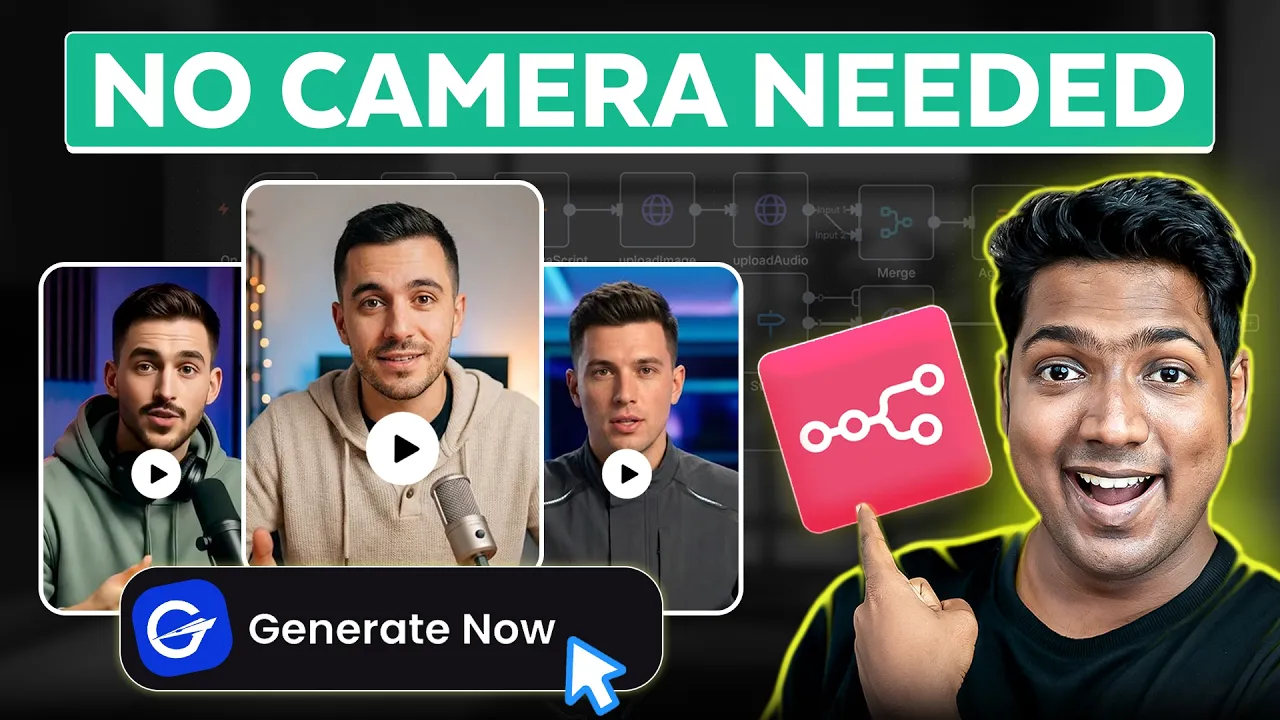
Hi guys, I'm not Brian. I'm his AI talking avatar. And in this video, Brian's going to show you how to build your own AI engine that can create talking avatars just like me using NAT.
And here's how it works. You just upload a photo and an audio file. And within minutes, you'll have a realistic AI avatar of you.
You know, AI avatars have reached the next level. Right now, air avatars can talk realistically, move freely, and even do proper hand gestures like an actual human being. That's crazy, right?
And you can use it to make YouTube intros, product explainers, training videos, or [music] even social media content without ever recording yourself. It will save you a lot of time and even make your content look professional and consistent across every single platform. So, without wasting any time, let's get started.
To create a AI talking avatar agent, we are going to do four steps. The first step is to download the workflow. To download the workflow, just click the link in the description.
Now, here you can see that we have a ready-made workflow template that you can use to set up instantly without building from scratch. In order to use this template, first we need to have an en hosting. Now, there are three different ways you can use nan.
The first option is to host nan locally on your own computer. The first option is free but it is more complex to set up. The second option is using webspace kit for hosting native.
This is the most quickest and the lowc cost way to host NAT. This cost just $5 per month or 400 rupees per month. It's easy to use with zero setup required.
You also get unlimited workflow executions and unlimited active workflows. The third option is the N8 cloud which is the official platform by N8. This costs £24 per month, which is approximately £27.
It's much more expensive and the features are limited, too. In this video, we're going to purchase N810 from Webspace Kit, where we get unlimited workflow executions and unlimited active workflows. Since N810 is open source, you'll get much more benefits when you host it on your own on a platform like Webspace Kit.
Also, WSK provides 100 plus workflow templates for free along with the hosting. So to unlock the workflow template and get the enant hosting, just click this workflow here. Choose how long you want the hosting for.
I'm going to choose 12 months. If you choose 24 months, this gives you the best price, which is $5 per month. Then fill in these details.
Enter your payment details and click check out. So now we successfully made the payment and we've got our Canadian hosting. Now click here and you can see that our plan is active.
So let's go to step two which is to set up an inent. So to set it up, click manage. Just scroll down and click go to setup.
Here fill in these details. Click next and it'll take you to this page. This is the place where we are going to create the workflow.
We've got our own instance of NA10 on our own URL like you see here. This is completely private for you and only you can use it. Once you reach this page, this means you can now start adding and running your workflows.
First, let's download the template. Just go to this tab. Now, if we refresh the page, you can see we are now able to download this template.
So, just click download and the template file will be downloaded to your computer. Once you have the template, we can go to the next step, which is to import the workflow template. To import the template, go back to NAN.
Now click here, select import from file and upload the workflow file you just downloaded. All right, we have successfully imported our workflow. Now let's go to the fourth step which is to connect Running Hub AI to NATE.
Running Hub AI is an image and video generation platform and we are using it to create AI avatars using an infinite talk model. The model takes an image and an audio file and turns them into a realistic talking video automatically. So to connect Running Hub AI, open this node and here we need to add the API key from Running Hub.
To get the API key, click the link in the description and it will take you to this page. Now click here and sign in with your Google account. Once you are signed in, go to API call.
Click here. And here's our API key. But to use it, we need to get the Running Hub AI subscription.
So, let's click subscribe. Now, select the plan that best suits your need. I'm going to select the personal plan.
Click pay. fill in the card details and complete the payment. Now we can use the AP key.
So let's copy it. Go back to N8 and paste the APK like this. Now go back to canvas.
So now we have successfully connected Running Herb AI to N8. So now we've successfully set up the nodes. Let's save the workflow.
and our workflow will be ready to run. Now let's click execute workflow and this form will pop up here. We need to upload a picture of the person whose AI avatar you want to make.
Next, upload an audio recording of what you wanted to say. Once that's done, click submit and the workflow will start running in the background. Once the workflow is executed, open this node and click view to check out the avatar video.
You know, air avatars have reached the next level. Right now, air avatars can talk realistically, move freely, and even do proper hand gestures like an actual human being. That's crazy, right?
As you can see, it turned out amazing. The facial expressions, hand gestures, lip sync, everything looks natural. To download it, just click here and click download.
So that's it guys. This is how you can build and run your own talking avatar generation AI agent using NA10. Now it's your turn.
Go ahead and give it a try. The first step is to download the template on webspace kit. And to do that, just click here and it'll take you to the same page that we saw in the first step.
Go ahead and start creating workflows. Also, you can get our latest videos directly on WhatsApp. You can just scan the QR or tap the link and hit follow.
And that's it. Thanks for watching. I'll see you in the next one.
Bye-bye.