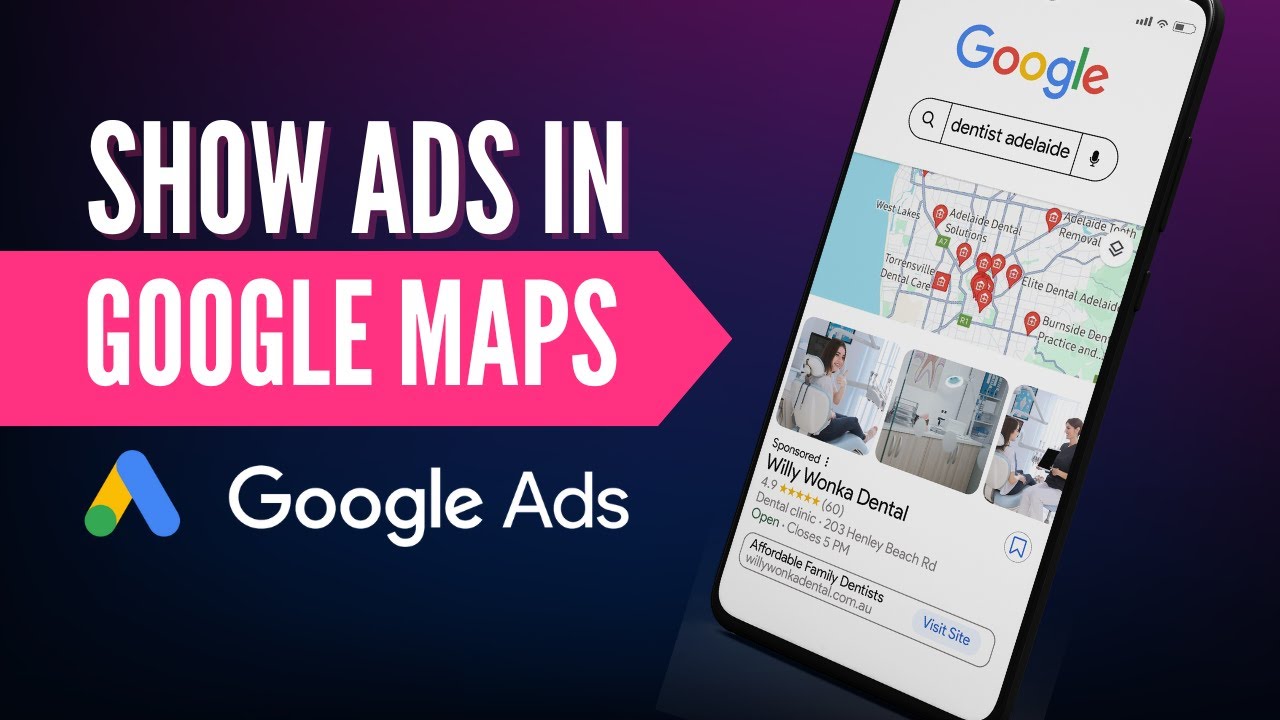
hello this is me alira I'm a Google Facebooking certified professional as well as an owner of a gole part company today I'm here with a new question so let's get started the question I have today and the question is going to be very interesting and very notable and that is I want to advertise on Google local business I have tried Google ad smart comp but it has many limitations I have tried performance Max but in it I have to add Gmail YouTube discover instructor however these are not my requirements I want to advertise only on
Google local business only on maps so can you guide mean you know he wants to advertise on Google Map only you know you know you may have seen this question as well on how I can advertise on Google Map like this so you know for those who are want to advertise in Google local Maps uh you can hire me and my team through the link in the description we can create you an awesome campaign but if you want to do it on you do it do it on your own self I'm going to tell you
some quick strategies for basic running a a campaign again a detailed campaign require professional help again we can do it but for a basic compan I can give you a very good instruction on how you can do it now the first thing first is you need a Google business profile okay what you have to do is you know this is Google business profile manager of mine but you can see around over here and this is a business but in case if you don't know just search Google Business uh profile and through that you can create
your Google business profile over here you can see get listed in Google map so that is how this is one such business over here of our one so you get an idea on that is the first thing is you need to have a Google business profile okay the second thing is you need to link it up in your Google ads account assets profile over here what you have to do is to move to your account go to your asset and then in your location and if it's not being showing over here you have to link
it around over here okay like ours one is being linked and it it is being shown because we are already doing business the process of integration is very easy both of the if the both of the accounts are same you can do it simply so you can see over here that we have already linked it so you can see over here as well okay the other procedures are you can also you know uh look around over here and you can see over here uh that once your linking is done the second strategy is to create
an ad with this one okay for those who don't know you know this is a very simple tool sample tool which can show you you know you were here like this is a location extension which is being enabled you have to enable it and then your ad will be shown over here like over here in this region as well so you can Target anyone over here now you if you want to see our ads you know I can show you some of the ads as well so you guys have an idea on our ad copies
but I'm just giving you an example over here on how you can run your good ad copies okay this is you can see where now this is removed this is not because you know we are optimizing every day and we are looking for so I'm let me show you as well some of the ads so you can see what is our active ad looks like you can see that the account optimization score is 98.7% as well which is also very good so this is The Campaign which is live right now you can simply select this
one as well and you can see over here as well that once you add it you also have to be in limited in those locations and then you have to focus on your device Bing as well okay you can see sorry for my slow computer but uh Let me refresh over here slow computer and slow internet so what happened is you know okay and I press that restarted when you know it was about to be loaded okay so let's get it reloaded over here and then I'm going to show you also you have to work
on your device bding you have to decrease the device reading for desktop and tablet so that it's only being shown through uh you know your mobile phone so these are some of the ads which we are running okay for those who don't know how to uh go to the device buing you can simply off for that device over here and see around over here and that can also tell you on when and where my devices are shown and through that you can decrease your budget for devices or increase your budget for devices now primarily uh
people searching on Google Map are using their mobile phones so I want more money over here and if possible I'm going to make it 100% minus for desktops and laptops over here like you can see over here that we some also we got some clicks through mobile as well but what I'm going to do is we are going to B adjustment and make it 100% over here okay so you you can see over here that the conversion dat is also zero for computers and tablet so what we're going to do is and you can see
the conversions we got are primary from mobile phone which also expl that this is only working well on mobile phones as well which iOS and you have to just simply decrease it by 100% okay so now just for a revision you need a Google business profile uh you need to link it with your location asset number third you need to enable your extension uh just like I have shown over here as well and number fourth is you need to reduce biddings for your other devices as well so that you can take the maximum out of
it so this is an easy procedure on how you can show your ad in Google Maps again if you need a professional help me and my team can can help you you can hire us with the link in the description and we would love to work with you in optimizing and auditing and setting up your Google ads compaign we can help with other compan as well just hire us through the link in the description and we will have to work once again thank you for watching take care bye-bye