[Intro Music] Welcome to this step-by-step tutorial on managing rule sets in Oracle Profitability and Cost Management Cloud. Calculations control how costs and revenues are assigned from a source to a destination as the funds flow through the application. You set up calculations for a POV by creating rule sets and then adding rules.
In this tutorial, we’ll create a rule set. For the second part of creating a calculation process, please see our tutorial on Managing Rules. For more information on how calculations work, please see our Calculation Overview video.
You manage the allocation process on the Manage Rules screen. First, select a POV. There is a unique set of rule sets and rules for each POV.
Notice that the Manage Rules screen provides areas to create rule sets and rules. You can also use the Global Context section to define default definitions for dimensions that can be used in all rule definitions for this POV. By defining a global context, you avoid having to select the same members for every rule, which saves time and ensures consistency.
I’ll edit the Global Context for this POV. Rule sets organize your calculation logic, so you can calculate similar rules together and simplify the definition of rules that share common dimension members. For example, I want to perform a series of calculations to reassign occupancy expenses from corporate, where the expenses are paid, to the cost centers that use the facilities.
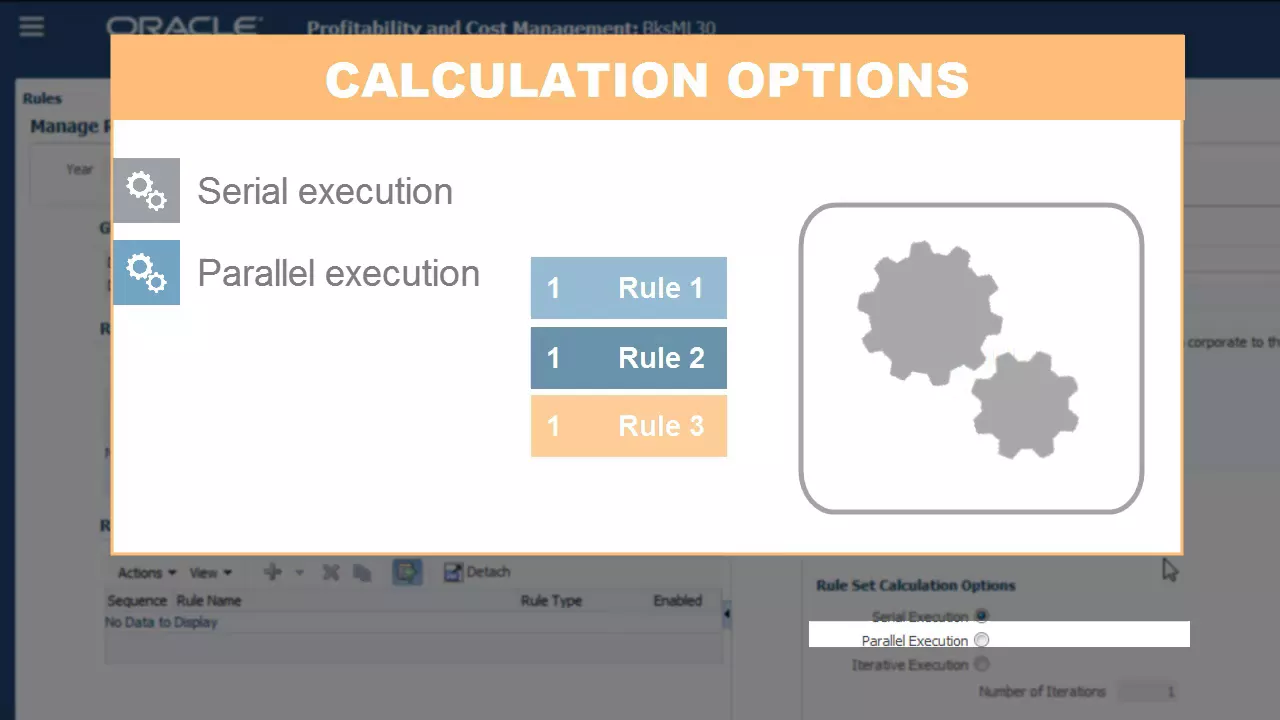
I’ll create a rule set to group these calculations together. I’ll define a rule set name and description, add a sequence, and enable the rule set. Calculation options let you control how rules in the set are run.
Serial execution runs the rules in the set in sequence, one after the other. Parallel execution runs rules with the same sequence number at the same time. For some calculations, parallel execution can speed up calculation times.
Iterative execution runs the rule set multiple times in sequence. You use this option when rules in the rule set are reciprocal in nature. You can specify the number of iterations to ensure that all funds are fully allocated among reciprocal areas.
You can choose to use the defined global context, and you can also create dimensional context for the rule set. For example, only the Entity and Account dimensions are relevant to the allocations in this rule set. I’ll create a rule set context that sets the other dimensions to no member.
I’ll save the rule set. This is what a fully defined allocation process looks like. You can define as many rule sets as you need for your calculations.
Notice that the rule set sequence determines the calculation order of rule sets. In this tutorial, you saw how to manage rule sets in Oracle Profitability and Cost Management Cloud. To learn more, visit cloud.
oracle. com.






![Visual Calculations in Power BI - DAX Made Easy! [Full Course]](https://img.youtube.com/vi/JITM2iW2uLQ/maxresdefault.jpg)






![How To Use Microsoft Project | Hands-On Training | Beginner to Pro Tutorial [Full Course]](https://img.youtube.com/vi/9rAW74Kg0N0/maxresdefault.jpg)