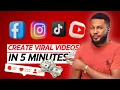
I think you must have been seeing a lot of people make a lot of money on Tik Tok Facebook Instagram and you can't seem to join them to make all this money because you are shy you don't want to show your face but what if I told you that I found an amazing AI tool that can help you create amazing viral videos that you can use to make money on the internet you can use to make money on these social media platforms without ever having to show your face and that is why I'm making this
video to introduce you to this AI tool and not just that I'm going to walk you through on how you can use it to start creating viral video for yourself and start making all this money from this social media platform so if this is something that you're interested in please come closer and let's dive in so to get started the first thing you need to do is to come over to your browser and visit similar video. a and once it opens you can see the awesomeness that they provide generate AI memes and media in minute
transform your ideas into Tik Tok Instagram and YouTube videos without any learning cough now how cool is this easy to use AI script to video generator featuring life like voiceovers Dynamic AI video clips and a wide range of AI powered Futures now there's so many things you can use this platform to do and I'm going to be walking you through it all so once you get here the next thing you're going to do is to click on start for free because they allow you to use the platform even without having to pay money or without
having to register with your credit card or anything like that you can just go ahead and sign up with your Google account and your good to go so now that I've signed in there are two major ways to create viral videos with this platform and the first one is create a similar video that is you're going to get a viral link maybe from YouTube Instagram Tik Tok any of these platforms once you see a video that has gone viral and you want to replicate that all you have to do is to just copy the link
and then come right here and recreate that I'm going to be working you through how to do that and then for this one is text to video it just converts your text to video and you're good to go now to show you how to use it all you have to do is to click on generate with one click now here is where you're going to put in your script now for the purpose of this tutorial I'm just going to go ahead and pasting a random script but it's very very important to me right so go
ahead and pay attention to the script all right so now I'm going to go ahead and click on next now there are different options here that you can choose from now the first one is begin with a hook you know all those viral hook that you see on Instagram and Tik Tok where a popular person is saying something or someone is doing something silly or funny so the first 5 Seconds of your video is going to be any of the celebrities saying something funny to the camera and your video can now starts you know how
those viral video goes right so that is this option then the second option is a Boll right a BAU of something happening in the background while the voiceover is happening it's also good right and then this one is celebrity sticker right so a celebrity is going to be on your video like this right it's going to be on your video like this you know shaky or saying something but the celebrity voice will not be out loud just the background video that will be playing while the celebrity is saying something or doing something just to grab
attention that is what makes the videos viral right so the next one is begin with a viral voiceover so there are so many voiceovers that you can choose from so if I click on it you can see a whole lot of voiceovers now you can see the rank and hook so this one has gotten over 782.ersp.biz so if you choose it you're going to be getting lots of views and all of that but for the purpose of this tutorial I'm just going to go ahead and select the first one which is begin with a hook
where it allows me to select any celebrity that I want to use to start my video a celebrity that will catch attention that would draw people in to my video and there's so many so many of them to choose from right there are so many of them to choose from you just take your time not just celebrities you can see animals you can see cartoon just funny stuff to start your video which is what sucks people into your video and causes it to go viral right so now for the purpose of this tutorial I'm just
going to go ahead and randomly randomly select one of the celebrities uh let's select Drake right and let's go ahead and select this one okay select this one but if you don't like this you can go ahead and switch to Boll footage celebrity sticker or begin with a viral voiceover I let you to try it out out yourself play around it and see what you're going to come up with I'm going to leave the link in the description so that you can go ahead and visit this platform and try it out on your own so
now that I've selected the hook that I want to start with I'm going to go ahead and click on generate so that the AI will go ahead and generate my video so now it's done generating the video our video is super ready and the next thing we're going to do is to go ahead and play back and see how it looks so we'll know whether there's anywhere we can make adjustments so this is the D intro video which is going to be what is going to suck people into the video and then afterwards my video
now comes in so this is what it was able to pick up for me so now you can see how it pans out so let's say you don't like some of the images or footages that it generated for you and you would like to make changes no problem all you have to do is to come right here these are the footages that he added for us scene one scene two and Scene Three so you're going to go ahead and just click on replace to replace this you can also replace the hook if you want to
there's so many options right here for you to choose from and guess what everything on this platform is copyright free so you're not going to be having any issue with copyright so now I'm just going to go ahead and search for spraying money so because we are creating portrait videos then we're going to be selecting portrait videos because it's for short but if you want the landscape format just go ahead and select any of the landscape format so I'm just going to go ahead and select this randomly and click on replace and it's going to
automatically replace that with the new fit page that I've selected which is this one and I'm just going to go ahead and click on apply and now it has been applied to my video and then this one let's say I don't like this one as well let me go ahead and search for like And subscribe okay talking about likes and subscribe go ahead and like this video if you haven't done that yet it serves as an encouragement for me to create even better videos for you right so if you want to preview any of the
footage all you have to do is to just click on this icon here and then it's going to pop like so and you're going to preview it and see how it looks then you can know if you want it or not but for the purpose of this tutorial I'm just going to go ahead and select this one and click on replace and now it's going to automatically replace our scene 2 okay and all I have to do now is to click on apply and it's going to replace scene two for us and then for scene
3 we're going to go ahead and click on replace and we're going to search for subscribe notification okay subscribe notification so for the purpose of this tutorial I'm just going to randomly select this footage and I'm going to click on replace and then click on apply to replace the footage so now our video is ready is because I'm working with a short script that is why it created just three scenes so if you want four scenes five scenes seven scenes it all depends on your script right so now the next thing I want to show
you is the settings here you can adjust the music select the music you want to use remove it entirely or reduce the volume anything that you want is totally fine so for the purpose of this tutorial I'm just going to go ahead and mute the music this is because I'm not sure about the music and the copyright we don't want to have any issue with copyright so I'm just going to go ahead and turn down this music volume and then leave the vocal because it's going to generate a voice over automatically for us now how
cool is this and then here is the caption if you want a caption it's going to give you caption here so if you play it you can see the caption here if you come over to this caption animation you can see no animation if you don't want any animation whatsoever and then you can see color up if you want just color for your video and then this one is Bounce out bounce out so it's going to be bouncing in and out just like this and then here is typewriter if you want it to be typing
on the screen as you can see how cool how cool is this so now I'm just going to go ahead and leave it on Bounce out and you also can change the font you can see the font has changed to Red if you want it in yellow any color that you want you can also change it you can also change the colors and retain the font so we are keeping this font and we're keeping the color because we like the color and again if you don't want the caption at all all you have to do
is just click here to turn off the caption but what the heck we want the caption so I'm just going to go ahead and leave it on so now we're done with the video the next thing I'm going to do is to go ahead and click on export to export this video to our device now how cool is this so now you're going to go ahead and inut the name of the video video so for this I'm going to tell you again please like And subscribe okay so now the resolution of course you don't want
480p and you don't want 720p you're going to go ahead and select 1080p so that you can have the best resolution and get the best of traffic and engagement on your videos right so now that we have selected this the next thing we're going to do is to click on export two seconds later so now our video is ready and the next thing we're going to to do is to go ahead and download it to our device by clicking on the video and then it's going to open here so now before I go ahead and
download it I'm going to go ahead and play it back to see what it looks like right um I mean what are you next doing here I I mean because shut the world down I I am seven fig boss and I welcome you to seven figure boss Academy YouTube Channel please like this video If you haven't it serves as a means of encouragement to keep making awesome videos like this for you if you will love to see more videos on digital skills and how to make money online then subscribe to my channel and turn on
the notification icon so you will always be notified whenever I upload new videos now how cool is this the sound everything just perfect just perfect then when you want to upload it on any social media platform like Instagram Facebook Tik Tok you can then select a background music that is going to accompany the video to make it even more viral right so now that we have this and we like it we're going to go ahead and click on download to download it finally to our device now how cool is this this is so amazing with
just a few clicks we have our video so with this you can generate a lot of viral videos I'm talking about viral videos there's this second option here that will blow your mind trust me so if you come over here you click on create video and once it opens you're going to see create a similar video what this simply means is that if you see a viral video on Tik Tok Instagram or or any other platform and you want to recreate that video all you have to do is to copy the link of the video
and for the purpose of this tutorial I'm just going to go ahead and jump on Tik Tok right so now I have this and the next thing I'm going to do is to go ahead and click on this video and I'm going to go ahead and copy the link like so and I'm going to come back to similar video and I'm going to click on create new so now I have the link is going to go ahead and create something similar to the video that I copied the link so here I'm going to go ahead
and paste in the link like so and of course I'm going to put in the brand name which is seven figure bus Academy and then you put in the description of your brand it's optional if you want to put it it's fine if you don't want to put it it's going to generate something for you and then the next thing I'm going to do is to click on similar script rewrite so it's going to go ahead and rewrite that script for us so now you can see that it has generated a script for us what
it did is that it extracted the script from the video that we added the link and then he used it to construct a better script for us which is on this side right come on now now what we going to do next is to click on next so now we're back here so you're going to select the opener of the video that you want to use whether you want to use the hook or you use The Boll footage or celebrity sticker or begin with a viral voice over and again the opener of the video that
you're going to select depends on the type of video that you're trying to generate right but personally I love using hook but for the purpose of this tutorial I'm just going to go ahead and use celebrity sticker and all I have to do now is to select a random celebrity so we're going to click on and generly so we're going to go ahead and randomly select this one and then click on generate for the AI to generate the video for us so now you can see that it has come up with five scenes for us
and all you have to do if you don't like any of them is to go ahead and replace them one after the other like we did for the other video and you good to go so why don't you go ahead and try out this platform I'm going to leave the link in the description click on it and try it out and T me later and if you want to learn more ways to make money online without ever showing your face I put together this playlist for you all you have to do is to go ahead
and click on it to learn more amazing ways to make money online from the comfort of your home so go ahead and watch it now and thank me later see you on the other side ciao