[Music] hi y'all we're back here this is going to be a real short video but what we're going to do here is learn how to import a liferay archive file to sort of speed this process up and import a lot of page fragments and different things that we'll examine further in the next exercise so we're going to go ahead and import these solutions into our existing site for livingston and what this is going to do is enable us to help cut the time to market with page fragments and then automate the publication of the travel
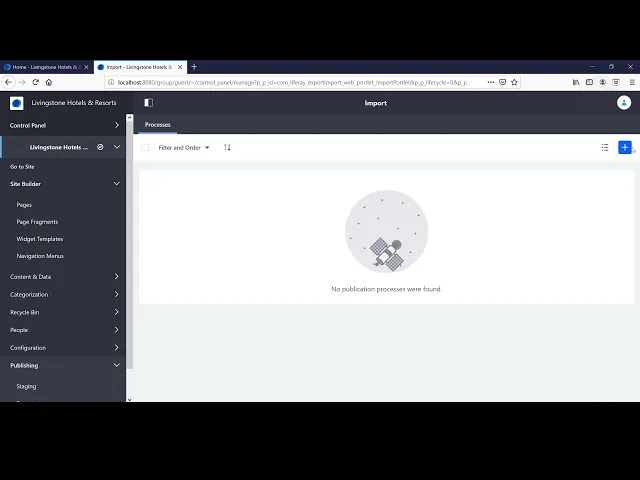
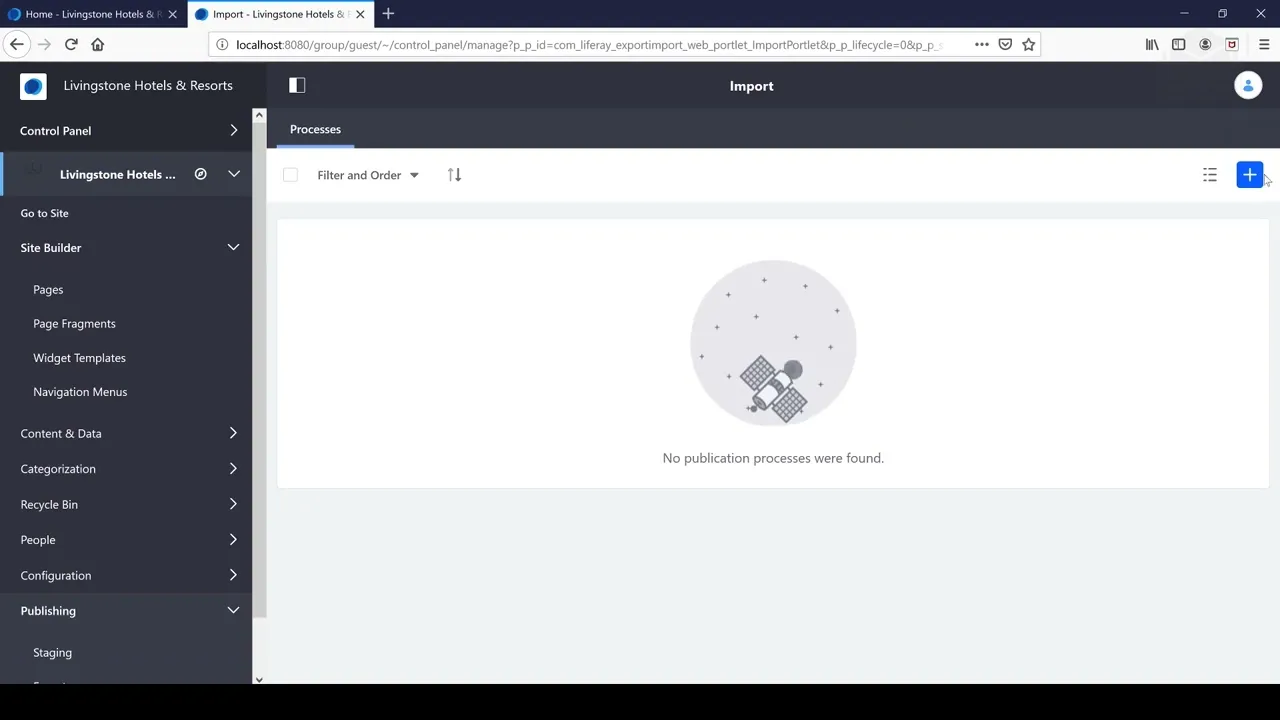
blogs that we want to be putting out with our business so what we're going to do is we're going to go and import that lar file and again largest stands for life archive file so you should have this included in your exercise files so we want to use that lar file i have mine on my desktop you can drag and drop it in here or you could go ahead and select a file on your computer i'll go ahead and drag and drop this file just so you know where i'm at and how i did this
so i i went to the again the site administration panel and the product menu expanded that and then i went to the bottom to the publishing section and i went to import just go through that step again import and then from here i went and clicked on this import button and from here is where i'm going to select that file so for me it's going to be located on your desktop for you that will be located inside of your exercises folder inside of liferay folder in your home directory so i'm going to go ahead and
open that uploaded pretty quickly press continue we'll go ahead and leave all of these settings at their defaults for now and click import it's going to say in progress we'll get a nice little progress bar here to see when our site settings have been imported so after that takes some time to import we can see hey it's been successful so we've successfully imported that lar file and in the next exercise we're going to take a further look at what we imported and how that's going to help us cut down time to market so i'm back
here after having imported that lar library archive file and you can see that our website is totally different now right we have this navigation menu here so you can just give back to your site by going to go to site under the site administration panel and we have this entire web page here composed of different page fragments etc so that's the power of using that import we also have the travel blog section and so in the next exercise video we're going to go through these in more depth these changes and how we can use this
just to cut down on time to market i just want to come back to the slides for a moment and give you this optional bonus exercise you can try to go ahead and modify these newly imported pages if you want to customize it a little bit and try out some of the features on the control panel which is on the top of the screen remember so you can go there and you can add some widgets you can mess with the layout a little bit try adding some content and anything that would make sense for a
business such as livingston after you're done with that let's go ahead and explain a little bit more about what we've done by importing this library archive file [Music]