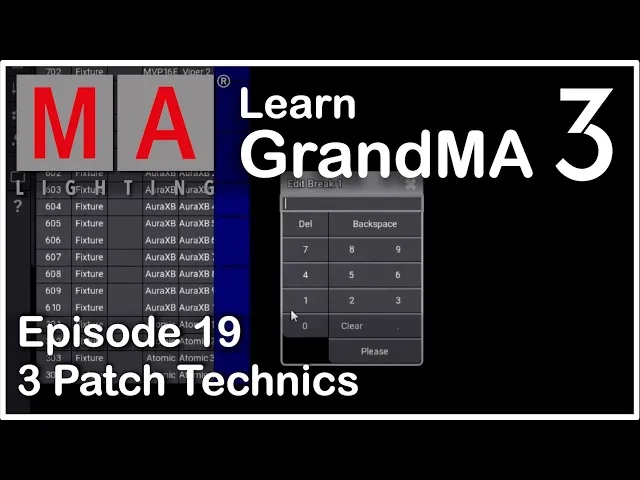
patching GrandMA3 is easy when your show and everything is planned out so you can patch it in descending order but sometimes you'll encounter a lighting rig where the fixtures are not patched in a smart order this video is actually inspired from a question i received in the comment section from Gkats5513 from Athens in Greece and it says great video thank you what if you can't patch the fixtures in groups but need to go viper aura viper aura etc what's the fastest way to do that so in this video i'm going to show you three different ways you can patch your GrandMA3 console so let's get into it in the description below you can find a onedrive shared folder with some files in it and the files for this episode is episode 19 and as you can see we have a 2d plane we have a patch by spot we have patch by universe 1 and we have patch by universe 2. so for the first one we need to go into our 2d plan right here and if we select then you can see exactly how many fixtures you need to to put into your GrandMA3 console and in which mode they have to be in so what i've done here is all my atomics is in mode 4 all my vipers is in the 16-bit standard mode NOT the extended mode and you can see it uses 26 channels and the Aurasis also in the standard mode of 14 channels so start by putting that amount into your console and as you can see that is what i have done right here so for to be able to patch this you need to go into to patch by spot which is the first technique we're going to use and as you can see right here we have 301 through 304 is on universe 1. so let's find all our atomics they're all down here and we need 301 through 304 so we simply select them here and we right click and we say they need to be patched at 1.
297 so we simply patch to 1. 297 please so you can see we just patched our first fixtures now we look for the next thing that goes into universe number one that is Mac Auras 601 through 610 so we find all our auras 601 and we go all the way down to 610 right here we right click and we say it need to be on universe 1. 157 universe 1.
157 please and now we need to find all our vipers they are 701 through 706 so we find them down here 701 through to 706. and we right click and we patch them at 1. 1 so that's basically the first universe this is the technique we know this is kind of slow kind of tedious it's a way of doing it we just patched one universe right now and we did it the old-fashioned way so this is the normal way of patching a GrandMA3 show in a minute i'll show you technique number two which is very easy to do and can be used if the fixtures are planned out in a more random order just like the one i just showed you but before we get into that if you have learned something so far be sure to give this video a thumbs up this gives me some free support and indicates to youtube that it should spread out to more people and subscribe to the channel is definitely a good option so you don't miss any future episodes from this channel in the future so let's look at patch technique number two i have deleted the patch we just made and now i'll show you technique number two to patch the GrandMA3 show file this time we go back into the shared folder we find the the file called patch by universe1 we open it up and as you can see here this time all the fixtures are sorted in the order of the patch everything is from universe 1 and it starts at 1 and goes all the way down so what we have here is 701 through 706 so basically what we need to do is go over here again and say 701 through 706.
we take them over here and we start with number one we go all the way down to six and then we just leave it like that what else do we need now 601 through 610 we go over here and take this small little one over here and we move all the way up into we find unit fixture or sorry fixture 601 we press down and hold down CTRL on your keyboard and then you mark 601 all the way down to 610 like this we release and then we find the last ones which is 301 through 304 once again we move this little one all the way down be sure not to scroll on your mouse because then it's going to forget the selection order you have right now so 301 through 304 once again we press down and hold CTRL and we select all the way down to number four we release and that's it now we have selected everything in the right order as you can see right now so what we need to do now is right click here and say where do we want to start we want to start at 1. 1 so we patch to 1. 1 please and now we patched the entire universe with only one single little click and as you can see here the last atomic address is 309 and right here it's 309 so this is basically how technique number two works you simply select them in the right order all of them and you don't use your scroller you simply use this one up here to to go up and down you select the one you press control you select and then you right click and patch them that is technique number two in a minute i'll show you technique number three to patching your GrandMA3 console so be sure to stick around for that and please leave a comment below if you have anything on your mind i can tell you i had many discussions in the comments section with you guys already and it's really motivating for me to know that someone is watching and sometimes i can even help you with some GrandMA3 related questions if you get stuck with something so please let me hear from you in the comment section and if you're looking at getting some GrandMA3 hardware yourself i have a bunch of links in the description where you can have a good look at them you can see the different models and you can go in and study each of them so you know how they're configured and what model would be the right fit for you the last GrandMA3 -patch technique i'll show you is probably the fastest if you have a patch sheet in front of you and this is basically the way we used to do it on whole hog consoles and and different other models as well so let's let's get right into that once again we select all our patch here we right click and we say on patch and now we have everything in here there's nothing patched but we have all our fixtures as we as we did before so this time we're simply going to close the patch we're going to save and exit and we are going to use the command line so if we have the patch sheet in front of us you can see that it is the same sheet patch by universe we have spot number 701 through 706 and and so forth this time we're going to use the command line and we have the command line right here in front of us so basically we're just going to say patch fixture and we say 701 through 706 plus 601 through 610 plus 301 through 304 and we say enter and it's going to ask us where do you want to patch it we simply say patch to 1.