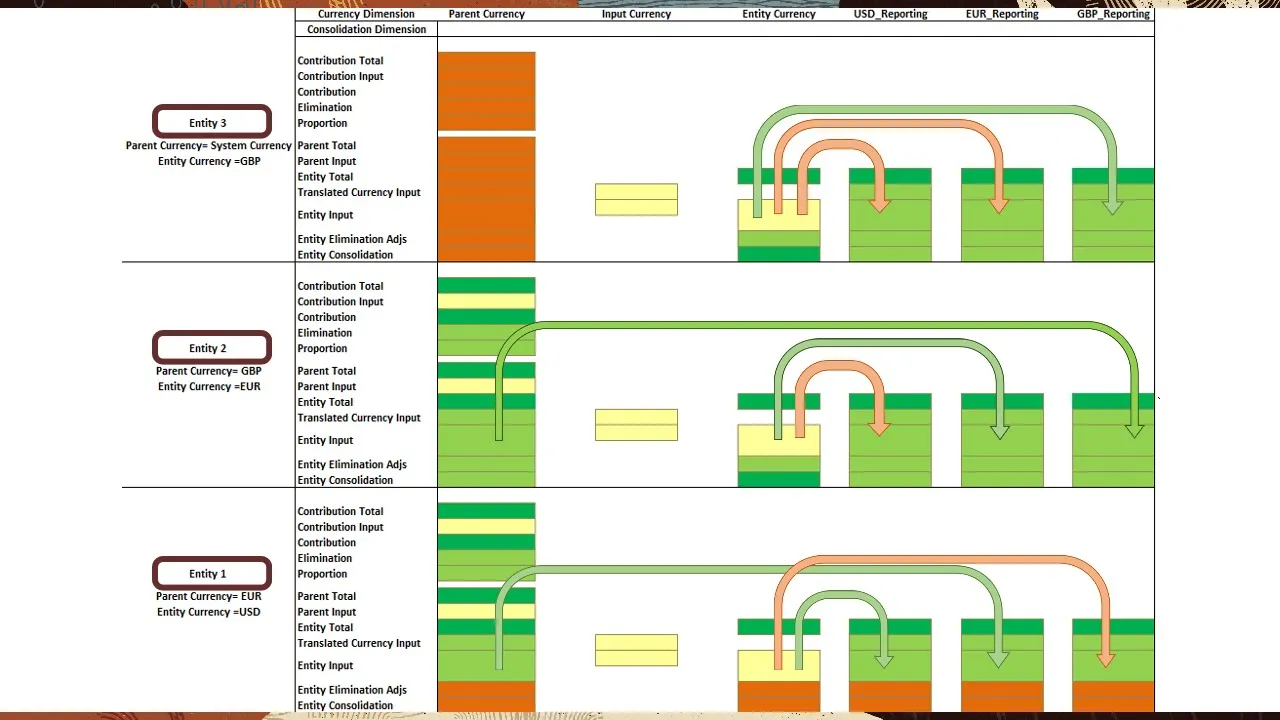
As part of the consolidation process, data is translated from entity currency to parent currency. Data can also be translated directly to a reporting currency. Any input currency that has the Reporting Currency property selected can be used during translation.
When you run the Translate action, the entity you select, and all of its descendants with a 'Translation Needed' status are independently translated without any entity consolidation or aggregation. For example, if Entity 1, Entity 2 and Entity 3 have the status of Translation Needed and you select Entity 3 to translate into USD_Reporting, then Entity 2 and Entity 1 are also translated to USD_Reporting independently. When you run translate, the entity currency of the entity being translated is checked first.
If the entity currency is the same as the reporting currency, then the entity currency is copied to the reporting currency. If it is not the same, the parent currency of the entity currency is checked. If the parent currency is the same as the reporting currency, then the parent currency is copied to the reporting currency.
If neither the entity currency or parent currency is the same as the reporting currency, then the data in the entity currency is translated into the reporting currency. Let's look at translating to GBP_Reporting. The entity currency for Entity 2 is Euro, but the parent currency is the British Pound.
Therefore, the parent currency will be copied to GBP_Reporting. However, in Entity 1, both the entity currency and parent currency are different from the reporting currency GBP_Reporting. So, the entity currency is translated into the reporting currency.
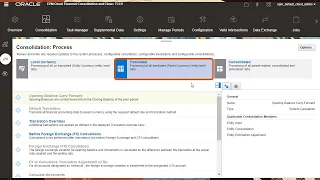
In the Calculation Status row, Translation Needed indicates that the source currency has changed since the translation was last performed and the translation needs to be re-run. The translation can be run from the form or the rules card. When you run the translation, the Calculation Status will change to OK upon completion.
In translation, as with consolidation, the opening balance member of the movement dimension, is carried forward from the closing balance of the prior period. This ensures that historical accounts reflect the correct opening balances at translated currency. If a translation fails or times out, run Force Translate.
This rule can be executed from the Rules card or from the form. It clears the status and restarts the translation process over again. To learn more, visit docs.
oracle. com.


![Upbeat Lofi - Deep Focus & Energy for Work [R&B, Neo Soul, Lofi Hiphop]](https://i.ytimg.com/vi_webp/THh4fT0O7IY/mqdefault.webp)













![You’re in a War (and You Don’t Even Know It) | Eric Weinstein [ARC 2025]](https://i.ytimg.com/vi_webp/mbdJtrXYBZs/mqdefault.webp)