to correctly use Google bar let's first make sure we have the right settings enabled so click on the gear icon up top and enable Dark theme because we're not internet peasants and toggle on respond in real time for quicker responses then if you're using a personal Google account head on over to extensions and make sure Google workspace and YouTube are toggled on I personally like to keep the other three toggled off because they sometimes activate without being instructed to and that slows down my workflow extensions are not a ailable just yet for Google business accounts
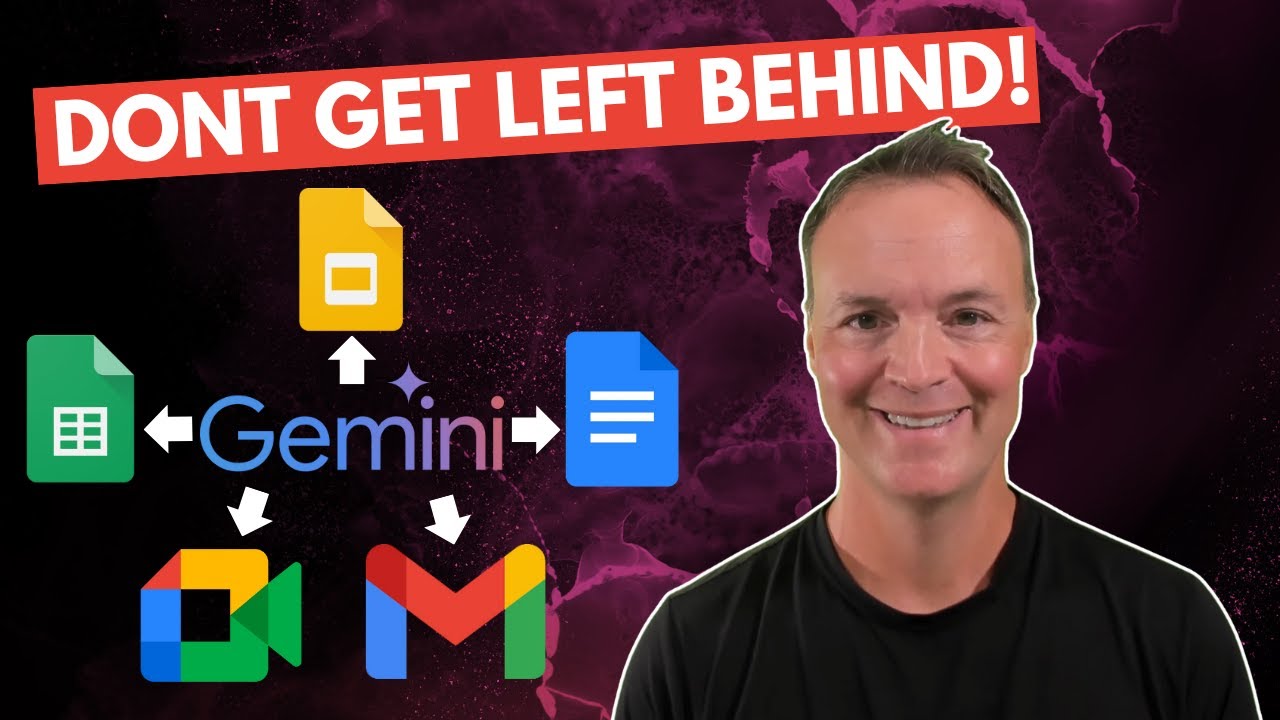
for whatever reason so make sure you're subscribed for future updates now that extensions are enabled you can use the at shortcut to bring up a list of commands for Gmail Google Docs Google Drive and YouTube at first I thought this was a very gimmicky feature because I could probably perform the task faster if I just go to Gmail drive and YouTube but I found quite a few use cases that save me a bunch of time starting with the Gmail I like to ask bar to search for all emails related to one specific topic for example
at gmail email give me all emails that mention Spotify earnings and Bart knows that I'm looking for emails that contain analyst reports on Spotify if I try to manually search for those same emails in Gmail I would see a ton of unrelated results even if I use search operators like from and and quotation marks I would also need to rightclick open in new window to open multiple emails whereas in Bard I can open these emails in new tabs directly and just start reading another practical example would be confirmation emails at gmail find all Flight confirmation
emails from this year and usually these are annoying to find if you don't use labels in Gmail but Bard finds them with no problem moving over to Google Drive I'm able to input a very vague search creery at Google Drive could you please find all documents related to SAT prep a standardized test I prepared for decades ago should be in PDF format and boom Bart understood the context and gives me all the PDF files I had saved ages ago whereas if I went to Google Drive and searched for sat tons of irrelevant results and even
if I filtered by type PDFs still a lot of unrelated results like my resume if you learned something new from this video already drop a like but if not feel free to hit that dislike button twice to really make your point now on to Google Docs this is super cool you can at Google Docs input the document name in quotation remarks for example ey year one self assessment and ask bar to only consider the content of this specific file in your answer your task is to take an action in this case analyze the file and
share the top three takeaways and Bard will pull information from that specific document and take that Action Pro tip if you can't remember the exact name of the file you can start off with at Google Drive find the self assessment for my first year at eui ah here it is at Google Docs please analyze and summarize the top three takeaways from this document you can take this a step further and include a time frame in your prompt as well for example at Google Docs what is the most recent position I held in my latest resume
and Bard will consider the last updated date when deciding which file to pull information from apart from the workspace commands I also regularly use the image upload feature to distill important information for example if I were to present you with this chart you might be overwhelmed by all the data points thanks to Bard we can Commander control C to copy this image command and control V to paste it within bar and input assume the role of a senior business analyst with over 20 years of experience what are the top three key takeaways for this chart
and we're told that the pace of innovation in open source llms accelerating the gap between open source and private models is narrowing rapidly and we're on the cuss of a paradigm shift in AI if we refer back to the original article we find that Google Bart is correct new research shows that open-source competitors are catching up to the their private model counterparts use case number two is something I do everyday at work I see a table with data in it that I want to analyze and play around with but it's in a non-editable format like
a PDF I take a screenshot paste it into Bard and say give me the data in table format be as accurate as possible and now with one click I can export this entire table into a Google spreadsheet to start my analysis this literally saves me hours every week use case number three is for those of us who use Tech to image models I find an AI generated image I like copy and paste into Bard and say reverse engineer the text prompt for this image so that I can use that text prompt to get a similar
image in do e Bard outputs a simple prompt and a lot of additional details for us to consider but even if I just take the simple original prompt and copy paste into Chach BT Chach BT generates a pretty similar image using its integrational delete some some of you might be wondering at this point what about PDFs can I upload a PDF file onto Google bar and the answer is technically no but definitely yes meaning although you can't upload a PDF file there are two workarounds method number one if the PDF is already hosted online like
this BCG report you can simply paste the link into Bard and say analyze this report tell me who the intendent audience is and give me the top three takeaways be as specific as possible in your response by using examples from the report and Bard will be able to take action directly method number two upload the PDF onto your Google Drive and using the at Google Drive command ask bar to pull information and take action for that uploaded file by the way this video is not sponsored but it is supported by those of you who subscribe
to my paid productivity newsletter on Google tips Link in the description to learn more moving on to the YouTube Vision functionality you might have seen other videos talk about how you can ask Bard for YouTube video recommendations and in my opinion that's kind of silly because it's much faster and more accurate to just search directly on YouTube but where Bart shines is if you want to analyze a video for example why did this PopCorners advertisement perform so well with over 5 million views 250,000 likes and over 6,000 comments I can use the at YouTube command
paste the video URL and input analyze this advertisement and tell me who the target audience is what the user Insight is and why it performs so well and why the engagement level is so high and Bard summarizes a plot answers my questions and expands on those insights another way I like to use the YouTube Bart integration is to take a longer video that I'm interested in but I don't have time to watch for example this 2-hour podcast between huberman and gogin on how to build immense Inner Strength I go to B at YouTube paste in
the YouTube url First share the top three takeaways from this video and second what are the five actionable steps I can take to build inner strength give me specific examples from the video this allows me to quickly distill learnings from the video and now I can just focus on a specific 10 to 15 minute segment uh to dive deeper into a particular concept celebrate small wins that's actually a very underrated tip in addition to these practical applications let's go through some of the features that make Google bard so userfriendly for example if you open up
a new chat you can and should click on these default options to see recommended prompt structures from Google for example this one understand a complex topic uh I just need to replace the text in blue here Briefly summarize this concept let's choose large language models uh you're an expert on this concept and able to explain it in a clear concise manner blah blah blah let's see what happens and the biggest benefit to using these default prompts by Google is the more we read and use them the better we get at writing and structuring our own
prompts Google is basically giving us training wheels for prompting I can also choose to modify the response by clicking the icon here to make it shorter longer simpler more casual more professional how do you professionally say I'm not accepting that meeting because it's a waste of my time declining this invite as I don't feel my participation in in this discussion is required I can also click the Google icon here to fact check the the response by Google bard green highlight means uh Google is fairly accurate and if you see yellow it means eh it's a
little bit iffy I actually click this drop down menu here to view other drafts quite often because other drafts might give you a better format for example this one draft three uh here are three key things about llms right versus the original draft just tells you what llms are able to do so it really depends on your personal preference you could just cycle through the different drafts if you prefer to interact with Bard via voice you can click on the microphone icon here to speak your prompt give me the funniest and most hilarious dad joke
you can think of and after the answer is generated click on the speaker icon to listen to the output did you hear about the restaurant on the moon great food but no atmosphere you know what makes this super realistic Bart actually goes ahead and explains the joke how atmosphere has a dual meaning that's what dads do when no one laughs right anyways if you click on the share button down below you can choose to either share your latest prompt and response or the entire chat publicly and I personally like to generate a more informative headline
before sharing the link with others you can even find a repository of all your public links by clicking on the settings icon your public links Pro tip I like to save prompts that have generated high quality outputs by clicking the three dots here clicking pin giving it a new name adding an emoji and clicking pin so that I can easily reference this in the future if you found this tutorial helpful check out my 10-minute summary of Google's AI course for beginners see you on the next video in the meantime have a great one