if you're watching this video right now you are probably panicked because you got a brand new elu Neptune printer and it is not working but in the words of hit trer Guide to the Galaxy Don't Panic it's going to be okay on Reddit and video comments I'm seeing that some people that just bought the new Neptune 4 series of 3D printers and especially those with a Neptune 4 plus and Neptune 4 Max are experiencing either software or Hardware problems or a combination of both in this video I'm going to go over the most common issues
I've seen reported what I've had happened to my own printer and talk about the causes and hopefully the solutions to these issue at the end of this video I'll go over some tips about the firmware update process that are important to know before you do that check the description below for the chapter marker for that good news so far I haven't seen anything that the support team hasn't been willing or able to fix though there are some things that I think eligo is going to have to do to reduce some of these problems I've talked
to eligo support and their media team about these problems and they tell me over and over again that they're committed to supporting their products and resolving any problem and some of these issues have already been fixed with firmware updates I'll talk about the setup issues first as it's a common issue with people setting up up their printers for the first time but there's some issues that were also caused by firmware and fixed with the firmware update but these problems can cause a bigger problem the biggest thing that I am seeing online is people who are
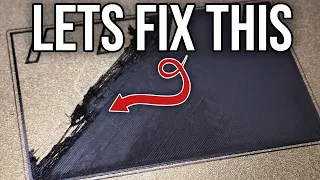
trying to make their very first prints and they're coming out as blobs or as filament dragged across the bed if you're having a blob a filament wrapping around your print head this is the cause of that jump to the blob of death section which you'll find in the chapters in the description for some information on what to do once that has happened so this problem with the filament turning into a blob or wrapping around your print head is almost always caused by the z-axis height being wrong able to print the print nozzle needs to be
a very specific distance from the print bed that's why they tell you to level it with a piece of paper like most printers the Neptune 4 Series doesn't do automatic z- access configuration what does this mean it means you have to manually set the space between the print head and the print bed in order to get prints right now there's autocalibration on these printers but that still won't help you unless you do the z-axis first because all those other points are the points different from what the z-axis should be so the issue here is that
the original Shipping firmware did not properly save the z-axis offset so You' set the z- access like the instructions say and then save your configuration and then the next time you print it it turns out the offset would go back to zero so it would go back to the default home height as a result you'd think that the printer was calibrated right but it was really several millimeters above the bed this brings us to the main software issue the lack of official support in the slicing programs for the Neptune for series there are hundreds of
settings that need to be correct to print something properly on a printer and a printer profile is a preset of all those settings the best settings come from the manufacturer because they know exactly how the printer works but right now the only program with elgu's official profile say elu Cura which comes on the thumb drive shipped with the printers and you can download online from their site it's an okay slicer tool but the regular non- eligo version of cura is up to 5.5 and a lot of features have been added to it since then eligo
had sent me their profile for the prusa slicer and it's a good profile but it's not the finished profile so if you want to print with a manufacturer settings you have to use the ancient version of el Cura this is causing problems for people because they're trying to print from other slicers and the slicers don't have the real support and the prints will come out wrong the Fantastic YouTube channel Uncle Jesse has some great profiles he made on his channel and I will link to his channel in the description below there's also a great profile
I've been using for the excellent Orca slicer that came from the YouTube Creator bius and I'll link to that video from the Creator in the profile below okay so the more annoying software issues are really caused by firmware problems Clipper is the name of the firmware that runs the Neptune 4 series of printers you can sort of think this like the operating system but it's not exactly the same but stick with me for this analogy so you buy a new iPhone with the latest operating system but when you go to it there's a feature that
doesn't work right let's say the battery drains too quickly Apple fixes the problem and releases a software update that you have to download to make your battery work there wasn't anything wrong with the battery the update just fixes the code that was causing the problem but it seems like the battery is not working the first Hardware problem that people experience myself included was a grinding noise when trying to home or calibrate the printer this was fixed in the first firmware update and it looks like newer printers come with that firmware fix on them already if
you want to get the new firmware there's two ways to do it you can go to the eligo subreddit at r/u where where their support people monitor the comments you can also email their support at 3dp elo.com be sure to send along your serial number which is usually on the printer under the print bed in fact anytime you contact their support include the serial number and a photo of what's going wrong they will always ask you for that next up is problems where the printer control panel gives you an error message usually one that doesn't
make any sense you might see it saying that there's a problem with the MCU or Moonraker had a problem but as a general user there's no real way to know what that means the good news is that it's not a real problem I mean it is a problem but it doesn't mean that the printer is broken so in addition to Clipper that is the firmware that the printer runs there's something called Moon rer Moon rer is what allows you to connect to Clipper to print something to connect to Moon rer though printers have to use
something called fluid which is the interface to connect to Moon raker okay so I know that's confusing but Clipper starts up and that starts up your printer then Moon raker connects to the printer and then fluid connects to moon raker in other words when you start up the printer and you get one of these error messages it's usually an issue of those three pieces of software communicating with each other firmware updates will fix these issues permanently I've already seen a lot of them fixed with the first few firmware updates so if you get an error
message pull the plug wait a while plug it back in turn it on if you get the error message again repeat it until that works the biggest problem I'm seeing users Report with this is something people are calling the blob of death before long the nation and then the world could fall before the blood curling threat of The Blob when this happens a chunk of filament wraps around the print nozzle and the blob cools it becomes really hard to take it off this happens occasionally on any printer and usually just heating up the nozzle to
a really high temperature makes the blob s again and allows it just to be pulled off the problem that this is causing though with the Neptune 4 printers is that the blob of filament can wrap around some of the very thin wires and can't be removed without breaking those wires typically there's two white wires that are incredibly thin and those are the thermister wires and that's what helps heat up the print head so if you damage those you can't print if your filament has wrapped around the wires you're going to need a new print head
in that case you should email support at 3dp elo.com again make sure that you give them the serial number which is on the printer under the print bed and send them a photo of the print head with a filament stuck around the wire if you want to get a better picture of that for them you can take the print head back off of the printer and take a picture because the blob is usually most problematic in the back when this happened to me I offered to buy a new print head from them they refused to
take my money they shipped the print head from China the next day and I got it by FedEx about 9 days later I even had a problem with my Neptune 4 Max where I accidentally crimped the cable when I was moving things around and then I had issues with the extruder support sent me a brand new print head and a new cable it was a bit daunting to replace the cable but they sent me a a very well Illustrated diagram and it only took me under an hour okay so those are the main problems I've
seen people Report with the Neptune 4 printers if you've experienced any of these or any other problems let me know in the comments below for people who are going to update the firmware here are some important tips when you download the firmware update files there will be one set of files that goes on a thumb drive and one set that goes on a Micro SD card so now you have to buy a Micro SD card but at least they're cheap so you put the firmware for the printer on the thumb drive and the firmware for
the controller goes on the micro SD card the first thing you're going to do is turn off the printer and put the thumb drive into the USB port then turn on the printer and when it's started up go to settings about this machine and then press the up Arrow this will start the firmware update process after this is done turn the printer off and leave it off for a minute or two before you do this next part unscrew the screws on the bottom of the controller there's a small micro SD card slot on the board
there put the micro SD card into it and then start up the printer you'll see a text based message on the interface saying that it's updating and then it will say update success turn off the printer give it another minute take out the micro SD card and restart if you're doing the firmware updates and the problem you're trying to fix still exists repeat the process starting with a thumb drive back in the USB slot and then do the micro SD card I don't know why but sometimes it takes two tries to get the firmware update
working at least you'll need to try a few times first before you contact support let me know if you bought the Neptune 4 printer and how it's working for you or if you're thinking about buying one this information is very helpful if you bought the Neptune 4 plus or the Neptune 4 Max please leave me a comment below to let me know if you're having issues I'm finding people reporting more problems with those but I'm also finding many people saying that these are their first printers and they're little bit more complicated to set up than
a standard siiz printer again these are the main problems I've been seeing people reporting with the Neptune 4 printers if you've seen anything else let me know and I'll pass it on to El those are my tips as always for Dave tries this I'm David Schloss thanks so much for giving this a try