in this video I'm going to show you can scrape YouTube comments from any video you want on YouTube or multiple videos you first of all pick the creds that you want let's say you pick I don't know Alex OSI Grant cordone you can pick as many as you want to we get all of those bundled together in an RSS feed and the second any one of those post a video our agent our website our YouTube comments grer kicks into action but then this is why this is so epic and I'm so excited to show you
how to do this what this will do is based on that video it's going to give us a description a high level overview what the video is about in a couple of sentences you're going to get a Vibe and sentiment analysis how does everybody feel in the comment section do they like it do they not like it do they think it's the best thing in the world or do they hate it and then on top of that using our viral GPT agent that I'm going to show you walk you through it's going to generate five
unique what it believes to be highly viral opportunity videos that you can make based off those comment section and everything will appear automatically for you in a table like this that has a video URL the title the description The Vibes sentiments and the ideas all you ever need to do like this for example is a video that I made uh my last video that I made on making money with AI agent it explains what I do it explains the vibe and the sentiment in the comment section and then based on that it talks about video
ideas so look at this one here right five top five Google sheet automations for B2B why is it asking that because in the last video I did somebody said hey could you please do a video on Google Sheets guys this is an incredible automation I'm going to show you exactly how to build it the the reason why this is so effective is because you actually get to hear from the comments on channels in your Niche what they really want videos on and it's just an incredible thing and on top of that there's going to be
a second part of the automation where I'll show you how you can monetize this entire thing and create a subscription income from it that's going to be available over in my school Community down here if you don't know who I am by the way my name is Jack my YouTube channel and my school Community is all about the latest AI it's about incredible automations and most importantly it's about the stuff that works and if you are thinking about joining I'd encourage you to do so within the next two days because at Wednesday midday the price
of our community will go up and that's to align with the school games and to Value the community and what we've got going on here every automation I cover in the channel is here and all the ones that I don't turn the voice AI agents lots of incredible stuff I've also got a l of bonuses that will expire by Wednesday midday so if you're thinking about it and that sounds like it might be interested to you you may want to swing on over and join us uh and and see what all the hype is about
and also last thing is that you never actually have to create any automation or you ever do and I create a lot of automations you may have seen my channel I create a lot of automations and then for every video I make you come down here you click on more you click on import blueprint you choose a Json file you select the file click save and all these automations populate automatically that's for every single automation I do some of these will take you 30 40 50 minutes to do but if you're lazy and you want
access to the knowledge you can just go ahead and do that so with that in mind guys I'm going to walk you through I'm not going to be lazy I'm going to build it with you live so you figure out exactly how you need to build this entire thing and you're going to f how to do it step by step but before I do that I just want to cover briefly what tools you need to run this and then we'll go into exactly how you build it so the first thing you're going to need is
access to a no code automation platform we're using make.com there are a few options like zapia but make.com is pretty incredible and again I'll put all these links Down Below in the description so you can just push the buttons and start making it yourself then we're going to get access to an RSS feed the RSS feed is essentially going to enable us to list all of our favorite YouTube creators that we like or maybe you just do this for your own videos for example so I on this video just pull together Alex and me as
a for instance but you could do it with your own videos and you know not necessarily other people's but essentially we can get all the YouTube channels that we like we can conol them into one place create a bundle and then anytime they po literally the second they post a video this automation triggers so you can see exactly what it's like but we'll likely add a delay to let the comments come in so we can understand what the sentiment is about what the people what the people want to hear about so we've got RSS doapp
that's the first thing you need the next one's going to be access to this thing called appify it's like this really cool no code scraper I'll show you exactly how to set it up so you can use it and get flying with it and don't don't be put off by these noid scrapers and now it can seem a bit overwhelming with different Technologies but once you use them once in this video you'll feel a lot more comfortable and your mind will be blown and you think oh my gosh look at all these really cool opportunities
I've got there so we've got make we've got RSS we've got appify and bear in mind appify you get $5 free credits RSS you can create free accounts maker is also free up until a certain amount I mean like you can get so far with the free version so you will not be out of pocket if using those three things and of course platform the open.com you come over API Keys you deposit a couple of dollars in credits and then you can connect those together if you're not sure on how to do that in my
community I've got step-by-step guides on you know if you're new to make how you learn make so for example you need to know how to connect things we've got introductions to make sh you exactly how it works as a beginner we've got how you connect to air table GPT you know lots of different resources so if you're not sure exactly how you connect these things I've got all those resources and trainings in the school Community um you'll also be able to fill it around but this just if you want additional support that's one of the
things that we cover alongside all the cool business making money stuff which a lot of people super excited about and once you've got that guys the only other thing you need is this thing called zero code kit which basically lets you and I parade around like coders without knowing almost anything about code essentially normally do like terminals sort of nonsense to run code I say nonsense and loose ter I respect coders but this this what essential has to do is enter code and run it automatically for us within a no code solution so all you
would need to do is copy this put it in there and it runs and this will grab our YouTube this will grab our YouTube transcript and zero code for example I'll show what that looks like very briefly it looks something like this you click sign up sign in you come down you see you get credits again you can get like I like 25 for free 25 runs for free so you can try this without actually having to buy anything you get an API key you copy that and actually you would come back over to the
automation enter it in and then you would be flying and the total cost of this is quite low the final part we're going to use here is something called air table air table is Google Sheets on steroids it's been hitting the gym it's been doing the bicep kills it's been pumping the chest up a little bit we love air table air table is amazing just it's just way more configurable it's robust it's phenomenal and I'll show you exactly how you use it it's super straightforward and pretty much once you've got those things you're ready to
rock and roll but we're going to touch on all of them step by step and exactly how we do it so look if you haven't already grab that coffee and let's jump straight in okay guys so step one what are we with our formalities we need to name these scenarios okay so let's call this one YouTube um comments comment scraper one out of two we're going to copy it uh again create a new scenario Again by the way you go to make you click on the correct new scenario in the top right and then you'll
be ready to rock and roll and we click there awesome of course this one there needs to be a two out of two awesome cool so what's the first thing we need well in order to scrape the videos we don't want to have to be automatically grabbing URLs ideally we just we want to create this in a way that it happens just in the background for us it's not cuz we're lazy it's cuz we're thinking ahead right we're thinking ahead of the game so what I want you to do is head over to a website
called RSS doapp and you should see a big Bluey purple page P like this you're going to sign up then once you sign up and sign in I'll wait for you to do that cool welcome back now you've signed up you going to see page it look something like this so on the left hand side I want you to come and click on new feed and it'll say hey enter URL topic a keywood and by the way guys if you're not sure what RSS feed is essentially in Lay terms anytime an article is posted or
something happens or a YouTube video is created this RSS Fe what's essentially doing is it's recognizing happened it's grabbing the data and saying hey this URL just appeared on this page that you gave us or hey some text appeared on this page you gave us that's why you get websites that auto update um you can do it for anything you could even search for things like if I type in AI for example a HIV oh my goodness I don't know what this thingss I'm looking at but look if you type in any search T ever
any article that appears on the Internet or most of them will disappear here and you can save the feed and use that as a feed in for your automations I've got loads of cool videos on the channel that shows you how you do that but for the purpose of this video guys I'm not going to be touching the controversial topics I'm going to be looking at YouTube videos cuz the comments will really give us an idea of the sentiment of the customers and what it is that they want so what do we do you're going
to head over to YouTube now we got wonderful Alex Ami we love Alex in his no strip go over to his Channel or the channel that you want to do this so for example do your own channel so you you can just automate that click on videos and then I want you to click on the URL itself okay then come back over to RSS enter topic a keyword in fact what I'm also going to do is come here put that in there click generate and then it works in the background for us and let's just
say we want someone else like let's also do the Jack Roberts YouTube channel right let's do the Jack Roberts YouTube channel so we come over type in jaet Robins wouldn't it be funny if I just don't even appear I'm like oh no oh my goodness like I can't I don't even turn up so cool I had that once I was looking for my name and I was like I don't know like I I was like do I want to be do I want to appear on YouTube for that I don't know it's a funny one
so look I click on videos and here we go I think there was a wrestler called Jack The Snake Roberts um and he was I was like I'm going to have to become like you know well known to come above that guide but I don't know if it's something that you want to be honest so look I come over here and look can you see what this has done guys this is filled up look these are all the videos from Alex's YouTube channel like do they look familiar well they probably should do right because they're
all his videos cool so what do we do we click on Save feed like this we're going to add it to a bundle come back onto new feed and then we're going to enter the Jack robits YouTube channel okay cool and I'm going to use this I'm going to use this I'm not going to sell this but I'm going to use this one it'll just help me make better content for you so if you've not ever commented down below just tell me down below what you want to see because I I do read it and
I I love hearing from you guys now look at this here are all the videos that I've done cool let's save that as a feed so what we've done we make these little feeds could be my channel you know let's say I have four channels I can do all my four channels and I add them up and you get the channels you want then you come over here to bundles and then we click on create a new bundle and then you're going to select Alex you're going to select me and click on next and we'll
call this one YouTube inspo and then click on create awesome and what do we see we see me we see Alex we see Alex we see me we see Alex we see me we see Alex blah blah blah and by a quick tip guys when you're doing YouTube url you need to click on videos not for home because they different pages if you're on home some people only have a couple of videos there versus videos so you might be like dude why am I not getting all videos it's because you didn't click on the videos
Tab and and copy that your all how do I know that well you might have guessed it happened to me okay so look we come back over now to RSS feeds and all we do guys is we just click copy and that's it that is the extent of what you need to know about RSS feeds to make this automation work so what do I do next I come over to a new scenario comment scrapable one I click on this beautiful purple button I bring it over I type in RSS and now you will when you
do this you're going to search for um watch RSS feed items and what that essentially means is that look I want you to trigger the second that any new item appears in this bundle that's what I want you to do obviously we'd add a time delay because we want we want there to be enough time to let the comments come out I mean if it triggers automatically it's like you're going to hey you've had no comments so there has to be a delay on top of that okay so just bear that one in mind and
we set delays down here on the bottom left by how often we want it to run I would encourage running this probably you know to be fair every couple of days or so I wouldn't do any shorter than that because otherwise you're just not going to get enough comments also depends on how big the channel is as well you know what I mean so you just have to take those things into consideration so we click on plus you search for RSS and then we're going to for the purpose of this video I'm just going to
retrieve so I'm going to look back and I'm going to grab the last video just so that I can show you how this works step by step so I click on retrieve RSS feed items and you'll see all these crazy crazy crazy things click on URL and paste and that's it and what is that well it's just what we copied from here which copied that come over and we paste it don't worry about date from don't worry about date to maximum number of returned items for the purposes of this video I'm just going to say
one um obviously you can up that based on how many videos come through but the key bit is going to be the running frequency now now we've got that so what's going to happen like I'll run this one so you can see RSS is's grabbing it he's bought something El over we've got this and look guys that is my video how to make money with AI agents and using make and it's given us the YouTube url which is awesome so now what we need to do is go ahead and we need to scrape the comments
from that video so the question he you're asking is well how do we do that well I'm going to show you right now so we're going to head over to where is where is this we're going head over to ay.com so this is console. ay.com let me just come over to to ay.com so you can see what you'll see you see this wonderful page you're going to log in or sign up if you don't have an account yet we going to come through awesome what I want you to do is on the left hand side
come over to the store and if you're not familiar with appify by the way appify is like as I said like all these no code scrapers so you can scrape Instagram you can scrape web pages you can scrape me if you can think about it it can be scraped I think if app had a m m it would sound something a bit like that but you know what guys we're laser focus today we only care about one thing what we care about is YouTube comments so type in YouTube comments in that top thing there incredible
right now what do we do you see down the bottom left you got usage you get $5 of free usage and if you go over that then you know what I mean you can just like buy more credits but for me this is phenomenally phenomenally helpful we can also swich by pricing models as well as little hacks on pricing models and just click on paper um I believe it's like yeah paper result cuz um cuz some of these guys will be like $30 $50 a month and some of them are worthwhile however not all of
them so let's figure out which YouTube scraper we used in the first one cuz there are a couple so we make sure that you get that one correct streamers YouTube # comments # scraper Okay cool so let's go find that one shall we and it's this one here on the top right cool you click on that one and then what I want you to do and you can see here guys I've got these different URLs that come through but don't worry about that for now so get rid of this get rid of this and you're
going to have one simple URL now the other bit that you're going to look at here is maximum comments so you can set how many comments you want to grab now the cost of this is $2 per th000 comments and then based on M YouTube channel you go wild you go easy do as you wish for this one I'm going to go with 14 but we can change this anytime we want to and then leave one URL then here's what I want you to do you're going to see Json click on Json right and then
you're going to see this and you can see how we can just amend that there crl a and then contrl C to copy that and then I want you to do is create a task that will basically go into your save tasks that means that we can use the appify module you know with our me scenario so click on create a task and if you haven't connected these things yet there'll be an API key within appify that you can use to connect it to make and just follow those simple instructions and you'll to set up
so if you doing this the first time you'll be able to set them up obviously I can I can support you more directly in the group but that that's essentially what you would do and follow the instructions so look we create a task I'm not doing it because I've already done it but you'll do that and then you're going to come back over to the scenario that we've got click on this beautiful plus button I'm going to scroll over and click on uh where are we now actually it's going to be appify run an actor
excellent and then on the actor we type in YouTube comments YouTube comment scraper amazing and then input Json boom and then obviously guys if you ever want to like change the number of comments that you get you can do so there quite straightforward now look can you see this URL I want you to come here I want you to delete it okay and then can you see here if I come back here for example let me get rid of this and refresh it you can get a good a good look at it you see this
URL here and you can also see this thing pulsing which means it's connected that module we do that so why have I done that so what's happening there essentially RSS is pulling the latest URL and then we need to plug whatever the latest URL is into applify and because that URL is changing we're not going to hardcode it we need it to be dynamic and this enables us to be dynamic and then we click okay and guys you just build the first half of this automation how cool is that now before I hit run this
we're going to start with the second part of the automation so open up a new tab in make uh by the way don't duplicate because you'll have like an ID in the URL and you're basically re-editing over the same thing and it's always good practice to hit that wonderful save button incredible now look click on the plus look for appify and then I want to look for watch actor runs and by the way guys I know some of your International let me know if the subtitles work on the videos like if you need need the
subtitles and I can do Scottish accent to make it more difficult if you want to play in hard mode but I want to make sure that it's it's visible and understandable so look we click on ADD okay come down here and then the actor pops up and again just type in YouTube uh comments scrapers on the stream is here sweet and then click save that will add and click okay you won't have as many duplicates as I've done I put the scenario a couple times now so that's why you L do that we've got appify
cool now what we do we click on plus so this is going to watch and say hey something's happened like appify is run a script then we need an appify module to get the data set items okay so look come here and ask you for data set ID you click on the data set ID you come down and you're looking for default data set ID click that and then you're going to click okay awesome great now let's run this entire thing from top to bottom and see what we get so on scenario two you're going
to hit run once then we going to come over to sario one and we hit run once so what's going to happen RSS feed is going to grab the latest video it's going to run over and out to the actor it's going to come back in any time now we're going to see this one grab it and push it over and by the way guys I'm thinking about doing a live stream in two days so you know we're competing in the school games and like man we're coming together like I think we're in eighth place
out of 10 and if we finish top 10 we get to go to La the channel gets to go to La we get to meet Alex shake some hands I can take you guys questions there so I'm thinking about you know the competition finishes I think at 10:00 UK time on Wednesday so I was thinking about doing like a live stream from like 88 till 10: we had this like Community competition just while this is loading I'll show you this we have this community automation competition I'm giving one like $1,000 in prizes and people kind
of make these incredible automations we've got stuff going on with the iPhones engagement groups and I'm thinking about running through all those automations live these Community automations live with you and just awarding out the the prizes and do the judging and also have like we can have like the leaderboard up and we can like get a bit of energy bit of casual hangout you can ask you questions and comments if that sounds interesting Let Me Down Below in the comments I might I might do first live stream obviously as we know it's destined to go
crazy because no live stream goes flaws through the first time and there we go guys it's now grabbed it and now we're grabbing the data set items from appify which is awesome and the reason we run these automations partially is because we can actually get the data and understand where we need to plug it as we go through the whole process this is grabbing it and then that hasn't come through so let's have a quick look as to why that's not happened so that one's timed out that's not a problem we'll run this one again
and then guys we come over to data set items we look at it and look at the outputs all these bundles as you can see are the comments hey my man Jack got this one love to see more videos on automation agency specific services for the B2B space no problem my guy I've got you covered so we have all these cool things here right amazing but now guys what we need to do is and this is the feature make we need to get all these different bundles and we need to get it to one single
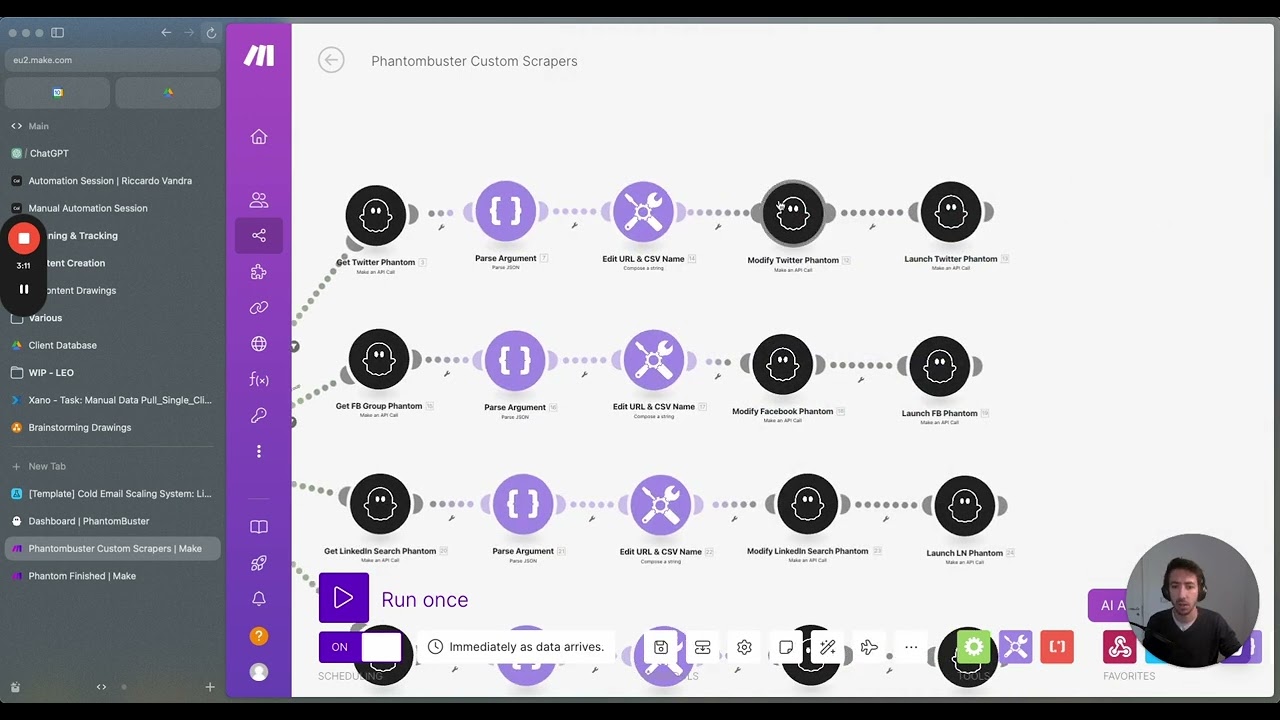
output because if we don't we'll have 14 different things and it'll run 14 different automations so what we're going to do as you can see I can just give you a quick overview on this guy is we've got an array aggregator and then we've got a text aggregator so the first thing we do is we come over here and then we find array click on flow control array aggregator link this guy up and so what array aggregator will do is you see these bundles and I'm saying hey bro take all the bundles and I want
you to condense it into one easy to use output so I click on array aggregator here I click on the source module which is going to be appify get data set items and then I scroll down and the only thing I'm interested in here is common if a common ever appears did I scroll past common I probably did do right there you go common cool Incredible Ace now the next thing we're going to add is a text aggregator so click on tools come down and type for text aggregator and bring this one over here like
this a and then we're going to click on text aggregator pick on the source module which is going to be the array aggregator and then we've got the text so this is where it's really interesting so I'm going to paste this code for you down below so you can just use it now check this out I come over to our scenario if I click on my text aggregator here can you see I've got all these arrays Okay cool so look what I'm going to do is copy all of them like so contrl and c I
come over and obviously just put these ones Down Below in the comment section and then hit enter there cool now this has got 13 if you had 14 15 16 or how many comments you're doing you can increase it like that if you would like to and then click okay now here's the thing guys this can you see how it says three. array and then it links to three if you've got more stuff before that that number needs to align with the three so for example if I copy the thing and I put it in
the search bar excuse me um okay let me get one I can just copy all the way through for you oh you see that three. array it would be four. array and if it's number 11 it would be 11. array but essentially it's a lot of complicate Goble the G just to Simply say that that will help us grab everything that we need to all right now what I'm going to do I'm going to Auto align this I'm going to zoom out a tiny bit like this so you can see and I'm going to run
this once I'm going to run this anyway cuz it like a transform being ended the module I'm going to go back over to the first scenario and I'm going to click run ones applify run actor excellent we come back over and then we wait for this entire automation to run through so we're given a second the background it's going to come down it's going to grab it and the array and tools the necessary evils guys they're like the necessary evils of make it's like an intermediate thing but if you follow those step step by step
and I'll put all that code down in the description for you completely free so you can just use it and and get running with this incredible now look text aggregated click on the one and all that is now turned into a long string so cool guys check this out I've got every comment has just appeared as one long text which I think is so so so cool now why is that really cool that's cool because now we can feed that as a one text to chat GPT and if we didn't have that we would have
to fire off a scenario like 20 times it go nuts so now we've done that let's look at what we need to do next so I come back up to this scenario for reference what we've got next is app ify get data set and zero code kit so if I click on zero code kit here for example I'm going to come down and there a link in there it is okay cool now what I found so the the next functional thing we want to do if you want a description in the video this is not
something you have to do but personally I quite like this feature and this feature is a description so if I click on this one for example can you see this Jack demonstrates building a simple automation with m.com and AI agents to generate viral tweets from YouTube video transcripts the process involves creating a product setting up a website and embedding forms automating tweet generation and email delivery enabling easy monetization I quite like the description side I think it's pretty epic I think that it would basically help us to understand whether or not we think that video
is right because not every video is going to be right you know that's why I'm going to do it so what I'm going to also do now guys to take this from an eight to a 10 out of 10 and we're going to get to 11 out of 10 soon is I'm going to scrape the whole YouTube transcript and the way that I'm going to do that is zero code kit I'm going to click on run python code like so and then it's going to ask for something so in my community I've got a full
breakdown on how you can actually grab that so I can move to CL and in my community head up to classroom I'm going to check out every AI Automation and what I can do is I covered it in this one here for example all I would do as I come down I've got the YouTube transcript code I basically just copy this and enter it into uh the Automation and essentially what that enabl us to do is just download the URL and if you want to build this one yourself basically you can chat to clae or
GPT about building a python script to do that and then give you an output or if you just want it you can grab it as part of the group um so what we do and again I'll put all this down below so we grab this guy you basically copy the transcript from that link and enter the python code if you want to do that step and there'll always be whatever you do a part of the URL where you can specify this is a YouTube video that I want okay so look see page URL I come
here and what I'm now going to try and find guys okay is the URL of the video which appify got now the the appify bit here grabbed the URL for us so that's the URL I'm saying hey this is where you got the comments from now go ahead and grab me please um the actual the actual sort of transcript now this is a really interesting things if I look at this right I've got watch actor runs but I don't see anything on get data set items and I believe that's because you see these these three
things are together it's like they're not it it it it doesn't enable as now go ahead and grab it so to fix this what we're going to do is well for starters I'm just going to copy this I'm going to get rid of it and I'm going to delete zero code kit and then all I'm going to do is come back down to appify and I'm going to add another get data set items I'm going to click here I'm going to click on this guy I'm going to come over to data set ID and basically
I'm just going to repeat the exact same thing if I come down to data set ID I come down and where is my data set ID excuse me my default data set ID how dare I where are I where are my manners then I click okay and the other thing we're going to do very quickly is we're going to limit the number of actions I just want to make sure that it's either that one or this one let me just quickly check because this has grabbed commments this actually produces 14 outputs that I specified so
if I just say grab that data set ID I'm going to get 14 outputs and it's going to repeat the automation 14 times so to throttle that come down to limit and change it from 100 to one and then click okay cool it's a little cheeky work around but it'll help us now what do we do we click on add another module we click on a zero code kit uh we come here zero code kit uh and let's put run python isn't it so cool by the way that we can run python code I mean
there are many developers watching thinking how dare you how dare you run this I don't like that and I can't say blame them to be fair it's quite nuts that we can some of my friends cannot believe the stuff that we do they're like there's no way you can do that I'm like well you better come check out the channel m we're taken to another level so look URL how do we grab the URL well it's part of this grab um app provide data set items so what I'm going to do just for Simplicity sake
for you is I'm going to unlink and I'm going to click on run once I'm going to come over here and click on run once this again we'll grab it that's grabbed it and sometimes guys the reason why I run the scenarios is because only when the data is flooded through the gates will we then be able to look in and actually modify and change the things that we want um you can kind of hardcode it in but I think it's just easier once it's run through the whole process and then we can see appify
like with a nice little bit of data on it that's what run through and just makes it easier so now we connect these guys I click on it and now I can finally tell it here the URL that I want I delete this so you can get I'm really cons I you have a really good view of what's going on um so we come down to watch actor runs no get data set items let's have a look what we've got here there we go page URL cool so we want to grab the page URL but
we're not really seeing that and I think it's cuz we'd already created it so let me create this let me delete this guy delete the python code bring him back again run python grab this guy sometimes you made amendments before or after you need to delete modules and read them back in so it can actually get a full look of what's going on so look there you go you can see now now it's magically appeared somehow like and it was was't there before so don't you just hate that you have to like yeah it's crazy
it works that way and then you see page URL and it's pulsing behind now we can grab the page URL and the world makes sense once more which we love Okay cool so let's summarize what we've done and what's happened okay you started off on YouTube we picked the channels that we wanted to we went over to RSS feeds we created these incred incredible RSS feeds combining all the channels that we wanted to look at then we came into our automation we're grabbing them automatically as soon as they're published we're running an act to scrap
all the comments we are seeing that it's happened we've taken those comments we've done some higgledy piggledy magic to get it as a single output then we've gone ahead and we've actually scraped as well the entire YouTube transcript and that leaves us now with the really exciting part and the really exciting part is the bit how we turn that now into the magic and what's the magic I hear you ask me it's description it's The Vibes and sentiment and most importantly it's the video ideas cuz where else is it better to get your video ideas
than from what people are saying we must listen to the people the people are really important so we come over now we've got this guy here description I'm going to copy this and I'm going to show you what this looks like so look we come over we click on plus I want you to click on create a completion credit completion so we sted credit completion um the model is going to be gbt 40 it's like half the price and double the speed which sounds really cool thing to say but it just is our messages we
come down we click on user and then we we got message content and again all these all the blueprints the guides the agents all available Down Below in the school Community but I'm also going to run you through what it is for your knowledge and if you're not part of the group I still want you to be able to like use and understand how this stuff works so look here's what we're saying to it right now check this out you'll be provided with the transcript of a YouTube video your task is to carefully read and
comprehend the content of the transcript after analyzing the transcript generate a concise summary of the key points and main ideas excuse me oh my goodness it's all over the place isn't it of the key points and the main ideas discussed in the video the summary should be informative helpful to the point with a maximum length of 35 words identify core themes of the video highlight most important facts and statistics or examples that support the main points I okay if if appropriate briefly mention the conclusions we don't want fluff we don't want filler want to be
clear and effective we give it l of stuff 35 words maximum and remember your goal is to provide a comprehensive yet succinct overview of the video's content enabling read is to quickly grasp the call message and Main takeaways do not repeat the title and then what we need to do guys is basically feed the yoube transcript so what's the transcript well it is simply the result from a zero code kit boom done we love it and we click okay great now my goodness it will not oh Max tokens Max tokens zero if you put zero
with open AI it basically defaults to the maximum and now we're going to rename it so what do we call this guy we call this guy description cuz we are nothing without our names so we come over here and we're going to rename into description and the reason why I'm running this versus an agent by the way is because gbt 40 at the moment is only available um within the application not as agents without some uh apis and all that sort of stuff and web Hogs cool so that's description guide done cool that's pretty neat
right I mean really Snappy I mean that itself could be something you could sell nurl get a brief description how call is that I mean it's just so sick I need I need more I need the descriptions for my own videos which why it's so cool so description then let's just clone him it's a six day all over again so what is the next one that we need well the next one is Vibes and sentiments so let's copy it let's rename it and give him a name and you'll thank yourself for adding these things in
cuz when these get complicated guys you look back you're like oh my goodness I don't even know what half these modules do it's crazy so look Vibes and sentiment and we come back over here and click on this guy now let me give you the prompt for this and then guys we've got a very short prompt for this one which is to analyze the provided YouTube comments and generate a sentiment analysis with a maximum of 35 words identify the overall sentiment is it positive negative or neutral and the main emotions expressed highlight any significant patterns
themes or notable individual comments that contribute to the general sentiment provide a percentage breakdown of the sentiment categories so we copy that we come over to our sentiment analysis guy we get rid of it we type in the message content now for this one guys we need to give it the YouTube comments right so we type in let me come over here so you can see okay cool come down we type in YouTube comments and what's the output we want let me just come over we're going to select the text from the text aggregator boom
perfect because that's what all the comments are right and then finally we're going to clar The Vibes and sentiment guy bring it over here and then what is is the final one we're going to do this one is the most exciting one this one's the video ideas so the video ideas the why this one so epic is it's basically going to look at all these comments and say look the people are asking for x or oh you know actually they really found that one quite helpful this one not helpful so let's do a video on
this so let's take a look at what we ask with the YouTube and by the way this is combined with a viral YouTube title generator which has been trained on lots of stuff so for example we've got here like the number one sign your phone was hacked NASA isn't telling us about Ms eight YouTube lessons I wish I you sooner so let me go through what this looks like just analyze the provided YouTube comments and generate five suggestions based on the viewer's interest feedback and sentiment each subject should be accompanied by a revent Emoji rank
the video suggestions from most to least relevant we talk about identifying common themes questions we talk about the overall sentiment we talk about you know the niche the expertise the style we want to prioritize based on the volume and obious we look at then we then we're going to give it some prompts about how we then take that and instead of just saying I'll do a video on AI it's okay but like but what about AI this is going to give us actual YouTube title ideas all at the same time so if we like it
we can say that sounds cool I'll just do a video on that that's perfect I give it some example formats and then I talk about just YouTube best practice right we capitalize the first letter of each word no title under 50 characters over 50 characters ex me we feed examples we tell these the traits of great titles we summarize it and then we talk about this for example and we go down and then we say insert YouTube comment so look we come up we copy that we then go over to our automation here right we
click on video ideas we scroll over and we paste it in we come down to the bottom and then we need to say insert YouTube comments no problem my friend we just get rid of that and you might have guessed it we just replace it with the text then we click okay cool and now guys this is looking pretty cool right there's only one final step now and that's to add all this cool stuff straight into air table so the final thing you going to do is come here you're going to type in a table
that's going to be uh a table here I'm going to for create a record phenomenal right now let's go create an air table okay once you signed in this is done by aworth so essentially once you create it and say hey cool do you want to like connect it and you say yeah sure it opens a new tab it signs you in and then you'll be able to get ready to use it so look we open up an air table we come down to the bottom left and click on create start with data uh let's
just say we'll do a automations with Jack uh click on this one incredible and now we begin to make our really cool table so let's have a look at the different things that we want we want video URL title description Vibes and sentiments first thing we do we double click on this one we say hey what is the video URL single line text is okay and then we click on this one here and we're going to is say we want the title so this is going to be this video is like how to buy 50
Labradors or something like that right YouTube title incredible and then what else do we want we want description Vibes and sentiment so again let's um click on this guy and if you click on a sign it'll be user we don't want that we want long text or single line text so we type in Vibes and sentiment incredible and what were the other ones we have in there of course description and Vibes and sentiment call so what I do I right click on YouTube title I inser right and then I'm looking for description and we'll give
that a little Emoji like um let's give a little robot emoji and then let's do long text and we click create after Vibes and sentiment what else do we have video ideas so we've got description Vibes and sentiment video ideas description Vibes and sentiment again right click on this guy and S it to the right and then we just go for video ideas and what says video ideas better than a light bulb cool and then we're going to come down long text click okay and then we need to give this title a name just call
this one YouTube build together with a little pink and then also let's give it a nice little Emoji we'll call this one let's go top hat I'm in a I'm in a top hat mood today I should wear top hat for next video because of that right nice okay cool guys well now is where we connect it all together so let's do this now look air table click on air table click on base now let's go for YouTube Build Together top hat thank you very much kind sir now what do we do table is table
one you can obviously build multiple sheets out if you like now look at all this beautiful stuff guys and oh this is why air table is so cool it just pulls through all the all the columns for us I I love air table video URL all right where is the video URL well the video URL comes from this get data set items and it's here page URL Boom YouTube title again scroll down title how to make money with AI agents boom description let's have a look then Well the description is as might have guessed the
output from description GPT cool Vibes and sentiment that is the output from The Vibes and sentiment GPT and video ideas H where could where I it does sound familiar to me it's a result from the video ideas GPT status we don't need to worry about we can click okay for your own personal reference if you want to you can change status here by right clicking on a edit field and I can say um done whatever you want so basically what that would mean is like let's just say this video I like I can say cool
yeah I like that my own records and I run my whole YouTube channel now off this particular thing all driven guys by YouTube comments I cannot emphasize enough how big this is it's insane so I come back over and it's done now look let's run this whole thing now from top to bottom and see what's going now if this works properly guys what we'll see in this table is everything we just detailed so let's go over and try it so that we're here I'm going to click on run ones this is going to wait for
the data I come back here now I click on run ones the RS my video it's now running through an actor all the latest with it could have been Alex maybe Alex just posted now it's going to grab that it's incredible so now we wait for the appify and guys the reason I love this automation is because like YouTube comments it's like people say like let's say you are thinking of ideas like you don't want to make videos you think people want to make you want to say hey bro like what do you want to
video on what are you actually interested in and the cool thing about this it's going to find all those different themes together now look appy ran we've grabbed the data we've aggregated it we put it through the text aggregator we've downloaded YouTube transcript we've created a description we've done the Vibes and sentiment we've done the video ideas and it's all added to air table so if I click on this air table now this has worked properly I should see all the information about my latest video let's go check it out I head over now and
look at this guys full screen expand how to make money and by the way if you watch this video you tell me if you think this is correct or not how to make money with AI agents using make how to make money with make.com and AI agents by creating an automated application to sell services online this video covers building a website capturing user info automa Service delivery and scaling business operations very very good description now what is the vibe and sentiment so this give me 85% positive 15 % neutral the overall sentiment in the comments
is positive M emotions expressed enthusiasm gratitude curiosity this is why I love you guys you guys are awesome significant themes are content quality automation benefits and requests for further content that's cool man there's no higher price I could get than that I really appreciate you for that now I come down to video ideas how to automate B2B services with AI why is it suggesting that because you asked for it you L someone said hey could you do this video Master Google cheats for automation hacks that's because some fact should I just pull this up let
me get the re on this cuz I think it's like so important if I come on at me make money with make let's just check cuz I want I want you to see the comments so you can be like yeah that makes perfect sense right so let's load up the video in question me would be everything related to content repurposing and distribution using longer higher pieces content awesome this guy wants me to speak a little bit slower I'll try to take that feedback on board for you thank you man for sharing that Jack bro can
you make a video on Google Sheets well does that sound familiar well it kind of does right cuz look at this guys Master Google Sheets for automation so let pull that out so then head this guy wants Google Sheets and if the people want Google Sheets the people should have Google Sheets content repurposing strategies the guy said hey I want a repurpose and we've got five different things with thumbnails how cool guys how cool is that now if you want the second part of this video which is how you can take this YouTube scraper and
monetize it with a subscription in other words that we turn this into something that faces general public and they pay us a subscription income and all they ever do is it tells the charms they want and they get all these ideas come head over to school community and check it out but in any case guys I want you to have a wonderful wonderful week join me in the rally me your support even if you're part of the group your support being this channel means a lot to me let's join the rally let's get to scho
games have a wonderful week and I'll see you in the next video