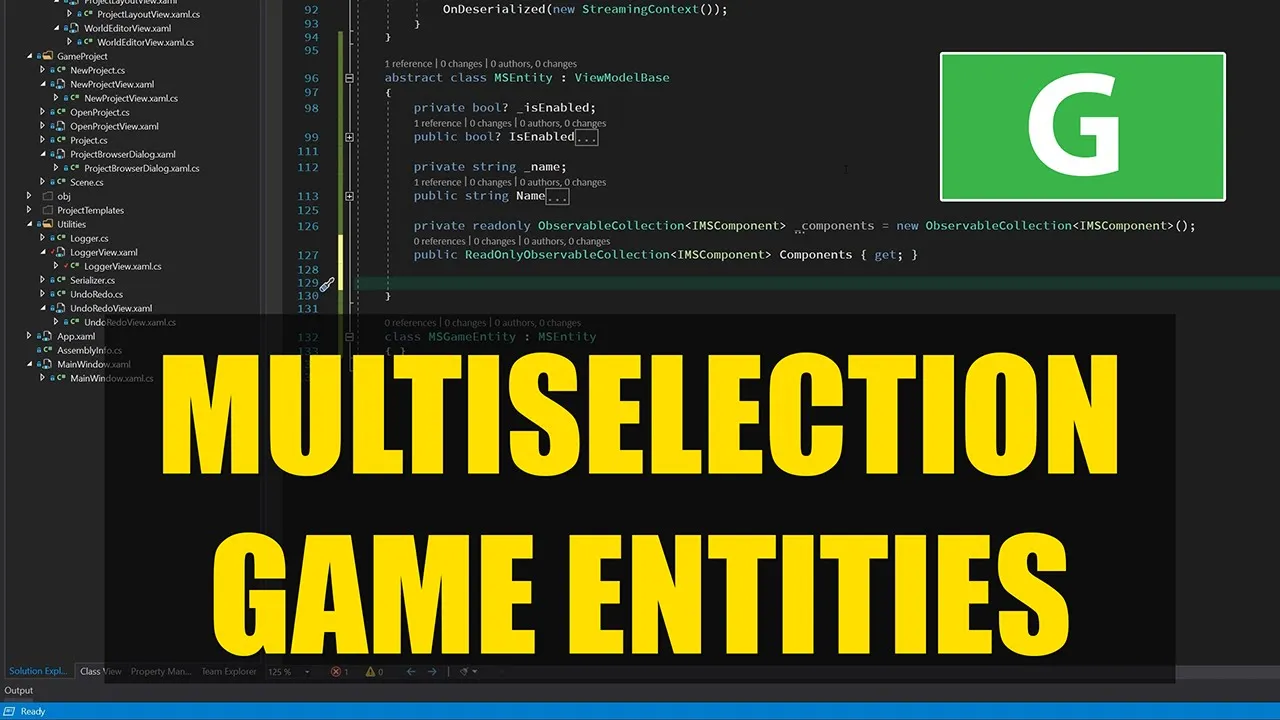
hello everyone and welcome to the game engine programming series where i write a game engine from scratch we have got ourselves a great game editor that has a fantastic feature and that is our log system where i can see all the log messages from anywhere that we issue them except that that is not so true because the last video was getting way too long and i had to stop halfway through the implementation of the lock system that's because i try to keep these videos shorter than an hour because my aim is to have a bite-size
amount of information in there for people to play with during their free time because i assume that if you are following along with me with this series then you're going to try different things yourself in your free time and of course watching these videos will take your time and then i assume you are going to play with the code and improve things the way you think it's better i hope at least that you do that and let me know if you have something in the code that you think it's implemented in a better way than
i do and yeah i'd like to hear from you about that as well because i love to learn new things too and what better way could i wish for than from the viewers of my videos so that's why i had to stop last time fortunately today is another day that i can continue working on this engine well there isn't much of an engine yet so far i have been only working on the editor side after today i hope to start writing the first lines of code finally for our beloved primal engine so today i would
like to finish this logging real quick there is not much left to do i just have to add a couple of buttons to filter the messages and that's it basically and then i'll start constructing the multi-selection structure for the game entities and the components i'll not use it yet but at least then we will have something that we can build upon after i spend a couple of episodes working on the engine itself so that's the plan for today let's get coding [Music] okay first let me close all of these files except the one that i'm
working on for now and this is the view model for our logger actually i don't have to do anything with this anymore i just need to make a couple of buttons in the viewer and that's all i have to do for now so first of all i want to put the list of the messages in a scroll viewer so we can scroll through them and then i would like to format our messages in a way that gives us more information i would like to display the time of the message and give it a color depending
on whether it is a warning or an information or an error message i made a little style for the dock panel which contains the message and the time of the message and other information so that whenever the user goes over each message with the mouse then the background of that particular message will change to to green so now i change the background to gray because of course for the message types that are information i'll have the text color of the time label to be light green and that would be invisible with a light green background
of course so now i have a gray background and the text of the time label will be light green whenever the message is an information okay now this way we have three colors for our three types of messages and just a message itself next to the time i'm going to try and test this by just adding some messages to the to the logger and see what happens so now every time this control is loaded then we'll have three messages added to the message log there you go i have this gray background and if i hover
with the mouse over a message i'll i'll see this extra information that the message is from the logger [Music] xaml dot cs from the constructor line 29 and we'll see the time and in the color i see the yeah what type of message it is now the next thing i want to do is to add three actually four buttons to clear the list of messages and to select the three types of messages that there are to filter them for that i'm going to add a border here here i have four buttons and the top one
is to clear that's the easy one i can just add it here that whenever the user clicks this button the logger should clear all its messages for the other ones i'm going to have just one event handler and then depending on which one is checked we can filter these messages so here remember that we had this message type flags that we can logically r together and we have a message filter that we can set using this set message filter and the only thing we have to do to construct a new filter is to check which
one of these buttons was checked and then construct a message filter from that okay now i have a filter here that with none of its bits set and depending on which button is checked i set the bit for that particular type of message and so if all of these three buttons are checked then we set all the bits and otherwise the ones that are checked now we have a couple of messages of each type of log messages and i can select which ones i don't want to see here because if you select info type then
it will display the information messages as well i made an error here in the name let me see okay so now i deselected warnings and errors and all i see is the information messages and now i can see information and error messages our warning and errors are just warning so it works and when i click on clear then they all go away that is fantastic and now we are done with the lock control i will make these buttons look differently later on with our beauty pass of the editor uh when i'm going to uh to
define the color themes and what everything should look like for now it's just the default buttons and colors and stuff and it will change and then i'll just go through everything and redesign them as well but for now it will do the job and now we are ready to start and work on the multi-selection game entity and components and what i mean by that is if we go back to the editor again and select these entities for example if i would like to change the names of two or more entities then i could select two
or more of them and then change the name but now as you can see it only changed the first one that i had selected and not the others and that is because we only have we can only handle one game entity at a time and we don't have anything for well multiple selections the same holds for anything that i would like to do for the components if i would like to change the position of the game entity then right now i could just change that for one of the entities that i selected and i would
like to make something that would allow me to do changes for multiple selected entities of course that's a rather useful feature to have in the editor and yeah it's a bit of a work to do but yeah i'm going to do that so first i would like to show you what i have in mind for implementing these multi-selection entities and multi-selection components so right now we have these classes game entities and i intend this game entity to be the base class for other kinds of entities as well like lights and cameras but each entity regardless
of its type has one or more components the one component that every entity has and it's like mandatory to have is a transform and then we can add scripts geometry rigid body etc kind of components to it and what i want to have for multiple selections is that i have an analogous type of entity and that's a multi-selection entity and it has its types of multi-selection components for each type of component that we have we also have a multi-selection component version of it and likewise this multi-select game entity can act as the base class for
other types of multi-select entities so we can have multi-select light entities and multi-select cameras of course we don't have to save any of these to our project because well it's just used by the editor so we can handle multiple selections so regarding saving and serialization they are simple we don't have to do anything what we do have to do is keep track of which entities they refer to so for example the multi-selection game entity will have a list of game entities that we selected and each of those have their components of course so when we
change any property of the multi-select game entity it will spread those changes to all the selected entities so the multi-select guarantee has the same properties of course as the game entity for example a name and a boolean value of if it is enabled or not so whenever we change the name of this instance it will distribute this change to all the selected entities the same happens for the components each multi-select component refers to each of these components of the selected entities so for example the multi-select transform refers to all the transform components and each property
that we set or change in multi-select transform is propagated to all the selected transform component so all we have to do now is for each kind of entity and component have the analogous multi-selected version multi-selection version of it and that's what i want to start working on today i will start with the multi-selection game entity and for that i'll have an abstract base class that the multi-selection game entity will inherit from okay so this is the base class or the base abstract class the game entity itself inherits from it and now all i have to
do is to have the same properties as the game entity has so i'll have two properties that are is enabled and name and of course i'll have a list of components as well so as you might have noticed i'm using a nullable type here instead of regular boolean and that's because whenever i gather the values of is enabled for these selected entities remember we have a collection of selected entities they might have different values for is enabled so some of them could be is enabled is true and the others is enabled is false and whenever
we have mixed values so they are not uniformly the same then i'll use no for this parameter to indicate that this value is not the same for all the game entities so in all our multi-select component and entities we will have nullable types for that reason so now i have the name here which didn't need to be nullable because string is a reference type which is nullable of itself and i have added a list of components to explain what i mean by this i'm going to add this interface and the base class for components so
in components uh this component class should also be abstract we shouldn't be able to create an instance of this class of course because it's a base class it doesn't say what kind of component it is and now i'm going to add an interface and this one is just empty for now and the reason that i'm using an interface an empty interface is that the base class that i'm going to use for the components is a generic class so here i have a multi-selection component and that has a generic type of the component that we are
making it for so for example if we have a multi-selection transform component we will have this t to be of type a transform component so the multi-selection types and the types of components are tied together in this way so if i had not have this interface then i wouldn't be able to have the generic list of components like i have here because well obviously i can't i can't do this because then i have to give the type of this component for which component type it's made so that's why i use an empty interface i hope
i explained it well enough for it not to be a puzzle so here in the component i'll do the same basically as i did for game entities later on but for now i'm going back to game entities and finish this one up well like i said before these multi-selection types have a list of selected entities and like i did in here let me see why is this these classes don't need to be public okay so in the constructor which is called whenever we have a new selection here in the in the project layout in the
list of game entities whenever we reselect or change any selection then one of these multi-select game entities is going to be constructed so whenever that happens i want to of course have a list of these entities here i assert that entities list of entities is not null or empty okay now i want to have something that would update all these entities whenever one of these properties changed so i can use property changed event for that of course now i have a method that is called to update the properties of the selected entities for for whatever
property has changed so now i have to implement that one so i made this method virtual because there are going to be more kinds of entities that inherit from game entity and they'll have their own properties and the method that updates those properties that we don't know about right now so that's why this method is visual so now for each of my two properties that i have here i have these selected entities and i iterate through them and for each of these entities i update the value of their corresponding property and whenever this happens that
means that the property that was changed is handled here is updated here so the inheriting or the descendants of this class don't have to do anything and that's why i return true and whenever i return false that means that there wasn't here in the base class anything for me to handle so the descendants of this class should look for their properties and see whenever this property name is the same as their properties then they can handle that one and of course i need to first gather from all these selected entities their value of properties so
i can display them so like i said if they have uniform values so if they are all enabled and this is enabled is true or if they are all disabled and this is enabled this false but if some of them are enabled and some of them are disabled then this value will be null to indicate that there are different values and the same holds for name as well so for that i'll have public methods that inheriting classes like this game entity can call to gather the information whenever they are constructed and this function just reads
all the selected entities and their properties and puts these values in our properties so again because we have inheriting classes this function will be protected virtual these methods go through all the selected entities and use this function to get the property that we want to have here i'll make three functions for the three most common types that we have those are float values boolean values and strings and we can just make them static so everybody can use these functions to determine if we have uniform values or not and if we have uniform values we will
get the value that the selected entities all have so here i'll get the value or the get the property that we want to have for the first entity and if that's the only selected entity then basically we are done and we have a value to return but if we have more entities that are selected we compared the property value for all the other entities with the first one and if we find one that is different then we have a non-uniform value so we return no and if we can find any other entity that has a
different value then we have uniform value and we can return this value another thing that i think i need for this uh float is a comparison because because of machine imposition we can't really use this kind of comparison even if the values are equal to avoid those kind of imprecision problems i'm going to have a little mathematics utility to help us with that okay here i have written two extension methods to compare floating point values and i have a really small number here and here what i say is whenever the difference between these two values
is smaller than the small number then they are equal and going back to our get value methods this should now be is the same as and of course if it is not the case so if these values are not the same then we return null because we have different values the one for the boolean is the same and fortunately for booleans we don't have we don't need this of this method so we can compare them directly and again we can have one for strings as well we return just one value so this shouldn't be mixed
values but mixed value now we have a little problem because whenever we are gathering this information from the selected entities we are setting our properties which will change the value of our properties and it will call this method which then again spreads this change to the selected entities that we have here so i'll put these methods together so we can compare them so if we call this it will change our properties in the multi-selection entity which in turn will call this method that would spread these changes to our selected entities and if we have like
a no value here it will be propagated to them as well which is not good so we have to disable this update whenever we are gathering values and that's all we have to do to fix this problem so here i'll have a boolean private boolean that would enable or disable updates so here whenever we are refreshing i'll just disable these updates by setting enable updates to false and when we are done i re-enable them again and here i can just check if updates are enabled and if so i update the selected entities now i have
to have a constructor for multi-select game entity and here i can call this refresh to fetch all the data that i need from the selected entities and then we are kind of done for the properties of the game entities so now we can go here in project layout and have this selection changed method so that it will create a multi-selection entity for us whenever we change the selection so it should happen here i'll move this down so this undo redo selection code is together so here i have a game entity multi-select game entity and if
i have anything in this new selection then i'll make a new multi-select game entity and of course we don't need this line anymore because if we don't have anything selected then this ms game entity will be no and we'll be setting data context to no which does the same thing as having that other line there so this should do the job i'll just change all these public classes to internal we don't need public classes now i selected one entity here and we see its name and if i select two then i can see that they
are all enabled and well of course we have the same name for all entities so i can't try and change one of them so this one changed and now if i select this one and two others then there is like different values so we don't see anything here because we have a null string now i can change the name of all these three game entities to something else and they change to supervillain that's good and the same holds for [Music] this enable yeah of course this uh doesn't work yet because i have i i'm still
using these commands for for changing names and and enabling game entities which don't work as you can see here we have these error messages that they can't find rename command and is enabled command these are used here in the project layout view let's see here no in the game entity view actually so we have here rename command and uh is enable command well this one does work because although we don't have the rename command we still bind directly to the name as well and well it name it changed the name of the entities but as
you can see here in the history they are not undoable anymore so i can't revert to to the to the original name of the entities so that's something we have to change for multiple selections and do the same for enabled two uh and this checkbox doesn't work because we are not binding in a two-way mode so even if it's checked is changed the property value of is enabled will not change so that's something i'll have to fix to fix that i need to go back to game entity class and unfortunately for the multi-selection entities i
can't use this rename command and its enable command so i need to get rid of these here i can't use them anymore the reason is of course that if i would use this command to rename each selected entity then we would have multiple undo items on the actions for each selected entity that changed so for example if i would select 10 entities and change their name in one go then we would have 10 undo actions and then i'll have to press ctrl z 10 times to change all of them back and that's of course not
ideal so i can't reuse this the thing that i can do is change back this multi select game entity name and it will propagate the changes to the selected entities so delete this and the commands and here i will not be using the command anymore so what i will do is to move the handling of the generation of undo redo actions to the code behind and handle them here so this is a bit less straightforward than just using commands i need to determine whenever this name has changed and i don't want to update the names
of the entities while typing i want to change them whenever i hit enter so i'll change this update source trigger to explicit that means that whenever i hit enter the source of this text will change will be updated and i can determine whenever that happens by checking when the text box lost focus so whenever the text box gains keyboard focus that means that the user will probably change the name so we need to remember what the names of the selected entities are when the text box gains focus and we need to generate a redo whenever
the text box loses focus so here whenever the text box got focused then i'll need to generate an undo action so my undo action will be just to remember what the names are of all the selected entities so i just go through all the selected entities and remember the names so here we see why i moved all of this back to the code behind as well because we also have to refresh the multi-select entity of this view but each time we have another selection there will be another a multi-select entity so we will have to
get it from the data context of the game entity view now what i do here is to get a data context that is set for this control and then select the entity and its name before we change it so the this text box has just got the keyboard focus and we are just about to type something new and then i remember the entities that are selected and their names in this list of selections and our undo action will just be that we go through this list that we remembered and restored their old names because the
old names are still in that in that list and then we refreshed the multi-selected game entity that we currently have to fetch back those old names again and then i have to do the same again for the redo action and whenever we lose focus that means the user either hit enter to accept the changes or press escape to discard the changes so i need to know whether this property also really changed and to determine if that was the case i'm going to write a lambda expression that can help us with that here i need to
remember two things the property name that was changed and our undo action so here the on the action will be also a field okay here whenever the data context of this control changes then i'll just get the name of the property that was changed and then here i can check if that was the name of the game entities okay here i do the same thing again i remember all the selected entities and their new name because after we lost focus and after that we have changed the name because our property changed property name is his
name so we know that the user hit enter and not escape otherwise this property name would be no and we have an undo action so we know that the name was changed and now we can remember all the selected entities and their new name and with our redo action we can go through all these entities and set their uh set their name property now we can add this undo redo action to our undo redo list and set property name and undo action to no looking at these two functions we can see that they are very
similar i think i can factor out in a method so we can call it instead of duplicating this code i'll just have these lines copied to a private method and now instead of setting undo action directly i just return this new action and here i can just call that method and then i can do the same here as well for redo action okay so let's check if it works now i can select three entities and change their names and now i can see that i have a new item in the history rename game entity i
can change another one to superhero and now i can go back and undo and go back and undo and of course i can hopefully redo as well yeah so that's great we are almost done uh the only thing i have to do for today is to do the same undoable thing for enabled check mark as well and that one is simpler because i can just go here and check if this checkbox was clicked on and then i can do the same as i did for the rename i can create a method that gets the is
enabled action instead of the names okay here i have the same method to get the action that would remember the state of is enable property for all the selected entities and it's basically the same as the get rename action but then we remember is enabled instead of name and here because we don't have like in the case of name we could just hit escape to cancel our action or hit enter to accept it we can't do that with the checkbox the checkbox is either checked or not checked so we can just go ahead and do
everything in here in one go so i make an undo action remember the old state of all the entities and then go ahead and set these values and then i remember the new values and so i have my undo and redo actions one more thing that i have to do is what i remembered that i removed here that shouldn't have been removed it's that i want it to still be one way because i update this property in code behind this is just to visualize what is the state of this property now i can see that
all my game entities are enabled so if i select the top three of them and then i can disable them and i can see here that the new history item has been added to the undo list and now if i would select the the bottom three one then i can see that this enabled checkbox is indeterminate because this one is disabled and the other ones are enabled so that works okay and now i can go and undo my actions hopefully it works yeah and then i can redo them as well and that's good uh that's
all i wanted to do for today so we are done uh one last thing that i saw while skimming through this logger was that i can have a small improvement here by do this as a read-only always make the code better so yeah this was again another fruitful episode of the game engine series i hope you enjoyed watching it oh i had to remove this as well never mind let's carry on and remove this okay as i was saying this was another great episode of the game engine programming series i hope you enjoyed watching and
i hope you learned something new and i hope of course that you will be back for the next episode because then i'll be starting to code the game engine for the first time so that will be interesting and thrilling for me at least and yeah until then thank you for watching and see you around thanks for watching if you like this video please feel free to like and subscribe if you join me on patreon you'll get access to the code on github so you don't have to type everything over from the video plus there are
also other nice goodies and rewards exclusive to my patreon supporters please use the link in the video description to check them out i hope to see you next time until then take care and happy game engineering [Music] you
![How to make a 3D Renderer [Explained Simply]](https://img.youtube.com/vi/nvWDgBGcAIM/maxresdefault.jpg)


![C++ DirectX 12 Game Engine - [S01E03] - Creating A Game Engine](https://img.youtube.com/vi/YgZSSE3qZqA/maxresdefault.jpg)