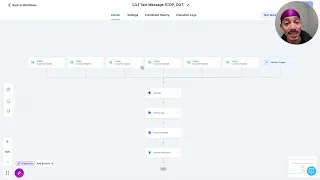
hello everyone welcome to a new session of learn with Optimizer I'm inas Martinez part of the customer success team here in Optimizer I'm customer success manager and today I will be covering how to create DSA campaigns with product fit information with the help of Optimizer so you will find this solution campaign automator in the auto optimizations section so here in our left side menu you will see management optimizations and right here in Optimizer ADV Advanced campaigns you will find campaign automator inventory fed campaigns this is how you will access through our new menu now what
you can expect from campaign automator besides of DSA campaigns the main value of campaign automator is that you will have the freedom to connect a spreadsheet next file or even the merchant Feit to the system and tell the system that you wish to use the attributes or the information coming from that source to shape and create your campaigns ad groups and ads and also keywords if you want whenever you access to this solution right here the first time you will see the invitation to create your first camp template otherwise you will see what I'm checking
right now that is the library here of all the previous created templates in this test account and you will be able to create a new template from this from this drop-down now before we jump into the campaign template creation something very important is that as we will use or Merchant feed as the source you need to connect that to Optimizer if you're familiar with that you can do that for example if you go here to your profile in link accounts to Optimizer there you can easily connect the merchant center a valid login and then the
merchant center links to Optimizer now once that it's ready you come here you customize your template you can can username just to identify this template and differentiate with all the other templates that you will be working with later for example DSA test and here in Source data Feit I can select among four options so here I will be able to tell the system that I would like to work with one of the link Merchant fits and then click here in Fetch to see all all the attributes and the information available that I will be able
to use in this campaign template you save the changes here and something pretty cool that you will find in the settings for any campaign automator template is the inventory filters the most practical use case is whenever you want to focus your campaign in products that are in stock only so you will be a guarantee that no products out of stock will be considered for the for example for the creation of new ad groups in this case I will use an example based on an attribute that I have in my meron feet that is a target
country in this case I will tell the system hey let's consider only products that have the us as the darket country and then you can use here in the campaign name right away something that you will see later in all the levels of the template that is the dynamic insertion Dynamic insertion is something very valuable here because you will be able to load the the attributes the information coming from your source and assign for example names so for example if I wish to create one campaign for one campaign per product or per brand I can
use dynamic insertion for example with this symbol right here and tell the system I would like to create one campaign for each of the brands that I have available in my Merchant feed in this case or you can just use like a standard name if you want to the next important thing here is the campaign attributes this is where you specify that you wish to create Dynamic search ads I will use as a uh domain the optimizer um website here as an example and the language below you will see other settings that are mandatory or
are available in like in Google for example the networks the start budget here if you wish to Target or exclude locations from this campaign the languages if you wish to work with start dates or end date as well the Bing strategies and audiences if you wish to also work with that now the next part is the ad group level template so you can start creating choose the first ad group and here is the part that I think will be very useful for many of you is how you create one ad group for each one of
your products so I can uh use Dynamic insertion in this case to load for example product name so I have let's imagine that I have 20 products I can include product name here and this will guarantee that I will create 20 ad groups one ad group per product and then the max CP and then the next part will be the dynamic ad Target so in this case you need to include URLs and if you to include the links that are present in your Merchant feed that's also possible right here again with the help of the
dynamic insertion we use here this symbol and we use select link so this means that you will create one target for each one of the links that are present in the feed you save the changes here you click here to create your first ad and here you will see that that you will not be able to create headlines but you can include information from your feed through the descriptions so here I can for example tell the system that I wish to consider again product names and the price so it will mean that for each one
of the products I would like to dis display this phrase and the belonging price the rest are optional settings but this is like the minimum require you save your ad groups your ad group template and finally you go here and click save and preview to save the campaign template so this will take you to the last part of this tool that is the preview mode here you will see a summary of everything before you submit changes to Google so you will see a summary of how many campaigns will be created how many ad groups how
many ads and dynamic at Targets now as a disclaimer in this example in this Merchant feed that I use for this example I only have one product and that's the reason why I only see one ad group one ad and one Dynamic ad targets but if I have again 20 products I will see 20 ad groups 20 ads and 20 Dynamic ad targets so you will see here an overview for each one of the levels for example a breakdown here for the campaign have many ad groups ads targets a preview of the ad group in
this case I'm using the product name and again for the ads this is probably something very useful something that you would like to see is how the dynamic search ad will look like so it will start with the URL the dynamic generated headline and then here below I included the product name and also the the price something cool about campaign automator that I really love is that it also include warnings so whenever our system detects that there's for example a limit that will be exceed in terms of for example character for a description you will
see warnings and you will have tax here so instead of saying new with green probably this will be marked in red and also we try to include description so that's like pretty cool because the system will tell you how what should be fixed so this should so this will run as you you expect and yeah so here are we are including the link as the dynamic at Target and finally if you are happy with all of this you have the last confirmation button that is if you wish to apply these changes only once or a
schedule and the schedule is like the the next part like the most advanced benefit of that you will finding campaign automator because this all this process can be automated so let's imagine that I have this template I'm happy with this template and in the future I wish that Optimizer will automatically create new ad groups for my new products in the fed you can automate this process in this particular structure we will see every time that the automation runs if there are new information in the fit and if that's true then we will generate autogenerate the
ad group and the ad and also the dynamic at Target I will show you just to verify if if you wish to see how this looks like with a little bit more of products I will remove the inventory filter that I show at the beginning by the way the inventory filter also needs to be needs to match the conditions should match with the products to for example create new ad group yeah that's like a rule something that you tell the system that you should be mandatory so in this case as I remove the inventory filter
now I see two ad groups so as I was mentioning I only have two products in this Merchant Fed so now I see the other product with the new ad group that Bel will belong to that product also the ad and the dynamic at Target now to wrap up all of this example something that I would like to show as a complement is for example let's say that you wish to shape your template with different attributes and in use inventory conditions inventory filters and tell the system hey I would like to use for example Target
country but I don't remember like how many products I have for I don't know the US how many products I have for another country if you need guidance in terms of the distribution of your products and the attributes definitely I recommend to check here in management and optimizations in the shopping section the shopping campaign management because in this solution you will see this cool tab that is called Merchant fit so we will show you a list of all the link Merchant fits regarding this account so all of after you finish all the connection to Optimizer
and in this particular case you will see the summary of how many products as I was mentioning I only have two here and if you click here and view more details you will see the breakdown so for example if I go to the last attribute here Target country I will see that only have two products one has the US and the other one has this is something very useful in terms of visualization uh if you wish to have one tab open with this one and the other one with your Campa automat template that that will
be like a good that will generate definitely a good experience and save a lot of questions while you are trying to use different attributes yeah I hope that all of this demo could be useful for you could be also like a good invitation to try campaign automator definitely this is one of the type of solutions that saves a lot of time because you don't need to go and manually create all the levels for example something that takes a lot of time in in in Google here you can just create one template once automate the process
and you can like uh rest assure that Optimizer will generate new ads with the information with the latest information available from your feet so that's all for today thanks for watching