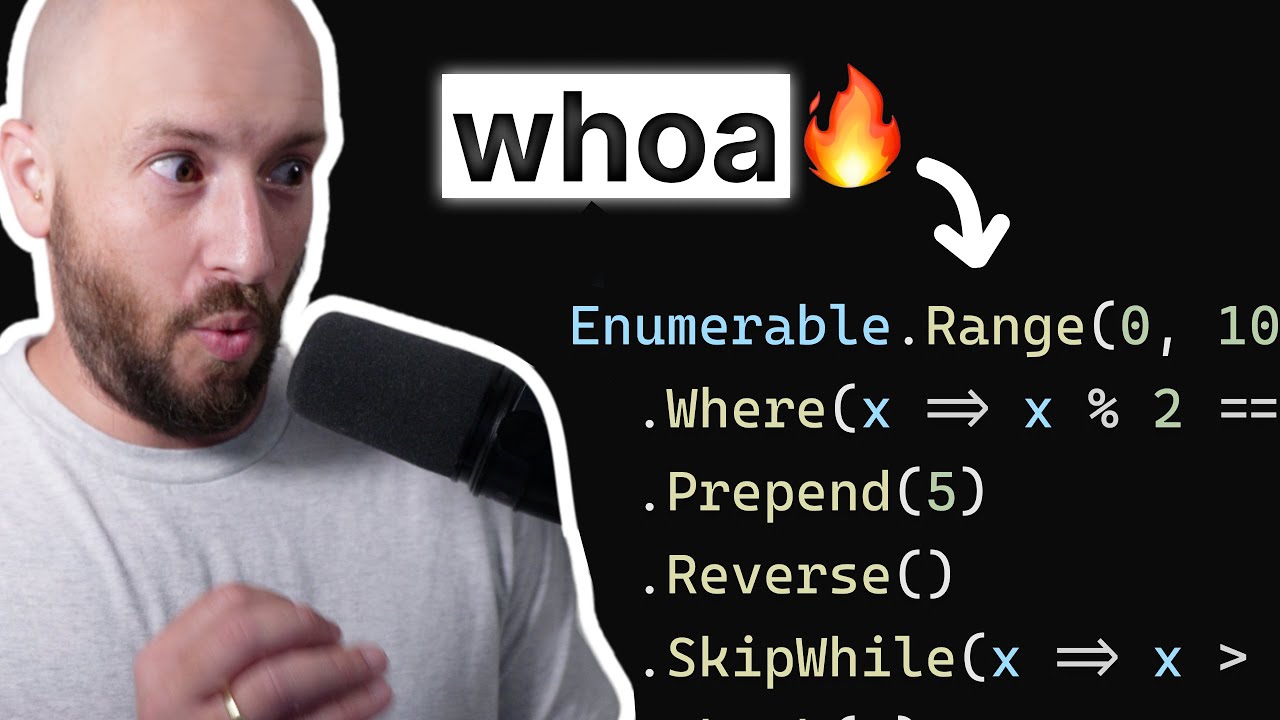
if you've seen any of my other videos you've probably seen me use the list of T I talked about using lists a lot and so I thought me a good time to actually got to have step back and look at how you can use these lists or work with these lists since I'm advocating that your data access just load a list there's probably more that you want to do it and just have this huge list you might want to filter or sort it or pull information out of it and that's we're going to today by
looking at link so let's dive right into looking at this demo I set up so here we have a quick demo I built this beforehand because I didn't want to walk you through kind of boring process of setting things up when that doesn't cover what this topic is about so but let's walk through what this is I got a solution here called link 101 in there I've got three projects console UI form UI and link library now good naming conventions kind of gives you an idea of what each of these projects is the console UI
is a console application the form UI is a form application then find a link library is a class library so let's start there and look at the person class this is with a foundation of what we're going to working with today and so my thought is we have this table summer a database that has information about person namely it has the first name last name a years of experience say a job their birthday which is a date time and I also have this full property which is actually just a read-only property that takes other properties
and puts them together so the full name just says first name space last name so this is the data to be stored in a database and my thought is we're going to somehow talk to the database it's going to populate a list of these items now again talking to database not really part of this video so I create this other list manager class and it has one method and its job is to simply load sample data so what this does is it creates a list of type person olicity called output and that adds a whole
bunch of sample records and finally returns the whole list so that's going to be where you have your data access so insisting load sample data maybe it's a load data or whatever and this code right here instead of actually just cream samples it wouldn't set to the database get the information and load it into our list and if you're not quite sure how to do that I'll have another video on how to do that but my quick advice is go look at dapper that's actually a tool developed by a team that does Stack Overflow and
it's a really really great tool it makes it really easy to talk to a database and get back this list of type object or model so that's a quick aside let's get back to org doing so we have this person class we have the list manager which simply loads the sample data now let's go look at our console UI which is we're going to start now notice my console you guys bolded which means that it's set as a startup project inside program dot CS I have a list of person called people and I populate that
by saying list manager dot load sample data so they're saying give me a sample data to start with and that's what's being put into the people object then I say for each person and people go ahead and write out this information this information is their first name space their last name then in parens I have their birthday to a short date strength and then after that I have : space experience and the number of years experience they have and that's really it so it just gets the list of people and it loops through each one
and says all the information we have on them so let's run this and we see here's our list and so you know Tim Corey the birthday which is not my actual birthday and that says years experience in 20 and the next person so on and so forth so that's that's our step that gets us at least in the door we have this list of people but now we want to work on this list and do some some changes to it so first let's look at the idea of ordering it right now again I'll load us
up here right now it's unordered it's just kind of there so let's look at ordering by last name notice Cory Smith storm Jones DOE and Smith so that's definitely not in last name order so if we were to say people equals people dot order by and then we say x equals greater than x dot last name and fine to say to list and the reason why is because the order by returns an ienumerable or I ordered innumerable and that's not really want last you wanna lift these are put it right back into our people list
now I'm overriding my people list with this ordered people list I could put this into a new list if I wanted to so what i'm doing here is i'm taking my list and I'm saying order bike which is pretty self-explanatory but then I do is X and then the equals greater than which kind of looks like an arrow and that's really what it's designed for it's not equals greater than it's just an arrow and so I'm saying X represents one person think of this order by is gonna for each but kind of strips away all
the stuff you don't need it says order by so therefore I know it's a 4h therefore you don't need to say for each and we don't you say var person will put the actual variable which we'll call X and then we don't you say in people because we're we know that the people list so therefore this equals greater than as arrow sign simply is like we went here and say okay let's do the curly braces so this line right here is this so we're just saying X dot last name since we're ordering we know that
you want order by then the last name property of each person in the people list now I look at this and see how it works corrido Jones Smith Smith and storm so it works now I know this can be a just a bit confusing at first but the really cool thing here is intellisense works so if I were to say X dot I have my list of okay it's a person therefore here the properties and methods you can perform on this person so that's order by and actually all there is to it it's pretty simple
you guys have to remember that's funky arrow symbol so now you might be thinking well that's great order by last name but if I wanted to order it descending that's that's attending you know so if if you look see come before D on the alphabet so what I wanted to have it storm Smith Smith Jones doe and Cory you know count it in reverse order here well as actually if you hit I'm gonna hit control J here instead of or dividers or two by descending and now nothing else has changed if I hit start now
we ordered by last name descending which is great but what if we wind up order by more than one thing well these can be chained together but you can't say dot order by because that'll mess things up so not order by Oh everybody sitting next instead you say dot then by or then by descending must you've been by the Senate in same thing here X that arrow sign X dot and this time let's do it by years experience so now it's a years experience me descending after you've already ordered by the last name and the
reason I chose that because we have two Smiths here Mary and Joe notice that now Mary comes first in our list because Mary has 16 years experience whereas Joe has 12 the Rena start changed because the order by their last name first and so there's only one of each other type so we're schnitz this tool just to show a difference here let's change that to then by and says than by descending so now we have Joe Smith's first because he has 12 years experience versus Mary's 16 years experience but the rest is still in the
same order so that's order by the first time you order you have the order by or order by descending after that you hit the dot and then you say then by or then by descending so that's ordering but what else can we do well we can also say people equals people dot where and what this is going to do is filter our list down to a smaller group alright so again X and you'll have to choose X that it's a variable name so anything you want to be you can see person if you wanted to
did I choose X that's a pretty common one to use so X dot and let's say years of experience is greater than five and again two lists because you want to convert it back to a list of T or a list of person so this is a bit different than the order by in the order by we just specify the property name but here we're saying we're well aware clause you have to have a comparison or some kind of true or false statement kind of if statements and so this would be the the part of
the if statement that determines true or false so what's going to say is if this statement is true for this particular person that gets add to the new list if it's false it does not get add to the new list so in this case our comparison is X dot years experience so the person for your experience has to be greater than five let's look at this run this now if we notice we've dropped off Sue Storm Sue Storm only has one year experience and just to make that a little more clear notice that Sarah Jones
and Jamie doe have eight and seven years experience respectively so let's change this to be greater than nine now we only have three items in our list now also know let's filter this a little bit further but this time we're going to change the filter again you'll notice the owner we're only filtering by one thing your experience which probably isn't real world probably we want to filter by more than one thing so let's look at this month they were born January February and March what if we said we also only want people who are born
in March which should be just Joe Smith down here in our where clause we could say and a double ampersand X dot birthday dot month equals equals three see acts just an if statement so you have the ands and the ORS we could have the double equals four equals we have a greater than greater than equal to less then whatever you want to arrive at a boolean variable or boolean value so in this case our where is now saying years experience is create a nine and the month they were born equals three or March and
now I get just Joe Smith and one more I want to show you before move on to the form UI this one's a little bit different in the fact that we're actually not going to loop through our list of people so it can comment down as well I'll actually move down here I'm going to say int years total equals people dot some x equals greater than of the arrow sign X dot years experience and what this is going to do is take the sum of the years experience for each person and put that into a
total and then I can say console.writeline so the total your experience is and then a year's total we run that because a total experience is 64 now what if we make that a little more comprehensive and kind of pull in more of our examples so let's actually do this I'm going to copy this line right here and then initialize the experience and assign here because I'm actually not comment this out and so I do it again but this time before I do a sum I'm going to say where x equals x dot years let's note
a sue birthday put it that month equals 3 some X arrow X dot years experience so now I'm saying is give me on the people who's got who have a birthday month of three and give me their total years experience we run that we have twenty so see we can actually chain these together whether it be the where clause and then the sum or the where clause I'm going to order by and then buy all this can be chained together as long as it makes sense for example you want to do the where Clause first
before you to the order by it does make sense so that's the basics of link and how you can use it with lists to really dial in on what you want from your list there's a whole lot more you can go into but we're not going to dive in that today instead I wanted to get one more spot and show you how we can use this in a productive manner in a form application for your form you I'm going to actually set it to the startup project and now look at our my dashboard again bill
please built this beforehand so what I have here is all of my people and then I have when you select one that allow you to change their years experience and hit update now right now that's filtered people list isn't hooked up so if we run this I'm going over here's my list of people notice Tim Corrie has 20 years experience whereas Sue Storm has one years experience and if I change that the 15 hit update nothing seems to happen but if I go to Joe Smith who's got 12 and come back as to storm she
still has 15 years experience so there has that change made but what you want to do is have this list over here this list box give me all the people in this drop-down as long as they meet a certain criteria so let's do that look at the code behind for this so here's the code behind for our dashboard what we have here is I got a list of persons called people and that's just our load sample data from our list manager and then I have this initialize bindings so what this does is it assigns this
list of people to my drop down so drop down dot data stores equals people now it used to be to have to do data binding and I'll get these two to work what I found is that a list of T works just fine as a data source in both the combo box and the list box so in this case the all people drop-down right here we've got a list of T or list of person going into it so that's fine and then the display member is which property do you want to display now it's inside
quotes which means no intellisense so what I recommend you do is go over here to person and actually copy the name and paste it in here so that's what happens in the beginning in our constructor is initialized bindings so that wires up this drop-down right here but we also have an event on this drop-down and that's right down here all people drop down underscore selected index changed when that happens I grab the selected items from the all people drop-down and I say that is of type person it goes by default if you know it's type
object but since we know that the list of person in that drop-down we can cast that to a type person and put that into a new variable and now we can use that variable to say dot your experience and put that into the picker value which is right here so when this index changes and grabs that person look at through your experience and puts it here then we have this update button here and the update Berk button it is the same thing it grabs the selected person from the drop-down it takes the years experience Pickers
value which comes out as a decimal it converts it to an int 32 and that puts that into your experience for a selected person and the last thing it does is it updates bindings now currently there's no bindings to update it just is but we're going to get to that so again let's go ahead and run this right now and see that yes we do have this list it does work yay but now let's go ahead and add in this filtered list and it's stilted list here what I wanted to do is say only give
me people to have at least five years experience so let's start with our initialize bindings we're going to say filtered people list dot data source equals peak people dot where X arrow X dot years experience is greater than or equal to five two lists and to list is important because if you did not do a to list it's actually an eye or enumerable list I'm sorry I or enumerable and/or ienumerable and that ienumerable is not the same thing to list and therefore add is sources have a problem and will blow up but list works just
fine and now we're going to say the filtered people list dot display member equals full-name as well now remember is that this people is actually creating a new list it's not filtering the existing people list before when you're in program dot C s we do the where clause here we actually took the result and put it into people basically overwriting the current list with a filter list but here we're not doing that we're just taking that filtered list and we're putting into this data source there's never a variable to hold this explicitly and that's kind
of important so let's look at what that's going to initially look like right now over here now we have this list notice that all these two lists this list has to storm this one is not the reason why Sue Storm only has one year of work experience therefore tis not on a filtered list but if I go through storms record and put her at fifteen years experience I hit update nothing happens over here fact Joe Smith has 12 provide a sue storm she has 15 still not a filtered list why is that well because we
didn't actually make a change to our datasource what we did is change the people list but that's not this list and the discourse doesn't we know that something has changed inside the list so we need to do is in our update bindings we have to basically just copy this line and paste it basically saying do it again run it again and now remember that every time I hit the Update button it calls that update bindings which redoes the data source for the filled with people list if we run this again same thing no Sue Storm
if I got a suit storms record and I changed that to 15 and I hit update now she's over here in this list and as I come at em Cory and I change him to two years experience he goes off a list I change sue back to one year she chews up a list and so on and so forth so now we have a list that's filtered and that responds to changes in that list so that seems very powerful for having one master list of data but then different filter lists based upon what you want
to show or how you want to show it we can order these well in fact let's do that instead of just saying where we can then say order by X arrow X dot last name then by X arrow X dot first thing and that's just ascending order and don't forget that we have to take that down to here as well so I'll copy that and paste it so now that our update bindings has it as well and if I hit start and pull it's over so now these are ordered based upon where they fit in
the list and if I change sue to be 15 she showed up the proper position for her name and again the two Smiths are ordered properly joke before married because J is before M so that's how you can use link to really affect how your your lists show up in your forms in other places hopefully that's been informative and helps you better understand how to really take your list the next level in usage thanks for watching as always I'd appreciate if you subscribe and also is a link down below for my mailing list I don't
spam you but that's a great place to get more information with these videos as well as other things that are upcoming including discounts that may be available only for my million my subscribers if you have any questions please go ahead and ask those in the comments down below I'll do my best to answer them as I can [Music]