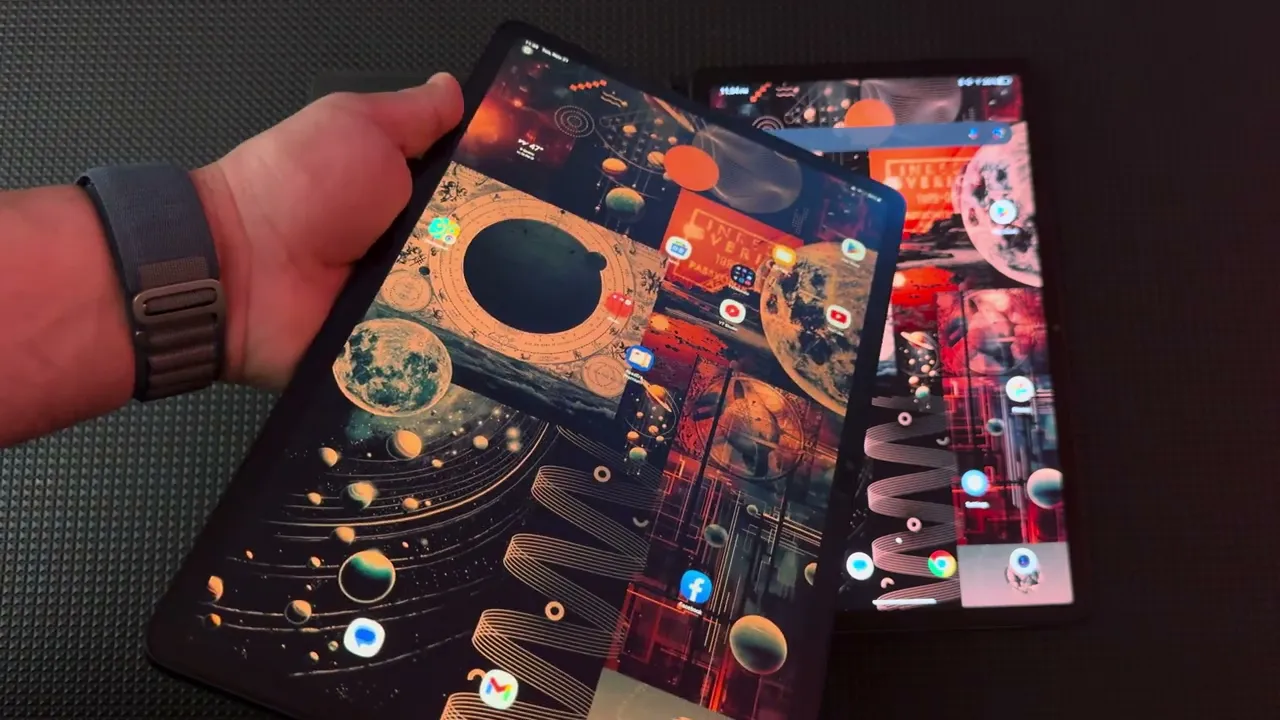
hey guys Max here let's talk about TCL next paper 11 and to start off I do not recommend this device um but it all depends on what your purpose for this device is one of the biggest negative about this device is that it is an l CD display so anytime you look from the side let me just increase the brightness anytime you look from the side you could see the light reflection as you could see there's the light reflection so the angle viewing is not the best let me disable the rotation so so anytime you
look from an angle you could see there's like a light reflection so there's definitely a draw bag this being an LCD display now it is kind of on the lighter side this you know device um I don't like the battery life on this next paper 11 I don't think it's good um it also varies slow at charging like I used several Chargers that were 80 watts and above and it's just so slow um so you have this kind of matte display to it where is it there we go so you have this matte type of
display and you could see it is better with reflect you know fingerprint but you still have it here it's not as bad as having a very reflective display such as um without the cating an LCD or an olate panel but you still get the fingerprints here so it's not fully fingerprint free device so it has um like face unlock let me look closer to the camera one second so you guys could see there you go it just it's actually pretty good screen unlock let me look closely again there you go there we go so it
recognized me so it does have an Android application on it um where but like you can see see there's that LCD reflection you could see like the black is not really black and that's a biggest I think drawback with this specific device is it being an LCD panel I think this if this was an ol panel it's definitely would have been a better sale for me let me lower the brightness so you have a normal Play Store in here it's like you see it's on a smoother side like as far as the scrolling um you
do have an option of adding like Google feed on the side um what do I think this device is okay for I wouldn't consider this being an all around media device as far as for entertainment purpos watching videos movies I do have a short a YouTube short on posted already and I do have a YouTube video on how poorly YouTube performs on this device it's just anything above 720p it lags there's a stutter there's um no sinking between the wording of whoever is speaking the video like you could see a big disconnect like the words
are way ahead of than the mouth moving of that specific individual um TCL did some tweaking in here but a lot of tweaking that you can that that's present on this device you can do on other devices like for example next Vision a lot of these options are available in like accessibility in other Android devices like the reading mode that they call which you could enable black and white on other which I will show uh In the comparison uh you can link messaging app with whatever the Android device you have the camera on this is
absolutely trash um I would not use this device for um this TCL um next paper 114 photography it's absolutely horrible let me just try to show you a sample so let me give you example of this one so let's take a picture let's let me enable it make sure it's uh asking me all the notifications so like this is just like look at the quality of this display let me move it closer here it's just not that good let me take a picture here it is here's the difference like it's just not good um so
the camera is definitely a minus let me get out of the camera um so all this extra stuff over here like image enhancer enhancement video enhancement game enhancement if you want to play like basic type of games nothing like demanding it's okay the good selling point about this device it's $230 that I purchased from Amazon so it's a big plus as far as the price what you're getting for that price does plenty of competition out in the market you could buy an older generation Samsung device which would probably be more capable than this device my
biggest negative about TCL next paper 11 is poor poor function of the YouTube it's like it's it's just not enjoyable this is a 2K panel here are some specs um it's an 11 in uh it has best for reading low blue light four speakers 8,000 milliamp battery 8 megap 8 megapixel front and rear uh 8 core and 256 Gaby ROM and 6 gab Ram so on the paper all of this sounds good and that was the biggest selling point for me because this seems like a very good like type of specs on the paper for
$230 but in real world use there's just if you're the type person who's used to using latest type of Technology this is just not it um so it's just not it and the fact that it is an LCD um it has some like you know reflection to this display but definitely miles away from using like an OLED or an LCD so to me I think this matte finish you could just basically get with a other device so let me show you an example here I have um this is Samsung S9 as you could see let
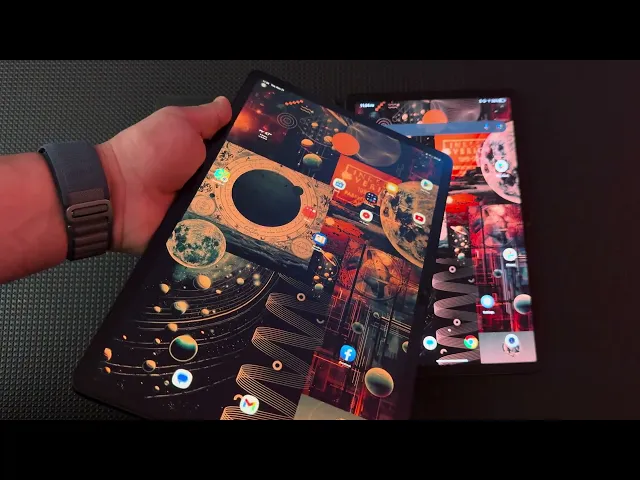
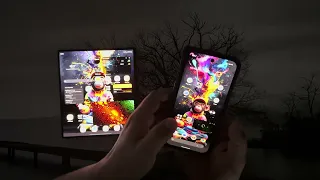
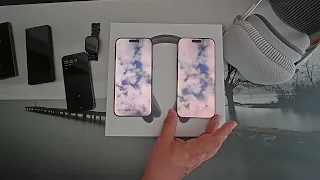
me turn this off here it is and here this is let me turn this one on so you can see let me turn this one on and I have the same wallpaper back there so here's a wallpaper now this is an LCD and this is an OLED absolutely yes big difference in pricing um this is probably like at this point this is three times a little over three times more expensive than this but I have a belief that if you know you're buying something might as well buy something worth spending money on it so here
I have let me just lower the brightness and you can see the difference here is an Olay panel with a screen protector let me just disable the auto rotate same reflection type of experience this is literally just the screen protector that I bought it was $15 for two of them look at that same thing the anti antireflectivity anti-glare as they call it it's a matte finish um and this is an OLED let's lower the brightness even more and as you could see it just looks so much more even comparing to TCL next paper 11 this
is a big sale as far as being an OLED this is obviously a lot more powerful uh tablet and this is where I think if you're looking to spend money and kind of prepare yourself for the future down the road because this does offer years and years of I believe it's four years of Android upgrades and five years of security updates which is good so this could last you for a while this is um it has all the latest whistles on this type of device so you could watch movies in this you could watch Netflix
um with an amazing quality you can watch YouTube without any stutter that you get on this display it's just night and day comparing to difference so if you want to save money and you want to go in all the generation for example here I have now of course this is a bigger display here I have let me lower the brightness 8+ this is a 5G variant also has the anti-glare coating on it like you do have options out there again OLED there is no like look at the side let me disable the auto rotate like
you don't don't see the same glare that you see with an LCD panel look at that you could see like the light it's harder to see with the darker display but like you could see look at that light look at that reflection over here it's because LCD depends on the lighting of the panel versus an an OLED an AMOLED panel which they individual light itself all those pixels that you're looking at that's where you don't see the same light lead that you see with an LCD panel obviously this is too big but if you want
to read a book let me open up the book so if you want to read up the book you could play around with it and let me show you how you get into let me open up the settings settings which is what I wanted to [Music] show accessibility so here you have accessibility and you go into visual enhancement and here you have like color adjustment and you could enable this right yes you could enable this turn off the comfort and here's your black and white so you could go back into reading a book if you
want to make it more comfortable you could change um this to Twilight you could change the console you can make it as comfortable as you want it to be so like look at this and the reflection is not that bad if you wanted to make it uh side I just disabled the auto rotate here you go so if you want to make it like side by side book you could do that and then because it does come with the keyboard you could just literally place it and read it at your comfortable position so there's definitely
a lot of pluses and nowadays the 8 plus is cheaper than S9 models so if you want to save you bucks you could go that route I would to recommend going for S8 particularly because the S8 just has also an LCD panel which is a big upgrade into S9 because S9 does have an OLED an AMOLED panel and you could do the same thing over here let me open up the settings so you go into accessibility you go into visual enhancement here you go color correction you're enable that and then you're back into black and
white let me open application for reading so we go into read era you open up up and then you could just read a book let me open up the same application on this see it's so slow at things let me just show it to you like you know open up application and let's say you want to open this this is where you could tell that there is definitely like a lag like a delay because the ship that's in this device is far behind that's the one that's in here so let's say you want to enable
the black and white which is right over here so it just simplifies things instead of you needing to go into the settings to get the same experience over here you have to go into the application that already kind of makes things easier by next Vision but then you go back into 3 mode and then you have the same thing but then again look at that light I would to call light bleed but you could see the visual angles and you could see the light so it to to get the best experience you literally have to
be facing it if you you have it sideways there's a lighting there so you have to face it directly versus using an an amol let panel you can look sideways you can look at this way you can look that way the visual Acuity on AMOLED is far better than dealing with an old an LCD panel having them side by side here you have um the bigger version and obviously this is a little bit crazy for carrying and for reading but in comparison look at the back let me just go here let me enable the same
thing which is the console and then you could see the difference versus the black background as if it's just unique and it's fully like one background versus you could see the greyness around and again the brightness is all the way down so if you bring this up you could definitely see like you could see that light reflection of course if you have to compare this with the Kindle devices I'm talking about like the Kindle fire which also you know you're dealing with LCD panels on on on the kind let's if you're looking for a budget
Kindle Fire you're going to be dealing with an LCD panel so you're going to have the same issue if you want to go more premium let me show you the here let me enable uh KN let me enable same thing over here like you could definitely see the difference of course it looks a little bit different cuz I but here you go you have the same if you look here you have console let me enable here you have console look at the difference this is all the way to 100% brightness and same thing here to
the to the brightness of look at the difference black background it's just the screen just the the text versus gray background and the text is just so much more uncomfortable for your eyes let's put this to the side so of course TCL made it a lot more comfortable with just going to the application and and disable this to bring it back to the color mode versus you have to go here into the settings to disable this in order to get back to the color but and then here you have like I have eye Comfort enabled
let's go into the display so the eye Comfort is enabled let me open up the settings here so and the settings kind of look not as up to date in my opinion but let me see the eye comfort that one is disabled but if you enable it you get so both of the comfort are enabled and you could see the difference between this is much more I think appropriate for Visual Comfort versus this even though it's still enabled it kind of looks on the cooler side yes you could adjust it but this uses automatic sensors
so I don't have to you I don't have to do all that extra work there you have to do a lot of manual work so if you are on a budget and you want something that's more affordable maybe look into like an S6 model um which use an uses an amalo panel so you get the benefit of having that AMOLED and at the same time you're able to save some bucks um you could also look into like S7 AMOLED models versus going this way because this was released pretty much this year in 2023 but some
of the things that it has inside has been seen for years already versus this offers latest and greatest and here not so much camera sucks let me just show you the difference in the speakers speakers I think also suck let me open up the music where is that epidemic sounds so here is let's play [Music] here [Music] so at the highest volume at 100% it starts distorting like you could see in the video it's just you could see the LCD because of the light but once you like start looking at it directly you're starting seeing
a big difference let me lower the brightness and while having that matte finish and anti-- glare it does take away from the visual accuity of the text so it's kind of if you look closely it is on the fuzzier side so let me show you the difference of music sound on the S9 let me open up the epidemic sounds all about the [Music] copyright so here it is let me lower the brightness let's go here let's go into a [Music] Beat [Music] I mean I hope you guys could hear the difference this is like crazy
there's a huge difference four speakers four speakers here's the [Music] difference again let's start all over [Music] again I mean what a difference [Music] [Music] one last time on this [Music] one [Music] let's try different let's go into dance I have three tracks here let's see let's go [Music] here I hope you hear the distortion now let's play [Music] here clear no Distortion so yes it has four speakers but these speakers are just not that good they're on the thinner side lack the base it sounds like someone is saying in from um sort of like
a tunnel you don't have that Echo but it's just it's just the vocals are there but they're not Bassy it's just not a good sound versus over here where you get a full experience and again like the YouTube experience is a lot different let me open up the videos on YouTube let me just open up specific video here um so you guys could see so let me go into my videos so let me play [Music] this [Music] as you can see there's already a lag and this is a 2K panel look at that lag in
the [Music] wheel look at the lag in the [Music] visual so let me drop it to 1080 sometimes at 1080 works okay you still see stutter here and there so here's a 1080 [Music] [Music] video so this is the 1080 experience which is working surprisingly okay here so far let me open up the video over [Music] here and you can hear the sound the speakers over here too are not as impressive so here is this one let me put it at 2K and actually let's put it what's the highest that I could do it let's
put 4K so right now it's at [Music] 4K this is a 4K and you can see there's no stutter let me put 4K here here's the 4K let me start from beginning look at that it look like a [Music] robot [Music] okay it's just impossible and then let's open up the speed test they're using Wi-Fi so right now I have less bars so I hope it's actually catching on to a faster so we have Verizon Verizon let's do the test see right now it's catching on usually in it's in the 20s so it's a hid
and Miss with Wi-Fi honestly so right now it's doing okay but I could show you the results like this is what I've been getting lately but this is what I'm really seeing mostly look at this it's mostly in the lower end because somehow just I don't know why like right now it has four what is it three three or four lines there so basically one less um but then when it kind of there you go and then it just somehow goes up to full and those are the speeds that you get mostly you saw I
changed nothing this is mostly what the speeds that you get on here let me open up the speed test on this app let that one finish that one's on Verizon so it's this on Verizon let me show you the difference this was consistently in 200s and then sometimes goes into 400 500s it's depending of where I'm located but in here it's basically performance in 200s and 300s this it doesn't matter where I'm at it's just always giving me the same outcome still always in like mostly 20s download and then t 20s in the upload see
which makes no sense I have the latest the latest ero Max 7 the Wi-Fi 7 system which is really good at addressing speeds on a lot of devices except the wifi 7 device for some reason but hopefully they'll upgrade that at some point but the out Cal is just very disappointing see it's in the 200s we don't have to go all the way so let's say I'm in Reddit it's really good experience let me see if I even set up redit over here uh there it is is so you could see the the response the
smooth the scrolling and then let me log in here and the response is like I want to log in but it's like look at this it like frustrating there's a lot of things that's frustrating about this device it's just just disappointing I'm trying to L in I don't know why it's taking so [Music] long just the typing experience also kind of slow on this device it doesn't matter anyway somehow it just I have saved passwords on this but it forgot all the passwords there's there's just so many problems like so many problems with um I've
been having with um with TCL next paper like I lugged in but it kicked me out again it just it doesn't remember Recons um like you constantly have to reug in for some reason I don't know why there's a just such a delay long story short there are negatives about this device there are negatives about this device the big negative about let's say going for S9 is the price I don't like that you have to use two stores there's the Galaxy store and there's a Play Store here you mostly just rely in Play store but
being that this is um an AMOLED panel and then this is um an LCD panel I think this is a big negative as far as the LCD panel it's not a bad LCD panel like the color output is pretty good let me just show you an image of the difference that you get as far as the color so many questions so as far as like the color output you get plenty so we open up the app over here so we could go into wallcraft of applications see how slow things are let me open up the
same app here where is it here's the application I'm just going to open it right in front of you so you could see the difference it's much quicker and the rendering and the coloring as you can see it's much higher so let me open up the newest open up the newest so you could get see the difference in output here's the image again this has a mat screen protector and and here's a so let me lower increase the brightness to a [Music] half let me increase this to half here is at 50 51% so and
then let's say we go up to the fullest let's go up here to the fullest okay then you could go between the shots like it's too bright I think let's go like 75 80% there's 70 all right like you can see there's more clarity quality here and then over here everything just looks fuzzier like you can see individual tree here it kind of begins ready to blend in I mean this is comparing ing an AMOLED versus an LCD the displays are just night and day I mean look at the color let me bring it down
a little bit lower I mean the knits of brightness on this is much more impressive and higher okay here's this this I think this is a great image image this is more on a cooler side despite the eye Comfort is on eye Comfort is on and this is more like warmer side but this is actually looks much nice in person like look at that this one's still loading this is where you see the limitations of of the the chip that's in this system like look how vibrant this just jumps at you and look at this
there's like more details here look at that you could see you could see down here already and you can't see anything down there it just looks lost okay so again it depends what your budget is if you're looking this for reading okay if you're looking this like for reading purpose so this is the console so you could go into let's go into Twilight here too it's going to Twilight so as you could see this is much more easier on the eyes versus this even though it says there's a blue light protector like protection for your
eyes Comfort this is much more uncomfortable to my eye [Music] so I think it all depends what your purpose is I personally do not recommend this but if you cannot afford to like right now there's sales going on there's always sales going on on Samsung's devices um if you go through their website there's always trade credits um trade deals that you could get I got this from Amazon I think originally when it was advertise people were saying it was like $3.99 or $4.99 somewhere there I got it for 230 but it makes sense why this
thing is so cheap versus this I personally bought this for $7.99 and then there was a deal I bought this from Best Buy there was a deal I did get trade deal on this and at the same time with my purchase I got a $100 gift card from um from Best Buy so you could see the experience like you see it's much more snappier versus there's a delay you see there's a delay so I mean for 230 if I was on the budget and you want something that's more capable than using like for example an
e in device which has limitations too you can't even watch videos on the E in device comparing to this at least here you could put 720 and you can't watch a video like on YouTube you can watch Netflix on this so there's definitely gives and takes like for example sorry let me bringing the e in display so if you're like in the middle and you don't know whether you want to pick an e in display or you w to pick something else so here is the same video that we watched [Music] earlier it's actually showing
that bad and this is set at 720 let me put this so 1080 funny thing is this is an e in display so you're going to see some refresh rates kind of slower comparing to this but this is actually much better at 1080 than this one is so again going back to this if you're okay with playing videos on YouTube using the display at 720 because at 108 it's a hit and miss then you're definitely going to get a lot more from this than you're going to get like from this books T mini this is
good for reading the like as far as going into reading mode and application itself you're going to get a lot better experience on this versus on this and let me let me show you like an application here there it is so let's open this here let me open that let me open up um same application over here let me just get it so it's installing that the difference is like for example if you download an application look how long the process takes on the eing device it's definitely slower than it's actually not bad so let
me go in here the settings uh let me open it so it's sinking the book so we could have the same experience same book I'm going to open let's see chapter 14 it's a little bit slower on the eting displays because it's just the refresh rate is a lot less comparing to over here here you get much more Snappy experiences versus getting it like on the E in device and then at the same time you have full ability to do lot of things versus than doing over here cuz the experience on the eting device is
much slower then over here you just open up easy snap ear and then let's go over here so the book is here finally Let me refresh this so here again let me lower the brightness so the experience of getting it on E in this is going to look like a book type of experience even if you go here and you adjust let's say we go into um the night or the Twilight and then you could increase the brightness I'm generally not a fan of using darker themes on um the e in display but again the
experience is so much better using it on on this you're not getting the light bleed like you get over here like the experience on this is a lot like you could see from there versus then you see it over there it's just more of like a text like if you're reading on the book so but let's say we go to this mode or this mode Let's refresh let's lower the brightness CU it's too bright okay maybe even go in back like white background they your refresh like you have to do a lot of manual things
like look at this like if you want a device for reading I definitely would say go for an e-reader this thing is is able to do a lot of things at the same time cuz this does run Android like this one does now this one I believe is Android 11 and this is Android 13 but it's like you win some in here and you win some in here meaning you get the best reading experience on this device uh you do have pen capability as you do over here now this did not come with the case
and it did not come with the pen I couldn't find the pen online I was looking for it it was just giving me an alternative options like this pen does not work on this um I do have like the Samsung pen doesn't work here but it does work here um I just don't want to write on it because it's going to start marking on it but let me just show you where it does work let me open up notes and then let's say we open up the note like you can see it already works so
this works using the S Pen on this but it doesn't work you have to have specific pen for this one unless you buy something a cheap alternative which they scratch let me show it to you like this as an alternative but it does have like the metal end so you definitely have the risk of scratching it let me turn this on this is an active stylus so it does work but like I said it does have metal tip so you're definitely going to be somewhat damaging this display the battery is at 31% the camera like
I said I went over this you have the Play Store you have the the Chrome whatever the app you want to use um you do have capabilities of watching Netflix I'm not going to play any movies because I don't want to have any infringements or copyright issues but somehow I don't see I checked Netflix on this I checked Max on this um I tried Prime on this Prime video and somehow the videos just don't look full HD it it doesn't look so rich When comparing to um like for example using it on S9 so again
without any sales this is like around $900 and this without it was just actually not a sale regular price 230 I would say if you want want to buy this give it some time I'm sure it's going to drop in price probably below $200 Because unless people don't do their research then they're just going to go buy into this but I'm returning it I already started my return process because I just don't think this device is worth it hopefully I'm not too much bragging this video but if you want a device that offers like more
of a um like more of a like full experience I would say spend a little extra and then have at least something good for yourself to use you could also play music on this like I said you could play music on this but the speakers they're not horrible speakers let me be up front they're not horrible speakers they just can't match speakers of this there's definitely a lot worse speakers that I've heard on other devices like for example speakers on this can't even match speakers on this um so for $230 I think you get what
you pay for um but I also think this is a shortlived product because of what it has inside generally Androids with my experience become much more heavy type of um operating system because it just keeps getting increasing with the storage that Android um occupies at the same time the chips that it requires to upgrade up to the date while this is kind of already stuck behind so uh if you keep updating you're going to start noticing some of um like negative going forward so I don't know if this is good for two years I don't
know if it's good for three years as far as the TTL next paper 11 Samsung already said this is good four years with the updates to Android four Android updates and at the same time they gave five years of security updates so this is already guaranteed to last for a long time while this not so much and then again how big is TCL in the market of tablets compared to Samsung do a lot of can you do you know a lot of people that have TCL products that could give you feedback at how TCL is
when it comes to releasing updates when it comes to releasing security patches I'm sure you know a lot of people that have Samsung devices and this is not a comparison between two I'm just giving you an like an example of how much downgrade on this device versus um what you could potentially get in others you can look into lenov Lenova devices which are also I would say price friendly there's also OLED options there um but yeah so it's up to you the price is very attractive uh it is light comparing to the S9 um I
mean it's not really it's not really internally it's not really carrying anything so impressive I would say but it's okay for $230 um I think that's it it is slow in charging it does lose back battery if you like say watching videos on YouTube it definitely drains pretty quick recharge is a lot slow I think that's it I don't want to keep on bragging I don't recommend this device I really don't okay if you have any questions about TCL next paper 11 please ask also in here uh when you go into about device about tablet
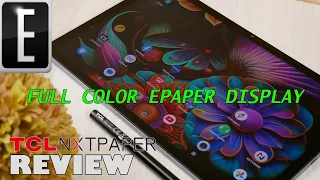
there's some settings like you could see like even here you could see the the light because that's what LCD does um it says full color electronic paper display this is not a paper display this is an LCD panel just with a coating math coating that kind of eliminates the glare but you still get the finger fingerprint here as you could see it's still there and the worst part of fingerprints on here versus comparing to let's say uh not matad display because it is matad it already takes away from the image the clarity of the image
is already less than compared to device that does not have this kind of cating so when you're dealing with the fuzziness type of that this device uh this this screen offers and then you start getting all this fingerprints on top of it it makes it even worse so do consider that having that comparing to a device that has full type of display same thing over here but then you could see like you get but actually this the fingerprint is actually better on this screen protector than this look how dirty this looks versus this and I've
been using this daily for the last um I would say three days I've been using this since I got it which was I think about two weeks ago at this point I was very excited I've been looking to TCL next paper 11 since it was announced because of I don't know if there were sponsor reviews but they reviews that are I've seen on this device made it look like a device that could solve a lot of things yes people did say don't confuse this with an e in device this is not an eink device it's
an LCD but I just didn't expect it to be such a unimpressive device for me I I'm on YouTube every single day I watch videos on YouTube a lot so for me to have a device where it offers a 2K panel but I'm only able to watch 720p of YouTube what's the point of buying a 2K display when this is what you're going to get I have a tablet that I paid so much less money and it's also 2K panel it's from Lenovo but it's like the 4K videos going through it like with no issues
no stutter and this can't even handle 1080 properly so for me that's a huge negative with the YouTube again I watch movies and Netflix I I watch a lot of streaming services not a full HD quality from what I'm seeing um so yeah if you want a tablet for browsing the web reading books having to deal with that reflection of the light but you'll save money go for this if you want something that could deliver a lot more I would say try to look into something else this is definitely a guarantee to deliver a amazing
amazing experience I literally just put screen protector there you go just for this video so I love love love this device versus here again this this has also fingerprint this um has Face Unlock so does this but at least here you have an option look at that I'm standing all the way up on the side and already registered my face this one you have to look directly into the camera which is right over there camera's on that side too okay I think I said this so many times already I'm rambling if you have any questions
about by TCL next paper 11 please comment below try to record another video shorter video but if you last it the end the video thanks for watching comment below