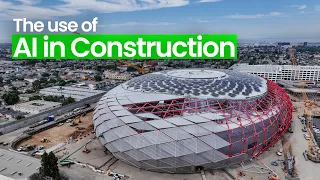
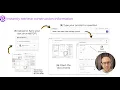
hi I'm Stan lukich I'm the CEO of civil's AI and we're eliminating rework and design errors on construction projects here we have a typical looking construction project looks very complex in order for us to build this we need to check that our designs and proposals follow all the best practices in the industry ensuring that the project is safe efficient and sustainable but projects can involve thousands of different design details all of these individual details need to be checked against requirements specifications regulations today we use a Brute Force approach for this meaning we uh all the
project stakeholders go through many rounds of checks eyeballing and looking at the documents however errors still slip through the net here are some famous examples from around the world um and the stakes are very high so we formed a team to try to help solve this issue so I previously was a civil engineer I worked for Arab and then two and a half years ago I managed to persuade two people from the tech world to come and try and solve this issue with me and so we're closing the loop with automated checking what this means
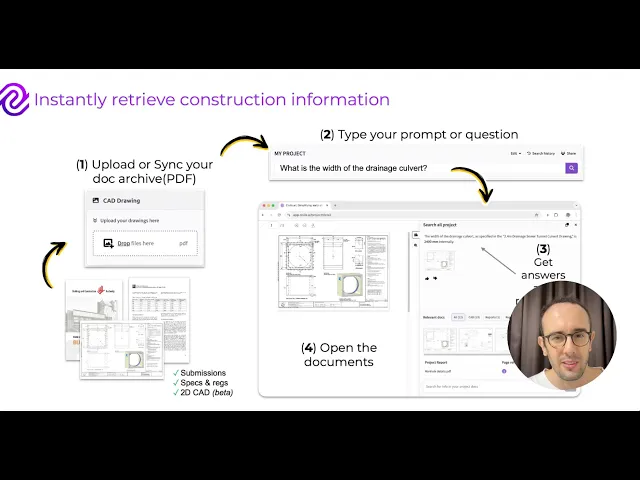
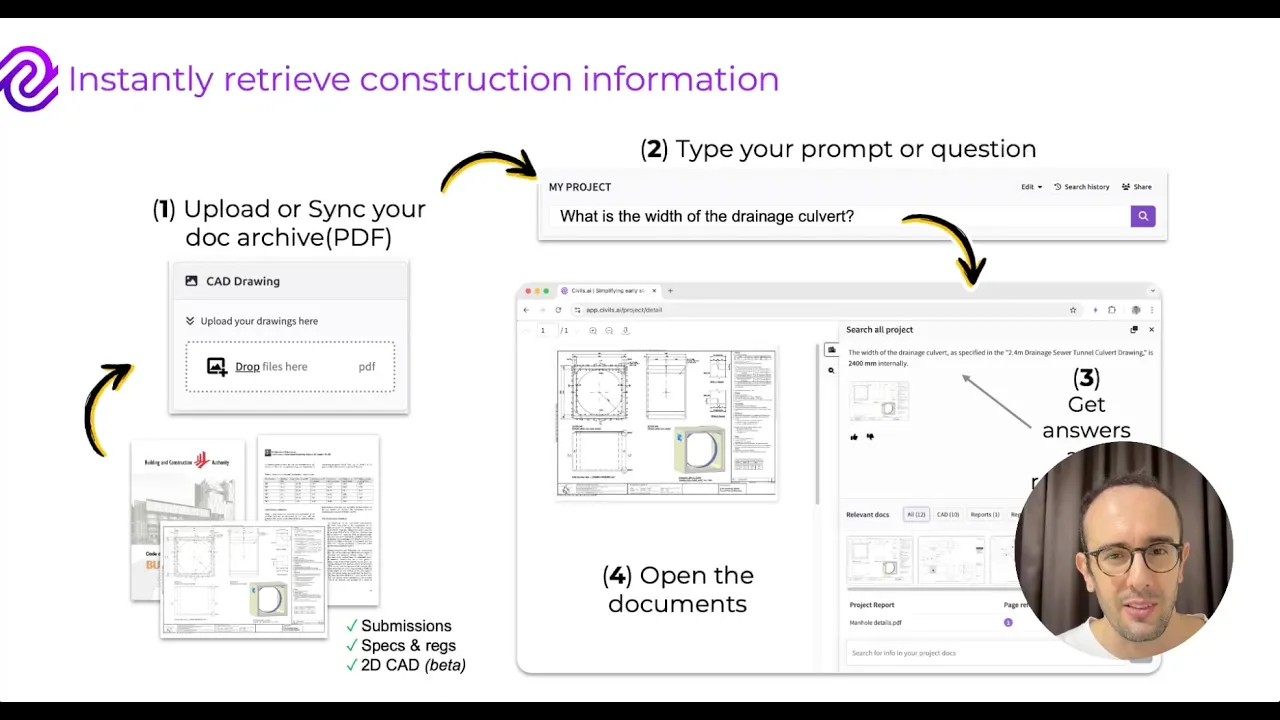
is you can upload various construction documents onto civil's AI we then have this AI brain that basically reads structures memorizes all of this information Within These construction documents we then have two features which we're working on one is your typical AI co-pilot which can retrieve information from documents search across designs specifications regulations even 2D CAD drawings um we're also working on the auto cheing part checking all of this information flagging up improvements which can be made against specs and best practices so how does it work today so you can basically upload various types of construction
documents into civil's AI you can then once the processing is complete you can then search for information in this example I'm searching for the width of a drainage CT on this project our system then searches through all the project information finds this relevant drawing opens it for you and gives you a suggested answer also flagging up other related documents in terms of the automated crosschecking this means you can upload an entire submission and our system will basically search through that submission generating helping you to generate comments linking between the sections of the submission which could
be improved or maybe AR compliant and the sections of the regulations or the best practices this means for Consultants they can eliminate risks and reduce their liability on the project and for clients and contractors it means you can flag improvements earlier on in the project uh raising the bar on quality for your whole project here's an example of one case study we did working on a 52 million infrastructure project with the design team so we worked with them over a three month three-month period and we helped answer 473 of their queries with an output accuracy
of 83% we save them on average 15 minutes each query and then we offered an Roi of 10x based on the time cost saving we want to turn this into 100 uh X Roi by helping to flag up eliminate risks that could otherwise be missed if you're interested to learn more about a solution please do reach out to me or visit us on www. civil. thank you very much for listening okay so let's take a quick tour on the latest features of civils AI so when you first get signed into app. civil. a you'll see
that you're able to create your first project by clicking this new project button you may have already had someone in your team share some projects with you so that you might already have some existing projects but you can think of these projects as either being a unique construction project or a submission or proposal um or basically just an AI barot which understands a bunch of information about a particular topic so I'm going to click through to this dummy project where I've already uploaded some information if I wanted to upload more information I can upload PDFs
by dragging and dropping them into this box here our software attemps to detect what type of information is being uploaded and categorize it for you um with the different categories basically being reports which are General reports about the project so it could be a submission or a proposal 2D C drawings with these being each row being a different drawing relating to the project and I can actually click through and basically view the information that's been extracted from this drawing by clicking the this analy button and then I'll open up this CAD draing that's been uploaded
and I'll be able to see what type of information we've actually been able to read off from it I can then click through to view geot technical data or any regulations that have also been detected from the uploaded files processing can take about 5 minutes depending on how long the file is once the information's been processed I can search through it so I can search on this project saying what is the minimum drainage width requirements so I know I've already uploaded um I've already uploaded a code of practice for Singapore for the drainage width requirements
so um it's going to search through all of the different documents on the project by know it's going to find some information from that one so it takes about 5 Seconds to generate an answer and here it summarized that it depends on what type of train You're Building um some certain types if it's alongside the road could be 600 mm box CS could be 1 mm Etc so also highlights uh it provides you with an answer reference so it tells you where the information has come from which page of the document and it opens up
the answer document automatically for you on the page where the answer is so I can see here I can see where that information's come from a minimum 600 mm um requirement here so I can also see other related or other relevant documents down here so I can click this panel to bring up the different drawings that are related to this uh query and other regulations or reports so I can see here that it's actually found a drawing for a drainage cver and it's suggesting that that is the most relevant uh most relevant drawing which is
correct like this is related to what I was searching for if I want to I can actually drill in more to whichever documents open so if I open up this code of practice again and let's say I want to do some more in-depth analysis so I found the general information I want I can actually click this search Open document button rather than the search all project button and here I can actually here's some prompts that can be used automatically so like create a table of key risks list out any constraints or requirements or I can
prompt here a more complex search so I also want to show you that you can search uh you can see your search history by clicking this button and you can also share this uh project with other people just within your team by clicking the share button and you have some controls here of what you can allow people to do with the uh access so you could give everyone viewer access everyone editor access um and these are people within your Enterprise account where you can actually um give them editor access or viewer access only so you
can be in charge of the permissions on this project that's a very quick tour of our latest features and thank you for listening