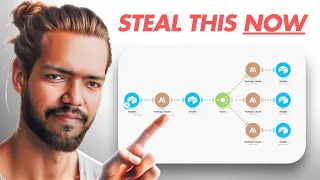
have you ever thought how good it will be if all your customer queries handled by the AI instead of you going in the system typing the emails and solving their queries isn't it amazing isn't something great because at the same time you are saving your time and you're helping your customers and keeping them happy I will show you the demo let me show you the quick demo how it works so here what I will do I will go and uh I'm typing the email okay and here I'm asking uh suppose I'm saying in the subject line help needed and then in the email body I say hi there I am looking for some free training to watch and learn okay can you share me if you have any okay I'm just giving an example and similarly your client your customers can ask anything anything okay so now I said Thank you and uh send and now let's see the magic so we'll go to the make. com okay here we choose where to start choose manually okay and uh let it reload first okay and let's see it in action you see it start and now here and done and now let's see the real magic refresh this and boom here we got the answer so help needed dear Barat thank you for reaching out and we are H happy to assist you with accessing free training resource here's the link to watch the uh launch and learn at your convenience amazing isn't it and then here is the link click here to access the free training if I click on this I will redirect to the page because I just give a demo link so I don't know if actually work I simply said abc. com okay so that is a demo link and then after you have watched a training we allow to help you further you can book a call with us here book your call now so in my prompt in my automation I asked AI so when someone ask for the free training you have to give them the training link okay and also tell them that after the free training you can also book a call with us and then since look the AI gave us the complete response and isn't it cool if your team or you have to go and respond these emails it will take you too much time to respond and write all these things first you have to find that uh Link in your database then you have paste over here then you you have to write this email and send right but now here with in a minute ear respond to the query and done so let's see it further so today what we are going to discuss we will build an eii we take EI and Automation and build the AI automation this is my Mantra I believe in building the AI Automation and not just AI not just automation mixing all these and what we are going to do today we build customer service on autopilot every of your customer queries will handled by the AI all right so let's see so what are the biggest business issues that AI can handle for you so the problems are customer service is time consuming okay it takes a lot of time it's time consuming and expensive you have to hire staff you have to train your staff and it cost thousands of dollars right and then most of the time your customers asking the same query again again and again same questions and when someone is going to reply same queries multiple times it first thing it makes create the irritation and second it drains the productivity so you're losing your productivity by answering same emails again and again so isn't it good if someone else can do it for you and what how amazing if AI can do it for you isn't it cool another problem is when business grow you start getting more and more similar queries and it's difficult to handle then you have to hire more people and more people means you have to spend more money so with AI you can save it save a lot of money another problem is only support One customer sometimes can consume hours of time right and you know it very well and if you fail to reply you can create unhappy customer which means you lost the opportunity which can be Your Potential Prospect potential customer whom you can sell in future but because you are not able to handle the query at the right time you create an unhappy customer okay so this is all the problems that happens but with this AI automation that I built and that I will share you today will make everything super amazing for you if you wanted to jump directly on how to set up this whole thing you can simply click on the uh numbers below I divided this whole video in different chapters you can jump in that part and watch that video but I recommend you to watch this complete thing complete video from uh from start so you get the most out of it now obiously how we solve this issue so what we do we train AI about all these common queries that come regularly all right we give AI all that information that AI need to help with those queries and then we use AI automation to respond each person query individually okay so it's not like AI is like going and responding all of them in a group not like that a respond each person individually so they feel personal okay and their queries get handled properly because AI is doing it next thing what tools you need for this simple two tools make.
com and Chad GPT without CH GPT you can use uh apart from CH GPT you can try CLA you can try deeps or any other tool right but I tried it with the CHP and cl they were good you can try whatever you want and for the make make. com is an automation Builder where we actually set up our whole automation Okay now what's the benefit of this automation C customer service like why should we do that as we talked earlier the problems that is solved but let's go deeper so first of all it saves you a lot of cost you don't need to hire additional staff and AI can handle a large volume of inquiries at a fraction of the cost so hardly how much it will cost you maybe $25 $30 a month isn't it cool if suppose suppose if you hire a person you have to pay that person $1,000 $2,000 a month to do this task but with AI you simply do these things with fraction of cost like $25 to $30 Max and it's amazing it's super amazing then 24/7 availability AI don't sleep AI don't complain AI don't go on vacations it works on weekends every single time whenever you need AI will do it for you so there is no problem that uh with the time or the availability so if your customer came at night suppose just suppose for example uh your your potential Prosper available at night he or she wanted to watch your training watch your uh know more about your product to purchase but because your staff is sleeping at that time your staff is not available at that time so no one is able to respond to that person and then you lose the Potential Prospect and you lose money over the table that is so easy to grab Prospect is there in front of your door but because you were sleeping your prospect not able to purchase the product so isn't it isn't it like amazing if AI do it for you and you also able to sell so it will also increase the sales for you then scalability so whether you go to 10 to 10,000 emails per day 20,000 emails per day as business grows more and more emails started coming right so AI can handle all those emails for you so AI don't have a limitation you don't need to hire more people AI same AI can do it for you same automation do it for you consistency so AI provide the same level of service every time right reducing the risk of human error what happens with the humans sometimes they respond good sometimes they respond not exactly and most of the time it happens that uh the wrong link goes out or uh customer ask something else and but by mistake your team responds something else okay so these human errors which is very common to happen is very easy to solve with the AI cool and the last thing focus on core task so your once EI the uh take care of this unnecessarily uh timec consuming task you team you and your team can focus on the task which is more important you can focus on the strategy you can focus on the product development handling complex customers resource issues all these things can be done by you so these are the important and if you wanted to grow your business your focus should be on doing the complex task and not those repetitive task so this is what we are going to do today let's jump on actually building this so we talked a lot already now let's see how to build it let me actually give you a demo of this automation so this is our automation can you see on the screen so we simply need two tools uh me. com and chat GPT or cloud and then your email provider either you are using Outlook or you are using the Gmail whatever you are using so simply you use this tool and then we build this whole automation so now let's build it from scratch so what I will do open the make.
com okay log to this you can create an account on this they also offered 1,000 operations free each month so you can use the free in the sty to testing and doing all sort of thing and then you can purchase a paid program which is also very cheap with the m. com so just go for it now once you open this dashboard click on create a new scenario all right now first thing you have to do you have to choose your email provider I'm using outlook here you can use the Gmail or Yahoo or whatever email provider you are using so I just choose Outlook okay and then you have to choose watch messages so once you do that first thing you need to do you need to select your build a connection okay so for that click on ADD give your connection name so suppose I'm saying it my Microsoft connection test and click on Save and after that you need to log in over here so I already logged in I'm not going to do it again but you can log in over here so once you set up this connection there will be two times you have to do it first time you need to set up it for the reading purpose and second time you have to do it for the writing purpose I will show you that in a minute now you did that so you need to do you don't need to do anything else watch messages all main folder if you have any specific folder for all specific queries you can choose the folder but I recommend to keep it all folders open then no need to do anything in search query and limit you can keep it to so because I choose the different connection so I will click back on the main connection and click okay right and then leave it as now okay so what we will do next first rename this so we will say uh read email queries okay because this is our main uh person or main tool which is reading all the queries and sending it to the director now next thing we need to do is use open a choose that and here you have to choose create a completion prompt all right click on that again you need to First build a connection how we will do that for that you need to go to the open a API key site okay you have to login over here and then you need to create on create new secret key make sure you have to also do the top up in the open a then only you can use the API key okay so you can do simp like $5 top up for a month which is more than enough and then it's done for now okay suppose one thing you need to remember if you are getting the thousands of queries and you are using this AI automation for handling thousands of queries then you need more topup in the AI right because it have a limit if you do $5 topup you get certain tokens that will consume your each task right so if you are getting thousands of queries and lot of queries then you need to top up more maybe $10 or $20 depends on how much queries you are getting and how much operations you are performing in me. com okay so once You' done that you will get create new secret key here and then use that key so go back to our automation you have to click on ADD and paste the key over here okay give it a name paste the key keep this organization ID as blank and then save once you do that your automation this connection will establish with open in the select method you have to choose create selection create chat GPT completion okay and then in the model choose the latest model which is CH GPT 40 latest system okay and now what we will do we have to create our message so go back to the prompt and over here and let's copy Come on load yeah so we will copy this prompt go back here click on the message add message in the role choose for the user okay and then in the text I will paste The Prompt so let me explain you this prompt so you are act as a director here okay basically this is a director for our whole automation which decide where the query need to go okay we have a multiple path in this Automation and this director will decide should this query be handled by this uh path or this uh this is the different query which should be handled by differently So based on that based on what query it is actually this director will decide the path and then each quy will handle differently I will explain you it further so now read this you will redirect that query to the right person and you will do that by replying in a specific world so for example if user message regarding free training you will reply free training okay if user wanted to know more about our programs you will reply program if user wanted to log to our course portal and need the link then you reply login detail and then one more thing you have suppose certain fixed queries that eii can handle but most of the time people also ask certain thing that AI can't handle those are more like a complex okay so in situation you can't use AI to reply in that case you need to reply in a different way so what we will say suppose if we are asking some complex query that human need to reply then AI will do AI say okay we take your query we respond uh we informed our team and they will come back to you okay we can do it like that I will show you how and then what I do here is your user message so then I will have to give it a message so first of all what I will do run this module only but choose where to start so choose manually and the last prompt uh the last message I sent okay and uh run this model so I will get all this data and now I can map it over here I need to give the body so look here here you need to search for body content here it is content okay so we give it a body and completion tokens so depend on how big your query is how big your response and the input is that many tokens are required so 2,000 tokens are too much for this small task that I mentioned over here okay if your input is big if your output is Big then you need to give it more input more tokens so 2,000 is more than enough so we can keep it like around 1,500 okay and even less but I will take, 1500 and then okay now this is the director so let's rename this as director okay because this will decide where which path we have to choose now we have to choose the router so you have to search for router all right and then again here click on the chat GPT choose create a completion prompt all right and now we will go back and uh copy our first prompt okay so let's copy this so in the model again choose the latest model if you wanted to get the best reply choose the CHT latest model if you are using CLA choose the CLA Sonet 3.
5 and if you wanted some uh queries where it is not you have to write something then you can choose the Cloud High but most of the time Cloud son is perform best okay now we choose the message and again in the role choose user in the text I will put the content that we copy and let me explain you what it is so let's read this this is generate an email reply in HTML every output that you will generate using the CLA or chat GPD make sure it is should be in HTML okay and here is we are seeing that provide detail about our paid program the email should highlight the program's benefits success stories and a call to action for more information it should be well structured visual appealing and include proper spacing and line break cool and now we are giving it input variables which is our subject content and sender name so because we need to redo this so let's select the sender here we can get our sender data here scroll down choose sender sorry subject so first is our subject and we can get subject line from here then content so content can be came from where test body yes this content then sender name so sender name Will came from here okay then output requirements so we give we need to tell chat GPT or AI what is our requirement so format should be HTML okay every response would be in HTML otherwise it will not respond properly and the output will look very messy okay include proper spacing and line breaks for readability important and only secure include the email body content no subject line so what happens uh AI respond also and add the subject line in the output which you don't want because what happens if they respond you both subject and output body so your output will contain that your reply will contain the subject line in the body part which is very weird so we need to make sure EI don't take the subject okay now in the content structure greetings address the sender by name so we need to give the name again then main body acknowledge the interest in the paid program highlight the program value analyze their business to identify area for improvement help them to add more profit and double the revenue within 3 months so depends on what your problem solution is I did this for my one okay you have to do it according to your questions and the answer okay but yes these are the content structure but format will be same for you as well you have to use this same format you have to use this input variables and you have to describe the objective first okay and then in the example output I give it one example how it should structure then should AI should know properly what the output should look like okay and then again here we have to give the name field and done all right so click on okay and then we have to click plus again and choose the Microsoft now this time we have to send the SMS first we read the SMS we will send the SMS now so click on Create and send message and now again so first time you set up a connection it was for reading purpose so that time make. com only read the emails now m. com have to write the emails for that you need to reset up the connection so I already did that you have to do it again okay so in the subject line choose the uh reply and then choose the subject that the client send or your customer send so I will go over here and choose the subject line so it will show this is the reply for that message then in the body content you have to choose result okay and in the importance choose high and you can leave the remaining thing as uh sorry not recipent you have to add this so in the email address is scroll down and uh here here sender email address and choose address in the name choose name okay and then you can leave the remaining blank because it will go from your email ID so you don't need to choose the form again until you are choosing different email click okay and done now one more thing over here that you have to do because these path should be proper for each and different queries so what we will do we will choose this option and set up a filter and what filter should be depends on what we do so let me show you result and because this is for our paid program so I it should be equal to program so only if the query is regarding the paid program then this path should follow if it is regarding the free training then different path will follow if it is regarding the call booking different path will go if it is regarding something else different path will choose okay so you have to make sure you put this set of filter properly then click on okay and done so we done the first part now we have to do the same so what I will do I will copy this and copy modules and paste right so it will save you time do this and then we build a connection remove this and then now you have to do it for different so first of all let's rename it uh reply generator okay and then again uh rename reply generator to okay and here we will rename it again and Send reply all right click okay same for this rename Send reply okay all right now we will do we go back to our main Automation and copy this second message so similarly how many queries you want to handle you can set up this multiple Pathways for that okay so in first one I set up a query which is regarding our paid program so I set up for that now this one is for the different purpose this is for the free training if someone is asking for that okay so now what I will do go back over here and make sure you have to keep this select models model uh select mathod and model as same you don't need to change that role will be always user and then here remove this and send different okay so now again let's see this generate an email reply in HTML format that provide link to free training and call booking page okay so this one is for the call booking page free training and call booking page so the email about uh email should be Val structured visually appealing and include proper spacing and line breaks okay this is the objective then input variables what sorry what we have to do uh click here in the subject line first we have to give subject line so we will find it over here then content it should contain the body content so we will find it over here body content then sender name so sender name you can find in this okay then input variables should be same in all different Pathways that you build output requirements should be same in all those Pathways okay format HTML include proper spacing and only include the body content got it now another greetings address uh address the person by the name so we have to give the name again okay then in the main body you need to Define according to your solution for that particular query so for me here I said like encourage them to book a call after watching the training and I just give it a random link like bookmy call.