today i have 17 free adobe illustrator scripts to show you guys all from one single download and later in today's video learn how you can get access to skillshare premium now skillshare is an online learning community with thousands of different courses across a wide range of creative areas these are things like logo designing just graphic design in general rev design photography and so much more so yeah stay tuned to the very end today's video to learn more i'm going to show you how to download and install the scripts later but first let's review a few
of the scripts in the downloads that you can grab totally for free so i have an illustration here of a megaphone and i can click two parts of my design as seen here and then come up to file scripts which is where all of the scripts are going to be today and then convert to gradient now in a new panel that opens the first value here dictates how strong your gradient is going to be and then the next value is going to be the angle of the gradient and so 0 degrees on the gradient is
going to be horizontal and 90 degrees will be stretching from the bottom upwards and as you can see i have a very smooth and a very neat gradient stretching across my design giving a kind of shadow effect and this is going to come in handy for many different types of design in adobe illustrator okay so let's move on swiftly to the second script today so here i have an outline letter laid over some lines now if i want to cut that letter into the lines or maybe have the lines making up that letter it is
pretty much impossible to do this in the pathfinder in simple terms but we do have a script for that today so for this process we're going to use the split path script you have two choices with this one you can either firstly cut the letter into the lines like so or you can lay the lines over the letter form making up that shape of the letter now it's really nice to be able to quickly perform such processes in illustrator and of course we can then increase the stroke weight or even do things like round off
the cap of the line it's really quick and easy as you can see so this next script is a real life saver and it's something i'm pretty sure you're gonna love this is the zoom and center script so initially we can say for example zoom into our document and center it with just one click which is nice but the real power of this script is that we can use it to zoom into objects instantly so let's say i want to work on this speech bubble here i can highlight it and then use the zoom script
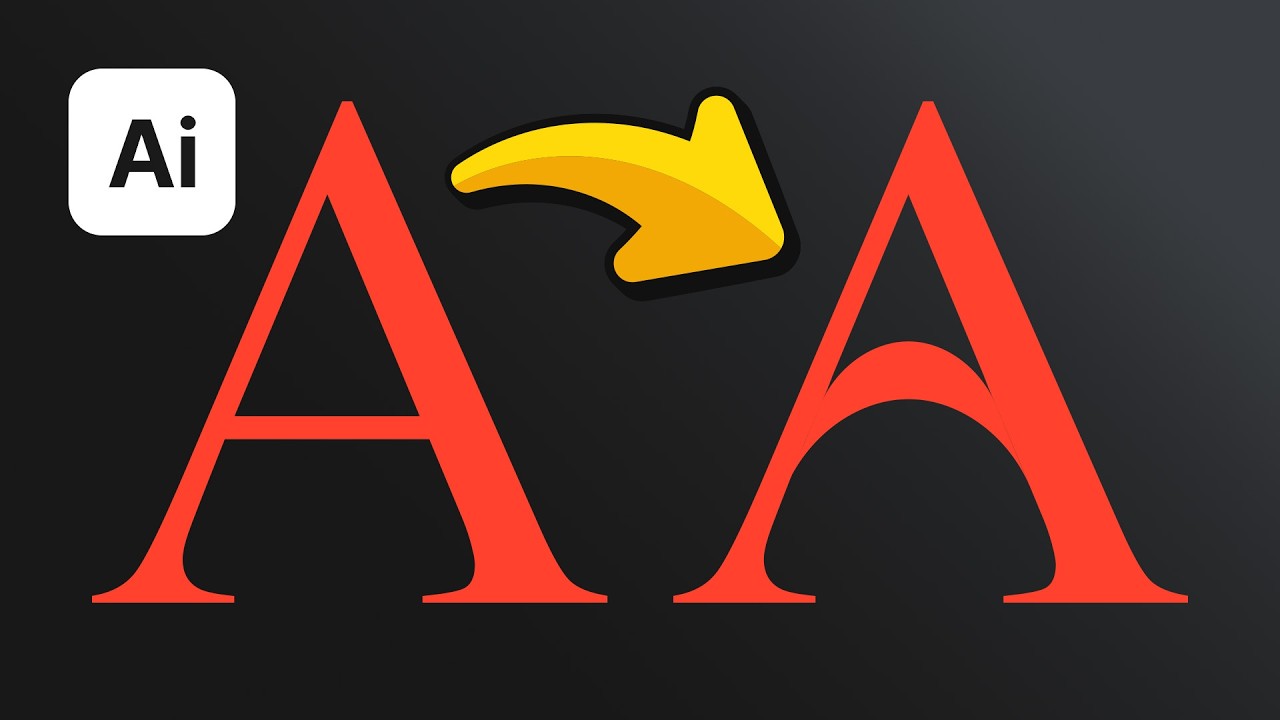
and it brings me right into that element of my design now i feel like it would be nice if this script had a panel that you could just you know click anytime you wanted to instead of coming into the file drop down menu but it is really useful nonetheless and of course it's free so what you're gonna do the next script in today's video is one that allows us to select specific points or paths on our graphic designs and this one does have a panel so this is the select points by type script and with
this we can be very specific on what we want to select in terms of the anchor points as seen here in my letter a so we can select the corners or the bezier aspects of my design it is also good for stroked paths or even squares or anything pretty much where you want to highlight different areas of your design in terms of maybe the straight lines or the curved segments and i like this one a lot because it does have the panel which some of them do and some of them don't have a panel in
this kind of selection of downloads so this next script is great for all of those annoying times when you have many groups or clipping masks on your designs and you might want to be more precise with your workflow so say for example here i have this illustration of a woman that is grouped together i can just ungroup her like so and also take notes on the panel it allows us to ungroup specific parts of our design but also we can control whether or not we release clipping masks because my circle here is actually made up
of shapes within a circle using a clipping mask so we can apply the functions to an object to a layer to an artboard or just a whole document it's just nice being able to be specific in this way and you can grab all of these scripts from just one download which is linked down in description box below now you can't really miss the download button it's pretty easy to see and also here is how you actually go ahead and install the scripts on your computer it has really easy to use instructions for both windows and
also mac and then of course remember to quit illustrate and restart it before you use any scripts so yeah the sponsor of today's video is skillshare and skillshare is an online learning community with millions of different users taking thousands of different classes now you can actually learn new skills or nurture existing passions or you might even discover a hidden talent that you might have now i'm actually currently taking a course by gustavo torres and i'm brushing up on my skills even though my routine is pretty jam-packed throughout each day now skillshare normally costs just less
than 10 per month but the first 1000 people who click the link down below today and sign up to skillshare will be granted a free trial to skillshare premium so yeah click the link down below and sign up to skillshare and discover new skills today if you want to learn something else today click the video on screen and until next time guys design your future today peace you