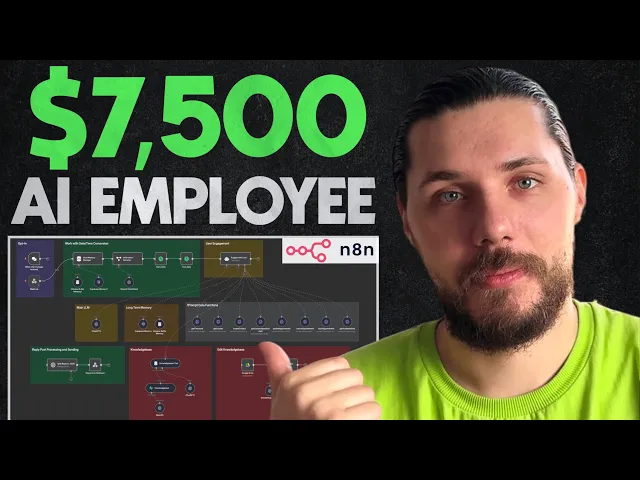
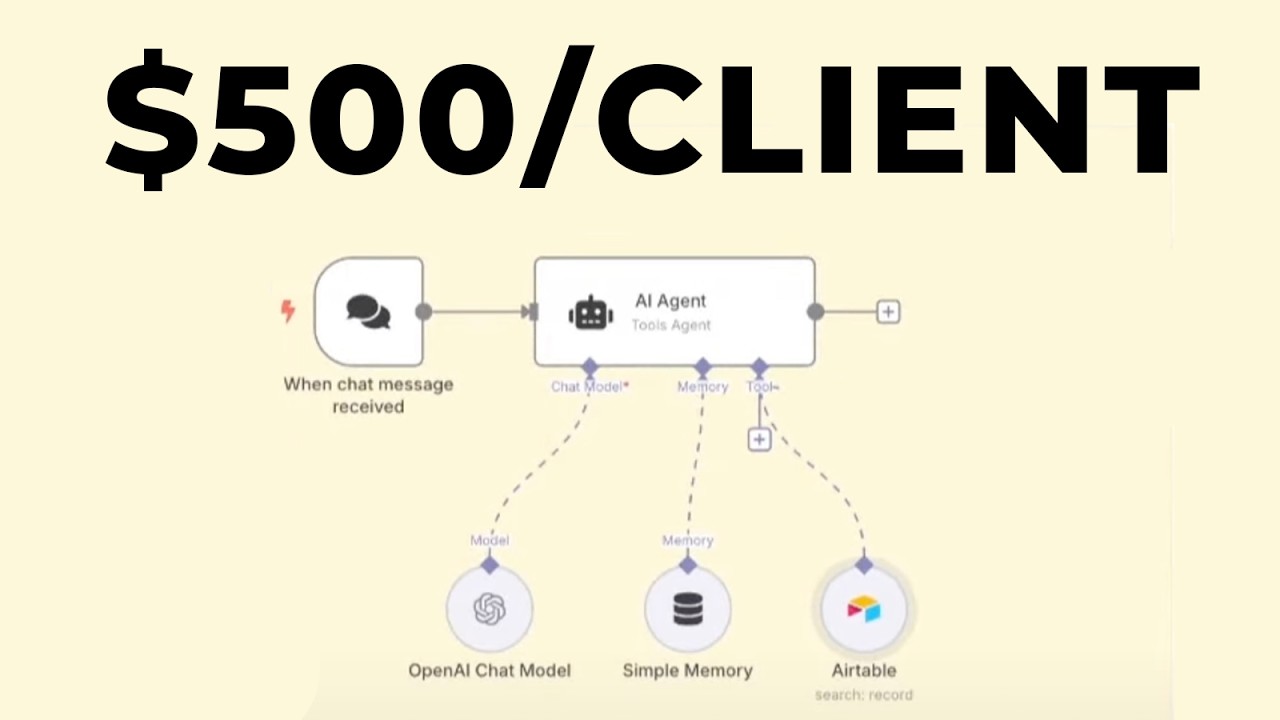
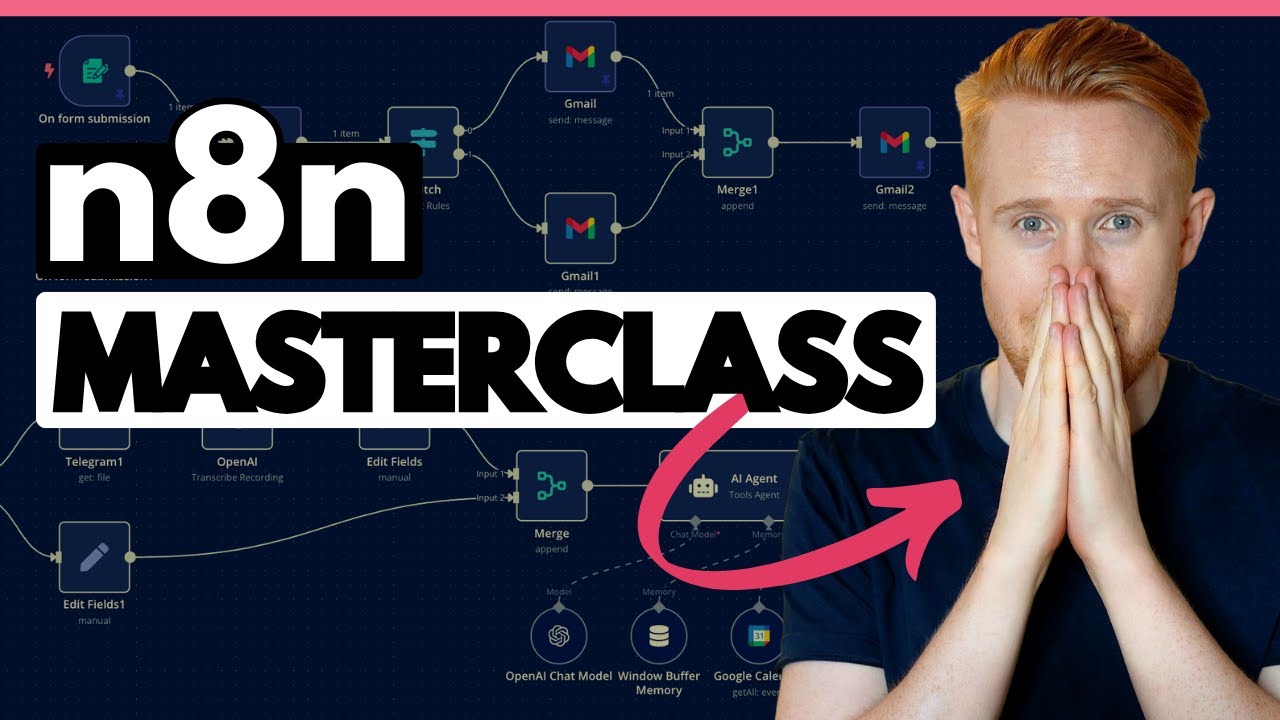
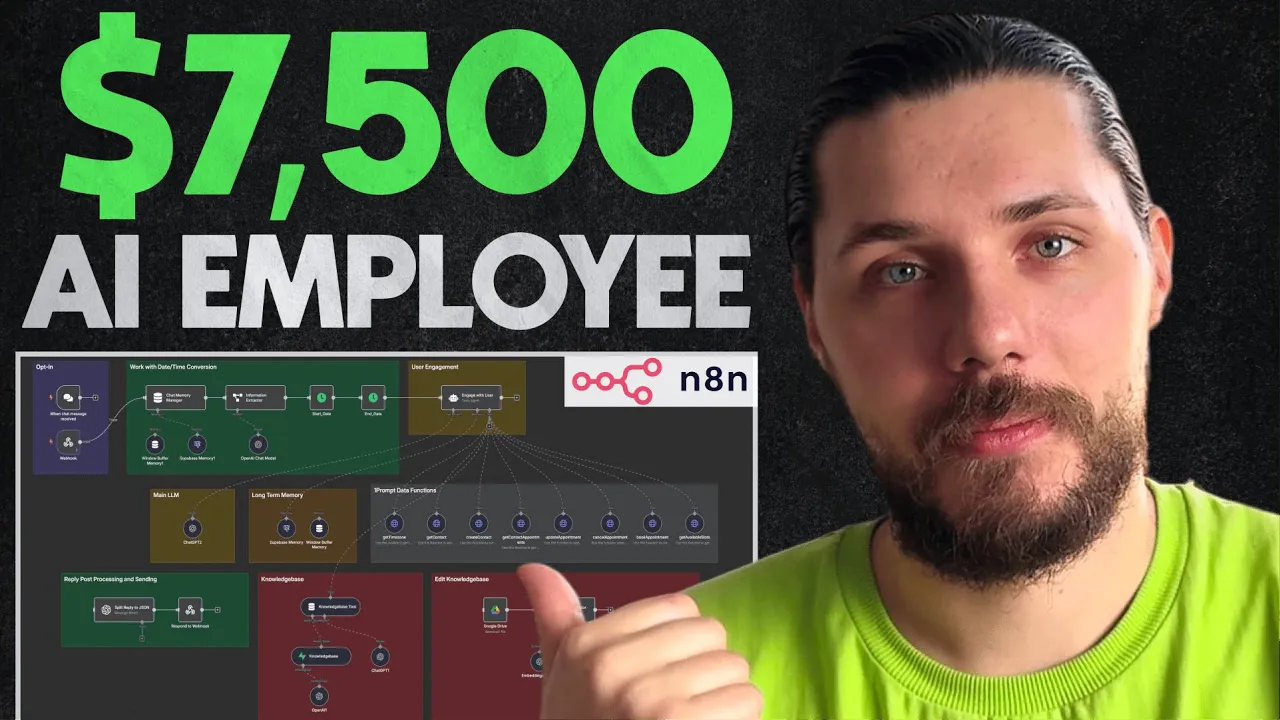
this is the AI agent we built for one of our clients and deployed through SMS email live chat and voice here is how the video will be structured first I'll go over the demo so that you can see how it works then we'll go into the business side of things i'll share the contract details and how we got the client after we'll go into the agent setup so that you can replicate the same system yourself quick disclaimer this is not the entire build that we did for the client because it has a lot of the different sub agents and workflows if you want me to show you the full build with voice capabilities means talking to this agent through phone call press the like button if we get to 200 likes under this video next week I will do that this is the company website as you can see we have a phone number here and the live chat widget here again I will blur a lot of the information throughout the video i hope you understand so the idea here is that most people are calling them directly because they're um even though they're serving nationwide they have a subdomains for each state so people are calling them for either customer support inquiries or the installation setup aka booking appointments so what we did is integrated the live chat to remove to decrease the amount of calls that they are receiving and then integrated the AI voice caller that is also handling the SMS that the user are sending currently it is not deployed to this phone number because we're still testing so they have a default message when you call the number it says "Hey we're busy please send us an SMS or contact a real life agent through the website. " Once they send an SMS they lend to this agent this a the same agent is also deployed through the email and the live chat for the sake of this video I want to only show you the live chat and the SMS basically we're not going to focus on the live chat for now we'll say "Hi my name is Joshu i want to book an appointment and what do you guys uh sell where? " Something like that not focusing on the live chat will jump into the SMS because it's more complicated on the SMS side on the connection on the back end so that I want you to have a full picture on how to do it because again so the live chat is just a widget that is directly connected to the an agent again don't worry when we're going to talk about the setup I'll explain everything as I said it's operating through the knowledge base and through the instructions that we're providing on the API site to book an appointments um we're not going to continue here and we'll not answer the Alex question so let's jump into the actual SMS let's compose a new one again this is not the number that you can find here just because I don't want to leak any information out and we can say "Hi my name is uh Julian.
" Let's actually hit send uh here's the new conversation we can say "I want to book an appointment. " Okay because the goal was to build a really conversational agent we do not even have any scripts on how the agent should behave we just have a finalized goal and we give all the tools as well as the knowledge base to operate on top of so I'm not sure what it's going to ask us and what step is it's going to follow so let's see what step sounds like you're interesting uh by making sure you have everything system then we have okay so it's it needs to check us um so my email is juliam eug jing23gmail. com and let's look at April uh 203rd something like that so this is the calendar that we have right so April 23rd we I have not provided the time so it should ask us uh for the time that we're looking for as well as the time zone because this is very important so the client is actually operating on throughout like nationwide as I said so they have like multiple times so different people are in different time zones and we need to ask for a specific state to understand either they are in the Pacific Eastern or Central time before booking an appointment but this uh so our system is actually designed right now on the GMT plus three so it's the Minsk time so let's provide it uh when the agent asks okay so says uh we've got you inside our system all set to book your appointment here are the available slots okay so it's actually giving us the available slots but okay so let's say that I am in Minsk uh can see Minsk can we check for what for 6 PM can you please check for uh 46 p.
m okay and by the way if we go into the um conversation history you will see that we have a guest visitor here uh and all the conversation that we did through the website and we also have this conversation with the user so if any of the agent want to tackle the conversation manually or when we do the human handoff so if I'm going to mention something like I want to talk to the real agent in case the user understands that this is not a real human or the query is actually the technical query and the client is not looking to book an appointment to schedule the visit to see like to to prepare for the installation but rather needs to get fixed something we're gonna transfer this to the actual human rep and we're gonna assign it to the to one of the reps inside the company so uh great news we got the 3pm slots available the third means time zone that's great uh just give you a heads up i'll book it right away uh okay works for you there's another time you prefer no please book it um I am ready now and by the way if you watched any of my videos you know that we never use emojis in our messages just because this is not the type of the human interaction but uh they're specifically used here just to identify where the actual uh human and where the actual like bot is because we're interfering the the communication with their existing customer support team because in the production version we are using the Twillian number and this is how we are able to create a unified memory between text voice email and live chat when we're having the same identifiers and when it comes to SMS and voice callers uh we need to have the same number and we're using Twilio and they're also using Twilio so it's a bit of a confusion okay so it says that our appointment has been booked if we go back here let's update it okay so as you can see the appointment has been booked if we click we'll see that this contact has been already created so if we go to this contact we'll see all the details and that's why I said when we're doing the human handoff because the contact is already created or let's say if he has been created and we provided like the um the email here it's going to match the contact within our system and then do the human handoff one very interesting feature also is because we're using the SMS we're also using the phone number as identifier so it says that again so I I was just using it for the reference that's why I was not like I was providing the email because you could you could say that hey uh this is like you can use the same phone number it should be in your system and because this agent has the contact about the within like within the input it has the phone number that uh we we're receiving SMS from it will match this here now let's go into the business side of things and then I will explain how everything is set up and connected together we got this client through the cold outreach and I think we Yeah so the the actual uh the actual message was four five month five months ago we've been going back and forth for a few times we developed them the prototype and the demo so here you can see that we've been actually like this is uh one very important hack or the tip that you guys can use we are asking if they are the tax sav and I'll explain they are tax saving because they are using the N8N and that's why we've been you building this conversational agent on N8N and not the voice as we usually do again stick till the end i'll explain why but basically the idea is that because they are tax savior instead of going through the meetings with them with multi meetings at the very beginning once we created the first demo and the prototype once they like it we started to actually share a lot of the loom videos and we asked them to share the loom videos back on the feedback that they have because it's easier for me to manage even because like I I still manage all the most of the communications with our clients myself and it's easier for me to share it with my team and not ask them to hop on uh infinite calls so we're like going back and forth this were the finalized things and here you can see that great thank you yes let's start with the SMS one so the SMS one was the very first um iteration of the production agent that we built just because again as I said and that's why I'm like illustrating it here the email is pretty straightforward because it's easier compared to the SMS because like for example on the SMS or live chat you need to uh receive multiple messages and then you need to reply the multiple messages in the email it's uh simple because you're like receiving the chunk of text you're processing the chunk of text through your agent and then you're providing the response back and the voice should like voice is the most is the hardest one but again so the voice should be completed after uh the the actual system is done and it's just um the the problem is in the connections yeah so um that was kind of the final message before we started that was Let me find our uh my proposal here and by the way I'm not sure which title I'm going to use probably the $7. 5,000 AI agent and I'm using the $7. 5 version because that was the actual deposit that we did like because the contract is $17,000 here now if you look closely again sorry like I'm not sure which um which part of the things within this video I will blur i'll see it in the post-prouction the idea here is that this is we're like still providing the range even though uh here you can see $17,000 but throughout our communication we discussed that it's probably going to be in the range of 15 to $20,000 on the actual total bill this will take like multiple months and we final we just finalized the version two but um and it was like 7 $7.
5,000 was the actual deposit that's why uh I'm using but we always use range for the onetime setup fees as well as the monthly cost as you can see here because we are not sure how active people are going to be they've not they never used the actual um the actual live chat right so they never used the um pre pre-built voice uh note that says that they need to actually send an SMS and by the way as I said so when they are contacting this number right now it's saying that hey uh please send us an SMS or the live chat widget we are not yet sure how many people will uh do the calls with compared to the live chat or compared to the email because everywhere in all of the resources we're saying that we're going to respond to the email or the live chat within uh the first you know hour what I'm saying is that yes we have the data on how many calls this business receives and calls are more expensive than the text um communication on the talking usage so but so we are not sure because we need to give us the room of um a room in terms of the cost because we don't want to say that the business that it's going to cost them you know $300 uh a month and then all the people are going to like call the actual agent and going to talk with it for a while and now it's going to be like a,000 bucks and now it's like a discrepancy between like what we said and what they expected and what actually happened that's why we always give the actual uh tangible range here that they can plan for here is how the agent works on the back end so we are receiving the customer request so this is the actual message it doesn't really matter what channel we're using then we identify what the actual channel is and we like because everything is built on top of the one prom this is the high level right so the one prompt is our version of the high level you can use the high level i'll explain how to do that if you don't want to build everything from scratch you can just use high one prompt because everything has been already built so basically we are connecting uh the you know we're using the live chat widget from the uh from the high level from the one prompt we have the Twilia account that is connected to the one prompt okay sorry like I I'm saying one prompt but this is basically a hello so we have the Twilio account connected there and we also have the same Twilio account connected on the retail that we're using for the voice but I don't want to touch the voice-based agent for now again if we have the 200 likes I'm going to go over the entire setup so everything so all the communication channels go into one basically interface which is the high level then we're doing the processing to process all the messages that are incoming from the customer then we're sending all this messages uh that are grouped together to an agent right so here we're sending it here it's getting processed and after it's getting processed it's sent back to the one prompt because we need to identify okay so what is the actual channel that we received the message on so if this is the SMS it's going to go into the SMS channel here and then it's going to display the actual reply to the user as I said in 90% of the cases for this type of the agents we are using the voice low for example the voice recently added their agent step which is basically the similar version of the agent step that the NN has but it's it's it's working similarly but it just has like different functions tied together into one interface and here you can see that we actually have a booking agent that has these same functions right that this agent has i'll explain what they are and how to build them but basically we would use that and we would use our mastery template right so here that is actually um that is like handling the entire flow and chunking the messages uh to multiple m to to the multiple responses but the reason why we have not use voice was because as I already said this client is pretty tax saving and They already started to use N8N for their internal workflows and funny enough they already have a team that they reached out to so I found the client like myself through the cold outreach but they um they contacted some guys on Upwork that are building them internal and then automations but they were not satisfied with the prototype that they built for them in terms of the actual like communication agent and not on the workflow side so um it was the right time because they were like also looking uh to build this thing up but they were looking specifically for NN i was like at the very first call I was kind of saying hey guys um I think you should go with the voice load just because it's a bit more you know flexible and straightforward when it comes to you know tax based agent but they said no we want it to be done through the nan and that's why we actually did it and because like the actual final version is deployed on their local version of the nadan because they're working with the team that set everything up okay now let's go into the actual agent setup so that you can see how it works we have the optin you can see that this opt-in um message is just the internal uh chat widget right that we can test here you would connect it and for for the testing purposes so that we don't need to communicate with this agent through the SMS so it's more so that it's easier by the way this template is available for free in the description in my resource hub so yeah it's free you can you know go ahead and play around with it you would need to replace all your API keys if you are using your own halo account but again if you don't want to build everything from scratch you can go into the one prompt and all the one prompt you know members get this uh by default so basically what we're doing here uh this is the optin the second stage is the date and time conversion the thing is that um the way highle APIs work when we are getting the available slots here we need to provide the date in uniquat right so the date that we are using again sorry like I might blur some information out the start date and end date should be in Unix and the like conversion between the simple you know and straightforward date that on either ISO format or the the free format that the user provides like LM cannot really handle it properly that's why we are using the actual extraction uh information extraction so we are extracting the start and end date from the user input as well as from the user chat history and then we're setting the start date using the uh format date function within the N8N and we're saying okay so this is the start date that was captured and then format it in the Unix MS timestamp you don't need to worry about that it's basically working but this is kind of the thing that we need to deal with because of the way like high level APIs work then once we converted the actual you know start and end date and by the way yes the if you might say hey Eugene but does it like process all the utterances every time to just get the start and end date yes because the main goal of the agent is still to book an appointment so right now comp like on the stats that we're starting to receive 80% of the queries are related to uh appointments and schedules and 20% are related to the uh customer support and the information that can be found through the knowledge base so it should it is not a problem for us then we have the engagement agent and this is the main uh prompt where everything is happening this is where we are providing the information on what tools to run and when to run them okay so the tools are the actual like brain you can call it like the brain of this agent just because this is where like the magic on the booking site is happening as I already said we have the high level right so the one prompt is our version and here you have um all the capabilities to book schedule reschedule or update appointments basically what you would do in the settings you would connect your calendar here right so you good to do my profile you'd connect your calendar so now the your uh basically like your calendar right so now your calendar is tied to so this is another user you connect it here so your calendar within the high level is tied directly to the highle calendar right so you would actually go to the calendar setting you create a new calendar and you're good to And we are doing that because the way we structured the work with the client was through the one prompt so we created them a separate sub account you can see it's uh here i'm not going to open it but basically they have a separate sub account within this sub account they have all the connections set up and we gave them the direct access because we're also doing the human handoff and their support team needs to be able to go through all the conversations so basically they were using the actual outlook calendar before that just the pure one and they connected inside like it to their own like CRM system which is customuilt it's like a whole another story the idea is that it's all comes down to the high level right so all the connections are are done here that's why all this uh besides the first one all these tools are connecting directly to the pile level to one prompt so you can see that we have a get time zone and the get time zone this is the public API to convert the time zone that the user um provided into the actual readable time zone that we need for the API call right so this is the public API you don't even need any keys here so for example when the user says that he's in the New York he's in the LA or he's in Minsk it will uh do the processing through this function then if you remember it was asking us to provide the identifier because before running the actual uh booking you know function right so this we are specifying within the engagement agent that here we need to get the user information so it's book agent so prerequisites must um have existing user or create a new one and also need to have a time zone because the time zone is very important for the booking purposes so it's getting the contact right let's say if the contact doesn't exist we are creating the contact again I don't want to open this functions just to not leak any API keys but you can you know download the same scenario for free there will be no like my um there won't be like any API keys so you can just connect yours so we're creating the contact and then once the contact is created we are getting the available slots and getting the available slots this is the most confusing function because we're using the unix format so let's say this slot is available then we're doing the booking right so the booking is using ISO ISO format I believe so the only Unix format that we're we're dealing with is through the get available slots and then all other functions are used just for like making um like updating appointments cancelling them or anything because like technically we can say here and you can say hey uh can you reschedu my appointment uh please and then it will ask us for the time and it will do the reschedule it's pretty simple to do when you are using the highle APIs just because it has much more flexibility for the no coders and for the faster setup compared to the you know direct APIs with Google or Microsoft okay now so this is um everything regarding the actual functions we are you know using the just straightforward like chbt lm we are using the memory um with the superbase uh postgrass right so we set up the the we set up the the superbase um knowledge base right that we're uh referencing as you can see here we have one two three four four different um four different tables with different uh type of the information to access through the service information product information and as well as the company information so these are the separate note bases that we're retraring the information from and again so this is not like a separate video where you can you know set it up if you want me to create one let me know but you can easily find um the information for free so basically uh we are connecting the knowledge base here so this is the vector store so we have the the superbase rag so we are retrieving the information from the documents in this specific scenario because as I said we what we're doing in the actual final build we have multiple agents talking to each other and before we have the intent classification agent so if the query is regarding the actual product details we're sending it to another agent that has a separate nodebased context and this is just for the updating uh and putting the information back to the knowledge base but this is still um it's still not this is not the full one because you would need to actually uh it doesn't has it doesn't have the delete functionality or update functionality so you would like for example go here you would delete uh all the rows manually and then you would upload it through the Google drive okay so let's now go into the actual one prompt setup so that you can see how the connection between the SMS live chat in email works with this uh specific agent as I said what we're doing here we are triggering this scenario through the web hook so within the one prompt uh we have uh already like ultimations built in again so if you actually if you get the license you will have it builtin but you can go to a high level and build it yourself if you want so I'll show you how go to the omni channel the latest version if the text and it end let me open this two main scenarios and show you how everything is built in so the first step is the trigger so we have two main triggers so we have the live chat trigger and the SMS because the email is handled a bit differently where there is no way to trigger there is a way but it's not the most robust way to trigger uh this flow when the email is received what we're doing we have a separate and an automation that is triggering the that is triggered when the email is received and then we're triggering the actual agent uh agent workflow because like for example here we have the email sequence which is separate right doesn't have for some reason okay let me check it here probably in the version 1. 4 for omni agent email but again so I I'm not going to cover it right now if you want I'll go into the actual full uh setup build so basically we are having the trigger right and once we are uh sending this SMS right this uh this SMS this workflow is getting triggered and you can see the enrollment history here right so for example that was the first one this was the second one every time the user sends a new message right this workflow is getting triggered and this is kind of the main thing for you to understand is that because we are processing multiple inquiries right so because we like you users usually speak with multiple messages and not just you know one message in one message back they usually send one message one message one message one message you know one two three or four or more this is just you know how we speak we need to trigger this scenario every time this message is getting received and what we are doing basically we are first removing this uh specific client from the from this scenario right I'll explain what it means later but we have custom fields so each custom field represent a message that the user sends okay so if we uh go into the contact here okay let's open this contact app he will have a custom field so you can let's say create a custom field one uh custom field two and custom field three okay when the first message is received our goal is to assign this message to this custom field okay so if we go here uh if we scroll to the omni agent so as you can see we have DM1 DM2 DM3 DM4 so DM1 is this so I said like hey uh can you reschedule my appointment right and by the way we didn't see it no yeah we didn't see it here because it was not updated for some reason but you can see it on the back end okay so this message was assigned here when the user is sent another message it's getting assigned to another custom field and the way we're doing that is through the if else function so basically if the first message is triggered we're saying okay is the DM1 is empty if yes we're saving it in we're saving the entire user message body into the actual DM1 custom field so then let's say the user sends a message again and we're saying okay so DM1 is empty no it's full then okay DM2 exist yes no no so we are like assigning the same message to the DM2 so this way based on the amount of messages that we're getting we're assigning the we're assigning the messages to different custom fields okay and after each snap is done we are sending the user into another workflow okay so this workflow doesn't have any trigger because it's triggered from this specific scenario when we are sending the user here we are waiting for you know 0.