in this video I'm going to show you how you can create SEO content that can rank on Google and I tested this myself by writing one article and within 24 hours it was already showing up on the first page of Google and honestly I feel your pain when it comes to writing content whether it's for YouTube script writing Google SEO or short form content it can be a massive pain but honestly I'm pretty happy to say that I found a tool that I think might just make SEO a little bit easier for everyone so today
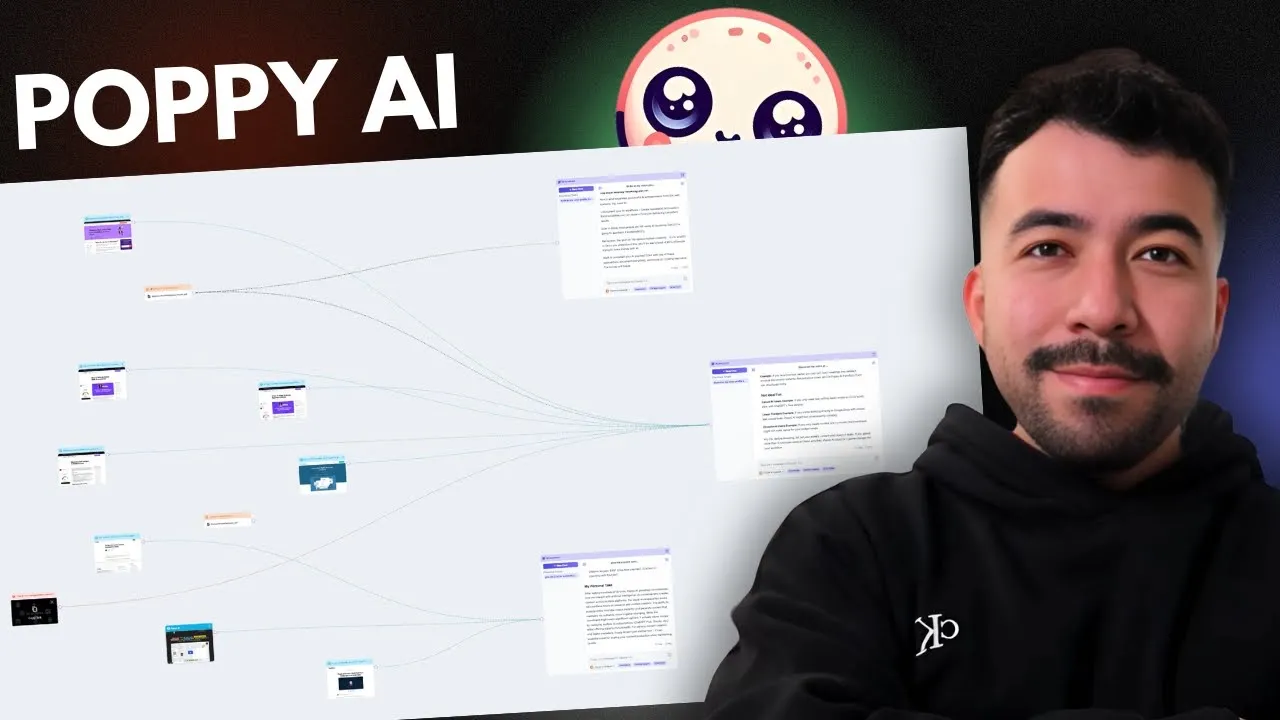
I'm going to show you how you can use poppy AI to help you write SEO written articles that not only rank on Google but that can convert your audience into subscribers and also just building an entire audience and just to show you some quick proof I was able to write an article about the tool itself using the help of poy Ai and it was able to rank within 24 hours when I first hit published so you're going to be learning a lot about this tool but as you can see it's a visual whiteboard where you
can plug in a bunch of sources such as websites YouTube scripts videos documents voice notes and much more and not only that it's kind of similar to custom gpts or Cloud projects but just way more Visual and it's much better for me as a Creator because I do a lot of projects and I think this is the best way to go about it when it comes to creating amazing articles so with that being said we're going to go ahead and use poppy AI to help us write an entire article using a simple SEO system that
can also help you rank on the first page of Google now it's very very dependent on the keywords that that you're going after so you do want to go after like very easy to medium difficulty keywords unless you have a lot of authority now what's perfect with this video is I'm creating a Google Document where I'm providing about 9 to 10 different steps that you can follow so you can have the same system for yourself now step one is that we're going to gohe and create our SEO brand voice the reason why we're doing this
first is because you don't want to write generic robotic sounding content you want to go ahead and make sure that your content sounds just like you so for this step let's go ahead and grab our best performing content we're also going to go and upload any previous articles scripts and voice notes so we're going to jump inside of poppy Ai and it's really really simple to use everything works under boards and if you need to create something where let's say you have multiple projects you can also create folders let's say you're working with clients or
you have specific things for copywriting for YouTube for social media or just vile script writing you can also just create folders here on the leftand corner so we're going to go and click on open new board and we're going to name this SEO content for testing so here you're going to see a completely blank canvas and this is really cool because again it's very Visual and if you're someone who likes to work and see exactly what you're doing you can really really do amazing things with this tool now on the right hand side you're going
to see this little document here where it opens up like a notion document where as you start to create content and get different outputs you can add that here in the right hand corner so let's go Ahad and focus on step number one so what I'm going to go and do is I'm going to grab all my best material so I'm trying to grab like at least 3 to five articles or YouTube video scripts so we're going to grab this one here and all we need to do is go back into Poppy and we're going
to plug that by clicking on command V you can see here that it went ahead and analyze our entire article and it's going to know exactly what this article is about so this actually makes sure that we know it's working so I'm going to go ahead and click on new chat and and this new little window pops up I'm going to connect this website to this chat here and I'm going to say what is this article about cool so it is actually working this article is a comprehensive guide about how to start a blog in
2025 so I have that Clarity that I know it's working so we can connect all of our resources that we need all right so I went ahead and grab four different content pieces and we're going to go and group this together so we know where we're working and don't forget that just because we're building this system doesn't mean that you have to do it over and over again once you have your SEO brand Voice once you know all the quality guidelines for SEO that we're going to look for you can keep those as documents and
just add them into other projects and then we're going to go to name this group SEO brandvoice my content pieces perfect now we're going to go and create a new chat here and I'm going to drag that to connect and then we're going to grab my voice profile prompt which is also in my community I'm going to go and drag all this and copy I'm going to add this back into this this chat here so we're going to go and get a brand voice that we can use every single time and for futured use whether
you're using poppy AI or not so let's go ahead and see what it creates so it's going to ask us what our primary content Niche is it's going to ask me what my I help statement is and also which transcripts from the knowledge base you like me to analyze so I'm going to go and answer that real quick so I'm going to say my Niche is AI content marketing I help YouTube creators grow an audience with AI and I want them to use all four okay so this is insane let me go and actually make
this full screen so you can see what we're doing here and what it did was it went ahead and created our listic features so our vocabulary preferences things that I say in the videos and articles my sentence structure is short Punchy sentences mixed with detailed explanations I use common phrases like let's go ahead this is really powerful let me show you exactly why we have transition words and the content structure is really really important to understand and we can use all of this information to help us when it comes to creating our own personalized SEO
content so with this voice profile you can turn it into a Google Document or you can turn it into a text note here within poppy AI itself so just for the sake of this video I'm going to go ahead and just use it in this text note here perfect so I went ahead and added the voice note and I went ahead and also said Step One is done so let's go and move on to step number two and that is going to be including all of our research for our topic of the article so we're
going to look for videos websites PDFs notes and competitors so for step number two I'm going to go and just use the example for the article we're going to write is how to make money on YouTube and that's going to be the key word that we're going after for today if you're enjoying this poppy AI tutorial you can also get $25 off using my coupon code Eddie and the bottom of this video all right so for the research section we're going to go ah and look for everything we can about how to make money on
YouTube and we're also going to look at our competition so the simplest way to do this is just going to a Google Search and typing in how to make make money on YouTube and we're going to look for any articles any videos that we can use as sources to help us with this entire process so we can turn that into a text document or a Google Document so I like this one from Shopify they have a really good article on this they're obviously on the first page of Google and they're also explaining the different ways
that you can make money on YouTube so we'll go ahead and use this one as an example we'll also grab the one from Forbes and then we'll grab this video from Yuri he's actually really really cool on the YouTube space and this video is very very good so we're going to grab that URL as well we'll go back into Poppy and we'll go and add that in here now a few other things I like to do is I like to go to Google news and I can see if I can find any statistics anything that's
new that's related to the topic that I'm writing about and you want to do this for every single article that you've ever written because if you provide up-to-date information and add Information Gain to a post that's going to be really helpful when it comes to ranking on Google so what I'm going to do is I'm going to search a topic for YouTube monetization and I'm want to see if I can find anything so we did find something here from MSN how to earn money on YouTube a comprehensive guide to monetizing your channel this was just
about 6 days ago so we'll go ahead and use this as one of our other sources of information so this is really really good I'm going to go and save that here and I'm going to go back into Poppy and then add that in there so we're going to start a new chat and we've already grouped these articles and video together now we're going to go and connect this together and we're going to just say to give us as much comprehensive information about how to make money on YouTube I also want to know all the
semantic keywords related keywords everything possible about the topic that I can physically get from so I'm really happy with what we got we got a extensive list of LSI semantic keywords for this YouTube monetization article it gave us the primary topic variations other related keywords about monetization on YouTube ad revenue and just everything that we need and we can completely replace tools like Surfer SEO and other content optimization tools you can still use them if you want to but this is going to help us if you just want to keep everything under poppy AI what
I like too is that we have an entire content brief so now we can move on to our next step which is generating our blog post outline now the cool thing is I already have a how-to blog post template so you can grab that in the description below but we're going to go and add that into our resource here and I already went ahead and did that for us here which is I grouped all of our keywords to include based off of our LSI and semantic keywords that we found I went ahead and added my
voice profile I also added our content brief and I included the document which includes the how to template so all I did was I asked the chat to go ahead and create the how to template blog post outline and it did a really really good job so we came up with the title meta description the intro we have some really good headers here we have a lot of good starting points and we have our list step-by-step guide which is my favorite for these how-to articles and I think this is really good so it says that
we can continue with additional steps following the same pattern and really for me this is something that I'm going to use and I really really like it so I'm going to go and say uh expand on the outline make sure that we have all of the steps included then one thing I didn't like is the case studies I'm just going to talk about myself instead of case studies turn this into my personal experience with YouTube and I'll also make sure it removes the results and expectations part awesome so it's going to go and fix this
for us and then we can go and move on to actually writing the entire article so let's goad and open up with Google doc and we'll go and get started from there cool so you can see here that we went ahead and created the outline so I am going to be going back and forth through poppy Ai and the Google Doc but really you can figure out your own workflow that works for you but you can see that it's also following my exact brand voice which is really nice where it says the introduction look I
get it figuring out how to actually make make money on YouTube Feels Like solving a puzzle with missing pieces after building my own YouTube business and helping hundreds of creators monetize their channels I've discovered what really works let me show you exactly how to turn your YouTube channel into a reliable income stream that compared to a generic chat gbt or claw output is just insane and uncomparable so in this guide you'll learn XYZ XYZ what is YouTu monetization why does it matter so this is really really good I like the outline and we can go
ahead and move on to the next step and for our next step we can go ahead and generate title and meta descriptions that we include for variations it's really important that you test because if you think that your first original title is going to be good then you're completely wrong you always want to test your article titles and meta descriptions for a higher clickthrough rate on Google SEO this also actually works with any content piece which is like emails YouTube titles you really always want to test these things so we're going to go ahead and
grab some resources about how to create amazing titles and metad descriptions and then use that to help us come up with a better title for our own SEO driven article so I found some really good resources on how to write SEO headlines and meta descriptions for a higher clickthrough rate so what we're going to do is we're going to grab all of these here and then go back into Poppy and I'm going to drag it right in here we also have this one and then I found this really really really nice lowkey video that doesn't
have that many views but it actually talks really good things about organic CTR so go back into Poppy and we're going to add that in here and one way I like to save credit since we already created the outline I can go ahead and remove this and I'm just going to drag these in here and then I'm just going to go and tell poppy to create multiple different variations of the title and meta description and I want them to use curiosity pattern interrupts and I want them to use other types of copywriting Frameworks so I
just said give me five different title and meta description variations that are proven to work for SEO and the main keyword should stay the same which is make money on YouTube I also want to to say use curiosity as well cool so here we have different variations I think this is really good we have title variation number one how to make money on YouTube the method nobody talked about and The Meta description is discover the unold strategies for YouTube monetization that top creators use variation number two is make money on YouTube seven revenue streams that
actually work how to make money on YouTube without 1,000 subscribers the truth about making money on YouTube in 2024 make money on YouTube the complete guide that actually works so I do like title variation number one so we'll just stick with that and again remember we are in 2025 here so I went ahead and switch that and I'm also switching The Meta description so our next step is we're just going to go ahead and write our FAQs and for some reason I like to do that first because it's the easiest thing to get out of
the way since we kind of already have a decent intro but when it comes to FAQs for Google AI overviews I have been able to rank a decent amount of content for AI overviews and I'm going to just show some examples here on the screen so let's go ahead and move forward and it's actually really really simple so we're going to go and remove these here and we're going to start going with the faq's and I'm going to just say now write the FAQs for this article and make sure that each is below 325 characters
include related and Main keywords around how to make money on YouTube all right so let's go and create those FAQs and yeah this looks pretty good so I'm going to go ahead and add that into our Google Document all right so I think that was really good now we can move on to going ahead and writing our article section by section using the help of poppy AI so this is the most timec consuming part but really that's all you need to do is you need to write the article step by step some people I know
end up writing the article using like a 2,000w prompt and while that can work I mean your article is going to look super generic and it's going to look the same as everyone else's if you do section by section it's going to help you kind of add in more context for each step so here's what we're going to do the introduction looks really good to me already there's not much I would change based off of telling poppy AI to write more um I think it looks good with the line breaks and I wouldn't mess with
it too much so I'm going to keep it how it is and then for this section here I can definitely add a little bit more to it uh just because I think having some context about YouTube monation and why it matters is important and then we can move on to our next steps here so this is actually really really simple and this is where it kind of gets repetitive so we're going to go ahead and grab this section here and I'm just going to go ahead and start writing based off of our brand voice and
content brief and everything that we have I can go ahead and say now help me write my next heading section and then I'll just put in in quotes use 80 words and make sure you explain why most creators don't make any money and why it's important to monetize perfect so this is really good I like what it says uh again you want to go and fact check later but we're going to go and add this in here and we're going to change this and that looks pretty good I always like to add line breaks to
all my articles just because it makes it easier to read and it's not just a huge wall of text we're going to you can also add in images too but this is actually really really good now I just kind of follow this exact same process so I can go ahead and move on to the next step here and I'll keep moving forward and forward with this process sometimes you could even do two sections at a time that's sometimes what I like to do so I'll grab actually these two sections here and we'll move on so
I'm going to say now do the same for these two next heading sections the reason why I like to do this as fast as possible is because I can edit further afterwards you just want to get the article done we already know that it has the content brief we know that it has my voice profile or brand voice and we also know that it's using related keywords so we can go ahead and keep moving forward perfect so we can go and copy all this here and I went ahead and added in there so that's looking
good and now we can move on to the most important part which is the the step-by-step monetization guide we already have all the kind of bullet points that we need and explains it really well we just need to keep on moving forward and adding these outputs section by section I'm going to make the words a little bit shorter I'm just going to say use 75 words so this is looking a lot better and I'm going to go and copy this is looking really really good already so I'm just going to keep moving forward and do
this by myself I'm going to grab all of them and then get back to you when I'm finished all rightone so we were able to complete the entire article I was able to write everything and again this is without having any image or any internal links but overall this article is completely done and it didn't take too long so this is really really powerful for anyone who just wants to write content that has their voice profile their unique voice and really any best practices such as content briefs and onpage SEO so our next step in
this is just to complete the entire article we want to fact check we want to add images and we also want to add any specific internal links so for me when it comes to creating images I honestly like to follow thumbnail best practices using canva and I will just go ahead and change this I have a bunch of templates that I follow in canva and for the featured image it would say something like this like how to make money on YouTube and I could probably just drop this a little bit okay and you can also
change the color so because it's you know YouTube we can make it red and we can also change the file Source name to YouTube monetization and now click on download okay and then here we'll just go and download this image and then you can just add that into our Google dock here so you just want to go and use canva or another AI tool of your choice but really I just use can for basically everything that I write and I'm going to go and upload from the computer click on open and from here you can
continue adding more images and just make the article look really really good so this is something that I am happy with and we can also go Ahad and start fact checking so one way I like to fact check is you're going to want to use an extension like grammarly all right so now that we've written the article I'm going to go ahead and move on to our next step which is just repurposing our content and we'll make this very quick when it comes to repurposing I still like to find some other videos that we can
relate to that is going to help us with our YouTube script writing and I found this really good one from Nate wealth and I'm going to go and add this into our poppy board we're still in the same one here just having it to the side and I put in the document for the article I also have this Nate wealth video here and I'm going to go and create a new chat and use that to help us turn this video or article into a YouTube script so I'm going to connect the chats here and now
I'm going to say turn my article into the perfect YouTube script following the YouTube video attached give me different variations if needed nice so we're coming up with some really good stuff you can tell that's already getting all of our information from our article and we have different versions for our YouTube script we have version one which is direct and credibility Focus it's given us the overview of everything that's really really good and we can also say hey we like this one continue with it or can you just give us different script variations now I
can just say if I like it I can say write the entire script as I approve this variation nice so this is looking really good we can talk about the introduction which is last month one of my students made over $3,000 $700 in 48 hours from their YouTube channel without a single ad I'm about to show you exactly how they did it and more importantly how you can do it too even if you're just starting here's the thing about making money in YouTube on 2025 everything you've been told about monetization is probably wrong after helping
hundreds of creators build successful channels I've discovered what actually works the hidden truth about YouTube money the foundation you really need and all of this looks so so good so now we created a YouTube script and we can also turn that into short form content we can turn that into emails I highly recommend that you try poppy for that process and we were able to write an entire SEO driven article and also turn that into YouTube SEO Frameworks and we can use that for other content repurposing strategies so that is how I create SEO driven
content and I was able to rank on the first page of Google for this exact product review if you want to try poppy yourself you can grab the link in the video description below and use code Eddy to get $25 off thank you so much for watching this video I'll see you in the next one and YouTube is going to recommend these other videos next



![How To Create A Lead Magnet With AI [The New Way]](https://img.youtube.com/vi/G2g2PcyUux8/maxresdefault.jpg)