hello and welcome to this first chapter in this dp600 exam preparation course we're going to be looking at how to plan a data analytics environment in fabric now this is the first chapter in 11 chapters that we're going to be going through teaching you everything you need to know to hopefully pass the dp600 exam in this chapter we're going to be covering exactly what you need to know if you look at the study guide in Microsoft learn these are the elements that we're going to be covering how do we identify re requirements for a solution
so the various components features performance capacity skus that kind of thing how do we make decisions about that we're also going to be looking at how to recommend settings in the fabric admin portal how do we choose data Gateway types and also creating custom powerbi report theme towards the end of the lesson we'll be testing your knowledge with five sample questions and just as a reminder all of the lesson notes and key points and link to further learning resources they're going to be published on the school community so if you're not already a member I'll
leave a link in the description now you play the main character in a scenario and this scenario is going to walk you through everything you need to know for those four elements of the study guide are you ready let's begin so you are a consultant and you're starting your first day on a new project and this is Camila she is your client for the project and on the phone before the meeting Camila had mentioned that she wants to implement fabric but she doesn't know really where to start and that's where you come in you're going
to start with a requirements Gathering Workshop so you organize a full- day workshop with Camila the client to truly understand their business and their requirements now your goals for this Workshop are to extract a set of requirements from the client to help you build a plan for their new fabric environment and another goal is to do such a great job in planning their environment that the client is going to give you a new contract by the end of it to build the thing okay so this requirements Gathering Workshop what are you going to ask Camila
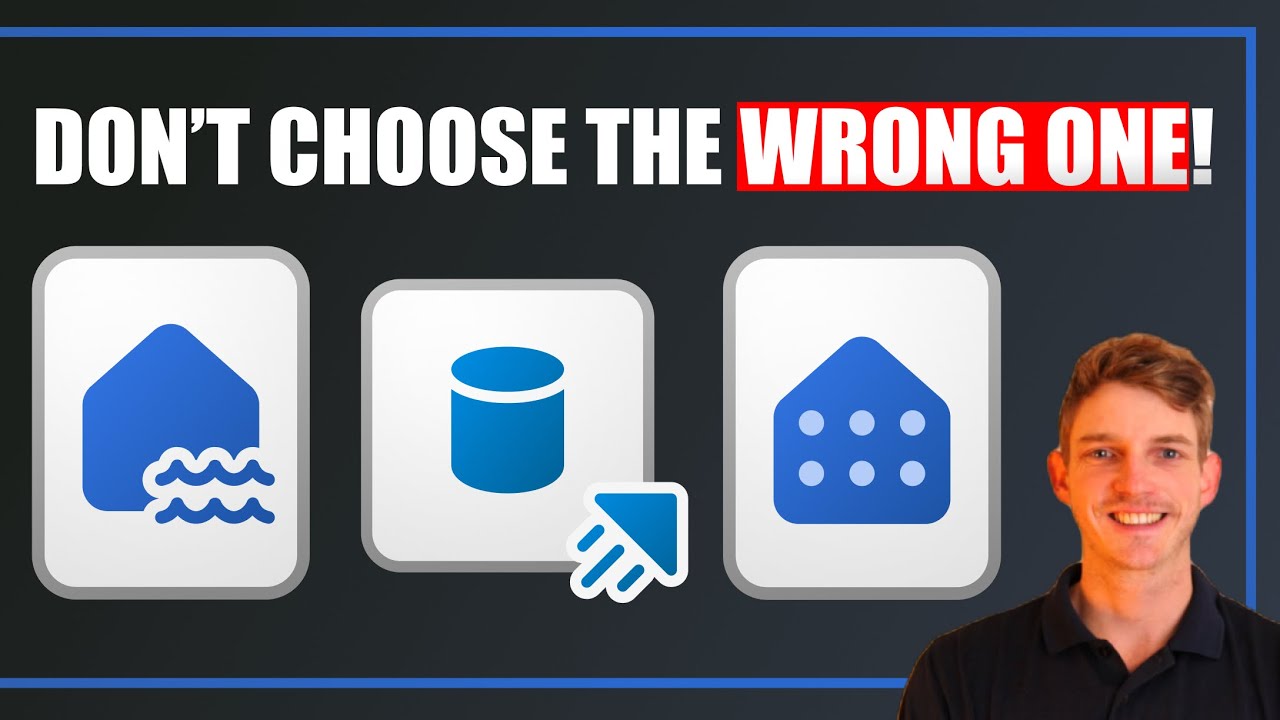
what do you need to know when you're identifying the requirements you should think about focusing on these three elements to begin with the capacities so how many do we need what sizing do the capacities need to be in this new environment then we're going to look at data ingestion methods so there's lots of different ways that we can ingest data into fabric you're going to ask a set of questions that's going to kind of deduce the best method for getting data into fabric based on the requirements similarly we've got data storage so we've got three
different options for storing data in fabric how do you ask the right questions and identify the requirements to choose the right one so let's start off thinking about capacity requirements now the requirements that we need here are really the number of capacities that are required and the sizing so the SKU the stock keeping units you probably know by now that in fabric we have capacities of varying sizes so what determines the number of capacities required so from previous videos you've probably understood that one of the things that impacts the number of capacities required is compliance
with data residency regulations so the capacity dictates where your data is stored so if you have regulations that dictate that your data must reside in the EU for example for gdpr that's going to be one capacity in your business if you have other requirements that say these data sets need to be stored in the US you're going to have to have a separate capacity for that as well another thing that can impact the number of Capac capacities is the billing preference so the capacity is how you get build in fabric so some organizations might want
to separate the billing between different departments in their organization so they might have one capacity for the finance department one capacity for your Consulting division one capacity for your marketing department for example another thing that could determine the number of capacities that you need is segregating by workload type so if you have a lot of heavy intensive data engineering workloads then you might want to put those in a separate capacity and give it enough resource to allow you to do that in a confined capacity then your serving of business intelligence you might want to do
that in a separate capacity so that the read performance on those kind of dashboards is not impacted by the heavy data engineering staff maybe machine learning stuff that's being done in other capacities you might also want to segregate by department just through business preference as well aligned with that billing preference so some companies like to have their capacity aligned to various departments within their business so these are the things you need to extract in terms of requirements when you're talking with this client and what about the sizing well we've touched on that already but some
of the things that impacts the sizing of a capacity are the intensity of the expected workloads so are you going to be doing High volumes of data ingestion are you going to be getting gigabytes of fresh data into Fabric or even terabytes of data into fabric every day these are going to use a lot of your resources and to go through them quickly it helps if you have a higher capacity similarly heavy data transformation so if you're doing a lot of heavy transformations in spark that's going to use a lot of resources so if that's
something you're going to be doing regularly in your business you want to be choosing a high capacity for that again machine learning training can be very resource intensive going to take hours or sometimes even days to train a machine learning model if that's something you're going to be doing regularly you want to be having that on a high capacity the budget of your client also dictates the capacity the sizing of the capacity that you're going to choose obviously the more resources the higher that SKU that you decide the more expensive it's going to be and
some clients might be very sensitive around the cost and related to that is can you afford to wait or can the client afford to wait because if you procure a F2 skew it's probably going to go through your data but it might take a very long time and in some business that might not be a problem maybe you're just doing data ingestion once per day you ingest all of your fresh data and it might take a lot longer on an F2 capacity but that's not necessarily a problem maybe you can do it overnight and by
the time people come in in the morning all of that data has been ingested or transformed and it's ready for consumption in the morning so what's your propensity to wait now some other companies might have regular data coming in every hour like gigabytes of data every hour and in that scenario you really need a high capacity to be able to churn through all of that stuff and get it processed before the next hourly load for example another thing that can determine the sizing of the capacity is does the client want access to f64 Features so
there's quite a lot actually of features that open up when you get to f64 so co-pilot being a good example currently and there's many many more I'll list them on the screen here these are features that only really are available if you choose f64 capacity or above so that's something to bear in mind if you want to use any of these features you need an f64 plus so what about the data ingestion requirements well here what we really need to know is what are the fabric items and or features that you need to get data
into Fabric and how are you going to configure these items once you've built them now some of the options here and this is not an exhaustive list there's lots of different options here we've got the shortcut database mirroring ETL via data flow ETL via data Pipeline and a notebook and the event stream so these are some of the options that you might want to consider so what are the questions that you need to ask of a client when you're ident identifying the requirements to help you make the decision here well these are some of the
deciding factors the main one really is where is the external data stored if it's in ADLs Gen 2 Amazon S3 or an S3 compatible storage location like Cloud flare for example Google Cloud Storage or the data verse but then these are the ones that are going to be available for you to shortcut into fabric so if you get any questions in the exam around you know my data is stored in ADLs Gen 2 well obviously the shortcut is a good option for that now it's not necessarily the only option you can still do ETL via
any of these storage locations but it does open up that shortcut possibility now if you see Azure SQL Azure Cosmos DB or snowflake mentioned then immediately you should start thinking okay this could be database mirrored so you can use database mirroring to create that kind of live link to the database and it's going to maintain a mirror inside a fabric is it on premises now if your data stored on premises then you're going to be probably want to be using the ETL via data flows or data pipelines because these two activities these two items allow
you to create that on- premise data Gateway on your on- premise server and then connect to that via the data flow or the data Pipeline and if you got realtime events realtime streaming data obviously you probably want to using the event stream to get that data into fabric anything else really you're going to be looking at ETL by either the data flow the data Pipeline and the notebook and when to choose which one well I've done a very long video I'll leave a link in the description or you can click here to make that decision
about which of these is best for that particular organization so related to that is also what skills exist in the team because you don't want to build a solution that can't be maintained managed by the company or your company or your client's company so if you're looking for a predominantly no and low code experience then you're going to want to be focusing on the ETL via data flows and data pipelines both of these are fairly low and no code experiences help you get data into fabric if you got a lot of SQL experience in your
team then here you can be using the data pipeline you can use the script activities to do Transformations on your data as it's coming in and if you have people that are familiar with spark python Scala that kind of thing then you can use the ETL notebook if you're you know perhaps you've got data coming from a rest API and you want to be using python libraries to get that in that's a good option for you there so once we're on the topic of data ingestion there's a few other features you need to be aware
of that might come up in the exam that can help you identify different requirements for getting data into fabric these are the on premise data Gateway which we' mentioned the v-net the virtual network data Gateway fast copy and staging so you might be asking some questions about these things in the exam as well so when do we decide on these sorts of things well you need to ask how the data in the external system is being secured right so if it's on premise if it's an on premise SQL Server you have to be using the
on premise data Gateway if your data is living in Azure behind some sort of virtual Network or private endpoint that kind of thing then you want to be setting up the vnet data gateway to access that and in terms of the volume of data this is also going to have an impact on the items that you choose for doing your data ingestion and also some of the features available so if you've got low or medium data per day well if it's low then you probably don't need any of these specific features like out of the
box Solutions will be good enough but if you've got quite a lot of data gigabytes per day in that kind of range you want to be using some of the features like Fast copy and staging similarly if you got very high amounts of data these are going to be one of using the fast copy and the staging but if you're using data flows alternatively you can use data pipelines and if you can get data in Via a fabric notebook then that's another option as well so before we move on I just want to mention a
bit more detail around the data gateways now as you probably know already there are two types of data gateways that we can configure in Microsoft fabric number one is the on premise data Gateway and number two is the virtual network data Gateway and a data Gateway in essence helps us access data that's otherwise secured so if his data is on an on- premise SQL server for example it gives us a secure way to access that data and bring it into fabric likewise if you've got data behind a virtual Network secured in azure in like blob
storage or ADLs Gen 2 it provides us with a secure mechanism to access that data so I'm not going to show you stepbystep how to set up a data Gateway in this lesson but what I have done is linked to two other videos by other creators that show the process in detail if you want to go and have a look I'll leave that in the school Community but I do want to just cover kind of the high level process for each of them just so you understand a bit more about what that looks like if
you've never set one up before so for the on- premise data Gateway there's a few high level steps number one we need to install the data Gateway on the on-premise server and if you've already got an on-premise data Gateway set up on your on premise server perhaps you're using it in traditional powerbi data flows for example then you're going to need to update it to the latest version CU that's going to be compatible with Microsoft fabric the next step is to in fabric create a new on premise data Gateway connection and then from that you
can connect to that data Gateway from either a data flow and now also a data pipeline so the data pipeline was recently added in the last few weeks I think it's still in preview that connection so you might not get asked about it in the exam but it's good to know that now it's actually possible via the data flow and the data pipeline to set up the v-net data Gateway we're going to start in Azure there's a few settings that you need to configure in your Azure environment before you can set up the v-net data
Gateway connection so you're going to need to register a Power Platform resource provider within your Azure subscription and then within the item that you want to share or you want to access for example in your Azure blob storage item in Azure you need to create a private endpoint in the networking settings then create a subnet and then we're going to use that in fabric to create a new virtual network data Gateway connection and then again from that you can connect to it via your data flow to be able to access that data that is behind
that virtual Network in Azure so next let's look at the data storage requirements and when we're talking to our client here ident ifying requirements really what we're trying to extract is okay what fabric data stores are going to be best for these requirements and what overall architectural pattern are we going to be aiming for with this solution now the options here are obviously The Lakehouse the data warehouse and the kql database and some of the deciding factors to choose between these are what's the data type okay so is it structured or semi structured or even
unstructured so are you going to be getting raw files CSV Json maybe from AR rest API is it unstructured is it image data video is it audio data for example these are all going to be wanted to store in The Lakehouse because this is kind of the only place in fabric where you can store a variety of different file formats if your data is relational and structured then obviously you can keep that in either the lake house or the data warehouse and if it's real time and streaming you're going to be one to streaming that
into your kql data datase next up another important consideration when choosing a data store is what skills exist in the team so if you're predominantly tsql based then you're going to be want to be using the data warehouse experience if you're predominantly spark and python Scala that kind of thing then you're going to be waned to storing your data predominantly in the lake housee and if you're predominantly using kql in your organization that's going to be want to using kql database for your data storage congratulations you've completed your first engagement for Camila you've convinced her
to set up a proof of concept project in her organization so she's already created the fabric free trial she set up her environment but immediately she's hit a bit of a hurdle so this is your next mission she Rings you up and she says hey I need some help I opened the fabric admin portal and nearly had a heart attack please can you help me understand all of these settings so you set up a call with Camila to help her understand the fabric admin portal how are you going to teach her and what are you
going to teach her about the admin portal what are the most important settings that she needs to know about okay just before we get into the fabric admin portal and look at some of the settings available to us in there it's important to note that to be able to access the admin portal of course first you need a fabric license but then you need to have one of the following roles you need to be either a global administrator a Power Platform administrator or a fabric administrator So within the admin port portal here in fabric you'll
see this menu on the left hand side so these are some of the important settings in tenant settings here you can allow users to create fabric items so if you just set up fabric in your organization you need to allow people to actually create fabric items without that you can't really get very far enable preview features so every time Microsoft release new features normally they put them in the admin portal and you can allow or disallow users in your organization to use them you can also allow users to create workspaces there's a whole host of
security related features that you can manage and get control over in your tenant so example how do you manage guest users allowing single sign on options for things like snowflake big query red shift accounts that kind of thing how do you block public internet access so that's really important to know enabling other features like Azure private link for example allowing the service principal access to the fabric apis so if you're going to be doing some automation you need to allow access access to service principles to the API there's also options in there for allowing git
integration so if you're setting up Version Control that needs to be enabled there and there's also some features like allowing co-pilot within the organization as well now in general some of the settings can be one of three things it could be enabled for the entire organization it can be enabled for specific security groups so say you only want super users to be able to use this feature or admins within your fabric environment to use a specific feature and you can enable it for specific security groups or you can enable it for all except certain security
groups so everyone in your organization gets access apart from these people perhaps guest users is a good example now other settings in the fabric tenant settings are kind of binary you either enable them or you disable them for the entire organization another important point in the fabric admin portal are the capacity settings so this section here and in here you can create new capacities delete capacities manage the capacity commissions and also change the size of a capacity so these are some important capacity settings that you need to be aware of understand how they work and
how to manage them within your fabric environment so great you've taught Camila about the fabric admin portal and she's very grateful but before the meeting ends she has one more thing she wants to ask you about she says one final thing before you go and it might seem a bit random but when we might go to fabric I want our bi team to create more consistent reports have you got any ideas about how we can achieve that and of course the first thing you think of are custom powerbi report themes now there are many ways
to create a custom report theme in powerbi you can either update the current theme if you're in powerbi desktop or you can write a kind of Json template yourself using the documentation if you're feeling a bit Brave you can do that yourself or you can also use a third- party online tool there's quite a few report theme generator tools that exist online but it's unlikely you're going to be tested on that in the exam so your task is to show Camila how to create a custom report theme so let's have a look at how you
can do that within powerbi desktop so here I've got a report and what I'm going to do to access the report themes you need to go to the view tab then you can see these themes here and obviously these are the preset themes so you can just click and update the current theme very simply like that but to do most of the customization you to click on this button here and you can add access the current theme and all accessible themes are currently installed on this machine then there's a few settings down here that quite
important to know so browse for themes if you click on that it's going to allow you to import a powerbi report theme so if you've already got a theme Here For example this one here then you can select that and install it into your environment like so if you want to customize the current theme you can do that like this it's going to bring you through to this UI environment just to you know change some colors change some text change some visuals what you have to think about for this section of the exam is what
could they ask you you have to think about how could you possibly be tested on this so in terms of the power guy report theme stuff you're likely to be tested on these buttons here and what they do plus they could ask you about a Json theme so they could show you a Json theme and maybe ask you about okay how can you edit this theme what doesn't look right in this theme that kind of thing so it's good to have a bit of familiarity about the different sections in these Json files so the name
of it how you can store your data colors as a list some of these different settings here you're probably not expected to memorize all of the different settings in Json format but you might get shown a theme in Json format and asked to modify it or asked to comment on it in some way to export the current theme you can also use this save current theme and that's going to allow you to export a Json file that you can share within your organization and you've also got here access to the theme Gallery so this is
going to bring you through to the theme Gallery website where you can download other people's themes for your report to finish up this video and this lesson we're going to go through five practice questions just to kind of solidify that knowledge make sure you're understanding some of the key Concepts within a context of a scenario so the first question is you're running an F2 capacity and you regularly experience throttling with that capacity now there's a number of long running spark jobs that take on average 3 hours to complete and you need these to complete in
under 1 hour so you plan to increase the SKU of the capacity where would you go to make this change would you go to the workspace settings and configure spark settings would you go to the admin portal and the capacity settings section and then click through to Azure to update your capacity would you go to the monitoring Hub and look at the Run history or would you use the capacity metrics app so pause the video here and have a bit of a think and then I'll move on so the answer is to B so you
can manage Your Capacity settings within admin portal and then capacity settings and then you can actually click through to Azure it gives you a link to the Azure portal and that's where you're going to change the capacity within the Azure portal obviously you can't be within the spark settings that's for managing the configuration of your spark cluster within a workspace and in the monitoring Hub we can't get anything there to do with capacity settings that's just going to tell you how your jobs are running and in the capacity metrics app that's just a readon app
for having a look at how your capacity is being used so that wouldn't also be suitable either question number two your data governance team would like to certify a semantic model to make it discoverable in your organization now only the data governance team should be able to do this in what order should you complete the following tasks to certify a semantic model so have a look at the five actions here and what you're going to have to do is put these in an order so these are this is an ordered list it should be so
one of the things you'll have to do first second third fourth and fifth so once you've got these in order we'll move on so let's look at the answer now so the correct order looks a bit like this so we start by creating a security group for the data governance team the clue in the question was that only the data governance team should be able to do this so when you see that you think okay well they need to be within a security group to enable this number two and you could argue that one and
two could be interchangeable but these are the first two items anyway but enable will the make certified content discoverable So within the admin portal the tenant settings there's a section for Discovery you're going to need to enable that for the organization and then after that you're going to have to make sure that that settings is applied only to the data governance security group that you set up then you're going to need to ask the data governance team to go into the semantic model settings and then endorsement and Discovery and click certify for that semantic model
and then you want to validate that that has been set up correctly and your business user can see that certified semantic model within the one leg data Hub three you join a new company and you're given a powerbi report theme as a Json file to use for all new projects how do you apply this Json file theme to the report that you're currently developing is it a in powerbi desktop go to view themes and customize current theme B go to the fabric admin portal click on custom branding and then set the default report theme C
use tabulate editor 2 to update the theme or D in power desktop go to the view themes and then browse for themes so the answer here is D in power desktop go to the view themes and then browse for themes so d and a are quite similar but a is for customizing a current theme so that's not going to be allowing you to import a Json file that's going to allow you to use the user interface to update the current theme so that's not what we want to do we want to import adjacent file as
our report theme which is possible using D B that functionality doesn't actually exist custom branding does exists but that allows you just to update the colors and the icons within fabric not a default report thing and tabul editor 2 is also the incorrect answer question four you have 1,000 Json files stored in Azure data Lake storage ADLs Gen 2 that you want to bring into fabric the ADLs Gen 2 storage account is secured you using a virtual Network which of these actions would you need to perform first is it a in fabric goto manage connections
and gateways and then click on create a new virtual network data Gateway B create a shortcut to the ADLs Gen 2 storage account C in Azure register a new resource provider and create a private endpoint and subnet or D install an on- premise data Gateway on an Azure virtual machine in the same virtual Network or E enable Public Access in the storage account network settings so for this one you'll remember that the answer is C so the first step in setting up a virtual network data gateways well we need to go into Azure we need
to perform some network configuration okay so you need to register that new resource provider that Microsoft Power Platform resource provider within your subscription and then on the item create a private endpoint and a subnet all of the other options some of them are steps in the process but not the first step so the question was which of these actions would you need to perform first so yes we do need to do a but it's not going to be the first thing that you're going to do B is kind of a bit of a a red
herring here CU you might have seen ADLs Gen 2 and thought ah shortcut but actually you need to configure the virtual Network daily Gateway before you can even think about kind of connecting to it D installing the on premise data Gateway well we know that we're looking at a virtual Network here so you're going to be choosing the virtual network data Gateway rather than an on- premise data Gateway and E in enable Public Access in the storage account network settings while that's going to expose your data to the public internet so not advisable question five
you have data stored in tables in Snowflake which of the following cannot be used to bring the data into fabric a use the data pipeline copy data activity B create a shortcut to the snowflake tables from your Lake housee C use the data flow Gen 2 with the snowflake connector D use database mirroring to create a mirrored snowflake data datase in fabric so the answer here is B to create a shortcut to the snowflake tables from your lake house as you'll know you can only shortcut to ADLs Gen 2 or Amazon S3 or Google Cloud
Storage so the ability to shortcut is generally on files when we're talking about tables in databases well there's all of the other three we can use so you can do a copy data activity from a data pipeline to bring that data in if you want to copy it in or you can use a data flow Gen 2 or you can use database mirroring because snowflake is one of the databases where database mirroring is possible Camila says thanks she's seriously impressed with your knowledge well done in this lesson we've looked at how you can identify requirements
for a fabric solution we've looked at the different types of data gateways that are available to us in fabric we've looked at the settings in the admin portal and we've also looked at how to create custom powerbi report themes and the good news is you've want an extension to the contract Camila would like you to implement and manage her data analytics environment so you've got the next stage of the contract in the next lesson we'll look at how you can do that how you can set up Access Control sensitivity labeling workspaces capacities all that kind
of stuff how do we set these things up inside fabric so make sure you click here for the next lesson





![Microsoft Fabric Data Engineering [Full Course]](https://img.youtube.com/vi/e9CN96Y9PcA/maxresdefault.jpg)