welcome to engineering funda family this video is a part of microcontroller8051 video lecture series and in this video i'll be going to explain you addressing modes of microcontroller 8051 let me explain you first what is the meaning of addressing modes see addressing mode means what it is a way of specifying operands in instruction so when you write any instruction in that obviously you will be having operands those operands may be data it may be resistor it may be memory location right so how to specify operands that is defined by addressing modes so with eight zero
five one microcontroller we have five addressing modes i'll explain you each and every addressing modes along with examples so that will gives you more clarity let us see all those things step by step so my dear students when we talk about addressing modes then you should know various formats of specifying operands in instruction is referred as addressing mode here when we talk about immediate addressing mode then in immediate addressing mode we specify data in instruction itself that data may be of one byte or two byte here my dear students when you write data at that
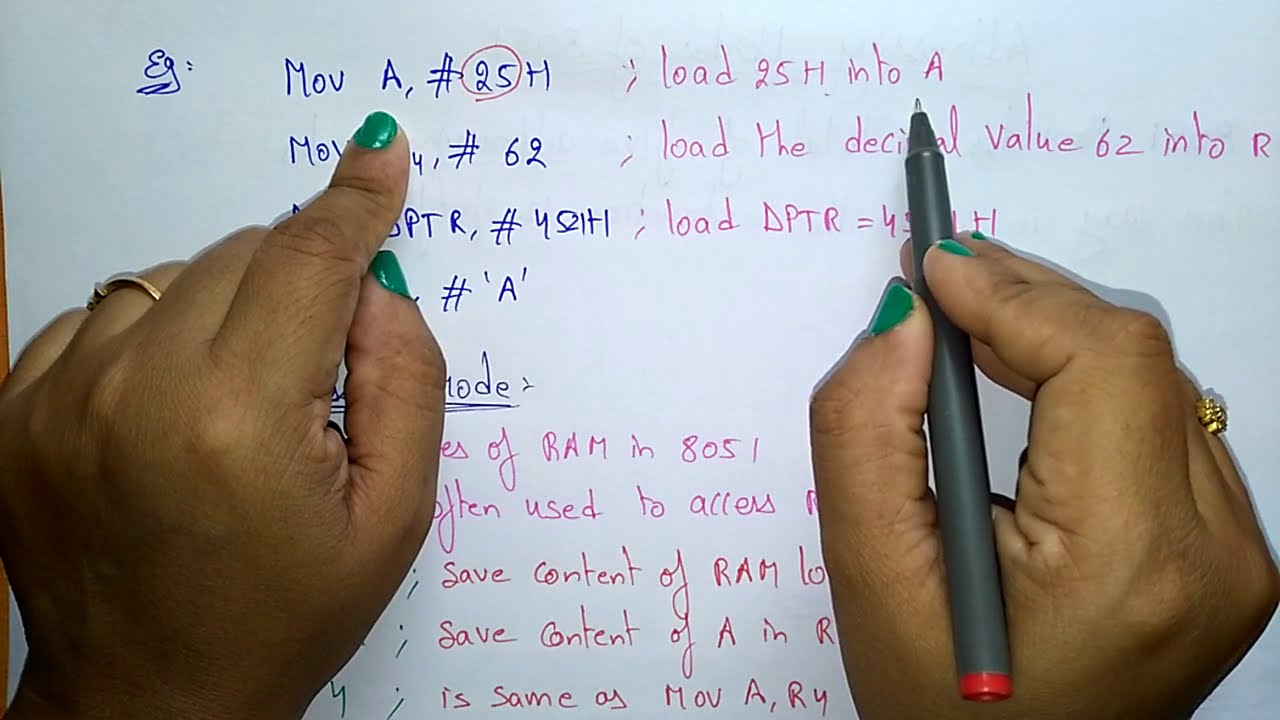
time you will have to write hashtag before data so once you write hashtag after that you have to mention data right whatever data that you want to specify let me give you example so here for example when you write mu a comma hashtag 15 hacks then what you are doing this 15 hex data which is specified in this instruction that you are copying inside resistor a when you write move dptr comma hashtag 1000 hex then what you do is here this 1000 hex data that you are copying inside dptr and one more thing that you
need to note down see with 8051 we just have this dpdr resistor in which directly we can have 16 bits other resistors are having size of 8 bits only right so here when you specify data like this hashtag then 15 hacks or you can say here we have two bytes data that is having same format hashtag then two byte data and then hacks so this is how we can represent this immediate data in instruction that's why it is referred as immediate addressing mode now i'll explain you resistor addressing mode so from name itself you can
understand see here you will be specifying data by resistors right in instruction you will be specifying data by resistor only here you will be using this resistors only like a and r0 to r7 so these resistors that we will be using here my dear students for example when you write mu a comma r2 then what you are doing you are copying r2 inside a when you write mu r2 comma a then what you are doing you are copying the content of a into r2 so that is how we specify data inside resistor and then you
are performing operations based on resistors only right like when you write move r1 comma r2 then you will be thinking like you will be copying r2 inside r1 right but my dear students this is not allowed with eight zero five one why the reason is you will have to use accumulator in terms of resistor addressing mode you cannot use r0 to r7 resistor with each other right so that is how things are there with 805 1 this is not allowed that's why specifically i have mentioned this instruction many of the time students are asking me
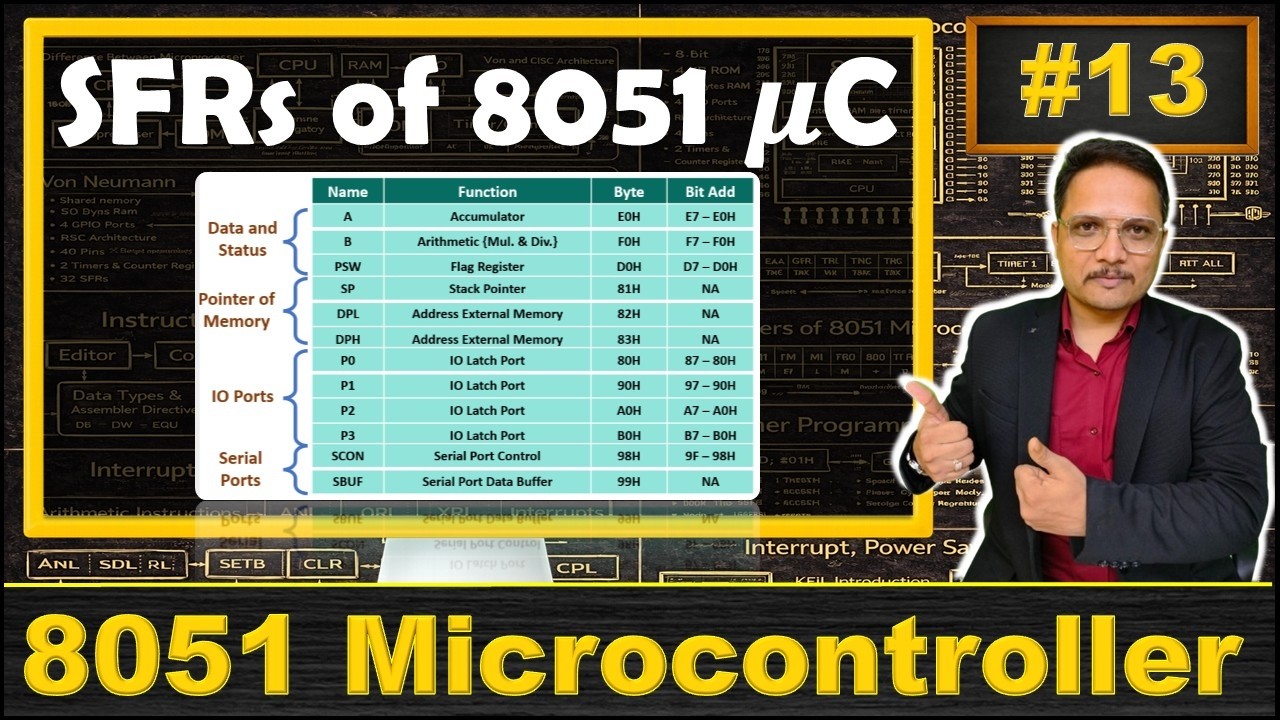
like sir i am having error and they are writing it like this and if you write instructions like this definitely you will be finding errors right so you are not allowed to do this now my dear students when you talk about direct addressing mode then in that addressing mode address of operand will be given in instruction so here you will be giving address of operand remember this here you are using internal ram or sfr address right internal ram address is there from 0 0 hex to 7 half x and sfr address that is there from
eight zero hex to ff hacks so that is what we are using it with direct addressing mode let me give you some example like when you write move a comma 35 hacks then what you are doing here you see you have not written hashtag see here when you write hashtag then that is immediate data but when you don't write hashtag means this is address and this is what ram address right now ram address is there in between 0 to 7 f that's why i'm saying it is ram address sfr address that is there from 8
0 hex to ffx so when you write a comma 35 means here my dear students this 35 is address and at this address whatever data is there inside ram that is internal ram right that will be copied inside accumulator a that is how it is happening when you execute move a comma 8 0 hex what you are doing you are copying the content of 8 0 hex address eight zero hex that is what allocated with port zero right so here my dear students when you write a comma eight zero means eight zero hacks is address
and for that whatever content is there that you will be copying it inside accumulator a right for example when you write move 3 0 hex comma 3 5 hex then what you are doing see 3 5 hacks that is also address over here and three zero hex that is also address and both address are having some data right so now what will happen after this instruction 35 hex address is having whatever data that you will be copying it inside three zero hex address that is how this instruction is happening right now my dear students i'll
explain you indirect addressing mode so in indirect addressing mode address of operand will be given by resistor so here with internal ram we have resistors as well as sfrs are also resistors so address of operand will be given by resistor now you will be not using direct addressing right like we have written direct address over here if you can remember direct address of different sfr that is good but if you cannot remember direct address then you can use resistors right so here internal ram external ram can be accessed by this mode and here for example
when you write this indirect addressing mode with the use of at the rate at that time my dear students you will be using internal ram remember this and here when you write move a comma at the rate r1 then what you are doing this r1 is having whatever data now that is address and at that address whatever data is there with internal ram that you will be copying it inside a so obviously r1 can be there with the value in between 0 to 7 f remember this right internal ram is there from the range of
0 0x to 7f hex so r1 can be pointing any data inside that internal ram and that data will be copied inside a here when you write move at the rate r2 comma a then what you are doing is you are moving content of a at the memory location pointed by resistor r2 right and obviously as i have told you now r2 that is pointing what internal ram right so r2 must be there in between 0 0 to 7 f hex then only you can use this at the rate now my dear students for external
ram you will be having 16 bits of addressing by dbtr and for that you'll have to use x you see here normal move was there but now you will be using movex so in that situation what you are doing is you are using external ram and how to use that by using dbtr data pointer resistor that is pointing external ram only right so you can directly use it by using data pointer how you see when you write move x a comma at the red db tr then dptr is a pointer which is pointing external ram
at that location whatever data is there that you will be copying inside accumulator a when you write mu x at the rate dbt or comma a then what you are doing you are copying the content of a at the memory location pointed by dpdr right so external ram that we can access by using dbtr but along with that you will have to use x in move instruction now my dear students i'll explain you external ram with 8 bits of addressing so 8 bits of addressing is possible using external ram in that you can use any
resistor like r0 to r7 but here there are few basic things that you need to note down see external ram that is having address of 16 bits here 8 bits that we are using by resistor so external ram is been accessed that's why move x that you'll have to write first then when you write a comma at the rate r1 then external ram address that is been pointed by r1 but how you see if value of r1 is 25 hex then initial two digits of this hex that should be 0 means 0 0 to 5
hex that will be my address that was pointed by r1 in terms of 16 bits and at that location whatever content is there that you will be copying inside accumulator right so here my dear students you can use eight bits but by default assembler will convert that address in terms of 16 bits by adding eight zeros over here in terms of binary for example when you write mu x at the rate r0 comma a then you will be copying the content of a at the memory location pointed by r0 in external ram remember this as
you are writing x over here it will be external ram only but in external ram see this r0 contain 35 hex if it is like this then initial two hex digits that will be 0 as per this external ram operation for external ram you will have to write x over here remember this normally we use dbtr resistor only but as if you use other resistor then it will be padding zeros like this that is how things are happening now i'll explain you index addressing mode here this mode is been used to access data from code
memory you should know my dear students8051 that is based on harvard architecture so in harvard architecture we have separate memory for data and code code is there with rom and data is there with ram right but in some situation you may need to store those data which are not volatile for example if i say ascii data then ascii data should not be volatile data so that should be stored inside rom for example seven segment display that you are interfacing so that is also non-volatile data that also you need to store inside rom so those data
which are not volatile that you must store inside rom as ram is volatile memory so when you restart system the data of ram will get vanished right so that you must need to store inside rom only and for that you will have to use index addressing mode in instructions so here when you write c at that time you will be using index addressing mode let me explain you that so you see here move and then see that i'm writing right so mosi means what you are using code memory right and how you see a comma
at the rate a plus dbtr what it means a plus dbtr now that is my address and at that address whatever content is there that you are copying it inside accumulator a for example when you write move c a comma at the red a plus b c so what you are doing you are having address which is a plus pc and at that location whatever content is there inside rom remember this it is there inside rom so inside rom whatever content is there that you are copying it inside accumulator a so when you write c
at the time you will be using code memory means it will be internal or external rom and when you write x at that time you will be using external ram and when you don't write anything at the time you will be using internal ram which is having size of 0 0 to 7 f hex that is how all the addressing modes are there so i think now it is clear to you how addressing modes are there still if any confusion is there just post that in common box i'll be happy to help you thank you
so much for watching this video