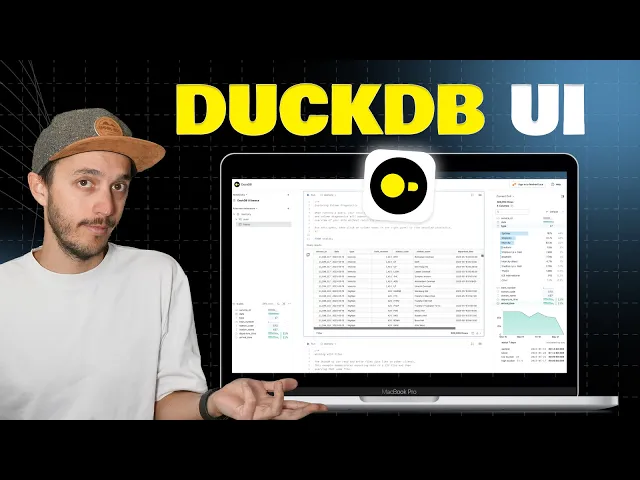
dug DB the inprocess allab database can run anywhere it supports multiple client languages and as today a significant portion of its usage come from Python and the dgdb CLI for some users the CLI can feel intim mediating especially if they prefer a user interface and let's be honest exploring data in the CLI can be cumbersome but dgdb in partnership with Mod duck just released a local dgdb UI so let's talk about how this can transform your local data exploration experience so to get started with DUI you can install the CLI there is a one command
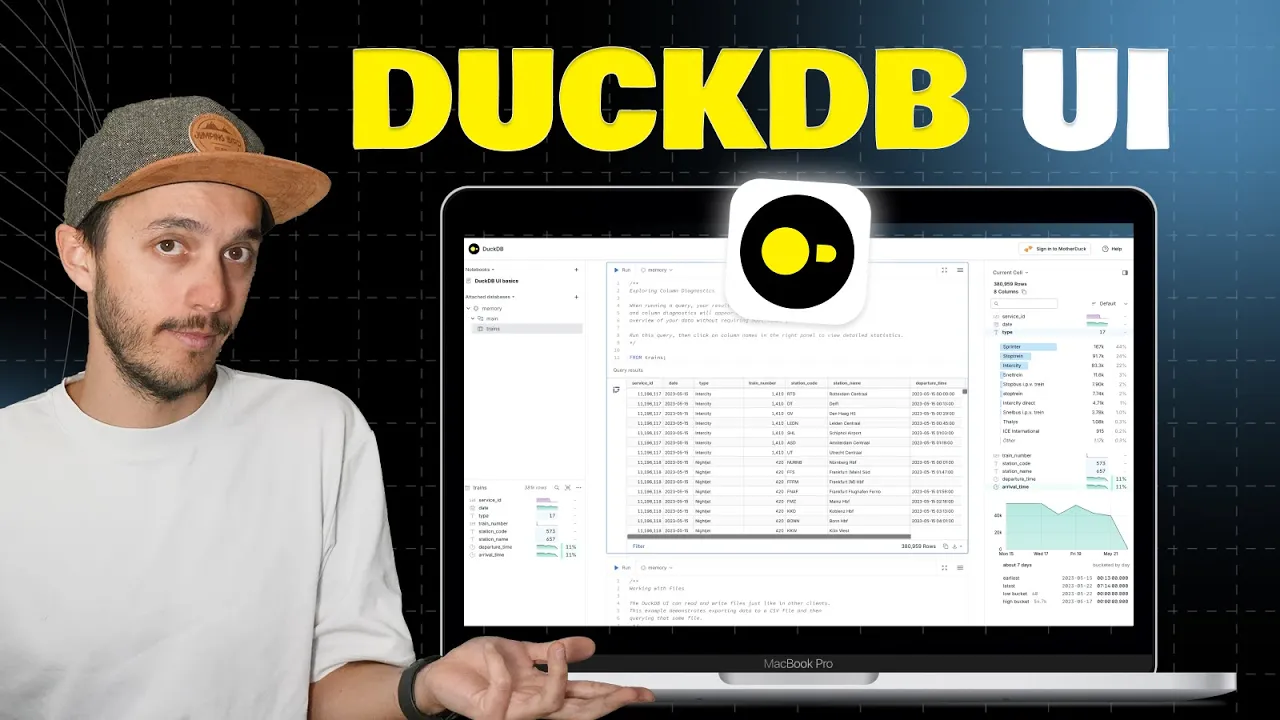
line curl that you can use if you're on Mac OS you can just do pro install dgdb and you have also other installation metod that I'll put in the description finally when you launch dgdb you can directly put dasi to launch DB UI what is happening behind the scene is that dug DB is installing and loading the dug DB UI extension dug DB has an extension mechanism for various things like reading over park or Iceberg and dug DB UI is one of it so a local web server has been launched and I can click on
this link and I will get a local SQL notebook interface so we have four main areas in this UI the first one is here the catalog as you can see is pretty empty so you can run the example and here I'm going to create table based on a remote Park file you see now my table is created and if I click on it I'm going to have the second area of the UI which is the table Explorer this giv me direct information about each of the columns I can directly see what's the latest earliest date
of this data set and various other Matrix on other type of column I can of course click and attach a local or remote database which just the path so here for example I'm attaching another database over uh I believe it's three and you see now I have the remote station database added with the station table and again I can click and see through the table Explorer so let's go a bit over the SQL notebook you can create multiple notebook name it and it will be stored locally you can expect all the fancy shortcut that you
would have in any do book so if I do select mandin as stck I want to run this one I do command enter I can create other cell and of course you the arrow key to switch but cell I can toggle command by doing command slash and it's a toggle into a SQL command and of course we load stuff from the cloud but it works really fast with local file so here I'm going to create a table and you see I have auto complete on the command iur use as select command from a local parket
file which is in the current directory so this parket file is actually almost 10 GB of data so now it's over there let's look at the table Explorer you see we have 42.7 millions rows and so now if I'm exploring this data set a bit let's do 100,000 lines for example you see that I have the nice UI where I can uh display which colon I want to display sort it out and I have also the colon Explorer which is based on the result of my query so you see here I can see I have
a bit of sample from data up to 2008 and up to the latest of uh April 2024 and of course if you want to Crunch the data against search a data set it also super fast here I'm extracting the top uh domain shared on acar news from uh 2016 to 2025 uh that's the data set and you see in less than a seconds I'm processing over more than 40 millions of Bros and getting the top domains which is get up then YouTube then medium.com as often articles that being shared on acur news finally you may
have seen this button here right there which is sign on to Mother dock if you already have an account and you click there you can sign up and now you still have the local UI but as you can see you have access to all your Cloud database the one are are shared so for example you can start uh create the sample data which is database that any Modoc user get access to with a couple sample of data from acur new stock overflow or New York city so let's say if I'm quiry this database and the
New York City service complaint to run and see what is the most complaint uh from New York City service and I see it's like heat hot water uh and the second is the noise all of that now leveraging the cloud compute and the cloud storage still using the same UI all right that's it's a smooth powerful and easy way to explore data locally with wbui if you have any feature request you can head over the gith up repository and in the meantime keep clacking and keep coding in the UI [Music]