[Music] hello and welcome back to flexo.expert peels in this video peel i'd like to talk about the sequence of colors in flexoprinting how do you decide the sequence of your inks when you set up a new job when we say cmyk we mean the primary colors cyan magenta yellow black but do we really mean that they are printed exactly in that sequence and why and what about other eventual colors in what sequence are they printed why do we sometimes change the sequence of our colors in printing well let me tell you one thing we shall
not change the sequence of inks once we have determined our printing condition the effect of color reproduction obtained from our printing condition is described in numbers typically in one icc color profile the color profile therefore describes how our printing system reproduces colors in that printing condition that's why we also call it output intent if we change the printing sequence of our inks the printed result will be different from what is described in the icc profile thus the printed result will not be predictable color proofs will not match because they refer to a different printing condition
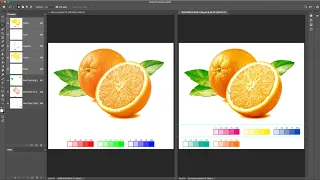
they are simulating a condition that is not the one that we have impressed sometimes we forget to consider that printing inks are not perfectly transparent and well designed software unfortunately sometimes doesn't help very much to see what happens when we overprint colors and change their sequence just as a quick example we perfectly know that the blue that we obtained by printing magenta over cyan is different from the blue that we get when printing cyan over magenta but on monitor probably we don't see that difference this happens because every ink has its own opacity or transparency
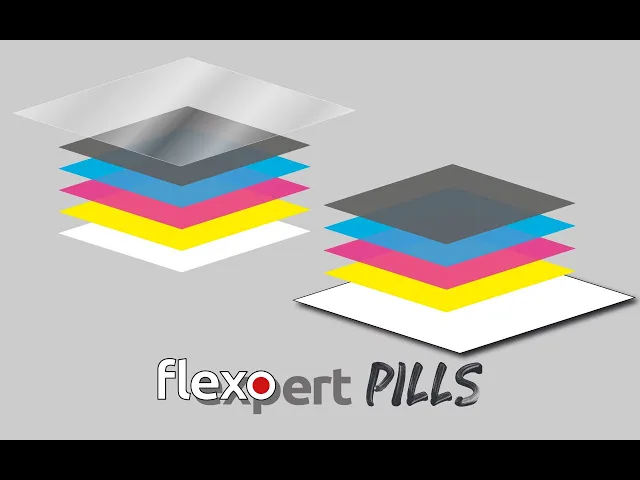
we would never print white ink as first color in a reverse print on transparent substrate correct or a yellow as a last color on a surface print that would dull all the underlying colors as a rule of thumb the clear and lighter inks are less transparent more opaque therefore we will tend to position the moco pack inks under the more transparent ones from the observer's point of view that's why on surface print we use a light to dark color sequence such as yellow magenta cyan and black and on reverse print on transparent film we prefer
a dark to light sequence like black cyan magenta yellow and closing with white in any case once you have specified your printing condition after optimization fingerprint and characterization you better not change your printing sequence unless you don't care if your printed results are not predictable don't forget you can take your basic training in flexography on flexor.training and if you need more advanced or customized training you're welcome to contact me at any time ciao