hey guys welcome back to total tech and today we're going to start a new series in machine learning and how you can get started right now uh with machine learning super easily um so if you guys are new to the channel this is just a little tech channel to give some tips about tech stuff that i i found interesting hope you guys found it useful if you do like and subscribe greatly appreciate it help the channel out all right so today we're going to talk about a little package called h2o. ai it's not really little it's a big machine learning package that is kind of pre-created to allow you to quickly get started with machine learning so instead of you implementing the algorithms you can actually just have these algorithms already implemented for you and you can actually utilize them to do the machine learning aspect of it so the way we're going to get started with this is that first we're going to need to make sure that we have java installed on our system so i'm going to go over here to um i already have pulled up here the microsoft open jdk so openjdk is the now open source java version because oracle decided to make their java not open source and we're going to go here and download the version that is 17. 0.
3 so that's the version that we're going to need here um you can do older versions but honestly i would probably just deviate towards using the newer versions because they're the long-term support versions so i'm going to download this msi right here download it i'm gonna open it once it's downloaded in the folder and i'm gonna basically install this jdk it's gonna ask me if i wanna install it yes and it's going to install microsoft open jdk so we're going to make sure that this is actually installed correctly we're going to open powershell and then we'll do java version and we're going to see right here that um we have the correct version here 17. 03 which is the long-term support version as of uh 2022 which is what we wanted and that is exactly what we wanted okay so that's good and while that's going over here we're going to go over to h2o website and download the jar file so this website i will also link down in the description below uh so you guys want to kind of go searching for it but it's pretty easy to find just search hto on google you'll find it so we're going to download that and this is a pretty big jar file i'm going to save it here yeah if you wanted to run for the ebook i guess you could sign up for free ebook too um but htroll is actually pretty great they're open source and they have a lot of great white papers on just machine learning in general um so i recommend you going there and kind of checking out the more nitty gritty of how algorithms are implemented like if you want to grade gradient boost machine as opposed to distributed force and how that's implemented all that information is on their website it's very useful um but most people don't have time to kind of get in the nitty-gritty like i did for my doctorate degree so um we're just going to show you how to get quickly started okay so as that's downloading i'm also going to go over to the uci machine learning repository and download this iris dataset so this is kind of just like a generic dataset that a lot of people use to kind of like show the principles of machine learning so you can go here download this data sets i'm going to download this and this is iris. data but it's actually a csv file so i'm going to call it csv and make it a file type save that i'm also going to download the the names file which is also a csv file download that and then this is now downloaded so first thing we're going to go to this one and we're going to unzip this and we're going to extract it to our location i'm just going to start it in the downloads folder but you could attract it to whatever you want and then once that is done extracting well we're going to head over to powershell and we're going to basically run our cluster so i'm going to go here and this is my file path right here and this is the jar file that we're looking for so i'm going to cd to that file path and to run the cluster which is our machine learning cluster we're going to just do java dash jar h2o i have it pre-populated here got jar and hit enter and this is going to run um the cluster on our local system so what this machine learning cluster is is basically going to be the platform that actually does all the computation for a machine learning algorithm now it's important to remember that each row is in java so this is all done in memory so that means it uses your ram on your system on my system i have about 16 gigabytes um and you know you'll be bottlenecked by your cpu speed and all that stuff too but i'm on my other system i did 30 i had a 32gb 2 gigabyte system sorry and also 64 gigabyte system so um it kind of depends on your data set what you're trying to do and how like nitty gritty you want to get into machine learning but obviously more ram gives you more resources which allows you to do these algorithms more um train them longer basically to get better results but also kind of train more than at the same time so that's kind of the background to that so we've downloaded uh h2o the drive file we've initiated our cluster so let's take a look at our data set so i'm going to go here to the data file i'm going to open this with notepad plus plus you can open it in excel or whatever it's up to you and i'm also going to open this iris.
names so you can see the data set here we have a bunch of numbers and also kind of the type of iris that we're looking at so um these numbers we kind of need to know what the values are for so we're going to actually insert a column a header kind of header row and this names file is going to tell us what the those attributes are so the first row is going to be simple length second row is going to be simple with people length comma width comma and i think the next one is pedal length and pedal width yeah pedal length and pedal lift so all this is doing is i'm basically annotating the data set really quick to make sure that we know which columns are dealing with once we import the data into h2o um those last columns will be flowers we're going to save that now we have our um actual cluster running and the great thing is that we can open it up on a browser so if i click this link right here localhost uh the port is 54321 very very unique port um and this is our framework and this is how we can get started with machine learning this is a stroll running in the background very very useful um so what we're going to do is we're going to first import some data files so i'm going to hit data import files i'm going to go to that location where i had the iris data set which is in my downloads folder let me just go to that iris. data. csv i'm going to import that file add the file import it i'm going to parse these files set up the pars that looks right sepal width is the column length with linked width pedal length width flower that looks good the first row contains column names that's correct and then we're going to hit pars and what this can do is it's going to load this into a data object called irisdata.
hex so if i click that this is our hex object and we actually view this data in h2o and this is the same data that we have um you know open in our notepad so you know the length is 5. 1 3. 5 1.
4 0. 2 anxious setosa so we'll go over here you know this first row five point one three point five one point four two point two iron setosa same exact data now what we're gonna do is we're gonna actually split this data set so we're gonna do is split and we're gonna do let's do a 0. 8 0.
2 split and we're going to create this split so the 0. 8 is going to be our training set and our 0. 2 is going to be our prediction set so if i go over here and click model you can see all the models that we can train um so these are all pre-made models you can do a genuine model you can do a distributed random force deep learning model whatever you want but i'm going to show you something that's really simple and that's to do what's called an auto ml so what auto ml does is it'll run all these models and train a bunch of them and then kind of give you the best option right so i'm going to click this and we're going to select our 0.
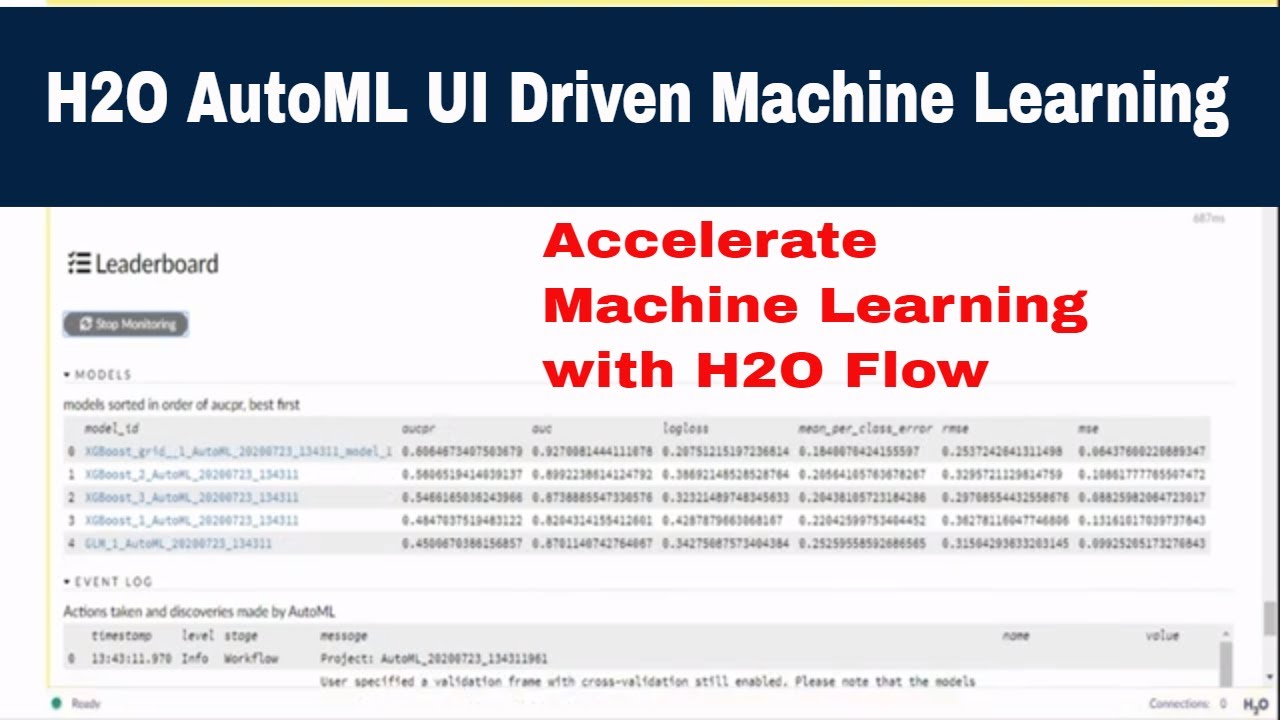
81 for our training set and the response column is going to be our flower column and that's basically what we're predicting for so if i zoom in here and kind of show you these two are the only actual ones that we need to have these two call and everything else is optional and there's a lot of different hyper parameters and stuff like that that you can do in h2o but um this is very useful for um you know what you're going to be doing very quickly and then also can get this into production environment very quickly too so we're not going to exclude any algorithms but i am going to limit the run time to about two minutes just for the sake of this um so run time max seconds just because uh the default runtime is an hour and we don't want to do this for an hour so you can do it for an hour and i would recommend you doing it for your actual production models a lot longer because the training will be better um you can also set things like seed so every model is generated from a random seed but that makes it really difficult to reproduce the model so if you just happen to get a good see that it's a good model then you don't really know what that seed is you have to like there is a way to get back and get that seed but it's just uh more simple so i'm going to set a seed to one two three four just to make it easy and our sort metric is going to be i'm gonna do a lot of the loss so log loss is going to be how we sort our leaderboard and how we know um you know which algorithm is best so that looks good we're gonna do cross validation too i'm not going to keep any of these models or cross validation metrics um just to save memory and we're going to build the models so as you can see here it's running at automl and it's already built a couple models now it's on a gradient boosting machine is stacked ensemble so you guys know what stock ensembles just look into that too it's kind of like a a metal learner that uses a bunch of the algorithms to make a super algorithm um so as this is running we can kind of see in our console that it's actually doing all of this training here on powershell you can see the cluster here it's running like really quickly obviously all these training sets it's running through the data set to make sure that um it's training it correctly and it's also doing cross-validation to make sure that we're not fitting to the data set too too hard but we're actually um you know generalized enough we can predict hopefully on the data that the model's never seen before um so i'll show you once this is done how we can kind of like check this and make sure that the models are working correctly and predict on kind of the new data set that we split so if you remember we split a dataset into 80 percent for the training and then 20 that we're going to predict on to test and kind of validate that our model works um so a couple things i want to show you really quick while we're waiting um you can also um go here and export the model as a java object file and so if you have a model that you like and that you want to keep you can export it and save it as a file and then import it back in later to use or using the production environment if you actually want to use it um a lot of times people will you know do this several you know thousands of iterations get a lot of different models and then you kind of pick out the best models and then use them in aggregate to get hopefully the best predictions possible and you know the goal is obviously to get as close to 100 but realistically most most things unless you have a ton and ton of data you're very you're you're not going to get kind of like above 90 for kind of a lot of real world stuff but it really depends on what data you're working with like biology stuff is like very very low um the stuff that i worked on for my phd was like you know if we got like 0. 65 you were like happy very happy um so that's kind of just like the general gist of it okay so it looks like we're done so if i click view here i think we can view okay looks like we cannot so let's let's list all the models and you can see all these models here that we've run and uh i'm also going to list the grid search results and so if i click on the grid search results and look at this one right here we can kind of see the uh the scoring history and you can see you know how how the scoring went and like what the log loss was for that and so let's let's validate one of these models right let's let's click on uh like this green boosted one for example model three i don't know small three so it looks like here um it shows us that the logos is going pretty well and that the most important variable was the pedal length for determining um how good it was so this is the training matrix wow pretty good and then this is the actual cross validation metric so when you're generalizing so still pretty good like 0. 95 0.
98 1. 0 for iris setosa on precision recall that's that's pretty good um so let's see if we can use this model here to um predict on our data sets let's go uh to here and score and then we're going to hit predict and then we're going to do this is going to be prediction and we're going to select the model that we wanted so let's select that gbm model 3 that we had seemed like a pretty good one and then we're going to train on the 0. 2 data set we're going to predict and so it's going to predict and tell you how well that the predictions work and it looks like the predictions actually still worked pretty well not as well because you know it is new data but it it still works pretty well like we have a precision we call 1.
0 for our satoshi still and then for versacolor and virginica is 0. 89 0.