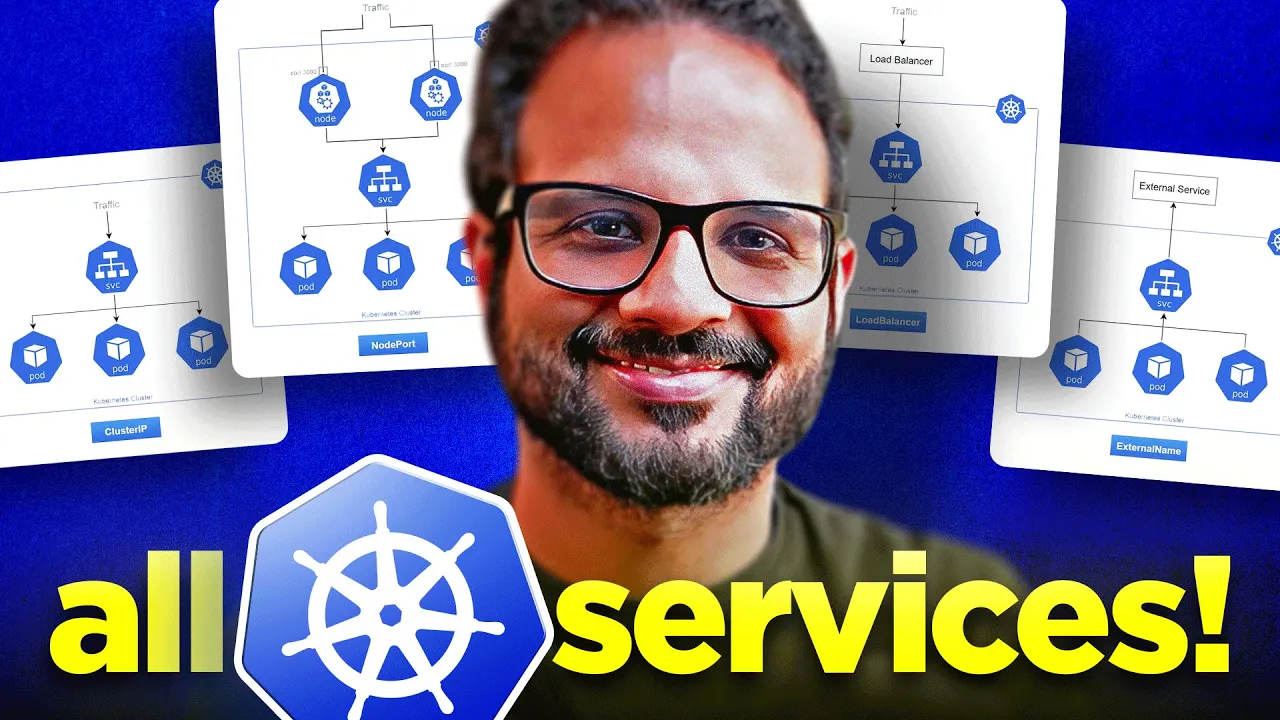
hello everyone welcome back to my channel my name is p and this is video number nine in the series CK 2024 in this series we'll be looking into services like different Services we have in kubernetes such as cluster IP not Port external names load balancers and so on and we'll also be looking into name spaces so the target for this video will be as follows so I'm expecting at least 120 comments and 250 likes in the next 24 hours it's going be an easy target for you I'm sure you can do it so yeah without any further Ado let's start with this video all right so in the previous video we have seen replica sets replication controller and deployments so this is what we had earlier we had a deployment with four parts running that is serving enginex as a front-end application and it was running on multiple nodes now this deployment uh we mentioned this as well that this deployment is not yet exposed to the users externally we can only access the pods inside this deployment by accessing the notes or from the cluster only so how do we make sure that because this is a front-end application how do we make our front-end application available we do that with the help of services in kubernetes so let's take another example so let's say over here we have our application running so consider this as a deployment or even a single part that doesn't matter so this is our front end application right which is running on on a container on a pod and we have backend as well which is a nodejs application and we have an external data source which we use to get some data from uh like uh our backend access this external data source to get some data so how do we make sure that our application is accessible to the users and how do we make sure that our pods are able to communicate with each other at different layers like our front end pods should be able to communicate with the backend our backend part should be able to communicate with the external data source how do we do that we do that with the help of services so between that uh we'll add a service over here right and we'll look into different Services as well so we access the service and then that service will then uh request the front and pod on which the service is exposed and it gives the response back to the user the same way this service uh will be then used or any other service will be then used to access our front end to the back end and the same way this service or any other service that we have will be used to uh get the data or you know write something to our external data source so this is how it will look like all right so our service makes our application Loosely coupled it makes sure that our ports are listening on a certain port and and accessible to only what we have specified right so for example this is a front end application so this should be accessible outside the cluster outside the node publicly to all the users so we'll be exposing this on let's say Port 80 or Port 443 uh and that service will be listening on that Port let's have a look at another example so we have different services in kubernetes we have I'll just write it down over here we have cluster IP then we have noteboard we have uh external names and we also have load balancers we'll look into each one of those in detail okay so these are all the services we have in kubernetes so first let's look into the not Port so as we mentioned like in the previous diagram we had multiple services and multiple pods running on multiple nodes and it works the same for a single pod for a single uh node or multiple node right so let's say we have a pod running it's a front end pod and we have to expose it to the external users so the first one the first service that we'll be looking into is not Port so this is a service on which the application will be exposed on a particular port and that Port is called not Port so let's keep it over here let's say we expose this application on Port 30,000 1 okay why this number because the range for the node Port is from 30,000 to 32767 so we have to specify a static Port between that range right so our our application will be listening on Port 30,001 all right and then our service will be exposed internally within the cluster that means are all the service that are internal to the cluster will be accessing this particular port on a certain Port so let's give this a port as 80 all right so this is our internal service port and we have another port on which your application will be listening so we call it Target Port so let's say this is also 80 now let's understand the difference between all the ports that we have specified so we have a Target Port okay and this Target Port is the port on which our application pod is listening on this is not exposed externally and we have exposed this one externally over here right so this is your node Port so node Port is something that is exposed externally and then it redirect the traffic or it CS the traffic from Port 30,001 to this Target Port 880 right so this is your Target Port 80 and I'll change the line to this as well and this over here is your Port it is referred to as port and this port as I've mentioned already that this port will be used for the other services or other applications that are running in the cluster in the node so this is your internal Port that other ports will be referring to right so if I am an external user if I'm accessing this application on the web on on my browser or from my local system I will access that on Port 30,001 but our application is listening on Port 80 which is the Target Port and if I am a pod that wants to access this particular front end application let's say I'm a backend port and I want to access this application then I will be using this particular Port Port 80 currently these two are same but these could be different right if you don't specify any of these so by default it will take Port 0 as because this is the same port that we had right now I hope all the difference between these these three terms is pretty clear note Port Target Port and just the port and when when it comes to the service kubernetes service point of view so let's move on and yeah so as I mentioned like it works the same way let's say we have multiple ODS running on multiple nodes so over here we only had one port running on a single node but let's say we have multiple ports running on multiple nodes or multiple ports running on the single node whatever the case is the service will be exposed the same way right so this service will be accessible to this port and on the same port say Port 80 this is your Target Port Port 0 in this scenario when we request the service now because these are multiple PS behind a deployment so we will be you know using the IP address of the node okay and let's say we have to access this port then we'll provide the IP address of this uh this node and then colon uh 3001 so it will redirect the traffic on a round robin basis right so the traffic will only be accessible on this particular Port from outside the cluster and then the service will then internally load balance the traffic between multiple notes and multiple parts that are behind the service okay so I guess we have learned enough about uh about the notep service and what service actually does so let's go to our console and let's try to implement a service so uh here is my vs code editor and I in the day n folder let's see what we have already running we have I guess three enginex Bo Running behind a deployment so let's use the existing ones and let's try to create a service okay so in the same folder I will create a new file and I'll call it node port. yaml I'm going to create a service and I'm going to expose this application on Port 80 outside with the not Port 30,001 so again uh same for Fields so we have API version we have kind metadata and spec now let's check uh the version Cube CDL Explain service or SVC right so it's one and the same things that's service okay so kind is service version is V1 so I'm going to use that V1 and kind is service with a capital S so remember this is case sensitive now inside metadata we can specify uh a name and label of the service so let's give this a name notep put SVC and let's use the labels EnV demo okay inside spec will specify what type of service it is it could be a notep put load balancer cluster IP and so on right so we specify the type service type and then it's a noep right and now we specify different ports and this is a list this is an array so make sure you do use the hyphen sign with it so we have node Port which is 30,001 one more zero okay 30,001 then we have port 80 and Target Port which is also 80 I guess this should be capital P let's see if we have done it correctly I'll just uh cross verify it from the documentation so we have our service let's search service over here uh there won't be any sample EML on this quick reference guide so I'm going to search service over here and on the first result let's see a sample ml okay so we have uh metadata kind name that's okay then we have selector that's fine for now and then we have uh ports so we have protocol uh Port Target Port let's see another one which has a not Port as well notep put all right so type is the not port and Port is 80 so it it is ports not port and then Target Port and then uh not Port so spec type is not Port that's fine okay so there is another uh another field which is ports it shouldn't be inside this so it's like this type is not Port okay and then at the same level have PS so noport port and then Target Port I guess this is fine now Port Target Port and not Port Port Target Port and not Port okay this is good now we have one more field which is selector because how do we know or how would service know that which C or which deployment to be served as the service right which has to be exposed so on the same level of type inside spec we specify selectors and then we specify labels over here so let's see what labels uh our OD has so when we did cctl getp it was not showing us the labels right so we add one more flag which is show labels like this and now it will show you the labels so label is EnV equal to demo right so that's a label that we need inside selector match labels and then EnV demo okay now save this and let's hope it works create hyphen f Noto dot I'm not in the correct folder a09 Services now CDL create hyph F notep EML okay it says uh cannot be handled at a service is there is some there is something wrong at this field service spec dopc do selector selectors match labels uh EnV demo let's see what mistake we did so it has to be selector and inside that okay I guess we don't use match labels we just directly specify the label that's what it feels like so let's try to use that let's remove match labels save and let's run it again okay it says unsupported value the supported values are cluster IP external Lim load balancer and not Port not port with n capital and P Capital right so as I've mentioned it is case sensitive so make sure you use the format that is accepted by kubernetes okay I have made the change now it should work now okay it says is invalid because invalid value 30,001 is not in the valid range valid range is 30,000 to 30,00 32,767 and what did we use 30,001 so why it is uh saying it's an invalid maybe I added one more zero one extra zero yeah I added one extra zero so 30,000 that's not 30,000 one that's all right so now it should be correct okay now it says Service created finally so Cube CTL get SVC or get service one and the same thing now this one cluster IP we already had it earlier and this is what it created not Port SVC and this is the uh IP that it created and it is exposed for Target Port 80 and the not Port 30,001 so now our application should be accessible so we need to get the IP of the Pod so get pod hyph o wide let's take any one of those so I'll take the IP 10241 161 or it has to be the node IP I'm not sure let's let's try with this one okay so IP and then 30,001 okay I guess not this one it should be the node IP because that's where your service is running so instead of that we do CTL get noes hyphen o white and okay 172 180 this is the control playe Noe let's see where our pod is running okay this command does not show where our pod is running so Cube CTL describe pod and then the name of the Pod okay over here there'll be a field which says node okay let's see um okay over here node is this one I'm just going to copy this IP and then 30,001 see even though we have made the changes even though we created the service our service is still not accessible over Port that we have defined so I guess it's time to read the documentation so let's go back to kind cluster because the way we have created the cluster if it would have been a kubernetes cluster any other on premises cluster or like let's say in your exam then this should have been working till now like there is no extra step for that but because we are using kind and the way it works is in C kind cluster it does not expose your port to the outside word right so that's why we have to do an extra step just for the kind cluster to do the Cod mapping so uh if you go down to the documentation quick start guide of the C cluster and uh this is what we follow to create the cluster right there is one extra step over here uh in which we add the container mapping Port mapping right so if you go down it says mapping ports to the hold machine this is uh what we use and it says this can be useful if using not Port Services or demon sets exposing hostport so yes uh we're going to add this particular yeah these three lines in the control uh role so that's how it will expose it locally that's how our application will be accessible so we might have to create a new cluster because we cannot change the existing cluster in kind so let's go back and we had our yaml file for the kind cluster somewhere yes okay let's create one uh yeah we don't yeah I I might have deleted it earlier so let's create one so that it'll be helpful for you so kind do yaml okay and in that first We'll add the other details this section and this is the same yaml that we have used earlier while creating the cluster so in video 6 when we provision the cluster we use the same yaml now we're just adding one more field to it inside roles so let's go back and add this one okay now we want our application to be accessible over a container Port 30,001 so this is what we'll be using over here and you can add multiple ports as well for example you want to expose some application externally on Port 80 or 8080 then you can add those but for now uh 30,001 is what we need okay save the file um then we'll be running the kind create cluster command so kind create cluster hyphen hyphen config equal to kind. EML and then name of the cluster let call it CK cluster 3 and what else let me see if I'm missing something um okay create cluster name and uh config yaml I guess that's all about it I'm just checking the syntax if it is correct okay hyphen hyphen config and then the yaml okay so let's go back okay it says cluster with that name already exists we don't need the existing one let's delete it delete cluster a a three it free up some resources so grind unknown command um delete kind delete cluster and I guess hyph hyphen name okay yeah this the one um this this is the extra step that we are doing right if you are on on your exam uh lab or if you are doing this on on Prem server or Cloud Server you don't need this extra step this is just for the kind cluster that we have to recreate the cluster with the port mapping else till here so you create the deployment you create the service and that's all about it your service should be accessible on the Node IP colon year notep that's that's all about it right but this is just because we are doing the demo so we want to make sure that we complete our demo and not just you know do the way it used to be so that that cluster is deleted let me create the new cluster okay it might take a few seconds so I'm going to pause the recording till then all right so our cluster is created now and it by default would have switched us to the cluster so we don't really we use the use context command let's clear the screen and let's see Cube CTL get nodes we have three nodes created now we're going to create the deployment uh let me use the existing yaml that we had in the previous video so Cube CTL apply hyphen f and it was in day8 folder a08 the name was rc.
EML FL okay let's see what was there in that file so in rc. EML we created one deployment with the name engine X siphon deploy it has one label EnV demo and there was a container with enginex latest image and the port was exposed on container Port 80 three replicas all right so that's what we did I've applied that DML the port should be up and healthy now so get BS or po yeah three uh three parts are running now we have to expose this uh via not Port service so for that uh we had this not portl that we have already seen everything Remains the Same because we are using the same label and not Port 30,001 uh Target Port and Port 80 that's good and selector is the label of the deployment okay let's apply this file as well Cube CTL apply hyphen f not. EML and this is also created now if you do cctl get SVC here is our service not Port Service uh running on these ports and you can also run describe on this service it will show you a lot of other details Cube CTL describe service notep iph SVC so it shows you that um it name is notep service this this is the label type is not port and IP is Target Port not port and so on right it shows you all the details now our main goal is to make the service accessible over Port 30,001 so now if you do Aur loan Local Host colon 3001 we getting the reply welcome to engine X you can try it from your browser as well now so instead of the node IP Local Host 30 01 and welcome to engine X our web page is now getting loaded so just a quick recap what we did we recreated the cluster because it is the Cent cluster Cent cluster does not expose the node Port externally so that's why we had to do a little tweak we created one more file one kind cluster yaml config file right earlier we only had when we created the cluster we only had this part right one rle for control plane two R for worker nodes and now we added this part which says extra Port mapping on the container port 30,001 to the host Port 30,001 so that will expose your container Port 30,001 externally on the host and through which you can access your application running on the Local Host all right so this is the extra step that we did and then we create created the deployment and then we created the service your service is now exposed but over here as well you have to remember this in exam or when you are running your cluster not on kind let's say on on premises or any other Cloud by following the steps that we did your service should be accessible on the Node that it is running for example um if you do cctl get pods it describe any pod cctl describe pod okay I made a mistake okay and go up check on which node it is running okay 1728 02 2 three so by default your application should be accessible on this IP and this port but because this is a kind cluster it is exposed on Local Host that's the only difference and this is what you need to remember right so this is what we wanted to cover about cluster and there is one more thing there is because you are um like I have to type some commands a lot of time so it's a good habit to set this this as an alas so what I'm going to do in my current uh shell session or maybe I'll add this in my bash profile as well so if I go to my home directory and Bash profile I will add um one environment variable which is alas a equal to cube CDL okay I guess it should be in single codes if I remember correctly but let's see now if I Source my bash profile okay and if I run K so K in run now Cube CTL whenever let's say if I have to do get pods so I can just do K get pods now I don't have to type entire Cube CTL again so this is how you can set some alas to make your work easy in your local environment in your local session but uh for the exam you don't need to do that and there are some bash completion uh commands as well given in the cheat sheet that you can also refer for example if I go over here F okay so if you uh run these commands so this will add some uh short alas to set and show for rock space and it will work on bash and Bash compatible shells so you can try these outs as well okay yeah and uh run this it will help you with the auto completion with the tab so this is what we did already we set the Alas and if you run these commands this will help you with the help of a tab you can autocomplete the command right it'll be really helpful okay so yeah so this is what the notep service is about now let's have a look at the cluster IP let's say you have an application like with front end backend and database in front end you have multiple Parts running for example engine X pods in back end you have multiple pods running for nodejs and then you have database such as MySQL or post whatever now your application has to interact with each other like these parts should know each other's address like how would they communicate with each other yes there'll be uh an IP associated with every pod right so there will be an internal IP associated with every pod but that IP is not static as soon as the Pod restart the IP gets changed right so let's have a look at this one so if we check the IP of this particular pod Cube CTL describe pod and then this one um let's have a look at the IP okay the IP is standard 44.
1. 2 let's delete this pod Cube CTL delete pod okay I've just deleted it and Cube CTL get pods now the Pod that gets created uh is this one so if we do Cube CTL describe pod and now if you look at the IP 10. 24423 right earlier it was 10244 do 1.
2 so IP has been changed as soon as the port restarts so that's really not the way of how you would want to communicate with different ports and services right this IP is not static so how would you make sure that your ports are accessible on a name or a certain uh Port by other services like if your backend has to communicate with your front end port how would they do that so this is where cluster IP come into the picture okay so we create something called as a service of type cluster IP okay and then your um engine X pods your front end application should be able to interact with the backend application so like this okay that Arrow doesn't like me that's fine and like this so this particular service this this particular cluster IP has the end points as these two pods so you can access these two services or these two pods using the cluster IP name you know the service name or the IP of the cluster IP so when we go back okay and if we do Cube CTL get SVC so you see the cluster IP the default one that's gets cre for you as the cluster IP of this so you can access this cluster with this cluster IP or its name so name is kubernetes which is the default one so you can create your own cluster IP so with not Port not Port is basically we expose it on a c certain Port but cluster IP works on Port uh 8443 and you know sttp https ports and this is how your um different services and different components interact with each other within a kubernetes cluster using service IP and uh let's have a look at how do we create uh one cluster IP so I'm just going to copy the content of nodeport yaml and I will create a new file inside this and I'm going to call it cluster ip. EML paste it over here now most of the things remain the same it should have a selector and the type should be be cluster IP okay so uh type is cluster IP or default uh service type is also cluster ID so if you even you remove this field then also it will create a cluster IP so let's remove this and now we don't need the node Port because it will be accessible on the port itself so we only need port and Target Port and that's all about it rest of the details will remain the same like it will have a selector which will select the deployments to be exposed as service okay and uh yeah type should be service and name you can give it the name of your cluster IP service type it's safe if you do Cube CTL apply hph F cluster ip. yaml says Service created Cube CTL get SVC and now over here you will see a new cluster IP has been created earlier we only had these two now it created one cluster SVC and this is the cluster IP it doesn't have an external IP because cluster IP is internal to the cluster so that other services other pods can um you know refer to this particular pod or service and it's currently Exposed on Port 80 this is what we did and you can do a cube CTL describe uh remember we set the alas so I can use K as a short for cube CTL so describe SVC SL cluster SVC and uh now you will see uh cluster SVC as the name um we have an IP assigned to it Target Port and then we also have endpoint so endpoint I guess we missed uh explaining this term what is exactly the Endo so Endo is nothing but the IP of the parts on which the service is listening to so if we do Cube CT get pods hyphen o wide right so these three pods have IP 10244 2.
3 10244 2. 3 here it is 10244 2. 2 10244 2.
2 and 10244 1. 3 so these three are nothing but the IP addresses of the pods Whenever there is a pod restart that means a new IP gets assigned to the Pod this endpoint will also be updated over here in the service and uh it is listenting on Port 80 because that's what we said and you can also check the endpoint from Cube C get endpoints or get EP right so here are our endpoints exposed to this cluster Service uh this is uh what we just created then this is your uh IP address of the cluster and then this is your nodeport service IP addresses these two are the same because we created uh the service the notep put service and cluster IP service against the same deployment that's why these two endpoints are the same all right so I'm just going to clear the screen and this is what basically means cluster IP like this is how cluster IP works and this is how we use it okay so now we understood uh notep put and cluster IP now let's have a look at the third service type which is load balancer so let's say we have an application as I have provided the details earlier as well like every pod has a dedicated IP assigned to it and when the Pod restarts the IP gets changed so we cannot really access the Pod from its IP address not even internally because the IP is not uh static it it is changeable from time to time so we need something that stays persistent throughout the life cycle of the cluster and it something that doesn't change so that is why we use service now there could be like if in this example let's say there are different IP addresses assigned to each of the pods let's let say 1721 16891 and it's exposed on Port uh 3,000 30,001 to the external users and we have three different ODS running and let's say if they are running on three different nodes so these IP addresses will then be changed to 9. 2 and then 9.
3 let's say considering that these all are running on different nodes right so this is is your node a and we have your node B and that's your node C right so now we cannot give our users these IP addresses to access the application that's just not what they want and consider like we have a small application which spans across three nodes consider this a huge application that is distributed across 50 noes for example so you cannot give 50 IP addresses to your user to access the application that's not just a good practice and that's not what they want you need something as simple as you know um my app. com which they can easily remember or through which they can access the application with just one single URL or subdomain if they want but not something like these so for that purpose we use something called as load balancer right so load balancer will what it will do it will place this I misspelled it just give me a second okay so it will keep all these pods in the back end of this load balancer so whenever user is accessing this application they don't have to really access the separate IP addresses of the pods they can just directly hit the load balancer URL and load balancer based on the load balancing algorithm it will distribute the traffic across multiple pods right but how does it work in kubernetes in kubernetes we actually create an external load balancer if you are using a cloud provider such as AWS Azure gcp in that you can provision an external load balancer and then you can use a service type as load balancer inside kubernetes and it will refer to that load balancer right and it will do the thing for you so for example if we go back to our cluster yaml so let me just make a copy of it and I'll create a new yaml so lb. yaml okay and instead of because we did not specify type at the time of cluster IP but for now we actually have to so inside spec we specify type as load balancer with L capital and B capital and on a particular Port Port 80 and service type uh should be load balancer let's give it a different name lb and again we are uh using the same deployment to serve as the load balancer back end and now if we apply the changes Cube CTL create hyphen f lb.