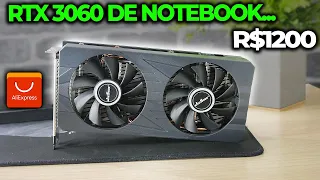
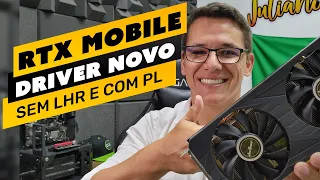
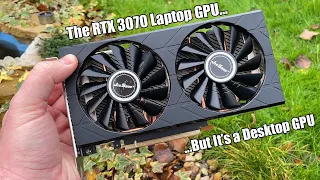
talk marlon in the area how are you guys don't leave this video because this is the most important video on this channel you will see these cards more with different eyes and with those dubious eyes like you can't buy because of the Drver problem that I have already brought this problem here for you but this video will totally change your mind don't get out of here I'll continue in this video after the announcement of our sponsor now you who still don't know the boat of our telegram boat By the way our telegram offers channel and now it has the price history of products and of course our telegram boat that you can register there your product that you want to observe and it will give you price alerts here and a history of prices of products are already being observed there beauty so just click and there in the Alie app xpress copy the link of your product and share it here with the bot that you will register your product for you to observe the price history so as soon as there is a change in the price or the boat will send you the alert whenever it is cheaper or more expensive whenever there is a change in the price it will send you an alert then you can make the monitor monitor the prices of the products you want to buy there on AliExpress that we had two price changes here so very nice fishing several here during this product so very nice this goat here will help you a lot to buy your products always at the lowest price beauty good guys as I've already shown you here I even made a video recently about this plate Let's show it to you here and on channel a a week ago I showed the video here for I said here right rtx 3060m don't buy this video card and this video card it even had a repercussion this video had a reperc Very cool use and it was from this video here that we ran after André Correia Even for those who have a 30 70 m Let's thank André Correia with André Correia who gave me the tip and he put it in the comments Ó there are some Russian videos in English talking about how to do it, you took a look there I said still don't send me a title please then he sent a link to a video here that I followed saw the procedure that the guy did there to install the drivers updated on this 30 is actually in an era on another card it was on a GTX 880m but the procedure that the guy did he took me to the procedure that I performed to install the drivers for this card so that's what helped there he asked if I got it and today I replied to him boy I got it I 'm making a video now that I'm doing it now at this moment to be able to show you the procedure so for you who have an rtx 30 60 m or an rtx 3070 m you will be able to You need to install the official NVidia updated drivers to be able to run your cute card with the official drivers and I'll go through the step by step for you here in the sequence Beauty so to contextualize that's it I didn't recommend it right to talk to you that I don't it was a good buy an rtx an RX 3070 m or a 60 m because of these Drver issues I'll even show you here the seller himself lets me open an ad here for example we have this one here o rtx3060m of 6 gb of the axle let me see if in this one he puts me open a video here that he puts the information about the drivers 30 60 and 30 70 are only suitable for 460 470 drivers that's what it's for mining right in mining driver 470 something and cards blocked because the cards go and say that it doesn't work with blocked cards if the card is not from my cell phone because these lots here in this ad don't say but let me see I think this one says this one either, I didn't find one ad here that talks about the issue of drivers this one is 3070 M 30 60 M if you use it on Windows you need a special driver after purchase we will send it to the driver is the driver is because of the translation right or the customer can be with us after receiving the goods that's what I did at the time when I bought my 30 60 M I got in touch with the seller and he sent me the drive link that worked fine until I installed it cute but it was a drive on the version including the version that is in the photo here you can see it here and then this drive right here 512. 15 when you install it is this drive here that is installed when you install the vendor's driver and not now I'll show you here, let's go there for our PC's screen and it's already here, look for you to see here the GPU Z screen I've already installed it here to see Of course I did the test before to see if it was really working and it's working pretty here rtx 3060 laptop GPU is the description and here in the ver 526. 47 31.
0. 15. 647 Drver date October 25, 2022 digital signature whql so here's the updated driver working running cute Let's open here the nvid panel is working here too let's open it here the system information on the NVidia panel and it's here DirectX 12 Drver version 526.
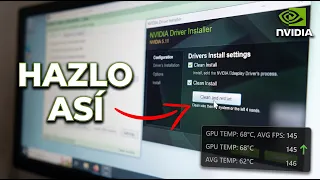
47 type of the ch driver and it's there 3000 3840 and countries video card information rtx 3060m and this same personal procedure it will work for rtx 3070m ok then I'm going to show you here how I got here how I got to this installation step by step here so I hope you pay attention cute do it the same way you'll be able to install the drivers just the way I did here and make this card work with the updated driver, let's even run a render here, let's see if it really works . the render here is very nice So you will be able to update the drivers of your rtx 3070m important detail we will need a driver for one of the files that the seller sends so I will leave you the link of all the files you need to be able to install these updated drivers when you when an error sends you the drivers it sends you two driver files you are pawn there and setup 2 setup 1 we will need it because in this setup 1 that installs the hardware devices in the hardware library your operating system So this is the key for this installation and in the official Drve that you will download from the NVidia website, we will only make a modification an inclusion in fact of a line in an information file and that will make the installer recognize that this video card there in the installation drives and it will allow the installation but an important point is also to make Windows is to disable the mandatory signature digital driver ra So I will also show you how to do it step by step so pay attention Follow the steps I will do here and you will be able to install it will make your card work properly with the most updated nvid drivers so I will do all the steps and I will teach you right at the end of the installation we will see here that it will be working nice with the most current drives from NVidia and you will be able to update later too Remembering that this modification in this inclusion of this line in the drive file you will having to do it every time you update the driver then it will work with other versions that are coming out but we have to make this modification in the updated Drver information file, remember that it is an official updated nvid driver that you will use to make the updates the first driver one provided by the vendor it serves to add the hardware information of the rest of the hardware in the database data the operating system is what it does I'm going to show you here this file it generates a problem then a personal difficulty cannot install it because it has a specific file there that is recognized by Windows Defender as a virus I'll show you for you here, his screen on Total virus really some antivirus recognizes it as a virus but some antiviruses don't and I'm going for those who don't recognize it's not a virus but remembering you'll do it here at your own risk I do it calmly because I know I know it's not the virus I know it won't affect anything on my computer but if you don't have the confidence to do it don't do it because then the person is at risk you are responsible for your machine I'm just giving the tip here but aware I'm already warning right that some antivirus will inform you that this specific file there that I'm going to show you is a virus but I'm going to install it, it will work pretty well then you will be going to activate Windows defender again or whatever antivirus you are using and it will work fine so you will have your video card there only rtx 3060 or 30 70 m with the updated driver from NVidia Beauty so no more delay Let's go there for installation step-by-step procedure here for the installation of this updated driver there on rtx 30 60 and 30 70 m beauty well so here the first thing we have to do is download the most current driver there for rtx 30 60 or 3070 Then on the official website and on the nvid so we Google there official nvid drivers let's click here and we'll land here on the advanced search page here for the drivers we'll put here in the first option GeForce we want an rtx 30 lashes of notebooks and the product family we want rtx 3060 laptop GPU Windows 10 64 bits which is what we are using here and we want a game reader driver from a Portuguese It can be or it can be English whatever we click here in proc urar and we will see that we will appear here 526. 47 which is exactly the one I showed you there Beauty so let's go click download here I will not download again because I already downloaded this driver So you download it click then to download and download this driver then we will need to download the driver that I told you about.
that there 51 512. 15 So the driver setup 1 of that drive there will be there in the first link of the video description that we will need to install it to install it Beauty so first step download the official driver second step download the driver and the seller send download send install third step we'll need a program to be able to unzip these files so I'm going to download the seven Zip here download the Zip site just put it here o download we click here on the little button Download the first option here, look, I 'm still 64-bit, click on download and install this little program here to unzip the executable file, we'll need to change the files there. here's the little program so we can do an easier search there in the file that we'll need to modify So we're going to download Notepad here more more also we're going to need it so we click here on download you'll download and install here the first option here just click below and download this problem there that is the note asks for more and I'll show you how you're going to use it here beauty so basically we'll need the official NVidia Drver downloaded from the NVidia website nvid of the installation driver that the seller has installed that I will leave in the first link in the description of the video of the seven Zip to unzip the installation files and the note asks for more more to we change the Drver's information file so that it recognizes our driver and can install it Beauty so until then we need four files, two files and two programs for us to successfully complete our installation there, Beauty so that's it so once the programs have been downloaded and installed, we will now resort to unzipping the files First let's unzip the files first so I already have here the official NVidia Drver file so I'm going to right-click on it and click on here after you install the Zip site it will appear here in the context menu of the right click then go to here o seven Zip You will click on extract there it will say that it is a folder it will create a folder with the name of the file it going to extract the file, then I'll extract it, it's already distracted so I'm not going to do the same thing again, we're going to do it with the driver that you're going to download there and I'll leave it here nk there in the video description is this little guy here and the same thing right click 7 Zip and extract to folder here with the same file name then it will create the folder and extract it I also did it I'll leave it here I'll leave it right with the cute folder that is for him to create it stays he creates several folders inside the other but I'm going to put a file there just to create setup 1 here, ok it will extract to this file here o setup 1 You will actually click this file here you don't need to distract it, but this one we're going to install it the way it is here, remember that I'm going to make only setup 1 available to you, which is just what we'll need so after all this process is done What that we'll do first thing You can install setup 1 Then we'll run that you step And I'll run it here just for you to see but I've already done this procedure so I'm not going to finish it because it can cause problems here in my installation but I I want you to If you pay attention to a detail, this setup 1, by the way, before doing this, you want this setup 1 here that gives the problem with Windows defender.
So before doing that, we have to disable the antivirus that you are using and Windows defend it if you If you are using any antivirus in addition to Windows Defender on Windows, we have to deactivate them all because there is a file in this program in this one file here inside this setup that Windows Defender recognizes as a virus So how do we deactivate Windows Defender and go here Windows settings update update and security Windows security you can click here on virus and threat protection Scroll down a little bit and go to virus protection settings threat You will click on manage settings and that in real-time protection you can disable is here yes the other options will also be disabled you can disable all of them and that's it Windows defender here the protection security temporal is already deactivated deactivated Windows defender you can close these windows here and you will run setup 1 ok let's run setup 1 here I want to show you a detail that probably on this screen you will be a little bugged because because the business is all in Chinese here but that's right this screen here with the words Everything bugged here that's right it's just unzipping a file here then it will open the normal NVidia Drver installation screen including If I'm not mistaken it even in Portuguese recognizes the language of the operating system so I'm going to advance here a little bit and come back to when the software installation screen is open Ready it has already opened here the screen is opening here the Nvidia Drver installation screen it will not let you install it here it won't let you install it here because I already have the most current driver installed, including an important detail if you already have an nvid driver installed, proceed with the uninstallation of all the nvid drivers that you have installed on your computer and then you install this driver here ok but as I have already done this process here I will close it here and I will give As already installed this driver and let's move on to part of change our official file from nvid so that we can recognize and show you how the installation of the official nvid driver is done how it recognizes the truth I'm going to uninstall everything here I'm going to show you step by step here of the installation before run that you're P1 we've already unzipped our official nvid driver here . go here in the file I'll give you the tip here o NV NV a Mig nva MG will right click edit with Notepad more more in this file here we will need to include a code in it here the code go that we will need to include in this file I will leave it here in the description of the video that this first line here Let me confirm for you here in this personal file we will need to make the following modification we will actually need to include two lines here is a line here I'm going to leave the two lines there in the description of the video and the right place for you to include these lines here is the following I'm going to get this description here, actually here in the file after I open the NV file amigo. infe we will search here for rtx 3060 laptop We will search here to search you give a control F control F search here rtx 30 60 we will have several occurrences of this information here we can click here to find them all in open documents, then we will have the first occurrence, which is this one, this one, the first occurrence, this one, which is the information that I have already included, so for you, the first occurrence a will probably be this one and it will be appearing there with at the beginning here on line 2027,630 probably This will be the occurrence for you that we will need to do here on this line if you double click here the cursor up here will to the line where the search is appearing there we will need to do what we are going to open a notepad I will copy this information here Control I open a notepad control Here I have this information here I need to find Where is this information information up here you copy here back here in the control file F here again is a Ctrl ized all the current documents there we will see that this occurrence has only one line here good people here in the nva Mig file we will search first we are going to fit the information of our video card So let's search here for rtx 30 60 l we will have that the first occurrence for rtx 360 laptop GPU this is the information that I already include is u So for you, the information will be different, it will probably be the one below here that we are going to do, we are going to copy this information here , now we need to find another occurrence , but it has this first number than this first sequence of characters here between quotation marks by the way between belongings So let's search again here we will see that we have it here, look down here the search appears you click twice it goes to this search here we will see again this information here in this line that we're going to need to do it now we need to change it to the information of our video card how do I get this information here on our video card I'm going to open an explorer here and with the right button on top of this computer I click in manage turn on device manager video adapters basic video adapter here I'll click on properties in detail I'll change here in the properties I'll put here the gent and it will take here the second option here right click copy we paste it there in our notepad file Beauty we already have our driver information here now here in our file you saw that we need two pieces of information right Let's copy this line here is the first line this line here with the information is the second line we need to change the others notice here this sequence of characters here reflects this sequence of characters here we are going to make a change here so we have to do our string here reflects this one too so let's get here NVIDIA device the meat video device site has 2520 and then the other string here o 2520 represents this one here and these eight numbers here represent this part here so what we have to do let's get this guy here make it equal what we need over there 2520 this sequence that will be 400 this sequence that will be four zeros this sequence here will be 10 we take this guy here and paste him here in front we have a line equivalent to the bottom line, but with our information from Adidas Our video network card the daily information from our video card video is the same thing down here we are going to get this number here that is between percents wear this number and it is here at the beginning before the video card information so here we copy this here this first information let's copy this information here that between and here in our file it will already be there selected with the previous occurrence that we searched you will press enter before then enter before and paste the information that we just created it will not be more or less there on line 926 and in the other in the other in the other search, right, we will search again here for 30 60 l so here before the first occurrence here, from 30 to 60 l, we will press enter here and paste this second information here, which is q which is without the parentheses without the percentile and there is the information from there of the name of our video card Ah so there will be more information here with the same information as us about the ID of our video card after that is done save gives a control s to save and now we can proceed with the installation of the two files Ok so let's proceed here now with the installation I have already uninstalled all the drivers here let's proceed with the installation here we see if it will work again me I'm going to show you exactly how you're going to install it.
Remembering that the Windows defender drive has to be disabled, I'm not going to get setup 1 here, which I'm going to leave there for download, I'm going to run setup here and yes, this file appears here with all the information well really bugs but that's right the string here is probably a string in chinese that is a personal will not have it here in the database so that's why this information appears the is buggy now we are going to proceed with this installation normally as if we were installing by the way. In fact, it will start the installation of the drivers here and yes it is version 1512. 15 that we will start installing it here but then we will move on to installation of the updated version I can put in put I can put express even go ahead just wait for you to see there that he has already recognized something there, there now he says to restart but we are not going to restart here, we will send it to restart later and what do we have to do now I'll have to restart and say to disable the option of digital signature of Windows drivers So how are we going to do that I'm going to click on Windows to restart right here holding the Shift key from the keyboard You will click and restart by holding the Shift key on the keyboard then holding the shift I click restart to show the advanced options in these options here a gen it will put you troubleshooting advanced options boot settings and it will give a restart here on this screen we will press it will need the Option there o disable driver signature enforcement Then we will click on F7 on the keyboard it will start Windows with the obligatory digital signature options are disabled, here's the important point, we don't go there and click on the nvid Drver setup, we'll install it when installing a drive in the traditional way here through the Windows device manager.
that an Explorer right click here on my computer manage it here in device manager you will see that it has already recognized that it is the nvid GeForce rtx 3060 laptop GPU but it has a little exclamation here because the driver is missing here so we will click here right click update driver there here we go instead of clicking that search for drugs automatically we go here a pr to find drivers on my computer we will allow me to choose a list of device drivers on the computer and we will click here in case you don't see anything here and in case you don't see anything here so we'll click here with the disk look for there you go there in the folder where you unzipped your driver updated the driver you downloaded from nvid So here it will be the folder 526. 47 the driver updated the display driver and that one we select that file that we made the modification, I'm going to leave this file together with the driver download file from the seller to make it easier for you . the correct modification there in the description link click here on Open I give an OK It takes a little while to process this command here it is normal they already depend on the computer that and you are using it but what probably won't change the information here for me then only this screen will appear for you it will appear like this nivida 3060 lapto only then will this information appear here right this must not be digitally signed no problem we have actually disabled the digital signature requirement we will click on next it will install the current drivers there this information will appear there about verifying drivers from the supplier But you can click here on install this driver anyway ready installed Windows has updated its drivers with them you can click on close here and restart the computer, let's check if it will have the drivers installed and with the NVidia control panel already the newest version we can see that the video came out without problems but let's see here ring NVidia Control Panel let's see if it appeared here in the context menu first here NVIDIA Control Panel agree and continue means that it was actually installed now and here it is Control Panel version 526.
47 nvid GeForce rtx 3060 laptop GPU successfully installed Let's open GPU Z here we confirm here there are 60 GPU laptop Let's open the render here the indemnified beauty is working there PC Express 4. 0 gtdr6 driver version 526.