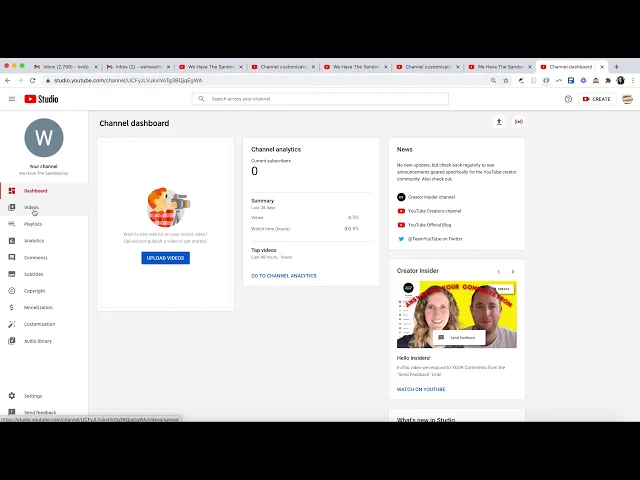
hello today i'll be teaching you how to make a youtube channel for your business in order to do this you want to make sure you have a gmail account because that'll help you to have a youtube account ideally it's one for your business so once you're logged into that account and you're in youtube on the top right you'll see a little initial for your name of your email address and you can click that it gives you options and the top one is create a channel so we're gonna click get started and uh the journey will
begin so here you have the option to use the name you already have or make a custom name i chose a custom name so that i can make sure the name of my business is what i want my channel to be my business is we have the sandwiches because everyone loves a good sandwich and once we hit create we have the option to choose to use youtube as either your email address or this new channel you created and i'm going to choose the new channel i created and here you have the option to upload a
little picture to represent you some folks might want to use a logo in my case i'm gonna be using sandwiches and here you can say something about your business you'll have opportunities to change them later for just now i'll put sandwiches and here you can put a lot of links to your websites your other social media channels anything you can plug them in there and they'll come up on your youtube channel later so now that we're here let's hit customize channel and we're going to click out to learn more because we're learning right now now
we're here at the channel page and we can look into our branding there you can see the profile picture you can change your banner image at the top of your page um you're going to be real surprised by what i switched this one to it's a deli which has sandwiches and once that loaded in our basic info we have all the stuff we just made here you can find your channel url so that's the thing that people can use to reach you if you want them to and you have the opportunity to actually edit the
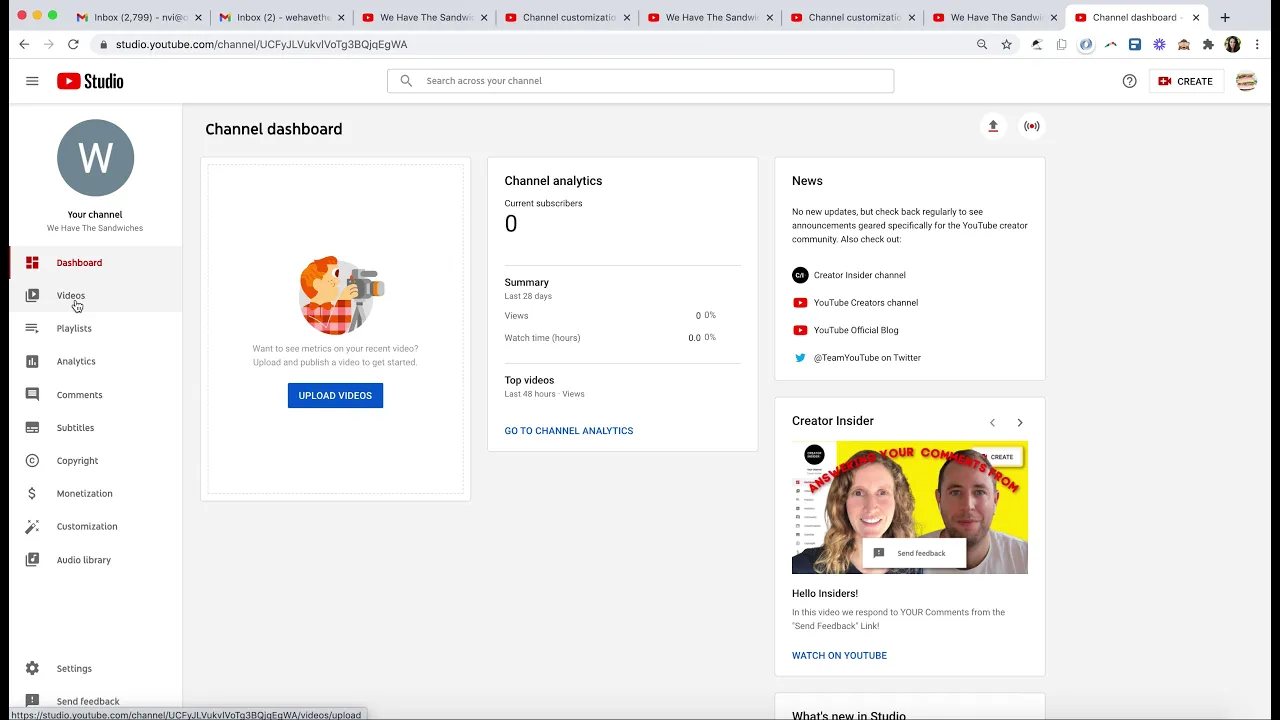
end to whatever you wanted it to be um so i might want it to be we have the sandwiches or any other name and here we share any more links that we have your website name your url and your contact info should you want that to be on your channel great and we hit publish so that it's online we can go to channel um we can also go to look at our dashboard and our videos we have playlists analytics on videos you might have already i'm gonna go down to settings hit channel and make sure
my country is registered as the country i'm in for me right now it's the united states and i want to do any keyboards that are related to my channel so for me it might be sandwiches um dallies food you know sandwich shop it's whatever is related so that you'll come up in those kinds of searches and the rest is pretty good as is the advanced settings just useful to look through but these are all perfectly fine so here you can hit save and we can click our channel link on the top right to just look
at our channel again right now we don't have any videos on here but normally be populated with your videos if we go up to your channel page again and we click settings this is to change a few more things how we appear on google how we appear on our youtube channel these are also different ways to access our settings here it's important because you can remove or add other folks to manage your channel maybe you have someone who works in social media who will be using the channel that's not just you who'll be posting regularly
it's not just you so here you have the option to add permissions add other users that can use the youtube channel so maybe an assistant you can give them permissions by plugging in their email address in this case assistant we have the sandwiches and you can roll which means they can manage stuff or they're the owners different levels of permissions to the youtube account and there you go you're good to go you have your beginning youtube account time to upload some videos take care thank you