All right, guys. So, welcome back in today's video. This is one of the best opportunity when it comes to F channel right now.
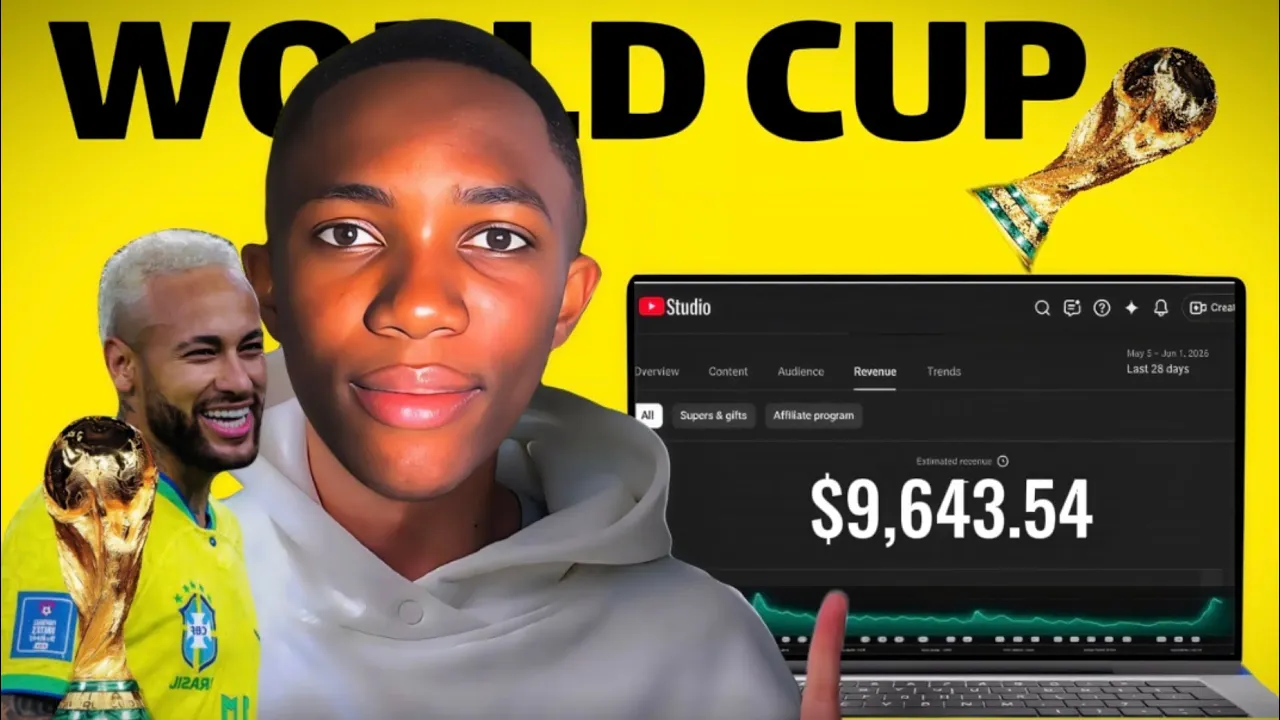
In today's video, I'm going to create a new football channel and make up to $10,000 during this World Cup. If I say football, you might probably be wondering with everything that is happening with YouTube right now, are you sure, Joshua, that you are going to get monetized? And I thought about it and this is why I'm going to share with you two different channels just to show you something and pay attention right here.
So this first channel is actually called Tuan Football. You can see the subscriber 13K subscriber. This simply means that this is not a big channel at all.
Anyone can replicate the same thing simply because this is based on short videos. If I go to the video side, you can see that it actually only posess two videos. So this channel is not based on long videos, only on short, right?
And pay attention, you will see something real quick. So if I actually go down, you can see that this channel actually got, you know, 21K views, 99K views, 11K views. So this channel actually get very low views when it comes to short videos, 10K.
So probably I think this channel might be earning around or might be getting around 1 million views every month. Pay attention to this real quick. Okay, so if I actually go up right here and I go to more, click on share the channel and copy the link of this channel.
All right, head to this website. This website actually allows you to check if a channel is actually monetized. For those who are actually wondering if it's possible, what I'm going to share with you in today's video is actually possible or you are just going to waste your time.
If I click on check monetization status, we are just going to wait a few seconds and you can see that Dan Football is actually monetized. And if I actually get the same link, okay, and get to this website, Social Blade, and actually copy it right here. All right, so this is actually what we need.
You can see that in the last 30 days, this channel actually got up to 2. 4K subscribers. But this is not why we actually here.
So you can see the views that this channel actually got the last 30 days, 3. 6 million views. You can see the estimated revenue around $900 to 15K.
So probably I might think this should be around 1,000 or $2,000 with a channel just with 13K subscribers and it comes to short. You can see the opportunity here. So what I'm going to share with you in today's video, bro, if you focus and you watch this video today and you are going to make a lot of money and you don't need millions of views, 100,000, 200,000 million of views with short before you can make this kind of money.
Now let me go back all right to the YouTube actually and share with you the second channel. This is where I want you to actually pay really really really attention. So the second channel is actually called Footy Rank.
If you actually heard the name very well, Footy Rings and this exactly what YouTube is demonetizing even the word rings. You can if I go to the channel, you can see very well. If I go to the channel, first of all, you're going to see that this channel actually has over 300,000.
Let's just say 400,000 subscribers, right? And this channel only post short as you can see as the last one only short. You can see the views.
You can see the last video 2. 8 million views, 3. 8 million views, 11 million views.
Bro, this channel got millions of views. Millions of views. But what does he do?
You can see that he actually do ranking videos. He put plenty videos together. He actually ran them.
And this is exactly what YouTube is demonetizing when it comes to short, right? If I go to the maybe the last video, the last channel that actually shared with you, you can see the difference right here. You can see the difference right here.
This channel actually does not do anything like ranking. Okay? Okay.
So that's why I say watch this video to the end and you can see exactly the way I'm going to do it. So you also can do it the same way. If I probably pick all right the link of this channel for the footy rank.
The only thing we going to check is if this channel is actually monetized or not. So let me just pick copy it. Come to the YouTube monetization checker.
Then I'm going to copy it right here and click on check monetization status. And you're going to see after some few seconds, bro, you'll be shocked right now. And boom.
As you can see, this channel is not monetized. And this channel has a lot of subscribers, over 400,000 subscribers, getting millions of views, but yet is not monetized. So, bro, it's not about having a lot of subscriber.
It's about doing the right thing. And that's exactly what I'm going to share with you in today's video. So, what are we going to do?
It's very simple. In this same video, we are going to create a new channel, the football channel, we are going to go into the settings to set up all the needful settings for our channel. Because when it come to football channel, the settings are very very important.
It's not the same way you create any entertainment or education channel that you set up the same settings for a football channel. So stick to the end of this video and after that I'm going to share with you how to create a video. We are going to create a video together and you can see the right way to do it so that you also can do the same thing.
So if you're ready, let's jump right in. All right guys, so the first thing we are going to do is to create a new channel. And for that you just need to create a new image.
All right. And to do that, you just click on create a new image and you use the for my personal use. But if you already have another image that you want to use, you know, to create your channel, fine.
All you have to do is just to go to uh YouTube actually. And once you are on YouTube, all you have to do is just to come right here and you can see over here they have written view your channel. If you don't have a channel that you already created with that email, you can see they will actually write here create channel.
Create a channel and all you have to do just to click create and that's all. From there, if you come here, you will see view your channel. So once you actually click on view your channel, this will be your channel, right?
So maybe the name maybe you've using to create the email be written here if you haven't chosen a name. So once you're here, all you have to do is just to write or choose the name you want for your channel and probably to do that you just click on customize channel and actually you you actually head to the YouTube studio on desktop and once you are here don't bother about banner okay for this kind of channel you don't need anything like banner just your profile all right but what I actually suggest about the profile don't use like nema or any footballer profile all you have to do is just to use your own profile maybe you might actually wear up a club t-shirt or anything that refers to football something like that is very very important but use your own image. All right after that you actually go down right here and then this is the name.
Maybe you might type anything you like. Maybe if it was me like for this part you need to actually take the time to do it. So I'll just explain to you and I'm going to do it later.
All right. So maybe I might just type Josh foot something like this and then I'm good. And after that you just click on publish.
So you just have to choose your name. After that the most important step now is the settings right. So go into the settings right here.
And this is where I need you to pay the most attention because how to you do the settings for an education or entertainment channel is not the same for football. Right? So once you come to the settings the first thing is to go to channel.
So right here you have to choose um your country. So you can choose any country right here. So maybe I might choose Brazil.
All right. Right here the keyword very very important. You need to actually type in five to 10 keywords related to the kind of video you want to do.
So basically related to football but most important since we want to create this about the world cup. Right now you need keyword related to the world cup. So I've already prepared it right here.
So let me just copy and then we come here and then I paste it right here. And you can see world cup, FIFA, world cup, football news, soccer news, world cup and etc. After that you go to the admin settings.
When you come here, no set this no channel is not for kids. Okay. And then you actually go down maybe automation captions.
No, you just leave it as it is. Come to the future eligibility. Very very important.
You need to actually turn on this too. Simple. Because if you don't turn this on, your channel is like a robot.
It's like is a robot that is actually running it. So the trust score will be actually low. To do that, you just need your phone number.
YouTube is actually going to send you a code on your phone number and you're just going to verify it. That's all. So now come to the upload default.
All you have to do here is the visibility. Put it on unlisted so that if you post a video, you'll be on unlisted. You have a time to add anything that you want before putting it on public.
Then the admin settings right here, most importantly category. and you actually go down, okay, and you see sport right here. Very, very important.
Now, click on entertainment sport. That's it. And you actually check your language right here.
Maybe English and also the language for the title and description. English. I'll do all this later on.
Okay? If not, it's going to take a lot of time for this video. And probably that is it.
You actually click on save and you good to go. You already have your channel. So if I go back to the channel right now, you'll see this is the channel.
So if I click on refresh the page, you're going to see now. So basically this is my name and this is I haven't already found the profile that I'm going to use. So this is the channel how it's going to look like and that's all you need with the settings that we've already done.
All right guys, so let's start with the step number two. This is the most important part of the video. This is where we are going to start the creation process.
And first of all, we are going to look for video ideas. And to do that, go to Google and type anything you know that will be actually trending about the world cap right now. Type it and do research about it.
For what I want to do for my first video, something like that actually type Neymar news right simply because for the world cup right now, Neymar is the most talked about when it comes to the subject the most about it is Neymar right now. That's why I want to tell Neymar. Okay.
You go to news. Okay. You can do this for any national club, any other footballer, anything.
All right. So, if I actually come here, you can see that if you go to news, you can see this is actually 23 hours ago. So, you can see that there are plenty news here.
This will actually help you to have video ideas. That's the goal, right? Because you don't need video long or complicated video ideas to make long videos.
This is just 20 30 second short videos. So you just need ideas that are actually trending or just news to make it idea. That's why this meant to be original.
All right. So basically if you come here you can see 23 hours ago, 4 days ago, 2 weeks ago. So you can see a lot of things right here that actually serve as video ideas that you can actually use.
Right? So if I come maybe to this one actually 23 hours ago this is actually in French for those guys who don't actually know me. I'm a 100% French guy.
So you can see that this is actually in French and what I'm going to do as for me I've already done the research so I already have the kind of already my video idea the first video idea I want to do. Okay. So all you have to do after you find your video idea, go to charg.
All right. And we are going to use it to actually have our script very fast as possible. If you want you can type it.
If you are into football, you don't need to create something or to just write a 20 second video script, right? Or 30 second video script. But we going to use I already, you know, created my pro right here.
You can see hello GPT. I like you to create a script for me to use in my video about news of Venus's junior commenting that Nema will take the Braz start the video with a 5second hole. Then develop the topic and finish with a call to action.
I want the video to be 20 to 30 second long. Simple as that. And actually click on send.
Now we just have to wait some few seconds and this easy. We even have two different responses to choose end. So first of all you can see that big news from Braz Jun said that deserve the call to action.
What do you think Brazil number 10 at the world cup? Drp your opinion in the comment section and follow for more football news. This is actually great already.
If you if I want actually I can actually take this and add new things and maybe modify a little bit. But this is already good. And so all we have to do is just to copy.
Okay. And as we copy it, the next step is to work on the voice over. Right.
And to generate the voice over, all we have to do is very simple. Okay. Now let's copy our script and open lab.
So we can generate the voice over. There's really no secret about using lab. Okay.
Just start by click on the text and here you can paste your screen. Right here on the right hand side we have few voices settings. Under voice you can choose whichever voice you actually like.
Okay. There are loads of voices available. You know deeper voices, higher pitch voices, voices with more tone, different accent and plenty of other option.
Okay. So you can choose whichever voice you actually like the most. You can adjust the speed, stability, similarity and style.
I'm going to play so you can actually hear how the voice of my video actually turned out. Vin Junior just confirmed who will wear the number 10 shirt for Brazil in the World Cup and the answer didn't surprise anyone during an interview for Classic TV. All right, bro.
That actually sound pretty good for me. It doesn't really sound like AI. Actually, that's the power of 11 Labs.
So, now that we've actually created the script, generated the voice over for our video, we need background clips for by Neymar and actually Venus Jr. to actually, you know, put everything together in Cap to make our video. And to do that, we are going to download videos.
All right. And for that, before we head to our cap, let's open Tik Tok and find those clips that we actually need. And I'm also going to show you how to download this video without a watermark on Tik Tok.
We are going to search for Neymar videos. All right. For example, Neymar Jun arriving at a match.
You immediately find plenty videos on Neymar arriving at games. You can already use some of these videos. maybe Neymar training with the national team.
So that the kind of video you want to you really want to illustrate your story, your idea, that's really what you need to actually search for. All right. And let's start with this clip of film arriving at the cent's match.
So what we are going to do is to copy the link. Okay. Now we head to snap tick which is very useful useful website that help you to download this video without watermark.
So actually paste the link right here. Click actually download HD video. And now a short advert will actually play.
And after that you have a video download without a water mark. Great. Right now now that we have our clips and everything ready, we are going to go into the editing part.
And for that let's jump into our cap cut and finish the editing. All right. So here my cup I've already added all my background music and everything.
So let's start by placing the voice over on the edited timeline, increasing the volume slightly and then cutting the silent session in the audio. All right. And to do that is very very simple.
You just position the play head here. Then press Ctrl B. All right.
Ctrl B. Ctrl B. And we are going to remove all the you know silent part of the video.
It's very important if you want to increase the retention of your video. All right. So I've already removed all the silent session for the audio and take a look at the difference right here.
The video length was actually originally it was actually 34 seconds but just right now we already have 31 seconds. So this is minus 3 seconds. So we actually gain 3 seconds retention.
So what we are going to do now for the editing is very very simple. Okay. You need to actually sync everything together.
Whenever the voice mention Ven Jun, you need to show Ven Jr. and whenever he actually mention Neymar, you actually need to show Neymar. For example, let's play it.
Vinnie Jr. just confirmed who will wear the number. So, right here, he's actually talking about V Jun, right?
So, I'm going to add a clip of V Jun practicing his finishing. All right. All right.
So, let's take a look. Vinnie Jr. just confirmed who will wear the number 10 jersey for Brazil in the world.
All right. Perfect. So as soon as the narration changes, I can make a cut and switch to the next clip.
All right. So now that you actually understood the process how to make the LED and everything, add everything and make it actually perfect. What I have to do now is go do the work and after I've done it, I'll come back so we can see the result together.
All right guys, so I've already finished everything. So let's take a look at the final result how it actually turned out. And if you actually like it, don't forget to subscribe, like this video, comment.
You actually support a lot and help a lot. And I'll see you in my next video. Until then, three, two, one, play.
Has just confirmed who will wear the number 10 shirt for Brazil in the World Cup. And the answer surprised no one. During an interview with Cass TV, Venicious Junior spoke about the numbering system for the Brazilian national team and made it clear that the number 10 shirt already has an owner.
According to the Real Madrid forward, the 10 is Neymar's. That's obvious. Vin had been getting a lot of attention in Neymar's absence from the squad, but now with the Santos star game indicates that he will reclaim the most prestigious shirt for the Brazil.