[Music] hi and welcome back to life for university this section is on manage site configuration so one of the great things about sites is that you can have site membership there are three different kinds of site membership there's open restricted and private with open any library user can become a member of that site with restricted a library user can request to become a member of a site and with private a lifer user can't request to be a member of a site however a site administrator can add a user to this site just like regular roles
you can create site roles that can be dedicated to site members and this helps to give you a little bit more control over what permissions are defined for each site member something to remember is that site roles are defined for all sites however custom roles are added platform wide within sites we have something called teams and site members can be added to a team to have permissions on a specific site resource so you're probably wondering what are the differences between site roles and teams well site rules can give you access to any number of resources
in a site while teams only give you access to specific permissions for a specific site resource to put things in perspective site administrators are not able to create custom site rules however they can manage permissions for site members who exist in teams dedicated to this site now let's talk about what site membership looks like for public and private pages for public pages a site membership isn't required so anybody can really access a public page however for private pages you must be a member of that site in order to interact and collaborate on that private page
now cool feature about sites is that you're able to have both public and private pages within the same site for private pages existing in a child site a member of a parent site will not be able to access the private page on the child's site they would actually have to become a member of the child site when it comes to sites and organizations sites can be associated with an organization also in the organization creation process you can create a site however it's not required that a site is associated with an organization in the control panel
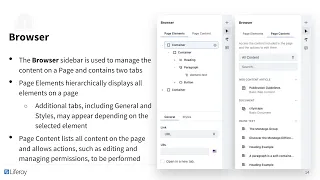
you can access the site administration panel which will help you with site navigation you'll find things like build content categorization recycle bin members configuration and publishing if you're wondering about custom navigation you can add this by going in the site administration panel under build you can also utilize the navigation menu widget earlier we were talking about parent and child sites and liferay provides a great way to manage site hierarchy however there are some important things that we need to keep in mind when it comes to site hierarchies child sites do not inherit the members and
roles of their parent also access needs to be defined for each individual site users with the site administrative role do not automatically inherit this role when a child site is created however if this is something that you wanted to do you could create a site role based off the site administrative role and add the manage subsite's permission we've hit the knowledge check so feel free to pause the video here and take some time to fill in the blanks when you're ready go ahead and click play and we can go over the answers alright let's go
over the answers there are three different kinds of site memberships open restricted private sites allow for both public and private pages organizing sites hierarchically gives administrators more precise control over pages content app data and site members thanks again for joining in on this section of life for university and we look forward to seeing you in the next one