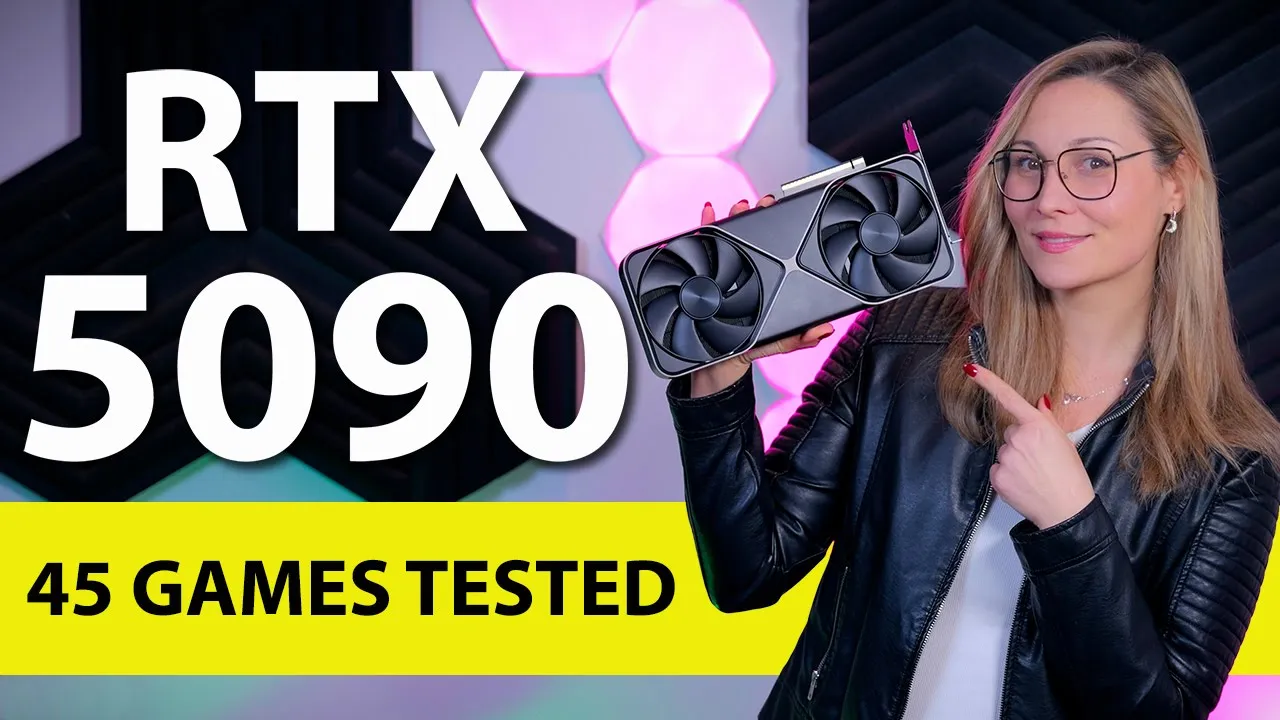
so this right here is the new GeForce RTX 90 graphics card and according to Nvidia this is supposed to be the new fastest GPU on the market so as usual uh we spent the last couple of days and nights uh testing this card in 45 different games on three different resolutions and in this video uh I'm pretty much going to talk about what kind of actual raw performance can you expect from this card as well as what nvidia's latest dlss updates including multiframe generation can add to that mix and there is a lot of data
to go over today so without further Ado let's begin now when it comes to this new Founders Edition uh everyone was kind of expecting an even larger and chunkier uh RTX 4090 type of a design but instead this RTX 5090 is a smaller two- slot model it is still pretty long and pretty tall so case compatibility is still something to keep an eye on but this slim form factor definitely stands out a bit more and then especially so when you compare it to other 50/90 models that have been announced so far the biggest change is
the Dual flowthrough design with both fans pushing the air through the heat sink and they made this possible by making the actual PCB very small which is actually impressive uh when you consider the size of the Chip And the fact that it has 32 GB of vram around it now keep in mind you do need to have some space around the top of the card uh for the air to actually go somewhere now like with the previous Founders Edition models there are not that many physical features to talk about uh there's no dual bios there
is no RGB and there is nothing that can really distract from that clean all metal design on the rear I/O you get three display port 2.1b connections and one HDMI 2.1b and to power it up you still need a single 12vt 2x6 cable uh which a lot of modern psus come with Nvidia does include an adapter for four regular 8 Pin PCI power connectors and this time around the adapter itself is a bit longer and much more flexible than it was before uh which is definitely a nice upgrade now if you look at the specs
uh there are quite a few changes with this new generation uh there's the new Blackwell architecture of course uh but the actual chip is a lot bigger than on the RTX 490 and you basically ENT up with around 30% more Cuda RT and tenser cores you also get 32 GB of vram compared to 24 GB on the 4090 and this is the first GPU to use gddr 7 memory with some much higher memory clocks and about 77% more memory bandwidth also we are finally moving to PCA Gen 5 with this new generation now the production
process is actually the same as before and it comes with a pretty high 575 watt tgp uh but I'm going to talk about the actual power consumption a bit later in this video with the MSRP of $2,000 which is a 25% increase from the RTX 4090 uh this card is very clearly aimed at PC enthusiasts that just want the very best gaming experience and have plenty of money to spend or people who need a strong GPU for Content creation for example or maybe AI workloads where more performance will save you some time and some money
in the long run it also means that this car doesn't really have a direct competitor but I do think that the target audience are current RTX 4090 owners that just want the very best and will probably upgrades to this card as well so for this video I've also retested the RTX 4090 as well as the best GPU that AMD has to offer uh the radon RX 7900 XTX and of course everything was tested with the latest bias updates latest drivers and latest Windows updates and it was all tested on an AMD ryzen 9800 x3d System
since this is the fastest gaming CPU that you can get at the moment now if you want to know more about the testing bench I was using and uh all our testing conditions I'm going to leave all the details in the description box down below and you can go ahead and check it out anyway starting with Alan Wake 2 the RTX 90 was was doing 100 FPS on average at 4K resolution compared to 75 FPS with the RTX 4090 that is a 33% Improvement and a difference that you will actually notice when playing the game
at 1440p the difference is a bit smaller about 28% and even at 1080p the increase is about 25% compared to AMD the 59t is about 72% faster in this game in Formula 1 23 on ultra settings that include some rate tracing the RTX 590 is about 35% ahead of d490 at both 4K and 1440p with a slightly smaller gap of 30% at 1080p resolution compared to dxtx the 90 is actually more than twice as fast at 4K resolution and 1440p resolution and still close to twice as fast at 1080p as well in Remnant 2 the
RTX 590 is about 32% faster at 4K resolution when you compare it to the uh 4090 the Gap is a bit smaller at 1440p resolution and we have a tie at 1080p but when you compare it to the AMD at 4K resolution it is 46% faster in cyberpunk 2077 on high settings without any rate tracing uh the 90 was 36% faster at 4K which is great because uh going from 87 to 188 18 FPS will be noticeable on a 4K 120 HZ monitor but at 1440p the difference is smaller and at 1080p we are just
CPU bound and keep in mind as gpus get faster and faster more games will hit CPU limitations at higher resolutions so in balers Gate 3 for example the improvements are insignificant at 1080P and 1440p but at 4K resolution the 59t is still 18% faster than the 4090 and 67% faster than the xdx in Spider-Man remastered we are clearly hitting the CPU limit on all resolutions uh with a slight improvement over the RTX 4090 at 4K resolution but not all games behave the same and if we look at Assassin's Creed Valhalla for example it shows a
10% Improvement on all three resolutions which still makes it nearly twice as fast as the AMD at 4K and it is the same in Starfield with a 19% of an improvement at 4K a 177% on 1440p and a 12% increase at 1080p resolution compared to the RTX 4090 now Starfield is an AMD sponsor title but uh if we take Indiana Jones for example which is actually an Nvidia sponsored title uh the result is very similar when running the game on ultra settings uh with the 50/90 being about 10% f faster than the 4090 uh on
1080P and 1440p and about 15% at 4K resolution now testing any new product with new drivers can cause some issues sometimes but I have to say that most of the testing went really well with uh only Space Marine 2 showing very unusual result I would say so the RTX 5090 was 50% faster than the RTX 4090 on 4K resolution and twice as fast as the XTX which is pretty great but then at 1080P and 1440p the game would not go over 155 is FPS while the same system with an RTX 490 actually did much better
now to save some time I'm not going to talk about 45 different games individually so uh let's look at some summaries instead as starting with 1080p resolution now I don't think that you should buy a $2,000 GPU for 1080p gaming uh unless you play competitively and make more money with it than it will cost you but if you really want to this is what you can expect looking at the games with the highest average frame rates it is clear that this will get you very high FPS in games like CS2 or seed or pubg uh
actually more than most current monitors can display this card will run any game really well at this resolution with only the Microsoft flight simulator uh and its 2024 version running at less than 100 FPS because this game is very CPU limited now the RTX 90 is not really a 1440p card either but again it will run everything at this resolution really well if you're looking forward to the new 1440p 500 HZ monitors I guess it can make sense to buy this card uh with some of the fastest games running in that sort of FPS range
now if you look at 4K resolution uh most games will run better than most 4k monitor can display as well uh some of the heaviest titles might drop below 100 FPS uh but that's what upscaling is for and when you combine this sort of performance with the fact that dlss is really widespread at the moment and really good at the moment uh this card would be great for anyone who is considering to game on a high refresh rate 4k monitor or uh even Beyond 4K resolution compared to the 4090 the RTX 5090 is on average
28% faster at 4K resolution now there's a couple of games with small or near insignificant differences but most games will run between 20 and 40% faster now as you run into some CPU limits at lower resolutions the number of games where the RTX 90 is that much faster is obviously smaller so at 1440p uh in the majority of games we tested the gains were less than 20% with the RTX 5090 being 16% faster on average and at 1080p the average is about 9% but there's still some titles for a d590 is significantly faster than the
RTX 4090 now I don't think that many people will consider the RX 7900 XTX as an alternative here but it is the fastest card AMD has to offer and this is how they compare now the AMD does cost less than half of the 5090 so it might offer better value on average but the RTX 90 is in a different performance class and as you can see in this graph there are games where it is more than twice as fast as well since this is a new Nvidia GPU there's obviously a lot more to it than
just raw performance and the main feature this generation is dlss 4 and multiframe generation now with the previous generation we had dlss 3 frame generation uh that generates one extra frame in between regular frames and this dlss 4 multiframe generation goes a step or two uh further generating three frames in between regular frames which should make the overall experience even smoother than before now I do have to say that I don't agree with Nvidia that it is fair to present multiframe generation data next to Native FPS data and then suggest that this new generation is
somehow eight times faster than before because you do have to take in consideration that frame generation is a complicated topic and that it requires some Nuance that Nvidia sometimes forgets to add when it's in their favor but also uh some people in the community forget to add that Nuance as well and end up calling frame generation fake frames or something which I also don't really agree with because in my opinion frame generation can actually be a very useful feature in certain situations just not always always uh it can really improve frame rates in games like
uh Microsoft flight simulator for example which is a slow paced game that is not that latency sensitive and that is very CPU bound so here frame generation can work around that bottleneck really well and offer a much smoother experience uh it can also be very useful in really heavy fully path Trace games where the extra frames can also just smooth out the overall presentation but it is not useful in competitive titles where latency matters a lot and where every millisecond can make a difference between uh winning or losing a game uh it is also not
great for games with a lot of big camera movements where uh generated frames need to happen really quickly and fill in a lot of content which is obviously much harder to do so you really have to take several things in consideration here before deciding if it's it's good or not uh with the LSS 4 multiframe generation I think the overall experience of image quality has definitely gotten better uh it feels faster and it seems to do a better job at handling movement overall and as I said before uh frame generation is not suddenly worth using
all the time but where frame generation was worth considering before a dlss 4 multiframe generation will be better than dlss 3 so later this month multiframe generation is going to be available in 75 titles which is an impressive list already and we should probably expect to see it in even more games after that but right now uh I only had access to it in a couple of titles so I cannot form a full verdict on it just yet I can just say that it looks promising at the moment so if we look at cyberpunk 2077
in the fully path raced RT overdrive mode at 4K resolution native with no upscaling uh it is basically unplayable even with a RTX 5090 and if we add super resolution to the mix we can see playable frame rates on both the 90 and the 4090 and much better latency as well so the starting point for frame generation is significantly better with the RTX 5090 so with adding frame generation we definitely got nicer FPS numbers but it definitely has an impact on latency as well on the 590 we went from 30 to 34 milliseconds and on
the 4090 we went from 35 to 42 milliseconds so the latency impact is smaller with the 15/90 and it can add frame generation while still showing a similar or even tiny bit better overall latency than the RTX 4090 without it now with the 1590 specifically we also have the extra uh four times or 4X option which leads to almost 280 frames per second at a cost of another four milliseconds and I don't think that is that much and it's definitely worth maybe using it if your monitor is fast enough so you can see if you
like it and then choose whichever setting you prefer in Star Wars Outlaws on ultra settings with all RT effects enabled we get a very similar picture both the RTX 5090 and the RTX 4090 are really struggling on Native 4K resolution then adding super resolution Mak things way better in this game and we can then choose to enable frame generation or not at the cost of a couple of milliseconds in latency and on the RTX 5090 specifically we have the multiframe generation option for even more frames at again a small increase in latency the latency result
on a 90 with dlss 4X is the same here as the 4090 with just upscaling which I think is a good result but as always with just using upscaling on the fastest card possible your latency will be the lowest possible too in Allen wake 2 also with all RT effects enabled the result is still the same so native is impossible to run upscaling is a big Improvement and a perfectly viable way to play on either card and frame generation is there as an option if you want a bit more smoothness while sacrificing some of the
latency gains uh you just had with just upscaling now you could argue that frame generation time 2 latency on the 90 beats the 4090 latency with frame generation disabled uh but if you are fairly latency sensitive I would just pick the 105 FPS average with the lowest latency overall Dragon Age The Veil guard with the highest settings and rate racing is not as heavy to run and actually does fine on 4K native uh with just upscaling both the frame rates and the latency are improved and I think this is the best way to play this
game on these cards but dlss 4 is there as an option and you can see if using it will be better for you or not and I think that's the main thing to take away from all this um making it as a feature that you can use if you like it but you don't have to use it if you don't and depending on your system uh your own sensitivity to latency and to frame rates and on the game that you're playing uh you will have to see for for yourself if and when you want to
use it but it is good to have an option and it is good to see that they are actively working on it and improving it both uh in image quality and also in overall experience now another feature that I want to talk about today is the new dlss Transformer model uh which changes the way uh dlss upscaling Works significantly so image stability ghosting and fine details have really improved uh to the point where it really feels that dlss has been completely overhauled so with these rate tracing heavy games that benefit really from extra performance and
where image quality is just really important it is such a big step forward and this upgrade is not exclusive to this new 50 Series cards but benefits all RTX cards so it is definitely worth pointing out today another interesting feature is the new dlss override in the Nvidia app so instead of having to mess with the dll files in games that only had older versions of dlss integrated uh you can now just override that existing version and its settings directly from the Nvidia app so if a developer doesn't update their dlss model or doesn't add
a new menu option for a multiframe generation you can just theoretically apply it yourself or at least in games that Nvidia tested to make sure it works properly now I was able to use used this in Dragon Age and Marvel Rivals and in those games it did just well now there are some improvements on the Creator side as well because a $2,000 32 GB card is clearly aimed at creators too uh so there are some new decode and encode options available plus uh there is an extra encoder added which would definitely help video editors nicely
now I did run a couple of General application benchmarks and the vray RTX shows a 37% improvement over the RTX 490 uh blender depending on the scene shows an improvement of 30 to 45% over the RTX 4090 or close to 300% compared to the xdx and ul's new AI Tex generation Benchmark shows a 30 to 50% Improvement uh in tokens per second depending on the model uh which makes it about twice as fast as the 7900 XT x with a much better time to First token as well which brings me to Power draw because that
has also gone up by a lot so in a worst case um really GPU heavy scenario it was pulling around 574 Watts on average which is in line with the specs but that is also a third more than the 429 watt RTX 490 was pulling and um I know that it's using the same manufacturing process process but I kind of expected some sort of efficiency improvement with the new generation now it doesn't always use that much there are games where it sits closer to 500 watts or even a bit lower uh but if you push
it to its limits this is the number that you should expect to see I mean if you're already sitting there with your $2,000 in hand and you're ready to buy the first possible RTX 4090 upgrade in 2 years uh you probably won't care about your power build too much uh but you will need to make sure that your case cools well enough and that it has a decent power supply to go with this GPU and I would say that a good 1,000 watt model is a minimum requirement with the CPU like this one or a
12200 watt model or higher uh if you go for a higher power CPU like a a 9950 x3d or a core Ultra 9 285k and I was surprised to see that the nvidia's two- slot design was cooling a 575 watt card pretty well uh it is definitely audible under load but it is far from being really loud while still showing reasonable thermals a 74° on the cores and 88 degre on the memory is a very decent result and I'm pretty sure that some of the bigger partner cards will show uh lower temperatures and lower noise
levels but considering the power draw and the size of this Founders Edition this is an impressive result unfortunately uh my car did come with a coil wine that you can really hear quite intensely sometimes and then especially so in testing lower resolutions but even at high resolutions and higher frame rates the coil wine was sometimes so intense that it was making more noise than the noise the fans were making now coil wine is usually sample specific and you should definitely check more reviews and if they mention it as well but so far uh we did
hear that this is not an isolated issue which is such a shame because it does put a big shade on nvidia's thermal engineering which was done quite well um but it all kind of gets lost between the coil wines so I really do hope they look into this a bit more so there's still plenty of things to look into and to consider when it comes to this New Generation Um I do expect that opinions on this RTX 590 will vary a lot because I think that some people will think that a 30ish per raw performance
increase is a very nice upgrade and there are definitely some games and workloads where the RTX 5090 is just noticeably better than the RTX 4090 plus um I do think that it is great that Nvidia is constantly working and improving on a lot of useful and pretty interesting features uh which is a very positive thing even if a lot of us might disagree on how they present some of their data but I also think that some of you out there will be disappointed with the fact that this extra performance does come with a similar increase
in price and increase in power draw which means that any uh cost per frame or performance per watt calculation will not look as great unless you add multiframe generation to the mix which I don't think is a right thing to do but at the end of the day the target audience for this flagship RTX 5090 is probably not going to be that bothered by the price uh by the performance per watt or by Nuance because for that group the only thing that matters is how much faster this card is than the previous fastest card and
which power supply will it need so uh whether you're going to use it for gaming or for work where a faster upgrade will save you time and money this is the fastest GPU that money can buy at the moment and then you can decide for yourself if this is something that you would like to have or not that's it now this is all I had for today I really hope it was helpful at least a bit uh but before I go let's check out the sponsor of this video this video was brought to you by
seasonic and their vertex power supplies these fully modular power supplies are extremely efficient and very quiet due to their fan design and their hybrid fan mode that stops the fans completely under 40% load they come with a variety of connections for any kind of system you have in mind including the 12vt high power cable for the latest Nvidia graphics cards and to wrap it all up they now offer a nice and cozy 12 year long warranty check them out using the links in the description below thank you all for watching and staying to the end
uh if you liked it and you want to see more content like this one uh please do consider clicking that subscribe button so you never miss my future uploads bye guys and I will see you in the next one bye [Music]
![Everything You Need to Know About Building a Gaming PC! 😄 [PC Parts Explained!]](https://img.youtube.com/vi/QXjTKVv_1OU/mqdefault.jpg)