all right welcome back I am excited to bring you this one so essentially what we're going to do in this video is I'm going to show you how to use n8n and create an AI assistant that you can just talk to or take a phone call as example transcribe that phone call turn it into a live invoice inside of go high level now in this instance we're using the voice API for The Voice component but legitimately this can come from anywhere so long as you can transcribe audio or you have a way of transcribing audio
this would work and we're using go high level for for the invoice creation but if you use any other software that has an API for invoice creation technically this could work it's super cool so before we start I'm going to demo it here in the first few minutes just so you could see how this works and then we'll go in and explain the rest of it so let's go ahead and fire up our web hook so that we can test a workflow and call our assistant how can I help hey I'd like to create an
invoice for Justin Melendez his phone number is 833 359 3417 we're going to be doing a bathroom remodel for four grand and then we're going to also replace his floors for Seven Grand great I can help you with that cool so at that point I just ended the call because that voice assistant should have enough information to create that invoice so we're sitting here waiting for the call here it came in and the call report just came in AI is parsing it search for the contact to get to determine that contact didn't exist so it
created the contact and then now it's going to create the invoice so I should have showed you inside of my go high level first to show you that contact didn't exist but in fact if we come in here we see here's the contact that was created at 413 you could see my time my clock up there it's 4:13 and then if we look at the invoice we have an invoice for $111,000 that's in draft mode probably exactly how you would want this implemented you might not want it to send it live but it could if
you wanted to and we have a bathroom remodel for $4,000 you notice I said four grand and it translated into $4,000 no problem quantity one floor replacement $7,000 if we wanted if I told the assistant square footage and all that it would put it in the description uh but this is pretty powerful stuff right there are so many contractors that are out in the field they do estimates and then it takes them a few days to get the estimate out to their uh clients and so they lose business that way so I think this is
potentially a very valuable tool that they can have in their in their business now I wouldn't necessarily recommend doing this on a phone call basis because if there's no sort of authentication say you just had this link to a phone number you probably get spam calls all the time you would want some way for this workflow to authenticate you so you can either build in authentication and say hey here's the passphrase if they get that passphrase right then go ahead and create the invoice or you can do something better hey monitor a slack Channel or
a Google chat or something for a voice memo or a text from the business owner and then create the invoice based off of that so I'm going to pause the video I'm going to clean up those contacts so you don't have to watch that and then we're going to come back and I'm going to show you exactly how we do it and then we'll test it again all right so if we come in here we deleted the invoice and we should have no contact so we're starting from a blank slate and then we'll test this
twice just so you can see what happens if the contact already exists see if the the AI assistant is able to uh recover from that so let me show you exactly how I do this now before you try to pause the video and try to copy every little prompt that I put in there don't worry I will export this as a blueprint and I'll leave a link down below for you guys to be able to download that blueprint and then you can just come here into your own nadn account and then you can just import
from a file and drop that file in here and you will have exactly what I have here now first thing we do we trigger with a web hook now if you don't know what a web Hook is essentially it is a an open line it's listening for a message and in this case vappy or the voice API is sending that message so this web hook right here once you configure it as a trigger it gives you a a test URL and a production URL right now we are using the test URL for this example but
if you copy that and you come into vapy this isn't going to be a a full scale vapy tutorial but we created an assistant here a super simple prompt just for our demo and you see here we're asking it hey you're how can I help you're an AI assistant this is the information you need at a minimum and what you need to do is you come over here to Advanced and then if you scroll down you see the server messages you might have other things populated in here you really just want the end of call
report right so clear everything out make this the end of call report so what this does is at at the end of the call it's going to generate a report and it's going to send it wherever you tell it to send it now this test URL you got you can copy it by clicking on it it copies it to your clipboard scroll up a little bit and you have this server URL and that's where you paste it and then you just make sure to publish all right I already have that in there so yeah nothing
to do there now if you come into analysis A lot of people come in here and set structured data so that the call will be analyzed on The Voice API side I actually have it empty we're not actually structuring any data we're just sending the raw transcript to n and then I'm letting the AI agent and this one AI node do the rest of the work so next thing we have here is structured items now the reason why I have sort of a message a model node this is like essentially talking to chat GPT the
reason I have this before the actual AI agent is I am accounting for multiple items now in my testing I found that this was the easiest way to do it there's probably seven or eight different ways to do this and maybe you can even do this inside the AI agent but I found that if you stru the data before you actually send it to the AI agent and furthermore to the API call it just makes it easier so if you come in here again these prompts will be will be provided to you when you import
from URL I'm sorry import from the file and I'll provide that in the description but if you come in here it's a pretty simple prompt I'm just saying hey you are a data formatter your job is to analyze the transcript and return structured data you are expected to return an array of items for invoice this this is the example format don't get confused in the word soup there an array is a list of items which is this part right here in in curly brackets and just return that so look at what the transcript says and
then if there are multiple items like I said bathroom and floors for every item return this section so bathroom will have a section like this and then floors will have a section like this and the things that that would be different is like the item name the description the amount the quantity would be different right and rules even if there's only one item return it as an array so even if we just said hey we're only doing a bathroom remodel the API is expecting a certain format and that format is an array so still return
it as an array even if it's only one all of the fields are required you can make assumptions on the quantity Where it makes sense right it may this may not make sense for your application but for my application it does right like I don't have to add a quality to bathroom remodels for say per se if I don't specify then and I gave you a price then just say it's one and and it's $4,000 but if you're selling like t-shirts maybe you don't want to make assumptions item names need to be unique and concise
so I want the item names to be concise and descriptive so that when it shows up on the invoice it shows up as such and so they're not just all the same thing like item one item two item three item description should not exceed 400 characters and they can be blank if needed so I'm given the option to make it blank but if you wanted to like hey if you're on the call and you're a contractor and you want to put the scope of work in the item description you can say hey the item description
is and just say it just naturally instead of having to type it or or put it in some system right and the item description will get imported quantity is an integer I'm sorry amount is an integer right here so an integer is a number okay that's just fancy for number quantity is an integer right fancy for number the reason I'm doing that is because if you notice here we have quotes around all these values here those are strings strings are like a combination of letters and characters and numbers but integers don't have quotes around them
because they're Raw numbers and so I want this AI to know hey I expect this to be an integer so if I tell you four grand don't put four grand in quotes or don't put $4,000 with a comma in it in quotes I want 4,000 the number okay and then currency is always USD right if you're in the UK you would change that to pounds or whatever it is again this prompt will be provided to you now important if you come here the input very simple you can input Json if you wanted to but I
just put in text and I provided transcript so when the web hook comes in which is the end of call report there's a section here that's called transcript and so if I search here for transcript if I can type there is this section called transcript and if I just drag and dropped transcript here this would pop up now if you're not using the expression mode and you're in fixed mode you won't be able to drag and drop but you just come over here and toggle to expression you can pop this open so you have more
room and then literally just drag and drop the transcript here here and it will paste the actual values of the transcripts all I did as a user prompt just said transcript here's the transcript system prompt tell it what to do user prompt give it the data it's chewing on almost done come down here and then I'm not sure why I have simplified output on uh yeah maybe I could turn that off but I did an in testing so I'll leave it on but this is very important output content as Json if you don't do this
then you won't be able to access the values that this node actually gives you um because it's just going to be like one glob of text so instead we want to have structured data so that our AI assistant can pull that data into its API calls all right enough on that so we have our item list let me see I wonder if there's a way for me to lock that sticky note let's see okay doesn't matter all right so now we created an ani agent so if you add a node the node is called AI
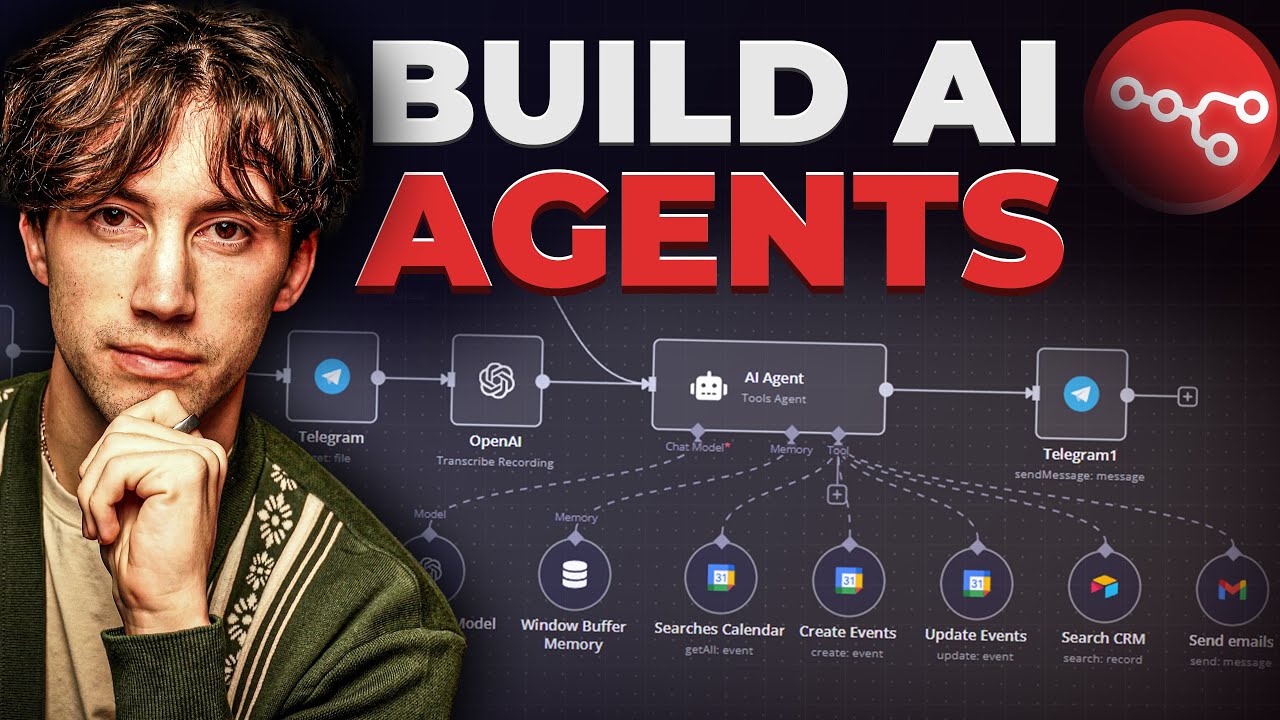
agent this is like the flagship feature of n8n and makes it pretty awesome and what I like about these agents is that it's not and not to go on a tangent but sometimes logic gets in people's way of any sort of programmatic thinking and so if you look at a workflow I did in the past where maybe I created an appointment booking bot and there's some if and El statements and if it fails go down this route and if it does this go here and that sort of logic trips people up a lot and what
I like about the AI agents is it sort of abstracts that logic and it lets AI handle the logic on its end right you just talk to it like a normal human being and then it handles the rest which is very powerful but if we come into this AI agent again if you download the the Json when you import it you'll see exactly what I'm seeing so you don't have to stop and copy this but the type of agent we're creating is a tools based agent so we're going to create this agent we're going to
give it some tools and we're going to tell it when to use those tools right very simple right and we're going to Define it below so here's the user message message okay I actually do this backwards I Define the system message first so if you come in here if you're doing this from scratch you won't see this system message portion you would have to click on ADD options and then you'll see system message here but let's pop into our system message and see what we instructed if you look it's a really simple system message so
here we have an overview and you can even use chat GPT to help you do this if you don't know how to prompt this but I I I recommend just keeping it so super simple and work make it work with one tool first and then add to it but you are an AI invoicing assistant that helps create invoices from a call transcript if you were using an audio transcript or a open AI transcript whatever it is you can just fill in the blank your job is to take the input transcript query R CRM for contact
data and use that data to create an invoice here are your tools right that's what this is saying here's the tool section you have search contacts always check if a contact exists before creating a new one right I could probably add some be more descriptive here and say hey this is how you search contacts in our CRM but this works right you could see you can keep it simple let AI do the thinking create contact create a contact only if they do not exist so don't try to create a contact if it already exists it
just doesn't make sense it's going to fail create invoice use to create an invoice using the data return from previous tools now this is sort of important because I don't want it to use the data that's in the transcript because that may be inaccurate I want you to use the data that you got from searching contacts or creating the contacts cuz when we search a contact using the go high level API it's going to return a bunch of data to us it's going to return everything about that contact which is what we want and when
we create a contact the same thing right so rules here are your rules you only need a phone number or an email to create an invoice if contact info is not present leave it blank okay so for example in an invoice you can put the person's address and their city state ZIP code and there's a bunch of other things that you could put but they're they're not mandatory so if the person doesn't specify them then just create the invoice without it remember we're creating a draft invoice so the business owner can go in and actually
modify it before they make it live and send it maybe you want this stuff to be on by default you would come in here and modify this prompt next you must query our CRM priority using the create invoice tool this is important I want it to query the CRM I don't want it to use data from the user's voice I want it to go into the CRM and have consistent data that that one that one control is is our CRM that's our database we wanted to use that not what the person's telling it when you
are using search contacts you you will query either a phone or an email that's important because when we search contacts we're going to pass in this uh parameter called query and we're going to give it a phone number or an email it can be either or we're going to let the AI decide so we we tell hey you don't need both don't put both either or not and very important all right uh if a contact exists do not to create a new one again we talked about that all right this is cool the default due
date is 30 days from today unless otherwise specified okay AI is not great at telling what time it is right now or relative time so you have to give it time and that's what you see here at the bottom we say hey current time is now you see we're in the these squiggly brackets and we have this dollar sign now uh that's a variable that n8n makes available to you and it's essentially hey at the time of this execution this is the time and so it's cool for being able to calculate relative dates like due
date so here we go that is our AI agent if we look at the user prompt now we're saying hey here's the call transcript much like we did when we were trying to parse the items in the last node we're just giving it the call transcript and say hey this is what you're working with pull out all the information you need from this call transcript and do your job next thing if you come down here if you're creating it from scratch you'll have a chat model I've experimented with 40 and most recently I've been impressed
with Google's uh Gemini flash 2.0 I think it's free if it's not then I'm getting charged somewhere and I don't know where it's at but I didn't have to put a card in to create an API key so it's nice but for this we're using GPT 40 and if you haven't yet created a credential here if you're new to n8n uh there are help docs in here if you just click on this docs button it'll show you exactly how to get an API key and how to connect it it's pretty simple pretty intuitive I'm not
going to walk through that in this in this demo but essentially you choose a chat model and that's how the AI assistant's going to sort of process all of its task it's going to go use GP GPT 40 with that prompt that you gave it earlier and it's going to do all its work uh based off that so I'm using 40 here you can test it with other ones some people like to use Claude anthropic to to do more like text based stuff if you were sending emails or text messages or putting together content gbt
4 Works uh pretty well here so first tool here now we're going to get into the tools so these tools are remember that we defined them in our system prompt here we had three tools the tools actually need to exist under it for this AI system to use it so the first one we're going to look at is create contacts and all create contacts all three of these all they are is if if you come in here to tools you they're HTTP request tools so they're API calls but we're using the HTTP request tool to
accomplish this this isn't going to be a deep dive into API calls but yeah it's let's let's pop this open and look at it so search contacts gave it a brief description destion I like to name all my stuff just so that it's I just think it helps for you if you have to troubleshoot it and it also may even help the AI assistant look for things and whenever you're using variables to call this data it's pretty nice when it's named correctly so brief description the method here is post now if you don't know what
any of this is that's okay you if you reference go high levels API documentation let me see if I have it here they have a full-blown library of how to use your API and so you have stuff like me meod you have the endpoint all that stuff that's where this is all getting pulled from so this is a publicly available resource and if you're going to mess with apis you should be referencing the API documentation because it goes over very specific factors that are required and if if you don't structure the data correctly then your
API calls are not going to work but anyway let's hop back into it so we have our URL which is our endpoint and then credentials now this part uh I'm going to go over just really fast because I think that this is a very confusing topic for most people so we are using the version two of the go high level API which requires a ooth token but go high level just created a pretty neat feature where you can create private Integrations so if you come in here to private Integrations you can actually create a new
API key and use the version 2 API by just creating a new one so if we come in here I'll just create a test one for you and then Scopes Scopes is the permissions we need this API key to have so in this case we're doing a few things we're messing with invoices so let's look here View invoices we need to edit invoices and then we're messing with contacts right we're searching contacts we're creating contacts so we need to view contacts and we need to edit contacts and that should be enough you don't want to
go through and add all the Scopes all the permissions to this one key because in the event that key gets compromized or gave it to a developer or something then they may have access to more than what they need so for this demo this is all we need so we'll go ahead and create it and once you create it you will see this key you need to copy this key right now because once you click close you will never see this key again if you do close it you're just going have to go back and
create a new key I'm going to go ahead and delete this key because we are not using this key I have an existing key already and then I don't need you guys creating invoices in my system so if we come in here if you look at the header Au if you've never set up header authentication before all you would do is you would take that key that you copied you would come in here you would select header authentication and then you would create a new credential and then up here you would name it ghl private
integration whatever you want to name it and then this part is important authorization and this is case sensitive and very sensitive to spaces and and all that stuff so pay attention authorization and then in the value if you click here on expression if you don't click expression you won't see it it looks like a password being entered but if you click on expression you will see what you're typing and so here you want to type in Bearer and then you want to space and then copy and paste key here key goes here no spaces before
no spaces after Bearer does have to have a capital B there does need to be a space before it and there cannot be a space after your key very case sensitive so I already have mine configured so I am not going to configure this and I already have my coaching account attached so headers we're going to send headers and we're going to come in here and we're going to set version this is also case sensitive so capital V right in the go high level API documentation if you look for search contacts it'll have a version
value much like this page that I'm on right here you see there's a version value you literally just copy that place it in here then we want to send body and what we're going to send is location ID so this is a location ID to my test account and that's probably going to remain consistent so if you're building this for somebody you would probably keep the same location ID that doesn't need to be a variable unless you're building this one thing to work for 10 other sub accounts which I doubt you'll do but if you
do then that would need to be a variable and you would need a way to query that location and dynamically fill this location in but for this case I don't need it to be dynamic page limit this because we're searching we're going to we're going to pass the phone number in we're going to search for the contact we're just telling it hey only provide us one page in results I'm only interested in one this is only going to match one so only provide me one and if you see I use expression and then I went
in curly brackets capital N number and in quotations I put one if I just put the number one in here then it would be passed in at as what's called a string I talked about strings earlier but I need it to be a number because search contacts expects a number or an integer as I as we spoke about earlier and then the last one we need is query with the lowercase q and then you see this value provided I'm saying hey the model's going to provide it and it is required so the model better look
at it and so if you look at the last one that got submitted in the phone call I mentioned my phone number and the model the AI assistant pulled this out and then made this to query I didn't have to find it that's the beauty of the AI assistant so um you can leave that just like it is and that's it now that's how it searches for contacts cool that's one tool now let's see we've got create contacts a little bit different but everything's pretty much the same you would get the endpoint from the go
high level documentation not create invoice but create contacts every endpoint every function has a different endpoint and then authentication is going to be the same we don't have to go back over that headers make sure you reference the API documentation for your header version uh and then you would actually paste that in there and then body now here we're going to say hey we're going to pass in if we're have to create a a contact pass in hey name do it by the model but it's optional and if you look over here the model had
it so it provided it hey phone number buy the model and it's required right here you go there it is now I could probably say optional and then also include email and say buy the model and is optional but just for the sake of the demo I went by phone number so whatever your sop is because you can create contacts with emails as well you could probably create contacts with just names but we don't want to do that so we want at least a phone number or an email because that's how we're going to send
the invoice location ID as I mentioned before is consistent so you can just paste that in there does not need to be dynamic and then I optimized the response here and I said Json all honestly I think you could turn this off this was something I was testing um but I I'll leave it on for now cuz if it ain't broke don't fix it right create invoice now this one for warning is going to be a little bit complicated but I recommend that you watch it all the way through and again if you download the
Json all this will be done for you I spent a lot of time structuring this data if you come in here to the create invoice API documentation you realize here in the body there are a ton of different little parameters that you can set there are a lot of variables in an invoice some are required some aren't they have to be in specific formats if you look at the example here you sort of have this like word soup of curly brackets and square brackets and emails and it can get really complicated and it did and
that's why I created this one node that you're going to have access to for free but I do want to explain how it works so business as usual UPF front you're naming it you're specifying the endpoint you're specifying the method you're putting your authentication in you're sending headers with the version but here's where it gets a little bit hairy and before we go into to the body so we're sending body and then we're saying hey use Json below and I'm going to pop that open here in a second but I want to discuss placeholder definitions
here for a second so when we're using this AI assistant we're able to create things called placeholders and what these are essentially it's essentially structured data that we're asking the AI assistant to pull out and to store here in in in a specific format so if you look here we have stuff like and these are variables stuff like invoice name what's the name of the invoice it's going to be a string we talked about strings and integers earlier most of these are going to be strings and then we have invoice title we have contact ID
we have contact name all this data that's going on back and forth whenever the AI assistant uses a tool like search contacts or create a contact it's getting this information it it it gets the contact ID back but it's not necessarily storing it anywhere for good use unless you tell it to and that's what these placeholders are here for so we're going to contact name contact phone and and and so on and so forth I'm not going to go over each and every one of them but there is one specific Nuance that will go in
right due date remember we talked about due date earlier we set that in the system prompt and we said Hey by default the due date is 30 days from today unless otherwise specified so if I had specified it then that due date would be different here it's all calculated and it's put in this specific format which is super helpful but now let's pop into the body so if I expand this here see if I can make this a little bit bigger for you it actually gets smaller okay we'll keep it here now placeholders very confusing
but very important to understand no quotes single curly brackets and the name of the placeholder remember we had invoice name and I'm going to get a pop out for the first one just so you could see invoice name that was the first one right so in order to reference that inside of our payload our body no quotes single single curly brace on either side and then exactly how it appears in the place holder we use camel case here lowercase uppercase that weird casing here make sure you use it I'm not going to explain everything that's
not Place holders here like we have like our location ID and stuff this is all going to be provided to you you can just come in here and change whatever you want but placeholders are important so I'm going to go over a few more so here we got invoice title same thing no quotes single cly braces and you've got invoice title so what you're telling this node to do is hey AI assistant with all the information you know from that transcript and all your processing that you've done in the past replace these placeholders with the
actual information for the contact okay easy enough it goes on right for all the stuff that's unique for the contact and this invoice we're using placeholders but there's one point where it gets a little bit confusing and that is items now if we look at our API documentation you have items and you notice that it's expecting an array object and what that means is that and it makes sense in a invoice you can have multiple items and you likely will have multiple items so you can pass me a list of items that's what go high
level is telling you but if you look at an example here for our contact information for example we have it's pretty simple there's a name there's business details there's an address yada yada y but if you come to items you see these little square square curly brace and Then followed by that object and then you have have a closed Square curly BR you notice I've removed taxes I've removed a bunch of stuff that's not required if you wanted to require it you would just come in here and add it but there can be for every
single item these settings can be set right so we need to make sure that data gets put in there so when you come in here to items we're replacing that with a variable that's where you have double curly brackets from our structured items that first GPT node that we had right after the web hook where we structured those items I know that was a while ago but we made a list of items right and so we're just putting that inside of the body that we need to send to go high level and very important here
if you just drag and drop while you're testing it would pop up here and you can drag and drop and you would sort of get you would get all this right here up to this point but this part is very important because if you just pass in the variable it's not going to extract the information from that variable it's going to pass in an object and go high level is going to say I don't know what to do with that so so if you use this function or or method um called two Json string it
will actually expand that and put it in here and so you would have your list of items located in here just as go high level expects it so I know that is very complicated which is why I'm giving you guys this a copy of this but that is just important to understand before you go on so that is the entire thing now if you wanted to capture the response and maybe send a notification or an email to the team member you can do that here by adding a node and then literally adding a a Gmail
node and sending an email notification or even updating a contact or something inside of inside of go high level but right now for the for this test we don't have it set to anything so this workflow is just going to sort of work and not give us any feedback which isn't ideal but you get the point this is just for uh demonstr demonstration purposes so let's go back and we are going to call our AI assistant again we're going to tell it to create an invoice and then we're actually going to tell it to create
an invoice again with the same contact so we can make sure that our search contacts and create contacts are working as expected so first things first let's go ahead and click test workflow so that our web Hook is listening and you see here it says waiting for your call so let's go ahead and talk to our assistant how can I help hey I'd like to create an invoice for Justin Melendez his phone number is 833 359 3417 uh we're we're doing his bathroom for about $4,000 actually not about it's $4,000 and then we're also doing
his floors for $7,000 and his kitchen for 15 grand great I could help you with that cool we don't need to talk to her anymore we're waiting for her to give us the end of call report that should come in and it should do its thing structuring the items I gave it three different items structured it search contacts contact didn't exist because we deleted it created the contact and now it just created the invoice when I in testing this all happened in 16 seconds so it's a huge time saer for businesses this would take somebody
maybe 30 minutes an hour to create and AI is doing it in 16 seconds so let's come here let's make sure our contact is here it is and then let's look at our invoice and there it is so we have an invoice that's $26,000 if we pop into this invoice we have a bathroom renovation for 4,000 we have flooring at 7,000 and we have a kitchen REM model at 15,000 really cool now what I'm going to do is I'm going to leave this invoice and I'm going to leave this contact I'm going to recall my
assistant and I'm going to say hey create an invoice for Justin Melendez at this phone number and what's going to happen is you may not realize it but because the contact already exists we're going to search that contact but it's really important for us to get that contact ID so the phone number and all that stuff's cool but the way the program actually works is it needs a contact ID so it can get the rest of the information and create the invoice with that contact ID not by the phone number so you'll see that in
real time let's go back in here and make sure our workflow is listening click test workflow and let's talk to our assistant how can I help hey I'd like to create an invoice for Justin Melendez his phone number is 833 359 3417 and we're actually going to be painting the exterior of his house for $8,000 great I have the C all right cool so I only give it one item this time so we're doing more tests right because we said create a list and it's only one item so let's see what it does so structuring
data going through searching contacts we already have a contact so create contact shouldn't get called and it didn't you see here it's still gray out and it's done that was really fast so if we come in here and let's just refresh this just so we can be sure okay there's not an additional contact created same contact here if we look at the time 443 it's 4:45 right now so that contact was created during the last call which is what we expected and if we come here to payments we now have two invoices both in draft
mode which is what we wanted and then we have exterior house painting and at $8,000 and so we have both invoices in there this stuff is super cool very powerful very useful I'm actually building something here in in anticipation for some more automation we're doing for a few clients and so I wanted to share it with you guys because I spent the last four hours troubleshooting this and structuring it so hopefully the resources I provided here in this video and in the description will help you if you find this valuable please comment subscribe it really
helps me if you're going to sign up to any of these Services I'll leave affiliate links down below it really supports the channel if you use them if you don't it's okay I rather just see you succeed have a nice day and see you in the next video bye now



![Building AI Agents: Chat Trigger, Memory, and System/User Messages Explained [Part 1]](https://img.youtube.com/vi/yzvLfHb0nqE/maxresdefault.jpg)
![Building AI Agents: Prompt Engineering for Beginners [Part 3]](https://img.youtube.com/vi/77Z07QnLlB8/maxresdefault.jpg)