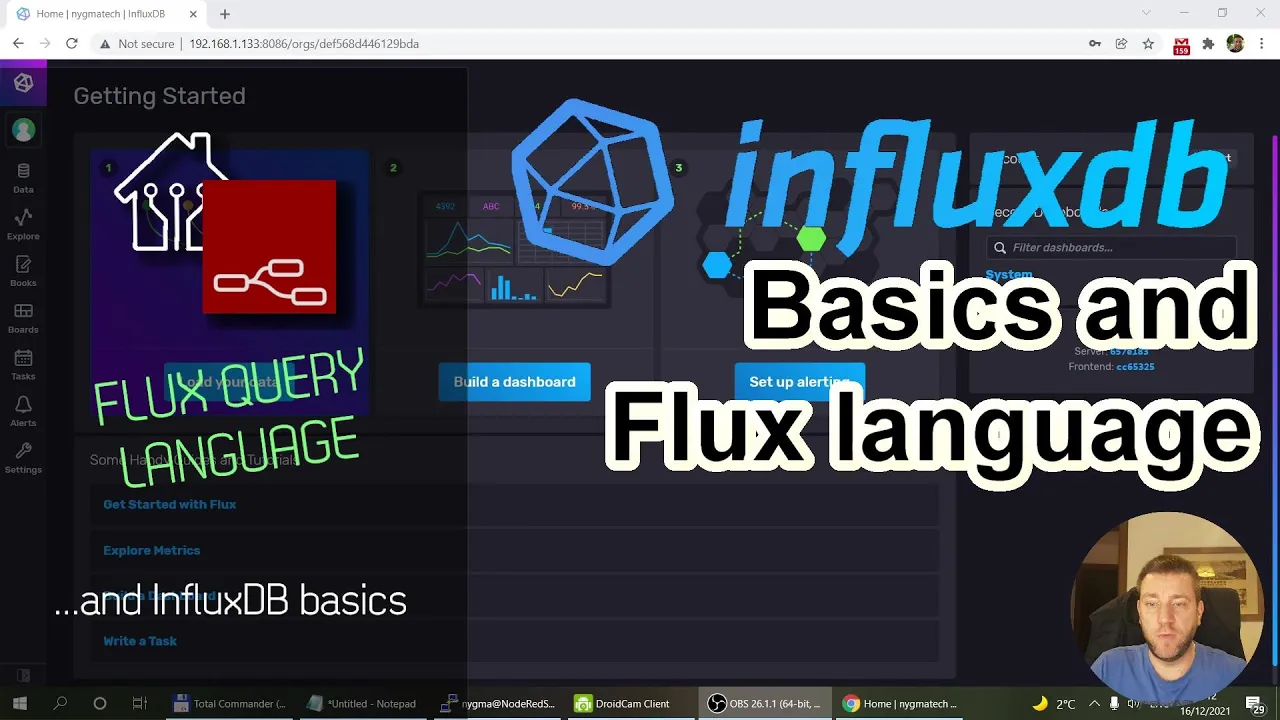
welcome to a new video in my home automation series and today i'm going to continue with the influx db related uh videos and the next video i want to do is about tasks and how you can down sample data and in order to get there i need to talk about the flux language and a little bit about influx db as well i think i mentioned a few things um sorry when i say influx db i mean influx db version 2 2 dot x or 2. 1 in my case i mentioned some of these in uh in the first video but i think i'm just going to go through about the basics again so you're going to see all the topics in this video so if you're familiar with any of them you probably can just skip that so first um i want to talk a little bit about one point x as well and and 2. 0 and how that is different and also probably just um here and there if you are completely new to influx db but you have some experience with sql uh i i try to just create some uh connection between the two so what in sql now represents in influx db and vice versa so the first thing i want to talk about i'll be the data section in that data section actually we are only going to talk about the buckets so going back to sql you have databases and within the databases you have tables and within the tables you have fields those are your columns in the table and obviously your data are the rows or the records in influx db it has changed a little bit we still have databases but then in the databases you have measures sorry i always say measures but no it's measurements and those measurements they don't have you know columns but they are either have tags and they have fields as well i'm go i will highlight what's the difference between the two so what has changed in oh and and one other really important thing in uh influx db1 dot x is because it's a time series data the there for everything when we talk about data and databases there is always a strong relationship to retention policies which is basically how long the uh the server keeps the information so you said that you have a database and your retention policy is one week which means that any data which is older than one week would automatically get deleted from the database you don't have to do anything about it and this being a time series database everything has a timestamp so basically anything that is ordered in seven days that just gets forgotten of course you can create a database with uh unlimited with a retention policy set to infinite so it would just never expire so it would work like any relational database so in one point x the the way your databases work is that the database would have a default retention policy but you could define additional retention policies so in within the same database you could store data that would expire after a week you can also create data that would expire after a month or or never expire with 2.
0 the um the naming conversion has changed a little bit so now instead of the databases now we have things which are called the buckets and this is what you can see now and as you can see under the bucket you have a retention policy as well so i have a couple of um examples here i mean for the telegraph so anything which is the system performance related data i just set seven days because i'm definitely not going to look at it after seven days and when you sorry not this button but when you look at the settings for the bucket as you can see this is the retention policy i mean it just mentions delete data older than seven days or never but that's essentially the retention policy and uh you don't see any other settings for the relation retention policy so with two dot x within flux db2 dot x you the bucket and has a really retention policy and that's it um and that really determines how we are going to create buckets because now um i mean let's say previously when you created a database and influx you say maybe you create a database for a specific type of data like system monitoring or environment sensors or i don't know maybe some system logging but now when you create the buckets you you probably need to create buckets based on the your plant retention policy so for the same data let's say you have sensor data you're probably going to have several buckets you would have a first bucket where you load the high frequency data let's say you are you have sensor data which is uh sending data every i don't know 10 seconds or 30 seconds so you will keep that in a bucket and then you would from that bucket you will then sample the data to let's say uh every 15 minutes or every hour and those would have different retention policies because you keep the high frequency data for let's say a month and then you create a keep the less frequent data for a year and maybe you can again down sample it to an even less granular level and you can keep that forever for example so this is what um that that's definitely one consideration for for the bucket so as you can see and even if you create a new bucket then you know you just give it a name and then you specify the retention policy and that's it and once you go into or once we go into the buckets then within the buckets we have measurements and the measurement is the same as your tables so you have table information you i mean for example here i'm storing sensor information data about all my sensors and i only also have this tiny gs it's a small lower base ground station i made a separate video on that so every any message about this ground station is collected in this tiny gs underscore message measurement so again back to the sql desired tables and once you select your measurement or within your measurement you have fields but uh those fields are now called tags and fields in the relation database you don't have let's say dedicated fields you have fields that you usually specify whether that's an indexed field because you want to run selection based on that field so let's say again if it's a sensor information you might might have a field for example here you have a field which is called the device and or and the sensor so uh for example i have multiple devices and then usually each device have multiple sensors so i have a field for the device id and i have a field for the sensor id as well so my device could be a weather station which have a sensor of temperature humidity and pressure but in influx db and that's same for influx of one point x and two point x when you define fields you you have to think about that whether these fields are going to be tags and the tags are usually fields where you want to filter on and typically tags are or actually not typically but tags are text fields so for example here i can see that if i select the filter device i have okay i have some values like humidity because i made some um mistake when i was migrating my data so it has some rubbish in it as well but this is just a test database for the time being but as you can see i have devices for example a me flora which is like a soil sensor for my plans or i have a weather station so if i select the weather station then i can see that within these this weather station i have sensors for example humidity infrared light pressure temperature uv index if i select the me flora soil sensor then i have battery level fertility moisture sunlight and again temperature or i also have a device which is called the pool heater so it has two temperature sensors it's measuring the pool temperature and also like a solar heater temperature so these are my sensors and the devices and because i usually want to filter on these so for example i'm interested about the weather station data and within the weather station i'm interested about the temperature this is why i've configured them as tags so the way my data looks like is that i have a measurement sensor and then within this measurement i usually create a data which has a device id for example weatherstation it has a sensor id for example the temperature and finally it has a field which is called value and that value contains the actual temperature reading and this point i realized that actually i don't need to create a separate tag uh as the sensor but the actual sensor value could be the field name so instead of having a field which is called the value i could have a field which is the temperature the uv uv index pressure light infrared whatever and then you know that field contains the actual value with influx db it doesn't matter if you are sending just one data or you are sending all the data because unlike normal sql databases where you specify you know your table structure so what are your headers and then you're sending the data in for all the fields at once to create a record here you can create a record with let's say the measurement of sorry with the tag better station and you can just send it to temperature or you can send it a temperature and the pressure combination so it gets stored it the the database engine doesn't care about that so i think what i'm going to do in the future is instead of creating instead of having this sensor tag i just have multiple values for each of the um each of the different sensor type or each of the different measurements again i mentioned in the in the beginning is that the the tags they are always text types but the fields are usually you know numeric fields so it can be well actually can be any values like booleans or integers or float and it can be text as well but of course if you have fields other than number fields you won't be able to use functions for example mean because it doesn't make a sense to create an average of a text i mean you can get the last and and the uh you know maybe the first one and maybe it will be possible to pick the most frequent one but i'm not exactly sure so your fields are usually you know value fields and whenever you are selecting data one of the important thing that you define because it's a time series database is you define what is the time window where you want to get this information so if i need the last 15 minutes i think these values are sent every what is it every minute yeah so i get just you know 15 readings if i want it for the last two days obviously i get a lot more data and when you are you know displaying data the other key parameter which you can see here is what is called here the aggregate function and that's going to come up in most of our queries as well because let's say even in this case you want to display data for two days i mean probably with this data set where i have readings every minute well if i have readings every minute i think one day is 1400 actual data points and i mean i'm i don't have a 4k monitor to display all these readings so even in this scale your some of my individual readings are going to be averaged so what you can see here is uh that this influx explorer automatically selects an average or a window period for you and within that window period the actual readings are going to get averaged so here you can see that the window period is 10 minutes and the aggregate function is mean so it's basically just only going to show you data for a 10 minute interval as you can see if i start scrolling with the mouse i can only see date sorry time increments of 10 minutes and these values the underscore value that you see on the screen are actually averages of the individual values within that 10 minute window and we are going to use that a lot because obviously if you want to look at a larger period your aggregation window is always going to get bigger because well physically just you can't just fit that much information on the screen okay so i think with this i explained how the let's say the data model looks like in a very high level and by clicking around you you already have seen how you can use the data explorer within the influx ui but what i want to show you is how you can see the data behind all this so what i'm going to do now is i'm going to unselect all this information and i'm going to pick a shorter time window as well so let's see if i pick so for example if i pick 15 minutes then you're going to see that uh the graph changes and the graph changes because what influx db is doing is i only specify that i want to select data from the mydb bucket and i want to select anything which has which is a sensor measurement so within that sensor measurement we obviously have a lot of data as you can see i have a lot of information on the weather station which has some details and probably if i scroll over i have some data from the pool heater and maybe i can also catch the me flora sensor as well at some point the mi floor only sends data every 15 minutes so i might not be able to get it in this 50 minute window technically i should be able to but oh it's here no no it's not it's going to be some somewhere here so and this is why we are seeing so many different lines because then influx db is going to give me any data or any field that matches this criteria so it's going to be a lot of different values and then everything is associated with a line in this graph but what you can also do is you can switch to this raw data format and you can see the the individual values or let's say the individual records so you can see that uh the reason i picked 15 minutes because i wanted this aggregation window to be really small so i get readings for every minute so and because the aggregation window is set to 10 seconds nothing is really going to be aggregated here so you see the raw value as it is stored in the database and whenever influx runs a selection or returns you a data stream i think it's called the data stream it has a specific fields so it has a start and a stop which corresponds to the start and the stop period that you selected here and it also has a time so this is the timestamp which is coming from the data and then it's going to show you all the tags so i said i have a device tag and a sensor tag and then it has the values and then the values are actually displayed in two different fields sorry it also shows the measurement obviously so it has two fields the first is the the actual field what field the value is stored in and the underscore value is the actual value and as i said for all my readings i specified a device and a sensor and the actual field is called the value this is why the underscore field is called the value and the underscore value is called the actual result and if i start scrolling through you can see that now we can see the pool heater pool measurements and at some point it changes to the solar and i see the weather station humidity readings so basically every single combination you see the readings for this 15-minute window so this is how you can check what is being selected and i'm using this view a lot when i'm trying to fine-tune all my down sampling queries and this is why it is important that we talk about here and actually the other thing you can also do is you can switch this table view which is going to be very similar to the view that we have seen before the only difference is that you also see this list here because as i said now i have only specified that i want to run the query on this bucket and this measurement but this measurement has a lot of different tags and the combination of tags with the combination of fields and each of these combinations are going to be as shown here so as you can see the field value measurement sensor and the pool heater and the pool and the pool heater and the solar and weather station and the humidity so you can see all these individual i think it's called the tables and they all say have the same start and the stop period which is uh something which is specified here the individual time for the measurement the values the fields which is always going to be value of that the and the field name is always going to be value because this is how i created the data but for example if i go over to tiny gs is going to be different and the measurement and one of my tags and the other tag let me just actually show you something else in this tiny gs and unfortunately i mean this has been migrated from my earlier database and i've done the migration a couple of days ago so i actually have to go back 30 days so as you can see for the tiny gs the structure is different because i have filters which is called the satellite and the station so if i can select this station and let's see if i select the satellite norbi and i have a bunch of fields so this is the um i have so many different fields here in the in the previous uh measurement i had only one field which was called the value and here i have fields which is called elevation distance crc error so again if i let's say back these and if i only want to select on tiny gs you can see the different keys so i have the satellite fes and the station this station and you can see that these are the values that i get back and if i select this now i can see all my crcr values and all the distance values and all the doppler values so it is basically creating a combination of your selection and like what is stored for that selection in the database in this table view you are seeing all the various keys and whenever you select a key you can see those corresponding records here but if you just switch to the raw data view then you see all these in the individual tables in one big list so again if i start scrolling through this you can see that the um i think the station well that i only have one station so the station is going to stay the same for satellites i usually receive data from two satellites so that would change between fes and nor b but you will see uh all the other fields are being shown here so within this 30-day period i get uh free for satellites data or for satellite message so we are going to have four alts four crc errors four distances four dopplers four elevations frequency errors and this is how i'm going to go through each of these values okay let me go back to the sensors because i think it's a little bit easier to explain and let me go back to 15 minutes okay good and actually now i'm going to switch the script editor because this is how we are going to learn how we can create a flux query and as i said understanding the flex query is important because you have to write a flux query in four tasks and the alerts as well but i mean technically you can use the query builder to build your query and you can just you know switch to the script view and you can just copy and paste it but i think understand to understand what happens here is actually it's going to be beneficial so the other thing i wanted to say is that these flux query is a database query language so it is like the select in sql so the the flux language doesn't have anything to create data or delete data or modify data and for that reason if you want to delete anything from the database you have to use the influx db cli so you still have a influx command line in your command line interface but previously let's say in influx db one point x it would have like a text interface where you can create tables and databases and and even data now you don't get any of this because now you have the ui but still for example you can do some operations here related to the data and one of them is where is it it's called the delete where is delete it's going to be here somewhere so you can use this to delete information and i have a couple of examples here so for example if you issue this one which says influx delete and then dash dash bucket you specify the bucket you want to delete the data from and then start and you specify the start time and the stop time so if i issue this command then it's pretty much going to delete everything from my aggregates bucket because you know all my data is between 2005 and 2022 so i'm not going to issue that because i just have too much data which i'm going to use for my next video but if you want to further uh restrict what you want to delete from the database you can also use something like this so it starts the same way in flux delete and then the dash dash bucket and then start and stop and then you have another parameter which is the predicate and here within single quotes you can specify that the underscore measurement equals the name of your measurement for example i have the measurement sensors and and the name of the tag for example uh ozotec device equals to something so i can restrict the uh data deletion to let's say a certain measurement or certain text within the that measurement and that again is going to become important because especially if you want to use aggregates i think it's uh well you are going to be doing a lot of trying and error so you you create some tasks you let it run for a few days or at least one day you look at how the data looks like in your bucket where you created the done sample data and then you know if it doesn't work you just delete it and start again so um and this is the reason all the flux query starts with a from because you define which bucket you're going to select data from so it always starts with from and the bucket and mydb and the next one is again because it's a time series database and whenever we want something we want something related to a certain time frame you also specify a range and as you can see the range has a start and the stop uh parameter just like uh for the delete and uh when in the data explorer view you specify the the information here so obviously you um you can use this v dot time range start and v dot time range stop which is going to get the timestamp from here from this drop down but what we can also do which we probably going to do in a few cases is you want to specify a fixed range so which is not dependent on this drop-down again especially for alerts and sorry tasks you're going to do that so uh we are going to start minus 50 minutes so that's the current time minus 15 minutes and for stop we are going to stop on the current time and if i execute this i get the exact same result back so you can see that i have all the values from um so at the moment it's 2044 and then 15 minutes before it was 20 29 sorry 20 44 yeah and 20 29. so the uh the the window is working and if i change it to 30 minutes then we can see that the you know the star changes to 44 minus 30 minutes is 14. and as you can see the the way our flux query is going to look like is we are going to start with a from every time and every other statement is going to be after these pipe commands or these these pipe characters so the way it you know sort of like works is that you select from this database which is going to return everything that you have in the database and then whatever the first line returns you are going to filter down in the second line and then we are going to filter it down further in subsequent lies so i can put an extra pipe here and instead of range now we are going to use filter and within the filter we can filter on obviously measurements tags and values as well so i'm going to just copy and paste my example here so this is how it looks like when we measure on a particular measurement so what you see here is i measure on the measurement sensors so if i scroll all the way down here we are seeing a lot of sensor measurement but most probably at the end oh no we don't have the tiny gs because we don't just don't have tiny gs data for the last 15 minutes so if i execute this you're not going to see any changes we are still getting now actually we have downsampled some of the values i think we have 52 pages before and now we only have 26.
and if you want to filter further done you can add another pipe statement and that's going to be another filter where the device equals the data station and if i do this now i have fewer data because i don't have all the pool heaters and uh yeah he was full heater device so now i only have other stations and if i'm only interested in the temperature data which is coming from weather station i can sorry add another filter which is the temperature so now you have the temperature information and now we just have three pages of data so this is uh actually looking good and i can also filter on fields but that's not going to make any difference here because as i said in this measurement i have a single field which is called value so i can if i want to filter on any field obviously the filter just haven't sorry the field just have a name so i say underscore field equals and the field name and that's going to return just the same value and whenever i do submit the only thing you notice changing is the start and the stop time which is obviously the timestamp whenever i press the button obviously the minus 15 minutes between start and stop so this is how you basically run selection so that's the this is the select from statement and this is a very close where you usually filter on a time-related field and this is all also one of your var clauses where you filter on like a field equals to sensors and that's like another filter when your field equals to weather stations uh sorry the device equals weather station and then the sensor field equals weather station and whenever you are filtering on a single field that's like in the sql when you select when you say star sorry select field name from so you're not you're not selecting all the fields like star but you actually you know specify a certain field and that's what i'm doing here so this is like select value from sensors because technically the measurement is the table where device equals weather station and sensor equals temperature and time is you know this time range so this is how the flux relates to sqr statement and as i said the other thing which we usually do is we create this aggregate window and i'm just going to copy an example from uh what usually gets added to the uh gets edited by the query builder and this is what i talked about when i said that everything gets a window to a certain period just because usually we well not every time but whenever you are trying to display a big enough range and here the we are using the function aggregate window and it has a couple of parameters i think we are only going to talk about the every and the and the fn so i'm not going to use this create empty at the moment so here you specify what is your window period and that again is stored in a v underscore window period which is based on what you select here on the screen i mean you see that when you are using the query builder you don't see it here so i'm going to change this to something else let's say i'm going to change it to one day and the function that we want to use which is the mean so that's the function that the system is going to use in order to aggregate the values of it in the window and of course you have a lot of different options here i don't know how to [Music] pick all the different options but if i just bring on the help then most probably here in the function we should be able to see yeah all the different selectors so you can see we are using the mean what is the mean it should be here somewhere and but actually we are going to use last and and the max as well so we are i mean we will see how that differs i mean obviously i guess you can get the idea now so if i execute this what you will noticed sorry let me just do this one so what you will notice that it's not an awful lot is getting changed in fact we are getting some extra values because i picked and a window period which is actually smaller than my data resolution because i'm getting data every single minute so if i aggregate in every single minute i just usually aggregate one single value so nothing really changes but let's see what happens if i want to aggregate every five minutes now what i can see that i only have i think i have 15 values before now i only have sorry four the reason i have four and not three because um you know this um start and the stop period doesn't fall on uh precisely a uh equal 15-minute window probably there is a fractional minute in the beginning or at the end and the way it works is that now you can see that we have these aggregated values what you will notice that the start and the stop is still showing all the same for each of the lines because that corresponds to the minus 15 minutes and then now but the time now changes to these five minute periods so your first five minute is between the start time and this time and then you have the various five minute windows here and within those periods the system has created the mean value of the readings but let's say if i want to do one day then obviously all these readings fall into a single day so all i have done is just aggregated all the readings in this 15 minute window so here 7. 84 degrees is the average temperature for this 15-minute window and if i want to display this i mean obviously now i can display it as a gauge that obviously you know expects a single value in the underscore value field and now i can display that and obviously if i change this one to max then we most probably going to see a slightly different value i mean not an awful lot changes now in 15 minutes but or if you want to see the last value that has come in then you type last well this appears to be the max as well and we can click quickly verify this if i i can comment out the the aggregation window so we can go back to the raw values and i think probably this is going to be the last reading yeah and this is 7. 96 and i wanted to explain you just by trying to come up with the um equivalent sql query and obviously you would you would use this type of averaging if you use the group by function in sql but the group by function is really good for grouping by values but it's not really used to group by time and obviously this is where the time series database really shines because one of the main measure and one of the dedicated measures is the actual you know the time value which comes for each reading so it is really easy to create a window and average across time because well you do have time for every single reading and also just to show you that if i um comment out the field and also the sensor type and if i execute we will have a lot of averages as well and you can see that now the system generates the average for us for the humidity sensor the infrared sensor the light the pressure the temperature the uv and the uv index sensors and still because my aggregate window is far bigger than the actual selection range now it's doing the averages for every single i wouldn't say field but the every single tag combination so i think this query would be equivalent to when you select select mean value so to select the mean of the value field from sensors their device equals weather station whether it's weather station and group by what is it sensor that would result a similar data structure returned if you are using a standard uh relational database of course you will still have to put in some um you know very close for the time itself but let's just ignore that for the time being i think that should be enough for you to get started with flux and influx db 2.

![[Training] InfluxDB Performance Tuning and Schema Design](https://img.youtube.com/vi/d99oCnOyA4k/maxresdefault.jpg)
![Intro to Time Series Databases & Data | Getting Started [1 of 7]](https://img.youtube.com/vi/OoCsY8odmpM/maxresdefault.jpg)


![Beginner to T-SQL [Full Course]](https://img.youtube.com/vi/cACat4KNncg/maxresdefault.jpg)