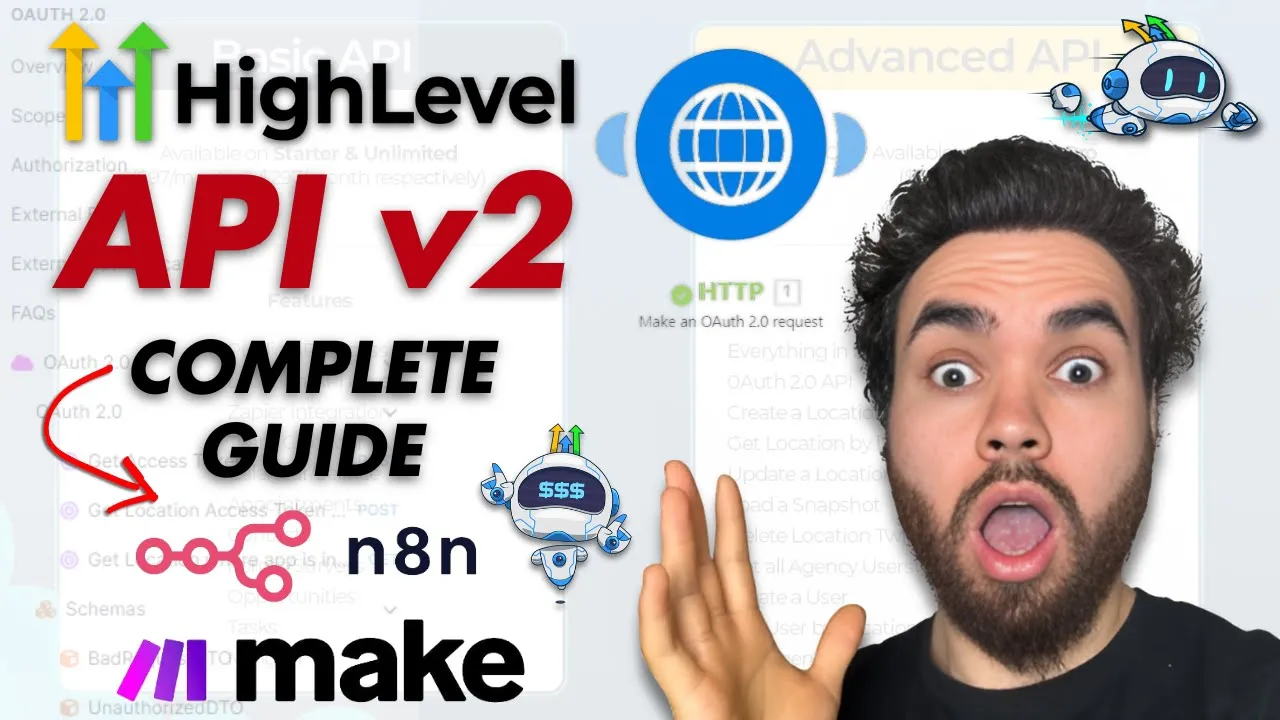
what's going on everybody Josh pook here founder and CEO of executive stride and in today's video I'm going to show you how to connect to the go highl API version 2. 0 you can do this through apps like zapier make. com andn we're going to cover a few in this video and it's going to be completely seamless in a way where you're not going to have any headaches so without Ado let's Dive Right In [Music] all right so I'll link these resources that I'm covering in the description below so you can follow along if needed or if you're troubleshooting you can check these out but this is the support section of go high level and it covers everything you really need to know about the API documents all right so there is API 1.
0 documents we're not going to cover that those are uh they're not updating these documents anymore you you don't want to use the 1. 0 you want to use the 2. 0 so going forward be sure to use 2.
0 for new Integrations as endpoints and new API functionality will be added here as of now not all endpoints from the 1. 0 documents have been integrated to the API 2. 0 pro tip to ensure an uninterrupted API integration be sure to regularly review and update Integrations as soon as new endpoints become available in 2.
0 documents o off 2. 0 API version 2 has been renamed to API 2 0 for clarity all right we're not going to cover this whole thing but you can see here differences between API access across plan levels so basic API access includes with our starter and unlimited plans while Advanced API access is available for our agency Pro Plan in addition to Future end points that will be renamed in our oo 2. 0 API which is only available in our Advanced apepi access this tier unlocks the use of agency API keys where lower plan levels only have access to location API Keys all right so hope that makes sense if you're on the starter or un limited plan you're going to be limited to the Bas a basic API or if you're on the uh agency plan you can use the advanced API and use the agency Keys all right and here is a picture basically just showing you um what that actually looks like so we can see here features public API access location API zier integration all this stuff right here and then with Advanced API you get things like create a location get location by location ID update location load snapshot all right so these definitely if you're selling reselling ghl as a SAS or if you just are in marketing agency you have a bunch of clients that you're uploading into ghl let's say you're using a snapshot let's say for example I run a marketing agency that's tailored to service you know uh solar companies or home service companies whatever the case may be I have a master snapshot all right so I connect to the advanced API um through make.
com or n Etc and at each time my client fills out an onboarding form then it's automatically creating a new location updating that location loading a snapshot you know doing whatever it needs to do you know adding the client to the to the snapshot location so you can do a lot uh the possibilities are really endless but in today's video I'm going to show you how to actually connect to it because this is something I see a lot of people struggle with with the API it's a bit different than you know your typical API so there's the 1. 0 documents like I said we're not going to cover that it really all starts within these uh the 2. 0 documents so this is the 2.
0 documents I'll link to this down below if we go to the start right here so welcome to the O dos all right Integrations API all right so overview these apis use A2 for flow and authentification to get started please follow authorization steps all right so we'll click on that and I'm going to show you two ways to do this all right one is using make. com so if you're using make. com it's an alternative to zapier it's really great I love it I've done many many videos on this channel about it if you're new to the channel check some of those out if you want to use make as well as anything regarding automations and then the other tool is n8n if you're not familiar with n8n it's a amazing tool it in my opinion it has a lot more freedom than make.
com or zapier or anything like that and also too it's free because it's open source and you can self-host it so I'm hosting it on my own VPS and it's great and it's actually a lot easier to connect to n than make. com I mean it's very simple for both ways we're going to cover it but n already has like kind of a uh somewhat of a native integration for the API for go high level specifically so I'll show you that in just a second but um authorization so this is basically High Lev supports authorization code Grant flows with version two here's a step-by-step guide here's a loom video so there is a loom video uh I didn't even check this out I believe but um you could check this out if you're struggling I actually did watch this a long time ago um but so register an O off app you're going to have to register an app in the marketplace so go to the marketplace um it's marketplace. com go uh marketplace.
go. com you're going to have to sign up for developer account all right it's very simple you just sign up once you do that you're going to want to go to my apps click on create an app fill out the required details in the form then your app will be created click on the app and it will take you to the settings where you can configure the Scopes generate the keys Etc and then add the app to the desired location um authorization page URL all right I'll show you this is all going to be done in make and Ann um same thing for getting the apps authorization page URL um so this is the URI um for make. com you're going to have to get the UR and this is for standard this is for uh White labeled I would just suggest doing white labeled there's really no point in doing standard it's just makes sense to do wh labeled even like just it just makes sense right because you know white labeled is just better right um because it's like your software all right so we are going to when we get to the URI Point you're just going to copy this link um before the question mark and I'll show you that in a second and we only have to do this within make.
com within n8n it's already done for us so now that we know that let's go to Marketplace and let me go to app dashboard and my apps and for purposes of this you would just create a new app so you can name your app anything right and you're going to want to put it to private all right if you're like creating an actual app where you know like you're it's you want it to be marketed in the go level Marketplace then you would do public but has go through reviews etc etc if if you're just using this for internal purposes your team clients Etc private is the route you want to go um distribution type I it just makes most sense in in my opinion to do both um but realistically if you don't yeah I would just I would personally do both but uh and then listing type white labeled recommended yeah like I said white labeled it makes the most sense and you would just create the the app I already have an app created um so I'm just going to show you this one so once you get into the app there's a few things you're going to want to do well really you're just going to want to set the Scopes so depending on like if I go over to the ghl API docs if I go to Scopes you'll be able to see all the Scopes you can also see these Scopes within the app as well and also just one thing to note you'll see the access type here depending on the Scopes so the company access type is the agency plan so if you don't have that you can't do that like for example enable SAS locations like all this stuff this is company actually this is company sub account so this is company you can't do get snapshots if you don't have um agency plan so yeah there it just shows the access level there and then these are just the different uh Scopes and it shows what the API empo would be such as get businesses or post or put business ID Etc so those are the Scopes depending on what you're doing you would put different scopes of course let's just say for this example we're going to want to I don't know get a calendar get calendar information right so in that case well I actually have a bunch of Scopes here um but but the main ones that we would want for that is just calendar calendar ones right here so I have uh calendar read only calendar right um I also have some other ones here you could basically put as many as you want or as little as you want right I have forms read only calendar events uh write and then locations read only um and then conversations and I have forms as well so yeah you this you can just put your Scopes and then for the redirect URL um for me I have nn. executiv stride. comom SLR slooff to credentials call back and the way you get that is for n it is let me just show you so here's my NN scenario I'm going to show you nnm make.
com so it's a bit it's a very it's very similar but it's somewhat different if you're using either one so all you do is you just uh create an HTTP request in n8n we're we can just leave it as get for now we don't have a URL at the moment but uh you would do predefined credential type because na actually already has a predefined authentification type and that credential type will be of course high level oo to API right what this is going to do is it's basically already included that you URI that we I showed you earlier so we don't have to do that and then you're just going to add your highl account so you would actually have to go here create new credential and basically um it's going to give you an oo redirect URL right here and you would just select what the authorization URL is right there so for us it's off uh White Label of course and then I'm not going to show my obviously my client ID or well you can see my ID here you don't see my secret but you'll paste your client ID here and your secret and we're going to get that from the app in our Marketplace and then we're just pasting our Scopes in here I'll show you in just a second for the Scopes you don't separate them by a comma you literally just paste them in word for word with a space in between all right so separate scopes with space Scopes needed for node uh Etc so once you do that you can save it and you're good to go and then I'll show you the rest in just a second but so on na it's a bit easier um if you're doing it for all right so for integrat if you're using integrat you would actually use https SL integromat uh integr mat. com sloof slcb slash o Off 2 okay so you don't know integrat was what make was called before and you would just add that all right so you could go like this and then once you save you would have to save first and then once you save you would could select what redirect URL you want right so for us I'll show you both like I said um and then client Keys you would want to go ahead and add a new client key you can name it whatever once you create that it's going to give you your client ID with your client secret all right once you um actually you're going to have to copy those and save them like in your notepad or something because you won't be able to access that again once you create it so you're going to want to save that and then that is pretty much the main things those are pretty much it I mean like yes there's other options here we're not going to cover that you know there's different things you can do of course in the these apps but um this is the main stuff you want for um before we start integrating all right so I pretty much showed you what to do with n it's a lot easier just because you I mean it's not really a lot easier it's it's just it's very straightforward there's really nothing too different with make. com it's a little bit different still very very easy and also too guys you just I I meant to cover this but one reason you may be asking okay why do I need to connect to the highle API well because there's many actions that the builtin N8 n as well as the builtin make.
com highlevel um module or node can't allow you to do so you can see here like we can do stuff of contacts opportunities tasks campaigns notes we can't do anything with uh calendars here right we can't do anything with you know whatever the case may be snapshots this that so you're going to need to use the API same thing here opportunities tasks contacts that's all we have in the n node all right so now if we go to um and now just cuz I'm going to show you the inte or the make. com one I'm going to change the redirect URL here just for the purpose of this video Even though um I have been using any and more recently but let's go here to make. com okay so all I'm did here for the set actually we don't even need to worry about that but um yeah all you're going to do is you're going to create a HTTP request and you're going to make it o 2.
0 request okay now once you do that it's going to look like this all right you have your headers here Cy string body type URL Etc you're going to want to go here to add a new authenic uh credential or new connection all right from that point we're just going to name it go high LEL uh authentification all right we'll just call it es and authorize URI so where we're going to get this is if we go back to our docs here just drag this here all right and I'm going to go back to authorization okay and then while that's loading I'm going to take a sip of coffee all right and here is the authorization page URL and we're just going to grab this right here all right so everything before the question mark and these parameters we are going to grab and we are going to go back to make and put that right here okay and then we're going to go back to the authorization and then we're going to go to uh o off and a 2. 0 right here and we're going to click on get access token okay and once this loads up we are going to go like this we're going to copy this access token link right here and simply we are just going to paste it right here okay once you paste it in there's going to be a space right after the M here so we're going to want to remove that and then you have your authorized your you have your token URI now we're going to add our scope so with make it's actually a bit different you don't add them in the spaces you add them one by one so I have my Scopes over here in a text uh notepad on the right hand side on my other screen so I'm just going to add all the Scopes that we had all right like I said you can use any Scopes you want we're just using these ones for the purpose of this video so I'm just adding these in these are actually this is actually more than we really need but um let's just see here [Music] boom okay got a couple more here to go here we go and last one last but not least boom okay now our client ID and secret so I'm going to paste that in um and let me just make sure I got the right one um let me just double check I'm going to name this uh like let me just move it over here so I don't want everyone seeing my uh client um client ID in secret um so I'm just going to call this make right boom client ID don't really care about that and let me just bring this over here when I put in the secret okay so here what you're going to want to do is you're going to want to click on show advanced settings and then you're going to want to change the scope separator from comma to space right then we're going to go ahead and click save is going to load up the oo ghl side of things okay guys I'm not going to lie go high the the make do c one is definitely okay it's not even more challenging it's just I was making a stupid mistake um so one thing I want to clarify um what I was so one thing I do want to clarify is the redirect URL one when I showed it in the first uh message I spelled it wrong I I had R here so that's why I was I was getting a 400 error and then second I had it like this and I was getting another four 400 ER so you need to do it exactly like this www. https www.
so if I didn't have the www. and then integram mat. com slooff CB slo2 all right so make sure you get that right or else you're going to have a issues all right so now we actually got our connection finally um you guys don't know how long that took uh took about 15 minutes of troubleshooting there so now that we got that um you can go ahead and act well one we're connected to um the API on both NN and make.
com I'll show you a very very simple um one that we'll do right here so calendars let's go to um get calendar all right from get calendar we can just go so this is going to be a get request right here let's go like this copy that and what I'm going to do here applies for make or um um or n8n so we'll do a get request here we're going to need our calendar ID so I'm just going to go here grab this calendar ID right here and paste this right here okay and we also are going to need to send the headers of the version right so we can do that right here API version and then go like this boom and this let me just check this this should work going to test it okay so just to clarify we posted the calendar link right here um for the API then we're posting our calendar ID right here and I actually put API version here it's just version all right we're passing this header a version and then the version that we get right here all right so make sure you're not copying API version you're just copying version all right and then we go ahead and oops if we go ahead and run this you'll see we just returned uh we see an input here and then status code 200 headers Etc cookie data and then data all right so we have all our info on the actual calendar right we can see different time slots Etc so that is exactly how you connect to the go high L version to API all right it's a little bit more I mean it's fairly simple if you follow this step by step you can connect to it on make. com n8n same thing applies to zapier very easy Once you uh kind of get the hang of it do it once and just make sure that whether you're using n8n or zap or M make. com you're really looking at those um the URL and everything you do as well as the Scopes that you put into your app you got to put all the Scopes when connecting all right if you do anything wrong just by a little bit you're going to get a 400 error and it's not going to tell you what is wrong so you're going to have to troubleshoot it's very simple but if you just make one tiny little mistake um or you spell something wrong then you're going to have to troubleshoot the whole thing and not and try to you know it could take a little bit so try to get it right from the start um if you need to you know watch some of this these uh parts of this video back and also too guys if you have any questions let me know in the comments Down Below guys if you're new to this Channel and you know you got value from this video then make sure to smash that subscribe button drop a like and a comment and if you're into go high level you like seeing different go high level builds whether it's including the API I just dropped a video yesterday it's a complete Banger going over how to use conversation AI go high levels conversation AI featur so you can fire your appointment Setters and have a appointment setting Savage AI bot basically booking your appoint appointments on autopilot from the leads that come in whether it's through your Facebook ads lead forums YouTube ads or ganic traffic whatever the case may be instead of having to have a real life person sitting there and you know people can be lazy or just inefficient you can have an AI appointment center fing up you through your leads nurturing them along the process and sending you appointments while you basic basically sleep check out that video I made yesterday it is great you're going to get tons of value from that if you are a go high level fan and uh if you like to stay up to date with uh business automations workflow automations make.
com zapier n8n go high level how to grow your business AI all that stuff that's what this channel is about and I got a lot a lot of really uh valuable videos planned for you guys and you know I'm really going hard on this channel we do a video every single day so if you want to stay up to date make sure to subscribe and uh stay tuned for what is to come also if you're new here guys and you're an entrepreneur AI Enthusiast coach consultant marketing agency whatever the case may be uh and you haven't already joined our stride Community it's currently a free community all right right now it's free we may do a a school Community you're paid one very soon but at the moment it's free you can join we have about 750 members in our Facebook group and Discord channel so link for that will be in the description below stride community and then also too guys if you want help growing your business leveraging things like automation systems Etc if you want us to do Implement that AI appointment setting bought into your business that literally books you appointments on autopilot then you can book a call at executive stride. comom slapp all right that's executiv stride.


![Як працює OAuth 2.0? — Стандарт авторизації простими словами [Eng sub]](https://img.youtube.com/vi/n4eV7NH-p-I/maxresdefault.jpg)

![FREE Course: Master GoHighLevel in 1-Hour [Tutorial & Review for Beginners in 2024]](https://img.youtube.com/vi/EuDI3utWDoU/maxresdefault.jpg)