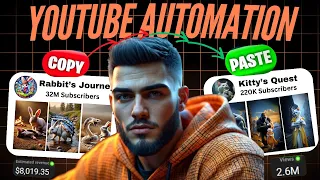
have you ever dreamed of starting your own YouTube channel but didn't know where to begin with deep seek it's easier than ever and 2025 is the perfect year to get started take a look this YouTube channel is making over half a million dollars per month using nothing but AI tools and the craziest part is that they're doing it with simple animal short videos that go viral every single day and take less than 20 minutes to make just look at these numbers this Channel's audience has grown to over 2.5 million subscribers their latest video why is
our little rabbit like this hit 2.2 million views in less than 2 weeks if we go ahead and sort their videos by popular we can see an entire library of videos that are getting Millions upon millions of views after spending 12 hours analyzing this channel I found something truly groundbreaking they're using AI Tools in ways that have never been seen before and today I'll walk you through step by step how to recreate their videos just like they do while other creators are spending weeks on research and editing you'll be able to create these videos in
minutes I know it sounds impossible possible but watch this here's a video I made in just 15 minutes that's just insane I'll show you exactly how to create content like this from generating viral ideas for videos to generating professional videos with AI but here's the key every step matters skipping even one could leave your Masterpiece incomplete so stay until the end of this tutorial because I'll guide you through everything you need need to create an adventure video that stands out ready to turn your creativity into something incredible let's Dive In Step One crafting the perfect
prompts to start creating viral videos the Journey Begins with generating The Perfect Image prompts using deep seek AI while coming up with prompts can be tricky I've made it easy for you by sharing the prompts that will generate you the video in no effort a scene description prompt to set the stage and create you a new viral story from scratch an image prompt to bring every detail to life you'll find the links to these prompts in the video description so let's begin and unlock the magic of this heartwarming Trend together but before we dive in
take a quick moment to like this video and hit that subscribe button your support helps others discover this tutorial and keeps us inspired to bring you even more engaging content this is part one of our new series how to make money with AI generated videos today we're diving into the rabbit Quest Niche but these principles can be applied to any Niche stay tuned for the next episode where I'll reveal the most viral niche of 2025 you won't want to miss this now let's get started step two generating the story scenes first head over to our
prompt template and copy the scene description prompt paste it into deep seek and hit enter in just seconds deep seek will generate detailed descriptions for 10 key scenes in your random generated adventure story this will set the perfect foundation for your video what's unbelievable is that every time you regenerate this prompt you will get a completely new story next return to the prompt template copy the image description prompt and paste it into deep seek and here you go you'll have 10 Vivid image prompts ready to bring the story to life it's that simple plus you
can easily switch the setting change the characters or just regenerate again for a completely new story the possibilities are are endless so let your creativity shine step three generating stunning AI visuals with Leonardo AI with our story scenes prepared it's time to bring them to life with AI we'll be using Leonardo AI for generating images click the link in the description to access their platform and select launch app if you haven't signed up yet the registration process is quick and simple existing users can log in effortlessly via Google apple or Microsoft One once inside navigate
to image creation to access the generation panel select the Phoenix 1.0 model then go to more Tik Tok aspect ratio 9916 which is ideal for vertical content on platforms like YouTube shorts Tik Tok and Instagram reels next return to deep seek copy the first image prompt and paste it into Leonardo ai's prompt box click generate and within seconds you'll receive 4 high quality images pick the best one download it and repeat this for every scene in your story until you have all the necessary visuals step four converting images into animated Clips with clling AI now
that we have our images it's time to animate them into engaging video clips for this we'll use clling AI click the link in the description and select sign in log in with Google for a seamless setup once inside click AI video to begin choose the cling AI 1.6 new model then upload your first image go back to deep seek copy the corresponding image prompt and paste it into clling ai's input field click create and watch as clling AI converts your static image into a dynamic video repeat this process for each image and you'll have 10
unique scenes ready to assemble in cap cut follow this approach consistently and you'll create a seamless and engaging video with high quality visuals Pro tip free users can process one picture at a time while premium users can work with up to five if the result isn't perfect simply regenerate the video for a better outcome step five enhancing video quality with upscaling to ensure professional and Polished visuals will'll upscale our videos using cap cut click the link in the description then navigate to Magic tools video upscaler upload your video clips and hit upscale let cap cut
enhance the resolution for maximum quality once the process is done export and download the improved videos step six adding music and sound effects for an immersive experience great visuals deserve equally great audio for background music we'll use epidemic sound as it stands out as one of the best platforms for music and sound effects in 2025 from my experience it offers absolutely everything that you need to enhance your videos when choosing the perfect music for your video always ask yourself what emotion do I want my viewers to feel let the music set the tone and enhance
the storytelling sound effects are powerful retention boosters that can elevate your video examples include whoosh sounds for transitions clicking sounds for emphasis and Ticking sounds for suspense with so many options available be creative and choose the ones that best complement your content step seven editing everything together in cap cut now it's time to assemble all elements into a final video launch cap cut and start a new project import all your video clips music and sound effects trim each clip to around 3 to 5 Seconds to keep viewers engaged apply smooth transitions using the black fade
effect and adjust their duration for more dramatic moments use the sound effects you downloaded from epidemic sound and sync them perfectly with your transitions this way you'll achieve those smooth seamless transitions you've always wanted balance the audio Levels by fine-tuning the music and sound effects use the clear filter to achieve a polished cinematic look once satisfied export your video in 4K resolution for the highest quality here is our final product [Music] [Music] and there you have it you've successfully created a captivating rabbit and squirrel Adventure video whether this becomes your next viral sensation or the
start of an exciting creative Journey the possibilities are endless if you found this guide helpful don't forget to like share and subscribe your creativity has the potential to inspire countless others now go bring your ideas to life