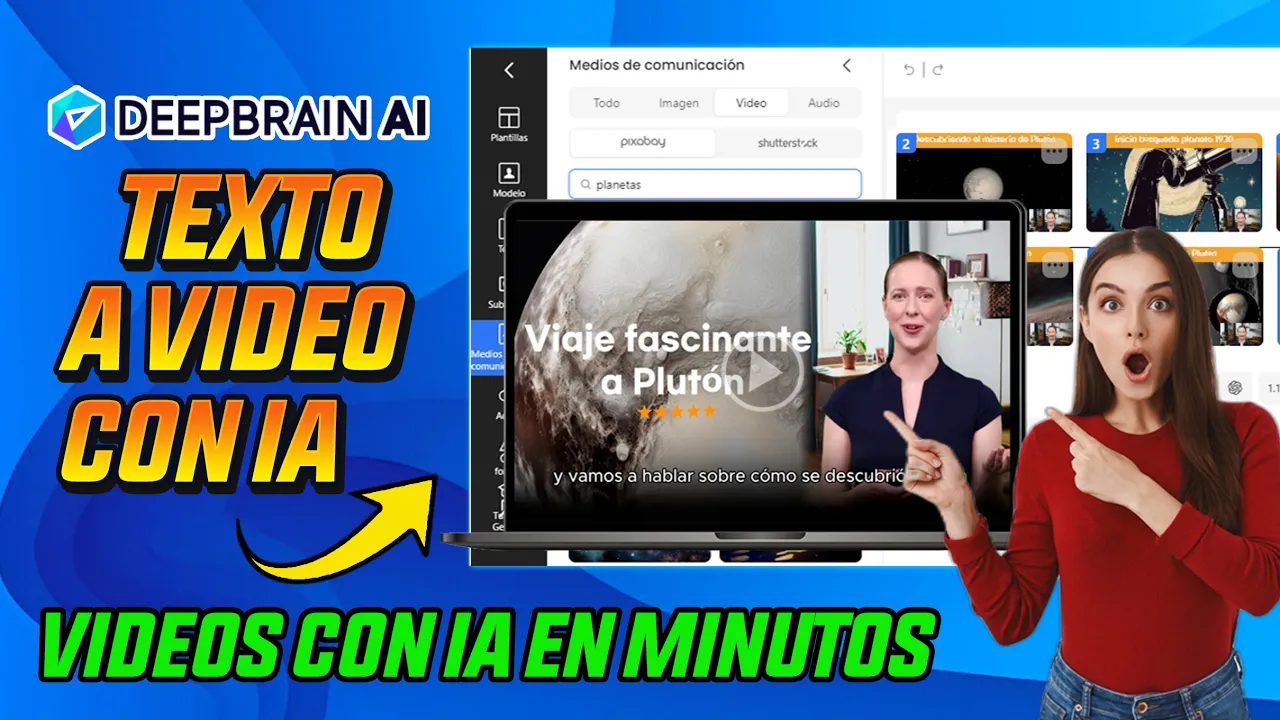
In this video I present to you the best video generator powered by Artificial Intelligence that exists on the market since it has a double function, that is, this tool called Deep Brain is not only a powerful Artificial Intelligence video generator with hyper-realistic speaking avatars that include voices in off and fully customizable, but also now powerful video creation functions with Artificial Intelligence are included, that is, this additional function is from Intel incia artificial text to video, you will be able to convert your text into video using Artificial Intelligence, you will simply be able to paste your Your Script or script is the easiest way to create videos for YouTube Instagram Tiktok from text and with a few clicks. In conclusion, these functions mentioned, the video generator with Artificial Intelligence and the text to video with Artificial Intelligence, you will be able to use it Through this video I will explain to you step by step, so let's get started and to enter Deep Brain you are simply going to click on the link that you will find below in the description of the video. And as it says here on its official page, generate videos from text.
realistic voice avatars natural text-to-speech conversion and powerful video creation functions with Artificial Intelligence all in a single platform accelerate your video projects and scale text conversion video based on Artificial Intelligence here you can see that all these new ones are described functions that are all included so that you can create content for your social networks and really high-value content. We are simply going to click on this button that says start or on this button that says create free guide video. We are going to click here to enter with an email account and you can simply enter with your Google account that is, your Gmail account or with a Microsoft account in this case We are going to enter with a Google account in this way we enter and in this case I am going to show you What is the free version like?
The free version allows you, as you can see here, to create a video with avatar generation with Artificial Intelligence, but you can also create a video with this function using a prom, that is, here you put the theme of the prom, for example. Here by default it shows you these examples, for example, here you can paste a link from a blog to a post. You can also upload it, even a PDF, look, and you can even have templates that you can also use to do quite interesting work.
We are going to create it from scratch. the first project that is going to be using the video generator with Artificial Intelligence with avatars and then we are going to delve into this new function of video generation through a prom using a text So as you can see here in this free part it mentions that I can do a project that's why it says here a Pro in this case you can also opt for the paid plans mentioned here from $4 monthly but we Thanks to Deep break it has provided me with a Premium account so that it can show you step by step of all the benefits that this tool has So we are going to enter with my Premium account well here as you can see they have really provided me with credits so that I can show you the entire explanation but what I am going to do you can also do with the free option here they have simply provided credits so that I can show you everything that includes the benefits of this Premium account and also by clicking below on the link that I am going to leave you, you will get an offer in case you want to acquire a prem plan, the benefit is actually quite interesting We are going to go to a new project and we are going to create our video with artificial intelligence with our Avatar. Click on new project.
Here it will show you a small tutorial and from here you can choose your Avatar by simply pointing to the Avatar and clicking on it. In this part where it says templates you can choose some templates that come by default it comes for different use cases and education YouTube tiktok business e-commerce marketing news if you want to create a news channel you can also use these templates Look totally customizable templates totally Premium Look we are going to click on one so you can see look and here you can choose the scenario here you can choose the scenario I simply point out and in this part also here as a model You can change the Avatar for example in this case here they go to load the Avatar models you have personalized avatars you have an Avatar photo so that you can also upload your own photo and you can give it life with this tool aestheticizing in this case I am going to choose an avatar anyone spoke I have all the avatars unlocked in the case Yours are going to get the first avatars in free mode and if you want more variety you can opt for the PR option in this case I will simply choose in this case I will choose this avatar from here and for example if I want to change the background Well, I point to the background and from here I can choose a background Oh there are communication cases and I can choose, for example, copyright-free image, I can choose videos. You also know that these tools are connected with copyright-free libraries such as pixab but also with pages like shatter stock also very well known in this case I want to look for an office background I put office for example a click and I want to look for a vde of office background to place it for example this one here seems interesting to me I click on it now what I am going to do is the following I'm going to place this this way and here in this part where the layers are I'm just going to put send back Oh look how pretty it looks look I stretch the Avatar I can leave it here in the middle I can Place it in this part Look looks quite realistic Here I'm going to obviously paste the Script or I can ask chat gpt which is already built-in to create a script for example here in the voice I'm going to choose obviously in Spanish I'll simply put Spanish from here filter to be able to filter and I'm going to search a Spaniard from Latin America obviously Mexican can be or is there you find it feminine I can preview I put apply voice I can also clone voice and here look when it says assistant here I simply put my theme on I don't need to go to resort to an external tool like chat gpt because here it is already incorporated I am simply going to put this digital marketing strategies is going to be my theme or my Script my Script that I am going to ask you to me the kpt chat that is incorporated here in prize has created a chip for me it has created a script for me It's quite simple, I can regenerate it if I don't like it, you see.
Look, I can regenerate it if I don't like it and now I'm going to apply it. Look, it goes here now. Also, what I can do is obviously from here I can listen to some effective digital marketing strategies that include search engine optimization as advertising on social networks content marketing email marketing and influencer marketing well generate your automatic subtitles in this case I am going to leave it as is and now to export it you simply click on this option where it says export and In this case, you give it the complete export video that is marked here and your video will be generated and stored in this part, there you will wait for the video to be generated.
Generally it takes approximately one to 2 minutes, ready here and do it. we have done so we can simply click here in this part to download the video you can simply download it share it duplicate it oo in this case View video from here we are going to download it we double click on it and this is the final result Some effective digital marketing strategies include the optimization of search engines such as social media advertising content marketing email marketing and influencer marketing it is important to segment the target market measure the performance of campaigns and adjust them according to the results the use of analysis tools and personalization of the customer experience are key To obtain successful results in excellent digital marketing, the Avatar is quite realistic. It is really spectacular.
Now let's go to the function that interests me the most, which is really the one that changes everything in the matter of generating content for videos. It is where it says copy, paste and generate your videos then simply Here we are going to copy a Pro Or you can drag a PDF a file in Powerpoint a document etc. In this case we are going to do it manually in this case we are going to put a prom for example for example Here we go to this prom from here that comes by default where it says a video explanatory for YouTube about how Pluto was discovered planet Pluto simply in this part you can also edit options that is, you are going to set your objective in this case we are going to leave it in auto or in case for YouTube the duration of the video in this case I want it to last 60 Seconds But you can make it last much longer if it is in Spanish you can even choose the templates in this case I am going to choose a template you can choose if you want a horizontal video or a vertical video I want a long YouTube video So I am going to choose a template pu choose for example this one here I'm going to choose And I'm also going to scroll in this part it says media already in this case to use Element the free libraries extremely auto we can choose auto we're going to leave it at auto But you can configure it of this way and I'm going to leave it as is and now I'm going to hit it's obviously in Spanish Let's put the generate button on it and you'll see the magic that's going to be Deep break is really impressive Let's hit generate and here it's going to create everything all the scenes of the video we are going to wait for you to see how it is creating all the scenes of the video and then we can personalize it, make some adjustments and it really is a quite interesting product.
Look how with Artificial Intelligence it creates the scenes it creates the images it creates the automatic subtitles It is creating the texts without the need for me to touch anything, it is already doing everything in an automated way, once it has created all the here we can see it, there you see, there it is creating, let's wait for it to finish, look, it's done now, if you want. edit we can hit it well you're just going to hit edit here you can modify scene by scene for example this one here we can fix it this way we delete this part if you want to delete an element you simply point to it and say remove now and for example the title we can accommodate it better from here simply double click fascinating for example here to Pluto Let's give it there we can accommodate it modify it in this part we can this this element here place it here these stars we can remove them or leave them more here look at the title we can accommodate here this there is this gradient background we can raise it here and so we can personalize the colors the texts everything for example this one here is also quite good we can simply put the automatic subtitle here and discover the mystery of Pluto this one is quite good it looks like Pluto the mystery of Pluto We can also eliminate the automatic subtitles but we are going to leave it with automatic subtitles Because it looks quite nice, for example here in Spanish I don't like the voice of Spain For example I am going to change it You can change the voice I am going to choose the one of this Mexican we will apply voice and you can make more adjustments. For example, if you want to change the color, you point to this or the text color here and I can choose another color, you see green, but let's leave it once you have modified everything.
For example, this music where it says here means of communication d it says audio you can point to the audio you can run Here are all the scenes, point out the music that you don't like, for example this background music and delete it delete how to export the entire video always make sure the video is going to be prepared here Now here it will load the video and this can take approximately a few minutes, so let's wait for it to be processed Our video obviously takes approximately a couple of minutes, for approximately 5 minutes it tells me that the video is already done, it is worth mentioning that it will always also notify you to your email with which you registered, it will notify you that your video has already been created, that is something interesting that this tool has and well. Here is the video, we can preview it or we can directly download it and see the work it has done. Let's download it.
and once it has downloaded we give it here double click Hello everyone and welcome back to my YouTube channel today we are going to delve into the fascinating world of astronomy and we are going to talk about how Pluto was discovered Pluto the most famous dwarf planet in our solar system has been the subject of controversy and debate for many years but how this strange little world was discovered it all began in 1930 when the American astronomer Clayton Baug was looking for a ninth planet beyond Neptune But why were they looking for another planet, we didn't have enough, well it turns out that there were some irregularities in the orbit of Neptune that could not be explained only by the gravitational influence of the other known planets. This led scientists to believe that there was another massive object in the solar system and so the search for Pluto began after arduous observation work. and analysis Tom Baau finally found Pluto in 1930 but here comes the interesting part in 2006 the international astronomical union decided to reclassify Pluto as a dwarf planet because it was not big enough to be considered a planet it turns out that scientists discovered that Pluto was not It met the established criteria to be considered a planet.
For example, it had not cleared its orbit of other nearby objects as the other planets had done. This generated a great debate among astronomers and divided the scientific community, but what does it really mean for Pluto to be a planet?
![🔴 ¡NO VAS A PODER PARAR! DE HACER AVATARES CON ESTA IA [akool]](https://img.youtube.com/vi/AoY_YeNCqU8/maxresdefault.jpg)