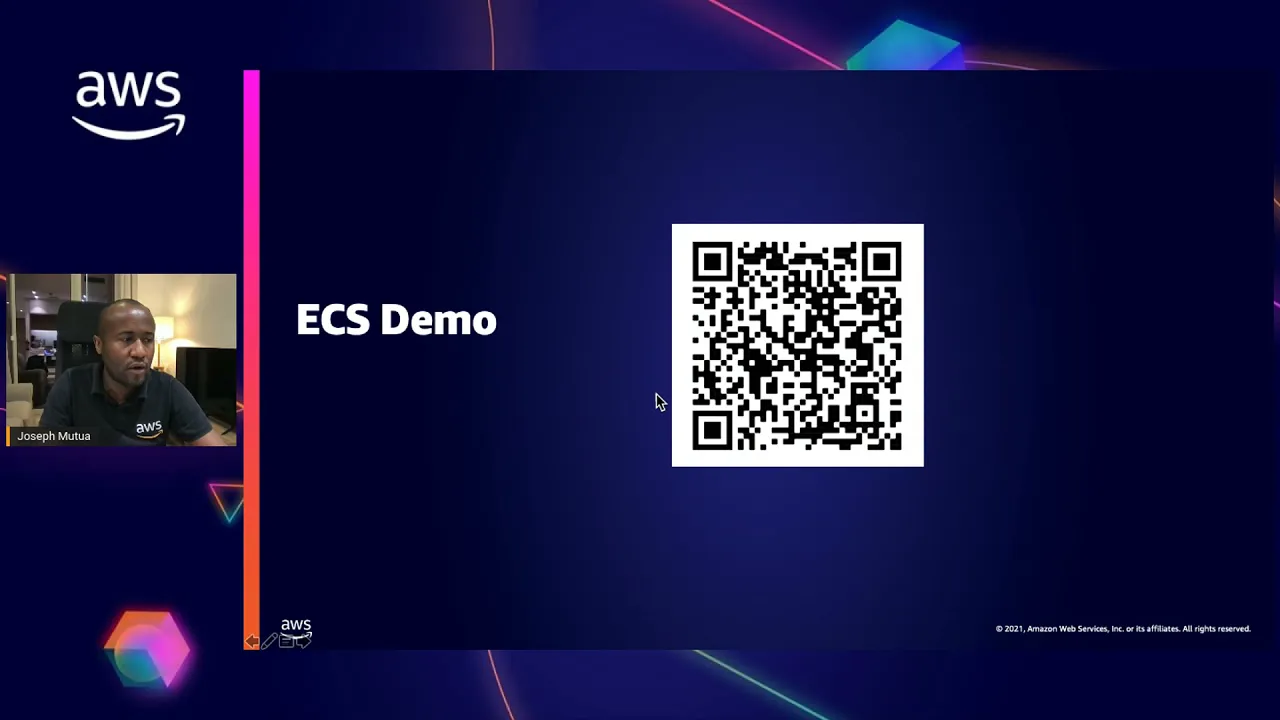
everyone and welcome to today's webinar session my name is joseph mutua solutions architect at aws and today we will learn how you can build containerized applications on aws in our session today we will quickly review why customers adopt containers we will then look at container orchestration options available on aws where we will learn about amazon ecs amazon eks and touch a bit on aws fargate for observability and visibility into your deployed applications we will review amazon cloudwatch container insights then touch on service discovery using aws app mesh i will try and make this session as interactive as possible with some demos in the course of the webinar so um hopefully you're going to enjoy it so why are customers adopting containers um because of you know various customer needs some of which are listed here we've seen a large push towards containers by letting aws handle infrastructure and operational button and provide automation customers are able to reduce risk and focus on building business logic instead of infrastructure by moving to a controlled and repeatable environment and embracing automation we see product delivery velocity dramatically increase while improving quality stability and security so what are customers really building um it ranges from you know applications to machine learning solutions so in applications our customers are building you know the backend services that power their iet organizations and the customer applications that drive their top line growth we also see many you know our customers building shared services platforms to help their development teams move faster so these platforms automate software deployment and infrastructure provisioning and provide guardrails management security and governance we are also seeing customers you know containerizing their legacy. net linux and java applications and moving them to aws and finally like mentioned we see machine learning is a large and growing use case as well for example in the space of autonomous vehicle workloads are a huge use case for aws container services so let's look at the container stock on aws so if we look at the container stack on aws at a high level we can see that you're provided with a broad and deep set of services to help you build your containerized applications you know there is a wide set of deeply integrated services ranging from container services container registry services networking and content delivery to application integration and storage and we will be going deeper into the services which can help you get started shortly so let's get started on container orchestration right on aws and in this section i will be taking you through you know several container orchestration technologies on aws such as elastic container service elastic kubernetes service and amazon fargate which i will then follow up with the demo on how to build um a simple application so really what is this yes um and in this case amazon elastic container service so this is a fully managed container orchestration service that helps you easily deploy manage and scale containerized applications it is a fully managed control plane and customers do not have to manage patch or upgrade anything for ecs control plane so um you know at best it's it's free so there's no charge for the service you only charge for the underlying resources that you provision so when we you know ask our customers what do they really like most about and about amazon ecs and it's the fact that you know ecs is simple and it provides um and you know an opinionated way of running um containers on aws and at scale and it reduces the time it takes customers to build deploy or migrate their containerized applications successfully so i mean i would say and i can tell you that amazon ecs power is a growing number of popular iws services um trusted by hundreds of thousands of customers including the likes of samsung general electric expedia and duolingo so you can you know check those public use cases and customers are actually adopting containers at scale um and seeking powerful simplicity with amazon ecs so let's try and deconstruct uh you know amazon ecs to understand its simple yet powerful core constructs so we have tasks and tasks consist of one or more containers this is your application typically so you can run the task on either an ec2 instance or on fargate or there are sport variants so there is easy to spot there is fargate support as well and then multiple identical tasks make a service and tasks tasks in a service can be connected to a load balancer which also automatically gets done by ecs and we you know refer to a group of services and tasks as a cluster so as a customer you can create as many clusters as you want and map them to your different teams and create them for specific workloads because you know a cluster is just a simple logical grouping so um ecs also comes you know and provides uh auto scaling and self-healing functionality so with ecs you know you can easily scale up and down the tasks as you need them or as they are needed by the application demand and moreover tasks can be spread between you know on demand and spot which is great for cost saving and if a task dies um ecs will replace it automatically so a little bit on ecs um and you know how exactly that sits in the in the space of ecs so um you know we we already know that ecs is fully managed control plane right now with foggy then this is a fully managed data plane that is the compute which runs the containers is you know managed by aws and you don't have to manage it as a customers so you don't need to maintain any you know amazon machine images which is a big operational saving um additionally you know like i mentioned earlier forget sports and savings plans can be leveraged to provide even further savings um for your for your for your infrastructure then um you know enter ecs anywhere which is a total game changer um and you know previously you could run ecs only on outpost or in an aws region in a local zone or aws wavelength or you could only run it in aws forget however customers you know no longer need to operate a separate local container management software such as mesos or bernettis if they want to you know have a single plane for their container orchestration because ecs now helps customers actually you know standardize the management across all the environments and it enables the ability to add you know on-premises environment to ecs which completely helps you know simplify and reduce the complexity for customers migrating container workloads to the cloud so some of the key use cases of ecs anywhere i'd mentioned are for example you know hybrid environments where you know as a customer you're able to consistently run workloads on cloud and on-premise then there is you know in modernization efforts where you can leverage ecs anywhere to you know um be like a platform to help you containerize any existing on-premise apps before you consider migrating them to the cloud and then in iot for data processing on edge locations so um that's the bit of theory on ecs and i want to now take you um through a demo on how to go about creating um or running a simple application using ecs so i will change to my console so this is the aws console so for us to get to ecs i just need to type here ecs in the service i can also find between the recently visited services so i'll click on elastic container service so this brings me to uh the the ecs console so to you know start and to be able to deploy um an ecs um cluster and be able to run an application using ecs you first start by doing a task definition so i will um create a simple task uh we're going to call it okay before we give it a name let me just first show you the launch types it's either forget ec2 or external for ecs anywhere so in our example we are working with ec2 and to create this um you know there's parameters that you specify like like uh task and container definitions you know im roles the task size container definitions um various constraints and any volumes that you want to leverage to persist data so i'll use as um a json file to do this configuration i have a file prepped for a simple task definition in order to save time so you know 10 cpu units about 300 mb you know it's running um apache and we're going to call it simple up so let me call it um that's webinar task definition and i'll save that and i'll create that so we have our our first you know task definition so um with the task definition the next thing that i need to do is to go and create my cluster right so you remember in my task definition i provided the container so let's just look at it actually we provided a container right um we've given it some resources in our container it's a simple index html page that's going to be getting presented um our host listens on port 80 and the container listens on port 80 it's tcp protocol and it's open um at the moment to um to the wall so as soon as i spin it up i should be able to actually access this service so let's go to clusters oh sorry this is too unnecessary right yeah so i'm going to create a cluster and in clusters you have got three different ways of creating clusters right so we've got let me talk about the first um these two this and this one so ec2 lineups plus networking it's if you're using a linux mi then we have ec2 windows plus networking if you're using a windows ami and then we have a third one networking only which is if you're going to be deploying um your your cluster um using aws targets or external instance capacity in the case of ecs anywhere so you know example we're using um a linux mi so i'm gonna select that then we need to give our cluster name right so um i will call it um webinar demo app i'm gonna change the instance size because it's just a demo so i'm gonna run it using t2 micros that's the smallest you can um ws instance i'm gonna spin it up with only one instance just for the demo purpose i will not create a new vpc because i have um already pre-created vpc so i will select two subnets i will assign a public ip address just in case we need to troubleshoot the instance um that will be you know running our containers and then i will enable cloud watch container insights because later on in the in the in the webinar i'll be talking about cloud watch container insights and the value that brings as far as monitoring and troubleshooting um your containerized solution is concerned all right so quickly i will spin that up so this is going to create uh uh an an ecs cluster for us now um so let's just give it a bit of time it should be done shortly never normally it does not take very long so and as you can see it's actually behind the scenes provisioning a cloud formation stack um to manage you know the different resources the auto scaling the ec2 instances behind the ecs cluster so let's look at our cluster now we have our cluster we call it webinar demo app um it's got no service it's got not tasks um running in it but remember we have a task definition right so after creating um the cluster then to you know to stand up as a service um and use the task definition that we provided earlier on i can come and create a service i'll to be in ec2 mode i'm gonna be using webinar uh task definition which is the latest one that we spun up um the cluster is uh webinar demo app set this to that so let's give it a name um demo up a number of tasks we'll just pin up one um the other parameters are going to leave in default will not change anything just for simplicity then next is a section to configure networking because this is just to show you how you can quickly get started um we will not be setting out any load balancers however with ecs you can actually be able to expose your services using an application load balancer or a network load balancer or the classic um load balancer so these are all available and then we have got um you know service discovery as well and i will touch a little bit on uh on service discovery towards the end of the webinar but for now this is optional so we are not going to be enabling this but you know the essence of i mean service discoveries is when now you know you have too many micro services and you're trying to figure out a scalable way of you know getting you know into service communication so there comes a service mesh right next i'm going to not going to enable any auto scaling so i'll just leave it as as it is with the desired number that we set out and then here you're presented with the summary and i create the service so the service is going to be getting created and it transitions through different states it can either be impending or when it's ready we'll see it in running it will change the status to running and then we're going to be able to access it so um as we are waiting for for for the service to get ready um i would say let me first touch a little bit on container registry because you'd also you know want to know what options are available in aws as far as container registry is concerned so let me go back to the presentation so so as far as container registry um is concerned with aws provided with amazon acr which um is a fully managed container registry service which makes it very easy for you to store manage share and deploy your container images and artifacts so you can you know leverage it um if if you want to to have a fully you know aws within the aws ecosystem driven solution and then um with amazon ecr you know you do not need to operate you know your own repositories or worry about scaling or the underlying infrastructure and the availability because amazon ecr will host your images in highly available and high performance architecture allowing you to deploy your images for your content applications reliably and when you want them so um to also mention you can actually share your container software privately within your organization if you wanted or publicly um for other you know developers out there to discover and download any software that you might want to open source and also as a developer you can actually search the amazon ecr uh public gallery for an operating system image that is replicated for example for higher availability or for even faster downloads depending on where you're you know deploying your your ecs um cluster right so um that's just a little bit that i wanted to touch on as far as container registry is concerned so let's um go back to our our service and check with our service is now ready up and running so it's webinar demo app uh yes now the last status is it's running so we can open it and then we can expand this to get the link on which we can reach the service so practically we should see this webpage this displayed if we navigate to this link so pretty simple amazon is here sample lab congratulations and you're told that your app is now running on a container in amazon ecs and it's that simple so you can think about you know the container that you use as you're the docker container where you've built your application and you've you know kind of you know put you have taken it to a step where um either wants to you know test it and test its functionality so you just follow the same steps um and and configure your your your ecs cluster okay so that's uh kind of marks the end of um ecs and i want to go on to the next um container service in aws and this is for the you know for the kubernetes lovers out there and um [Music] i'd like to you know mention it to you that aws is the best place to run kubernetes and 65 of organizations choose to you know choose aws to run their containers so feedback from our customers really drives a lot of the products that we build so we've listened to our customers we listened to them and you know we heard from them that running their their own you know kubernetes clusters increased the operational overhead and i mean we know that teams choose kubernetes for its vibrant ecosystem and community consistent open source apis and the broad flexibility however you will agree with me managing kubernetes of scale is hard and running clusters at production skill is complicated and requires trained resources who spend a significant portion of their time you know managing upgrades monitoring and scaling the control plane then you know deploying and managing the lifecycle operational software and more and you know all of this effort does not really move the business forward and our customers want to focus on applications and ideas that would allow them to deliver new products to their end users so this is why um you know a lot of our customers a lot of customers on aws have come to rely on amazon to handle their undifferentiated heavy lifting of security and operating kubernetes at scale so um let's talk about amazon eks in this case and what it is and you know some of the key attributes so amazon eks is a managed service that you can use to run kubernetes on aws without needing to install operate and maintain your own kubernetes control plane or nodes so a few key attributes that um you know our customers have come to appreciate about amazon eks is you know firstly we do not modify open source kubernetes eks is fully upstream and it is certified conformant kubernetes so we even backport security fixes to ensure we are consistent with open source we then support you know upstream versions for a longer period and we support up to four versions of kubernetes which gives our customers sufficient time to roll out upgrades as part of this we even backport patches and fixes and upgrades to kubernetes versions even the ones that the community may not currently support so um you know lastly we want to reduce the complexity of kubernetes operations so we manage we provide the manage kubernetes experience where we do a lot of the work to select the right kubernetes version for you validate dependencies to provide security stability and operational excellence that our customers rely on us to deliver so um i mean as aws um you know while majority of our customers choose an aws managed service um to run their workloads we also recognize that customers have specific needs to self-manage kubernetes on aws and we are committed to providing the best experience regardless of how our customers choose to run kubernetes on aws so uh on security and you know you know security has been there will always be job zero at aws we are actively involved in the kubernetes community to shape the security roadmap of open source kubernetes and we have open sourced components to simplify the deployment and management of kubernetes on aws some of those companies consist the cloud provider you know aws down to the auto scalers um aws fsx csi driver for storage um all the way down to the base encryption providers if you want to do some encryption um on resources um within your kubernetes cluster then um of course you'd ask um but then does it have um you know a equivalent like we saw in ecs yes it does so there is you know the serverless compute platform for containers um for eks as well um in this case it's um you know amazon nks on fargate um and you know the difference between using eks and ecs with fargate are really driven by the orchestration system right um additionally i mean amazon eks is available anywhere you need to deploy your application today so we offer multiple deployment options for amazon eks from eks on aws to outpost local zones um to deployments on customer self-managed compute with eks anywhere and we now have eks distro really which um you know the customers um can use and use their preferred tooling or use it with a partner solution such as rancher or tonsil all right so let's uh look at eks and you know have a quick eks demo so i'll switch back to my to my um console and go to clusters eks so to provision a nikkei cluster is different ways you can do it on aws you can have um you know you can use eks control or you can use aws console or you can use aws cli in our example here i'm going to use um ws console but then also i'll i'll run some some some some configuration activities using you know cube control which is a command line tool for working with kubernetes clusters all right so some prerequisites of course you need to have you know the latest version of aws cli installed um that you know can work with aws services that include eks um like i said we need to have uh cube control which is the command line um tool for working with kubernetes as well as a relevant identity and access management permission so that as the principle that is trying to configure these resources i'm allowed to work with eks and others you know services like cloud formation and vpc that are going to be required to create the eks cluster all right so um to create a cluster i'm going to [Music] quickly you know just add a cluster here uh we are going to call it um demo webinar we're going to run the late i mean the default which is 1. 21 so for the role that um we are going to use we are going to use the my amazon eks cluster roll so this role allows you and enables you to for the kubernetes control plane to manage other aws resources on your behalf in this case things like ec2 or other iws services that you might want to leverage as part of your eks cluster so we'll go and use the containers vpc it has two subnets we'll use a default security group um for cluster endpoint success we've got public we've got public and private and we've got private and for public it pretty much means that endpoint is accessible from outside of your vpc while the worker node traffic will leave your vpc to connect to the endpoint for public private the cluster endpoint is accessible from outside of your vpc however the worker nodes traffic to the endpoint stay within the vpc and never lose the vpc in a private endpoint access then the cluster endpoint is only accessible through your vpc so you either have a bastion host or a vpn connection to your vpc to be able to access it and you're working on traffic to the endpoint stays within the vpc right so we go next i'm going to use as the default just show you the simplicity right so our cluster is going to [Music] get created now this takes a bit of time um and you know for the sake of saving um saving us time i i prepped um a cluster before um beforehand so that we're able to quickly accelerate so the cluster will get created and it will become active and when it's active the next thing that now you need to think about is uh being able to you know have get your developer desktop or you know your your builder's desktop to have uh to communicate with your cluster right so for that um i'm going to use be using um like i said it's nwscli as well as a cube control so um for this i need to you know create a cube config file uh for my cluster so that i'm able to access it so my cube config file um me get it it's very simple so these are calls i'll be making from the cli so it's aws eks update queue config the region is used the name of my cluster is my cluster so i can have many you know different clusters so depending on which one i want to access then i just need to change the context so that i have access that particular cluster so i can now confirm that um i have access to or i have gained access to the to the cluster yes i can actually do that that means we can actually check for um things like that the the default name spaces that come with it with cube node release q public cube system and the default namespace so there we go i mean we we have our our our cluster now um this is not enough right you need to be able to to deploy you know um some some resources for you to be able to spin up containers you need some compute resources at this point this you know our cluster does not have any nodes right and this is what is going on here our cluster will be created but will not have any compute it will not it will only have you know the networking that we specified within the vpc but nothing else really so um for the cluster which is running and in this case my cluster for you to create or to attach you know resources to to create um for you to be able to place your containers then um you add a node group right so what i'm going to do is um just a second let's uh let's go here we go to compute and then i add a node group right so let's call it demo up we are going to use a node role because you you want your you know you want your your nodes to be able to make certain calls um on your behalf to different aws services that you want to to to take advantage of all right so i'll call that then i'll go next i'll select you know amazon i can can it be gpu enabled rm i'll work with the default one it's on demand for now but you can also do sport if you want instance type let's work with the smallest we'll set a disk size of 20 for our our nodes minimum size of our nodes we set it to two maximum of two and a desired of two so that at this we're able to place some services the rest will leave as default we go next quick summary here and we create all right so this is going to create um ec2 resources um you know as part of our node groups to for us to be able to place you know containers and so on so i had created a note group before uh which i call my note group with two uh with two nodes we can confirm um whether this is available so cubecontrol um gear nodes right so we have two nodes and they're ready i have not deployed any services no name space there's no container in these nodes but basically um you've seen um how really how easy it is to stand up a kubernetes cluster um on aws because it just needs you to create your you know your cluster then come and create your your your your you're not groups um and then as soon as that is available then we'll start placing our we start placing our our workloads so let's um so this is still creating so i'm gonna leave it but that does not stop us from uh proceeding so once you have your nodes um your your node groups active that means then now you're ready to start you know deploying simple applications so let's try and uh you know deploy a very simple app so we'll first so out of this beyond this now everything else will be happening from your your cli your your your kubernetes cluster uh management tool and in my case it's cube control right so so to you know create a namespace we're going to call it demo app so we can confirm whether that has been created yeah we have demo up fantastic so once we have our namespace then now we need to create a kubernetes service under deployment so um i have uh we're going to create a simple um uh you know service and deployment yaml file which we are going to use to deploy our service so let's check what's here right good so our namespace was demo up his demo up rather so that's the only thing i exchanged really the rest is a service definition so you know you specify the name of the service then you specify the namespace where you want it and you attach a label to it then you specify some specifications here your listener ports your host port and then there is a deployment and the deployment manifest is here so you specify the name of your deployment um let me call it actually demo deployment um all these services so that in case we have others running we can actually be able to identify right so the only parameters i mean i have a container it's an nginx um container i'm calling it or i'm retrieving it from ecr from you know the public repository and the container port is 80.
so i'll save this and then i will apply that file so it's um q control apply and that's f in our sample right so it's created our demo service as well as uh span of our deployment right so let's see what um is going to be running in our namespace it was demo up let me actually clearly so that i bring this to the top yeah so as you can see um we have a pod we have one port running it's ready um we have our service um running then we have our deployment here tells us 101 is ready it's up to date and it's available and for our replica sets in case we need to scale this up we've got a desired one and a current of one so that's right there we've you know created an nginx service in our in our cluster and that's how you you know you you pretty much you know start um running your kubernetes cluster you you know you can make your deployments you know deploy your services um you know deploy multiple containers to com create you know a wholesome solution um and then i can also quickly um you know view the deployed service and the details of the deployed service so all this is now uh you know uh uh equivalently stuff so give me a second so i'm using you know the command line tool available to me to do this so to check that i can just do you know bananas control sorry cube control minus n my namespace is demo up then i can describe um a service not guess our service is called demo service right so when i describe the service um in the output i can see you know there's a value of ip here so what this means it's a unique ip that can be reached from any port within the cluster so this is ip that you know other ports are going to be using to to reach this particular service in case they need to get um you know to access it um we can view the details of you know one of the ports that has been i mean uh deployed so control minus n demo up describe code so let's see one of this there you go so you have all the details for that particular port i mean the deployment several details really i mean in the output um we can see again the the ip this unique ip here so this is a unique ip that is assigned to the pod from the range from the vpc range uh by default um you know if you prefer your ports to be assigned ip addresses from a different um ip address range you can actually change the this default behavior and this uh you know capabilities provided in uh in a cni custom networking uh plugin so that's an extension that you can actually take advantage of and then you can also see that um you know the kubernetes scheduler um you know she deals some ports it tells you actually where it showed you the pods right so let's it actually tells you it showed you the ports yes so it tells us what it goes ahead and shows you where where those um you know where the poles got um in which instance um your your ports got scheduled so right there um in 10. 0. 3.




![Upbeat Lofi - Deep Focus & Energy for Work [R&B, Neo Soul, Lofi Hiphop]](https://i.ytimg.com/vi_webp/THh4fT0O7IY/mqdefault.webp)