I'm excited to welcome uh back to San Antonio uh Joe shorack he is here with picnic he's a senior robotics engineer with picnic um he did his Masters at Worchester poly Technic um in the Boston metro area undergrad at Rose hullman uh he's been focusing a lot on perception driven robotics at picnic uh particular in unstructured environments and working with objects that haven't been seen before uh Joe the I think everything is ready to go thanks all right there we Go's sound all right all right yeah like U anyway like like V was saying um
I used to work at swery and I remember actually back at the end of my internship which was back in was it 26 2015 and 2016 I was actually presenting from this very room so it's sort of fun to be back here it wasn't this the same screen though this is a much cooler screen than we had back then so say anyway yeah I'm so I'm Joe Shack um I work at picnic um I'm a senior robotics engineer most of the work I do is um basically making robots see things and then interact with them
um a little bit of background about picnic um we're located in Boulder Colorado uh we've got a lot of really bright people um a lot of kind of combined robotics experience um we're also a globally distributed team um I live in Boston for example um so if you ever see a video from picnic where the robot is in like a sort of a suspiciously homey looking environment with a nice wood floor that's my apartment um so um yeah um one of our uh this this will be sort of like a two a two harder kind
of presentation so uh one of picnic's uh main things is that we're the stent for the move it project um so we're sort of the key maintainers for the open source side of move it um so I'm going to be talking about some um new things that have gone into U Move it open source uh this past year some new features that are possibly of interest um and then I'm going to talk about move it pro which is our product that builds on top of Open Source move it to add a whole bunch of cool
new stuff um I'm also taking advantage of the fact that I have a demo slot book today so um if you'll you you should have a chance to to get more of a Hands-On close in look and move it pro a little bit later we have a robot set up um running a manipulation demo so that'll be really cool to see um yeah so what's what's new in mve it um for I guess this would have been 2023 and 2024 um yes we released for Ross 2 Iron uh which is the latest non-lts release we
try to track um the intermediate releases a little bit more closely because people who are uh adding new features like to use those um there were several important updates to the planning pipeline um as far as like how the um different steps of plan planners feed into each other um I'll talk a little bit more about that on a later slide um stomp is back my understanding is in with stale but it's back and you can use this with the with the planners um there's another slide about that um we have yeah one thing that's
cool yeah we have python bindings um for the smooth it C++ API um I think there were sort of limited python support previously um but now there's more of a much closer to one to one correspondence uh between the C++ move it and python move it so you can do a lot more things in Python that were previously C++ only um that's really cool um we finished a basically a groundup rewrite of move Servo uh which is the process for um streaming um like cartisian and Joint velocity commands the robots make kind of it's kind
of like a uh a jogging interface um so there are new uh smoothing plug plin for move it Servo um that you know like kind of and um yeah so you can apply filtering steps to the input commands um to sort of tune the output motion um as it sent to the robot as desired um there's integration with nvidia's Isaac uh simulator environments and sort of robotic stack uh that's really cool um then as always there were a huge number of bug fixes then that wenton to keep mov it healthy and working well yeah so
um few more notes about Stomp I think this is somewhat familiar if you've been tracking um kind of rasai Robotics for the past few years um stomp is an optimization based planner um so given a an initial seed uh you can apply different costs to the trajectory to sort of drive it in a particular way so it's common to model like a distance to Collision or um smoothness of the trajectory um as a cost so this lets you um influence um your joint trajectories in a way that is kind of hard to do if you're
just using the sampling based planners and MPL uh and this synergizes really nicely with a planning pipeline improvements um so two big things to mention here so we have a new parallel planning feature um so you can actually kind of have multiple planners running um alongside of each other you know you can have like a really naive um joint interpolation planner and then some of the more thorough o planners um and then depending on how you set your termination criteria and your cost criteria you can say all right just finish as soon as you have
you know a feasible solution so that way you know you can have um get an answer really fast if you have a motion that the joint interpolator solves really quickly uh or you can say you know keep going for a long time until we're kind of confident that we've kind of sampled the best possible plan given this environment um and then second big thing is that you can chain planners together in the planning pipeline so this works really well with stomp stomp needs a seed trajectory and lot of the time for if you have a
kind of complicated planning scene you know just the interpolated trajectory from start to finish isn't actually a feasible seed so now you can use um like RT connect and have the output from that feed into stomp then let stomp optimize based on that so that's really cool okay uh so the second part of this is sort of a uh product walkthrough of move it pro which is picnic's product uh we frame it as a runtime and developer platform um that lets you accelerate um implementation of really reliable complex uh unstructured robotics kinds of problems um
I say unstructured a lot of the tools that we provide through move it pro are um meant to be are kind of targeted towards robots that don't know a lot about their surroundings or they have to figure out a lot of things on the Fly um as they're going to the product um you know since I since I was the one creating this presentation I made it my favorite kind of presentation which is the videos of robots doing cool things kind of presentation so there's going to be a lot of that sort of material forthcoming
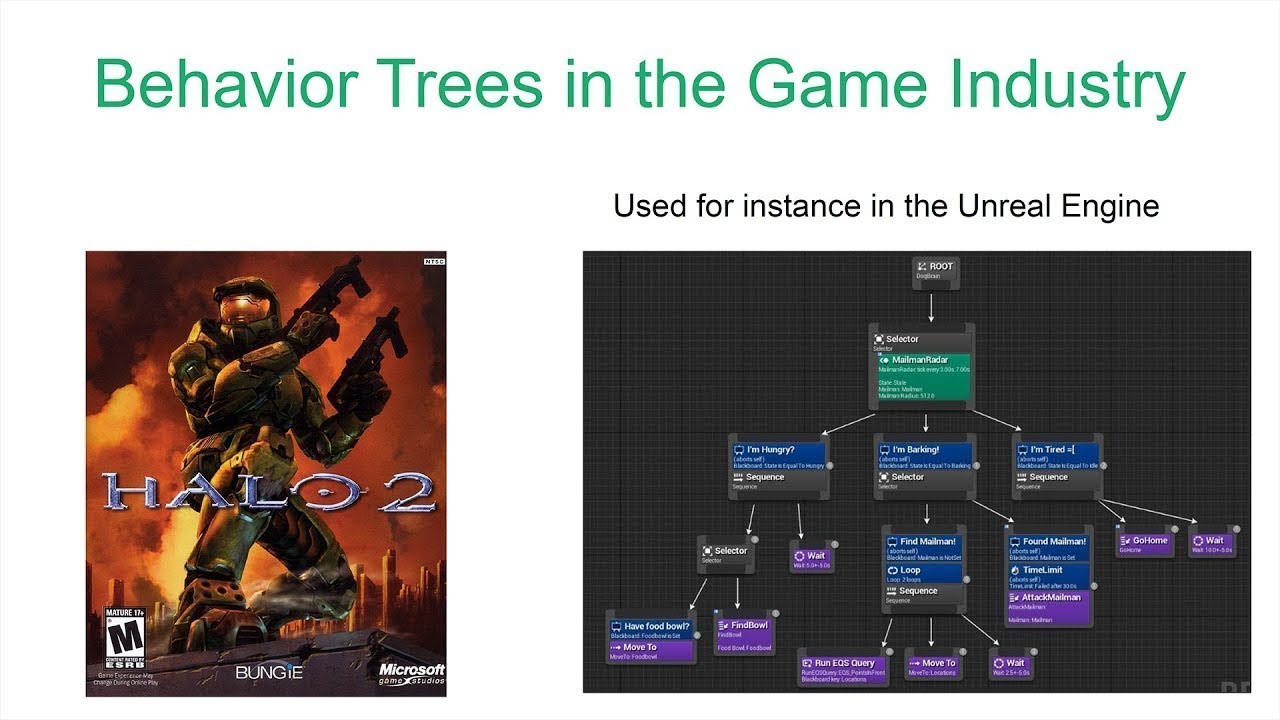
okay um big initial question is what actually is move it pro um where does it fit into my software stack um move it pro has two parts um try to get the pointer working pretty cool yeah okay there we go so the first part there's a there's a backend runtime part so um that's sort of the the brain of everything um you know this um mov Pro really heavily uses Behavior trees and we have a a plug-in based system for adding uh behaviors or skills that the behavior tree can load I'll talk more about that
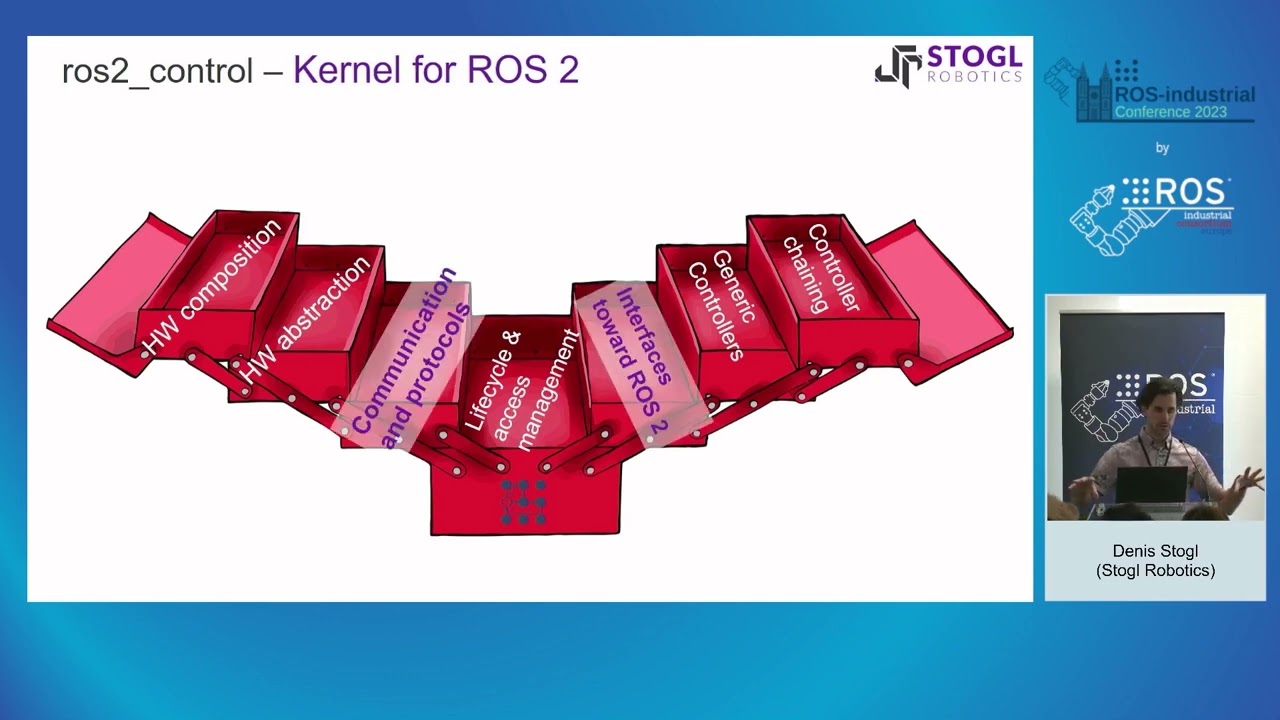
a little bit later uh but there's a basically a backend server that is managing the behavior tree um taking input from um your operator interface or like a a state machine that you have that's sort of controlling your work Cale and then it's um generating motion plans doing the perception processing um sending requests out to other nodes in your environment that you may be adding for like ml um segmentation or you know kind of other perception or processing related things then sending the commands to the robot through uh Rouse two control or whatever control interface
you have and then making the robot actually move um the second part of this is on the left which is there's a um um kind of like a developer platform user interface so you can use that for monitoring the state of your robots um for for tracking the progress through the behavior tree um for editing the behavior tree as well um for doing runtime configuration of the parameters in the behavior tree um all that all that good stuff um worth emphasizing that um the the developer UI is useful but it's not a required part of
the system you can be running this headless if if you have some other way you want to control your robot uh here's a very long list of key features um that we provide um there's a lot of different things that are related to um like motion control um some of them are pretty basic you know we have some tools for just moving between um pre-programmed waypoints uh we also have an interface for move it task Constructor which is a task planner um that you can use to find um you know if you have a kind
of a long motion or or I guess a long plan of work and there are many things that you have to do like pick up objects and place them a certain way this lets you find a solution that is globally feasible you know you can find the right way to pick up the object that lets you place it into a constrained spot a little bit later on um there's um interfaces with our cartisian planners um so you can find Singularity free paths um like rastering back and forth across different surfaces um and then there's a
visual servoing uh which is like um making your robot kind of track in real time some pose that you've determined by um you know observing the environment for example um for perception capabilities there is a lot of stuff going on there um we there's a lot of 3D Point Cloud processing for um being able to sort of make sense of the environments um segments out object that you want to interact with um there we have an interface for machine learning um pipelines so there's that's that's actually handled as an action a Ras action request so
you know if you have your ml stack running as part of a separate node or on a completely different system that has a lot of gpus in it because your ml framework needs you know 32 gabes compute um you can integrate that with your um with your application running through move it pro um yeah we have some tools for working with um force feedback you know you can um you can use uh like exceeding a force thresold as an input to go into a different part of your behavior tree for example um we have an
admittance controller um that lets you um kind of this is really fun you can basically push around the robot based around the the foress measuring at its risk that's really useful for like following um some tool path across the surface while applying a certain amount of force um or doing like a um a peg insertion into a hole kind of problem U then we've done a lot of work with grasping as well um the the grasper the griffer interface is um kind of agnostic to the actual modality of the gripper so you can do two
finger gripper gripping you can do um vacuum grasping um all sorts of things uh and then a really important part of this that I want to emphasize is is the infrastructure you know the things that aren't necessarily you know part of like the Happy path of um you know the robot doing doing some operation um I mentioned that you can use the behavior trees to handle um fa failure cases and fallbacks and errors um but there's also a lot of data logging happening in the back end so you can you know if something goes wrong
you can go back into logs and figure out oh you know this is this was the actual cause cause of that um you can do introspection of the task Constructor solutions to see what the robot was thinking and why it made it um different decisions at each stage um all this is containerized as well um so you can it really makes it easy to deplo deploy the latest version onto your system you basically just pull it down and you have everything there and run it um and then uh we regularly pass this uh for security
and maintenance new features um you know keep it as reliable as possible all right yeah so oh we get into the cool video part of this presentation a excellent okay um yeah so this is um the um the move it pro uh user interface um this is showing uh creating a new Behavior tree um to make this I think this is doing something pretty simple just moving the robot between different waypoints um but yeah so um everything that the robot does in movement Pro is a behavior tree um we call these building blocks um behaviors
um and you basically just drag them in and compose them in some order hook them and you connect them to each other um by remapping the like ports which if you're familiar with behavior tree CPP um they connect to each other um in kind in the back end and there's a very very very large number of um behaviors that we've implemented from a lots for yeah basically for all the categories that I talked about previously um I think yeah I think this number is a little old I think we're somewhat over 150 at this point
um but in addition to these pre-built ones we also have a C++ um plug-in based API that you can use to create your own load your own um the custom functionality um into move it pro at run time um and um you know because this is all using the same interface you know you can have your custom behaviors use the outputs of the built-in behaviors then use the outputs of your custom behaviors as inputs to the built-in behaviors so lots lots going on here we put we put a lot of a lot of work into
um kind of solving robotics problems in a modu way with this let's see oh okay yeah this is about sub trees um so you um one thing that I found is really important to making sort of a composable and modular application is having a way to you know once you create like a one small part of the system you know like you have a um an objective to have the robot just like grab an object right and pick it up you want to be able to reuse that later on so this way you can you
can drag in um objectives um and make them a component of other objectives so you this lets you have a really um like modular and composable kind of application all right yeah and um we tried to make all of the there as many parameters as we could um tunable run time so all these behaviors have these sort of text inputs right now um these are controlling the parameters of what that behavior is actually doing so so you can run the objective um and then uh if you want it to be doing something different you just
go into the editor and run time and you change the value of one of these numbers to make it you know um plan plan the RAs has in a different way or you know change the acceleration limits of your robot um so this makes it really really fast a prototype new thing because if you you can just you have a really tight Loop of you know changing the objective of the robot seeing it happen making another change um and and so on all right reference applications um so reference applications are sort of pre-built robot configurations
that we have that are doing some kind of highle generic task some of them are really specific but the idea is that you can you can use these as a starting point for your own application um and you just do a little bit of customization or add your own custom behaviors to make it do something that's just a little bit different but is you know solves uh your specific problem okay so you start basic and then get more advanced uh this is an example of doing cartisan control which is you know just following a set
of uh waypoints that we've you know loaded in um to make the robot draw our logo um yeah the these way points were generated with an offline tool and then loaded in as a yaml file so you can picture you know connecting that really easily to any like to any kind of like offline tool path generation that you have um and this is you'll see a few robots through this this is a um a kova um 7 axis arm um so you know we're able to avoid singularities and make use of that additional degree of
Freedom that we have for the seventh axis on the robot uh yeah so this is a little bit similar this is sort of showing using the same underlying uh behaviors to do laser cutting so the robot is localized this I think that's a composite plate using an AR tag and now it knows the pose of it relative to itself and then it's performing a cartisian path to do some sort of cutting operation uh relative to that all right this is showing um I mentioned Peg and hole earlier um kind of two steps going on here
so the robot has a like we we've taught it the mesh of the item it's looking for in the in the environment it's the thing with the on the bottom with the hole in it so it takes a point Cloud scan to the scene and then it aligns its C model with that object to what it's looking for and then once it finds it you know it um it executes some um some behaviors to um move this peg into sort of a relative position above it and then insert the peg into the hole uh while
like monitoring the the force right measurements um at its wrist uh this is using the emit controller which we developed um as part of r two control um and that's able to sort of um give some compliance to each axis um of the robot so that if the alignment is a little bit off or there is some friction you know it knows how to correct and sort of um get the item inserted all the way okay yeah this is another um surface scanning um example so system knows um yeah this is I think it's a
Marmon ring actually for which is sort of a um a satellite uh docking clamp um so the yeah the robot knows what it's looking for um it takes a scan of the environment um a lot and then it has a tool path um that was defined relative to the origin of the object so once it assigns the object it aligns the tool path you know to it and then um performs the motion oh okay yeah this is probably this is one of the most complex objectives that we have just because of all the um fallback
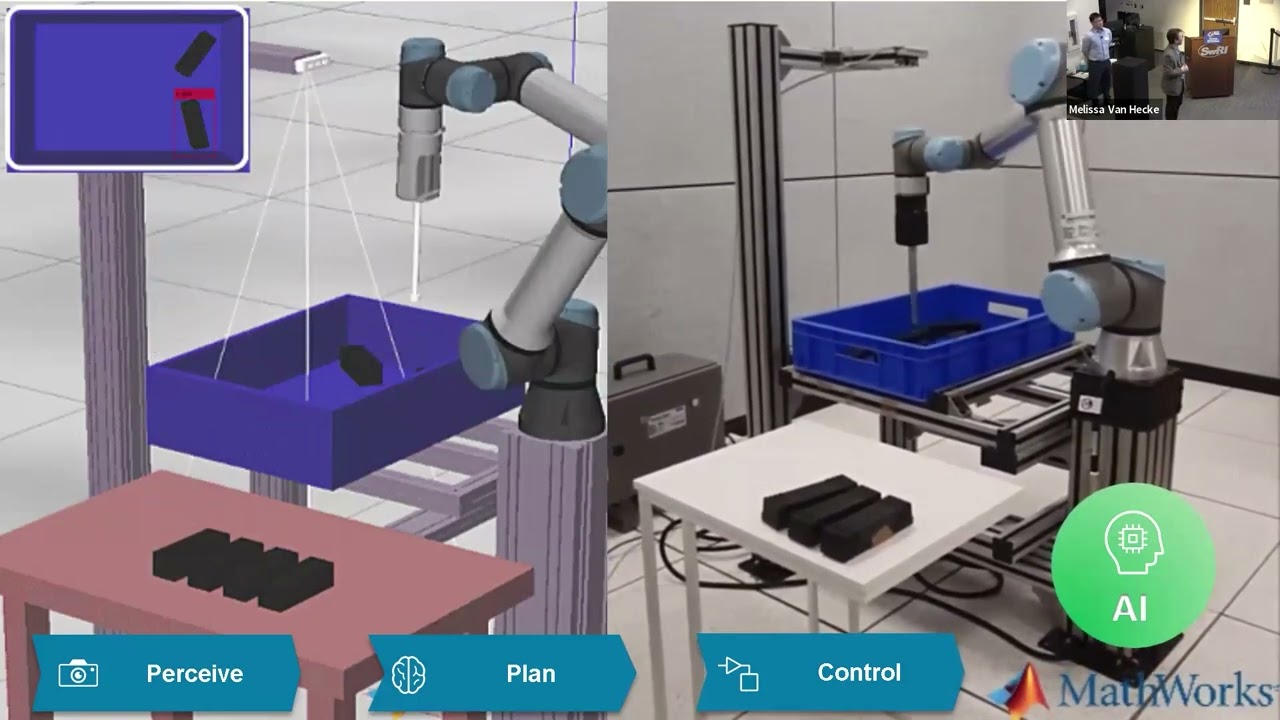
logic uh this is a robot doing um unstructured picking so there is a um box of objects just sort of randomly all thrown together uh in this example they're all the same object but they don't necessarily have to be um so the robot goes and looks at the Box um you know finds um you know uses um ml so it's specifically the segment anything model from meta um to um identify each individual object in that big Heap um uses some behaviors that do Point cloud and image processing to find flat spot spots in those objects
and then kind of combines the flat spots to so it knows which parts are on the same items um and then it tries to plan a vacuum grasps to suction each object and place it in the other bin um yeah so the um the behavior true for this um there's you know so there's sort of like I talked about the happy path earlier right so there's a uh you know if everything goes right you know it's actually very simple to do something like this but you have to be able to handle like oh what if
the object that I thought I was going to pick up isn't actually reachable or you know what if um you know I go to grasp but and I didn't I don't have good suction and I don't actually pick up the object so a really important part of what the behavior trees give us here is the ability to detect those kinds of situations and then do some sort of fallback action um in order to um to correct for it um and make sure that you know we do ultimately pick up an object from one bin and
place it into the other bin yeah this is a visual servoing example um so um as you can see from the video in the bottom right this is supposed to represent um like two satellites in orbit so that's why we have the really high contrast lighting there so we have the the UR are holding the um the cube is representing like something like a satellite that we want to grasp or dock with and the Kenova arm is tracking an AR tag on on the satellite um and then trying to keep keep up with it as
best as it as we can so yeah you can see the behavior tree status updating in the right it's sort of continuously getting an April tag pose and then updating the the servo in command um to make sure that it's doing the best job it can of tracking the satellite okay this is a demo that we put together with um Johnson Space Center um they have a robotics group that we work with uh and this is simulating a robot handling an automated delivery to a lunar base I believe so you know there's the door open
to sort of the hatch for a pod that just landed and there's a cargo transfer bag inside of it and the robot is exchanging the new bag with the with um kind of the old bag full all the space station trash or whatever that you know that we want to get rid of so it has to do a very long sequence of um um actions I have some uncertainty built in St in order to do that cargo transfer bag exchange um yeah so so this is um there there's there's a lot going on here basically
so as a robot is doing this you know it has to localize the position of each bag um plan Collision free motion through a really confined space uh and then um as an interacts with the environment to open doors and close CL the doors and move the bags around has to update the Collision model So mve Pro gives us the tools that let us do this essentially I talked about admittance control a little bit earlier uh we also have an interface for sort of fine-tuning the parameters of admittance control so let's say that you know
you want your robot to be compliant only along the z-axis and really rigid when it's rotating or translating around any other axis so the user interface has a um kind of an advanced widget that lets you graphically uh fine tuned those you know you can see exactly what robot access you're adjusting the admittance parameters around so again this is easy easy way to um get quick feedback on something that would be very tricky to conceptualize otherwise if you're just doing this using kind of conventional like editing a text file kind of kind of programming um
yeah you can do similar things with um planning constraints as well so you know you want to this is how you solve the the glass uppr kind of problem you say I own a robot after you pick up the object I only want you to be able to rotate around some axis by plus or minus 15 degrees we don't spill our glass so we have a tool that lets you edit the inputs into the planning behaviors uh to solve that problem um yeah I talked about um you our integration with move it task Constructor um
yeah so this lets you um do very complex kinds of operations where you actually are modifying um the planning scene as like a step in between executing different trajectories um I think it's talked about this enough a little bit earlier um but this is this is really powerful this is It's a and I think that tools that we provide here make it a lot easier to use move a task Constructor um than if you're just writing you know those C++ code kind know raw yeah um we have a uh robot site configuration system um that
lets you well it builds off um tools that are kind of common in open source rths you know like you just provide a urdf and um couple yaml files um that designed the inputs to kind of customize your robot um yeah so it makes it it makes it pretty straightforward um to have robots from different manufacturers you know different configurations and sizes and Equipment all working together uh here are some of the robots that we have deployed with mov Pro so far um in general um you can any robot that has a Ross two driver
or a Ross two control plug-in you can use with mve Pro so kind of the takeaways here question is why should we be using move it pro um robotics takes a lot of time and effort to get right and so with move it pro um you can focus on a part of the problem that is most important to you specifically and you don't have to reinvent the wheel you know kind of um from my experience I think when people think about um uh is it about robots and you know and automation they're kind of focused
on you know stuff like um like the open source movement for example you know with the motion planning and you don't sometimes you don't think about the um more like the telling the Rob about what the plan and when side of things until later and then you're playing catchup so we've already solved all of that basically you you know put a lot of work into getting it right um and because um picnic has done a lot of services work you know we see a lot of these projects go through um are basically you'll be able
to finish your work much faster like a year faster and for a lot less money um than if you were doing it all from scratch So yeah thank you very much um if you are um if you want to talk more there's a QR code for you to scan does anyone have any questions questions for Joe Paul are you able to see the chat okay hang tight Joe because I have a question you have a question right so so you mentioned um if the driver exists have you guys been willing to help people like get
the driver up and going absolutely it's a very important part of the work that we do right because obviously I think you collaborated with ABB on a particular application right so again like additional Services as well uh with the help of getting drivers up and running right absolutely any other questions for Jo bar yes the question is is it open sourced or license based uh it's sort of some of both so builds extensively on open source part of move it um in order to run mve it pro that that you do need a license for
that um the API for kind of defining how you interact with it and how you write your own plugins that is publicly defined well okay yeah so the question was basically are we collaborating with u any 3D sensor manufacturers in order to um to do this um yeah we are well we are um I think a lot of that interaction is within the open source Community though I mean I think the most common 3D sensor that you see use there is the real sense camera so we use the Ros two driver for that pretty extensively
um and in general yeah as long it's kind of same story as with robot controls um you can bring whatever set of cameras you want as long as it you know publishes uh r two point Cloud messages or or image messages or whatever um format the behaviors in question need to ingest I I think it's fair to say similar to the the manipulator question if someone if a vendor or an oem of perception Hardware they could probably reach out to with help of yeah absolutely as well yes so you have this the commercial oh yeah
I mean so we're we're funded by um I mean revenue from licensing move it pro um and then revenue from Services work related to that uh let's see I think it's about okay so I think this may have changed since I looked at it last uh if you go to our website there license information is all is all listed there yep another question Cory can you repeat that okay yeah so it's ask you're asking about the um Singularity free caresan planning and the motion model that it uses uh I think this is mostly related to
I mean as far as how we solve that problem to how the inverse kinematics solver Works um yeah I think I mean okay so that yeah this overlaps a lot also with how I think open source movement solves that problem um yeah so and there's there's a variety of different I solvers that you can pick um I think we just basically did a lot of experimentation picked picked one um that we found gave the best results question anyone chat silent Paul we're clear on the chat well great oh oh one more oh yeah question about
if we partner with vision companies and Bin ticking companies um yeah we have done that kind of thing before um yeah I think I think it's sort of sort of related to the previous question I think most of our interaction is with is through open source software um anyway yeah so if you want to talk more I mean like I said I'm um I have one of the hardware demo slots later today so you get a much more Hands-On look at this uh look forward to talking to you then thank you no thank you [Applause]