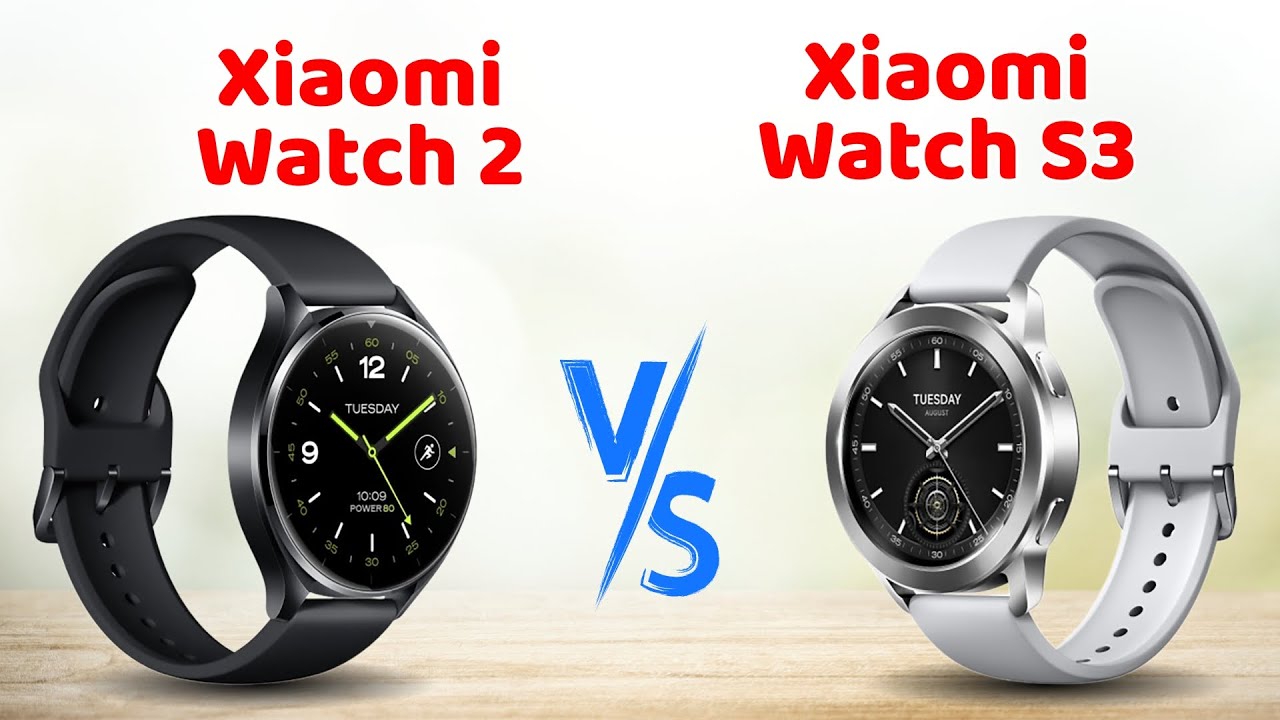
hello I'm Chris from Tech and today I'm reviewing the fresh new xiaomi watch S3 which I've had slapped on my wrist for a couple of weeks now just 130 British quids will bag you xiaomi's latest hyper Smartwatch B an excellent battery life extensive Health tracking and a Nifty customizable design where bits of it pop off but on purpose so this thing is considerably cheaper than a Google pixel watch Samsung Galaxy etc etc but is it a steam and heaper CAC or is it actually that cash well here's my full in-depth xiaomi watch S3 review and
for more on the latest and greatest Tech please do po subscribe and ding that notifications Bell cheers so let's start with the design and the xiaomi watch S3 is a bit of a big boy I mean I've certainly had bigger on me but as you can see there proper chunkster certainly not as dainty as the pixel watch for instance but the fact that you've got an aluminium Ally frame on the watch S3 means that it's not quite as Hefty as you might expect with just a smidge of over 40 G so it's way bit lighter
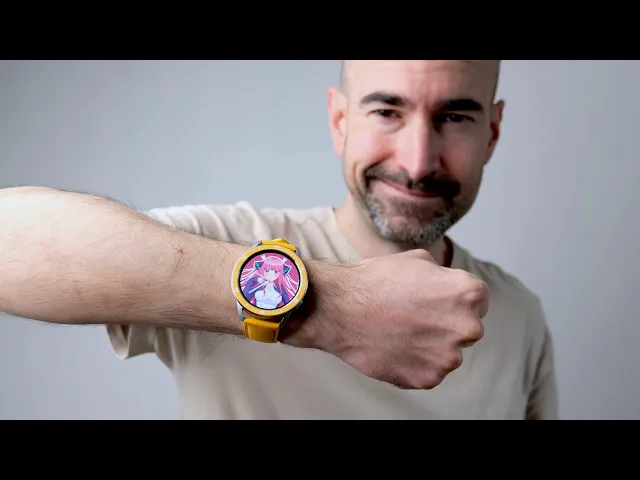
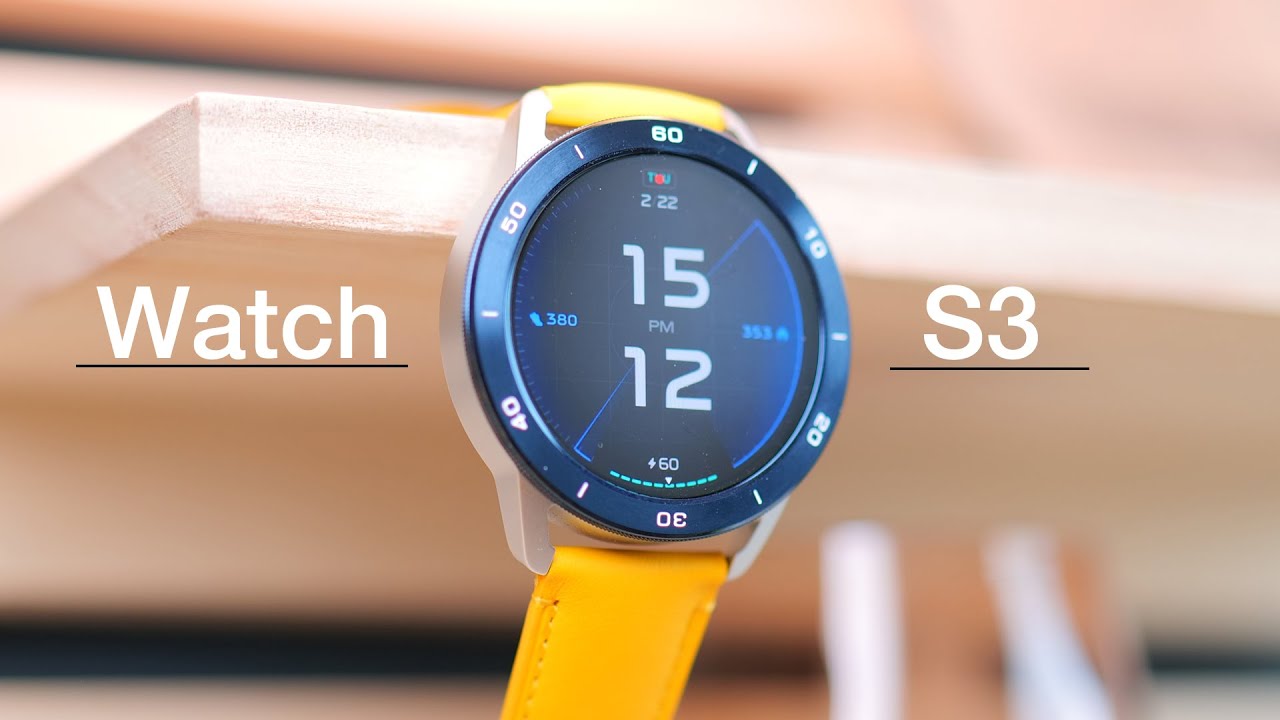
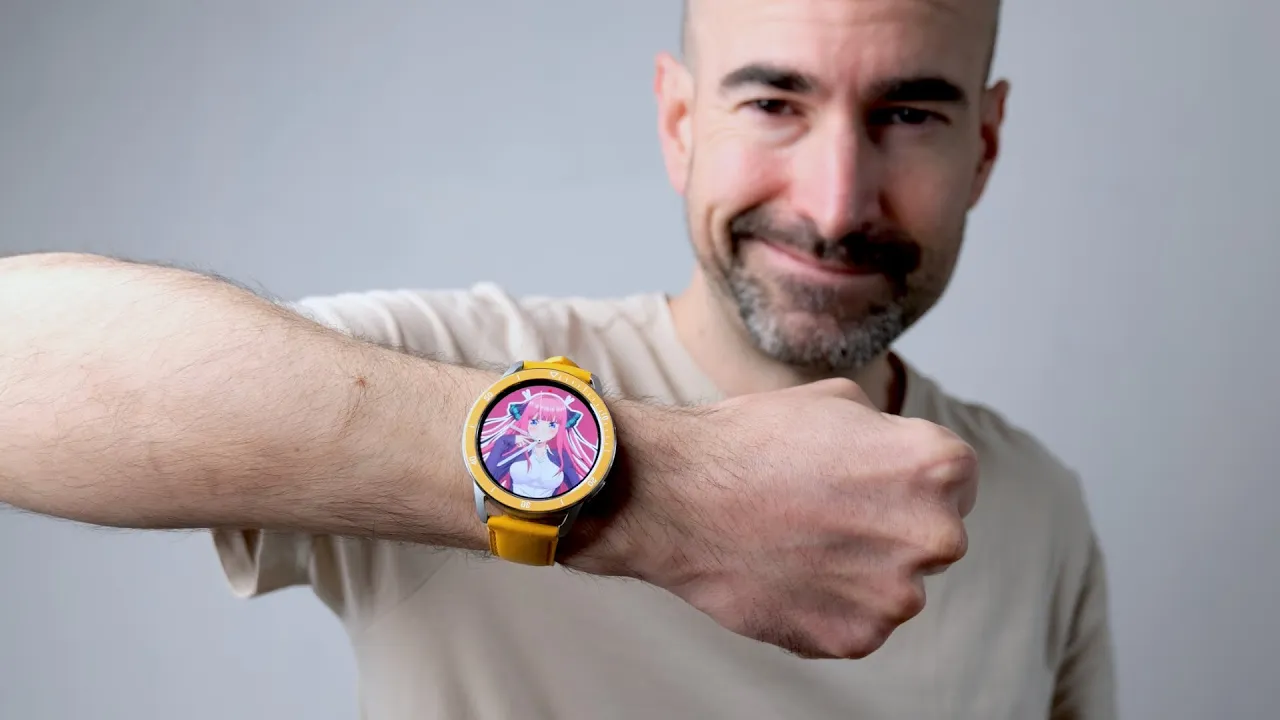
than recent Rivals such as the OnePlus Watch 2 and certainly it doesn't feel cumbersome to wear I bet even noticed I had it on my wrist and you might be thinking yeah it's rather lovely but it's a bit yellow for me well this isn't actually the shami watch S3 and its natural state I made it so by chinging up the bezel and the straps this right here is the watch S3 and its default State as you can see here this is the silver model you can also grab it in Black you've got standard 22 watch
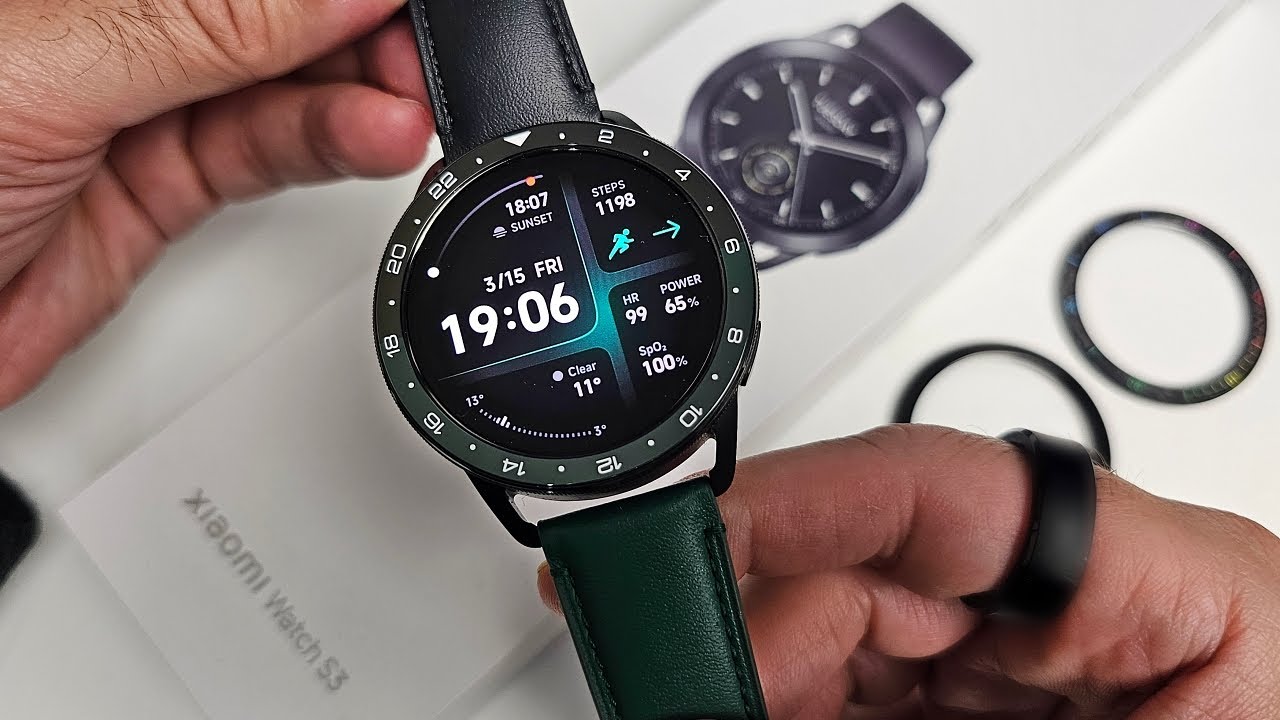
straps which can be yanked off like so and replaced with any you've got kicking around the ones that actually come bundled with the watch are your typical rubbery efforts which are perfect for a bit of exercise and such forth but naturally you can Hoy more money at shami for alternative options like these lovely leather straps so far so pretty standard for a smartwatch but where the watch S3 really sets itself apart is the Twist Off bezel you can then purchase a fresh one from xiaomi's website the black and the silver ones are just plain but
the blue and the yellow ones have these timer markings on which I'm sure have some Posh Swanky name in watch circles which people are going to be screaming at me in the comments and the bezel basically just again slots in there just with a quick twist and then when it's fitted you'll see you offered up an official exclusive watch face for that bezel complete with its own always on display that's a really neat little feature I really enjoy that and as you can see the interchangeable bezels just change up the luck and the vibe of
your watch personally I've really like this yellow effort because it's bright and it's cheery the exact opposite of me basically I don't think anyone's ever accused me of having a sunny disposition the only thing I don't like about the yellow bezel is that the exclusive watch face is a bit pants but of course you can easily bung on a different one more and all that in a bit oh and the xiaomi watch S3 is water resistant like all smart watches pretty much these days can survive up to five atmospheres of hot water action now this
Smartwatch is 1.43 in AMOLED display is another absolute Delight it's bloody massive just like the OnePlus Watch 2 so you'll have no problem seeing what is going on even with fairly tiny text unless your eyesight is proper bugger obviously mine's not great these days not going to lie kitties your uncle spurt is getting on a bit but I had no problems here you got a 466 XX 466 pixel resolution so everything is crisp and clear even when there's quite a lot of information that crammed on screen and while those menus aren't quite as bright and
poppy as they are on see Samsung Galaxy Smartwatch you know the colors aren't muted or anything either nice wide view and angles so you can have a sneaky Glimpse at the time without making it too obvious and the auto brightness generally works well here on the xiaomi watch S3 as well certainly on a sunny day I didn't have any problems seeing the main watch face and the various menus and apps but the always on display is often I find a bit too faint to clearly see Outdoors so I often end up waking the watch when
I am outside to actually check the time or notifications or whatever of course it very much depends which always on display you're using this one for instance does the job quite nicely cuz you got those bright yellow hands I just happen to not like it very much with the likes of a digital always on display I certainly struggled a bit more now to actually pair your shiai watch S3 with your smartphone nice and easy just download the Mi fitness app which is available on Google Play and also the Apple App Store I'll setup process took
roughly a minute maybe a bit less and if you want to swap between different smartphones that's an absolute piece of piss you don't even have to reset the watch or anything and you can tweak pretty much every bit of your watch from inside of the app you can manage the watch faces set up various features customize the health tracking it's certainly comprehensive that's for sure I found it was a lot more customizable than the OnePlus watch via the app and touchwood in my first couple of weeks with the xiaomi watch S3 the watch and the
phone have kept a good connection they've only had to manually sync them up one time when I noticed no notifications were pinging through on the watch itself apart from that it's it's all worked as it should and the xiaomi watch S3 is running xiaomi's very own hyper OS it may be all shiny and new but it will look very familiar indeed to any xiaomi Smartwatch fans of yester year it's basically the same setup as usual you swipe left and right to access your widgets these are of course fully customizable just long press and then hit
layout you can choose to have just a single widget on there otherwise three or four smashed onto one screen which actually works pretty well so for instance here's a new multi widget with all of your health stats your recent heart rate your breathing exercises and your media controls so right there on one screen you can see exactly how active you've been in my case not very you can check your heart's not about to explode in your chest you get better breae and exercise action on the go if you're feeling a bit stressed and you can
also pause and play your media you can tap that teeny wee button there media controls widget definitely works better if you've got a bigger one because then you can fit more controls on there and it's just a bit easier to manage from the main xiaomi watch S3 watch pH you can swipe down to access your notifications this is kind of flip-flopped around from how it is on were OS and stuff so it's a little bit confusing just tap into a notification to check it out and then basically all you can do with notifications is just
say great thanks very much and that is it so if you have to get an email through for instance you can tap on it and you can sort of check out the body of the message a bit but then you can't reply to it you can't even quick reply to it can't archive it or delete or anything all you can do is dismiss but at least I guess you know whether it's worth actually yanking your phone out of your pocket or not if you want to watch that's a bit smarter with notifications allows you to
reply delete Etc right there on your wrist you'll have to go where OS so again the likes the OnePlus Watch 2 pixel watch Galaxy watch Etc and also with Hyper OS you can't just download shedloads of new apps like you can with the were OS watch you're stuck with what you've got on here but to be fair you got all the basic essential stuff all of your health tracking Shenanigans of course you can you can check out records of previous workouts you've done you got your heart rate monitoring SP2 monitoring sleep tracking sound recorder media
controls timers clocks yada yada yada and then last up from the main watch face if you swipe up like so you can access the settins and quick toggles boy what what are you doing mate so you got do not disturb you got the torch function which isn't just handy for finding the bogs in the middle of the night it's also great for raising an SOS distress call and as well as the top button which wakes up the watch and also loads up your apps menu you've also got a customizable bottom button which by default can
be used to start a work out but you can make that bottom button do different stuff if you find you don't really work out very often so you can look up pretty much any other app here on the watch and one of the features which I heartily approve of here on the xiaomi watch S3 is the wrist gesture support so for instance you can reject a call from somebody that you don't like simply by going like this although you have to do it more out from your chest like this which is still quite satisfying you
have two such gestures which you can activate in the settings rotate your wrist or shake your wrist which is the one I just demonstrated I did find the rotate wrist one quite tricky to do the shake wrist one was definitely the easiest of the pair and as you can see this supports a small selection of features including taking a photo opening The Voice Assistant opening the weather app and that's pretty much it not sure why it's quite so limited anyway as you might expect from a watch that is quite as affordable as the Shi watch
S3 I have seen a fair bit of shiness this past couple of weeks so for instance contactless payments via xiaomi Pi apparently here in the UK the curve card is supported as well as a UAB zen.com Master Card well fortunately I just happen to have a curve card but unfortunately every time I try and set it up I just get error messages that music widget really didn't want to play ball with daa the first few days I was using the xiaomi watch S3 but touchwood since then it's been absolutely fine and then there's the voice
assistant which you can activate with a quick tap of this widget and say Hey when's Sunderland Football Club playing their next match and touchwood most of the time works absolutely fine of course you have to be connected to your phone for this to actually work you know quite likely as far as assistance go I've got to remember to edit out every time I see it otherwise I'm going to be set off everyone's bloody smart speakers but occasionally I'll go to ask her something and I'll just get an endlessly repeating connecting to M message and just
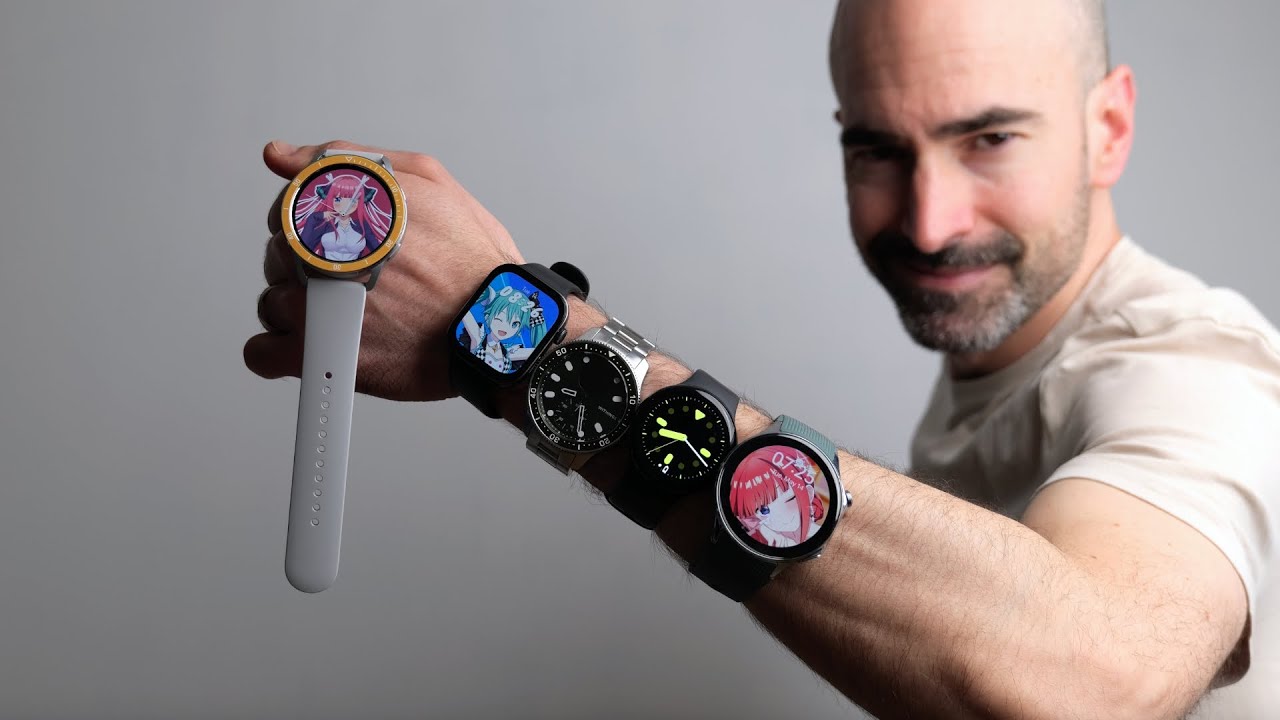
nothing will happen but you know it is early doors for hyper OS I've been testing this out right at launch as well so hopefully a few updates later and all these problems will be ironed out and as for watch faces well you've got a Johnny good selection on here all kinds of different analog and digital efforts some of them nice and smart and simple some of them absolutely crammed with information certainly got few stats junkies out there and then of course you got almost 200 freshly watch faces that you can add from the Mi fitness
app just quickly upload to the watch again covering pretty much any kind of style you could imagine you can even create your own using a small selection of templates so I'm just going to quickly knock up a custom analog effort let's grab some photos from my phone obviously it's going to have to be a geeky anime effort there's our new watch face so let's hit apply that should be uploaded in a matter of seconds to the watch and there she blows so what about the health tracking well in my time with the xiaomi watch S3
certainly the likes of the steps tracking the calor count and everything seems to be on point certainly as a casual Fitness Enthusiast you should be satisfied with what you're seeing here the hot rate tracking occasionally can Spike unusually I don't tend to get this on other Smart Watchers and fitness trackers that I review like right here where it claims I'm hitting over 100 BPM I literally just maybe was walking down some stairs then or something and I mean I like a drink and the occasional pack of- por scratchings but I don't think my tick is
that just yet the tracking seems to be more reliable and consistent when it comes to workouts I get very similar results to what I get with other smart watches but of course if you do have more than a casual interest in your health stats you're you know actually training for a marathon or something like that I'd always say it go for a dedicated health tracker something from Garmin or whatever and of course You' got the usual sleep tracking Shenanigans if you're into all of that this can sort of vaguely monitor whether you're in deep or
light sleep and how often you wake up during the night and then assign you a score on how good your sleep was I'm apparently a very good sleeper which is quite surprising because I wake up every morning feeling like dog that's been put through a blender and then after 7 Days of tracking your sleep you are assigned a spirit animal if you will so I'm apparently a brown bear because I have healthy sleeping habits and get lots of restful sleep every day which frankly is more bollocks than the average Supermarket sausage roll anyway anyway when
it comes to the fitness track and absolutely loads of different options that you can choose between if you tap your way into more you've got various water sports including swimming paddle Boo and kaying the usual outdoor activities including a bit of Parkour action they've doing that at the weekends bit of BMXing got the regular gym stuff dance Combat Sports including boxing Taekwondo Etc Ball Sports including all the stuff you'd expect to find in there there's even a winter sports section with the ls of ski in and ice skating in it and despite the budget price
the xiaomi watch S3 supports L1 and L5 dualband gnss positioning which is reasonably accurate occasionally you had me walking through a building or something weird but as an approximate distance measurement tool it's pretty good I've got to say the performance these past couple of weeks has been absolutely fine it's been a reasonably smooth experience having notti to any obvious serious jutters or anything like that fairly responsive when you're pushing a button swiping the screen Etc and while the functionality isn't quite as good as a were Smartwatch the battery life certainly is better you got a
486 Mah capacity battery stuffed inside of that chunky chassis just a smidge smaller than what you'll find in the lik of the OnePlus Watch 2 but because it's running hypos xiaomi reckons you'll get up to 15 days of use from a single charge but of course we'll just start knocking on features like the always on display the more advanced sleep track and all of that shenanigans that does impact the battery life but I still found I only drained this thing around 15% a day so it practically lasted a full week on a single charge and
that's certainly significantly better than what you'll get with any were OS watch out there even the better efforts like the OnePlus Watch 2 with its clever pants Jewel chipset Jewel Ware setup just about stretched to four days unfortunately xiaomi's bundled charging dock is a bit crap it's one of these proprietary efforts USB e as well which is becoming more and more of a pin in the ass so you'll have to look this and a usba power adapter with you if you go on trips that are longer than a week of course but at least the
charging is reasonably nippy just a few minutes at the plug will give you a full day use no worries and there you have it my love these that and a tasty we nutshell is the xiaomi watch S3 my full in-depth review after having it slapped on my arm for a couple of weeks now and while I definitely do still prefer were OS to hypos for the pure convenience sake the ability to actually reply to Notifications all that kind of stuff I did really enjoy my time with the xiaomi watch S3 few bits of jun aside
such as the fact I couldn't actually set up the contactless payments but for this sort of price you get all the main features you'd expect and I absolutely adore that customizable design that's what I reckon anyway what do you guys think of the xiaomi watch S3 if you've had it slapped on your own wrist will definitely let us know your own personal mini review down in the comments below please do po subscribe and ding that notifications Bell for more on the latest and greatest Tech and have yourselves a runny wonderful rest of the week cheers
everyone [Music] you