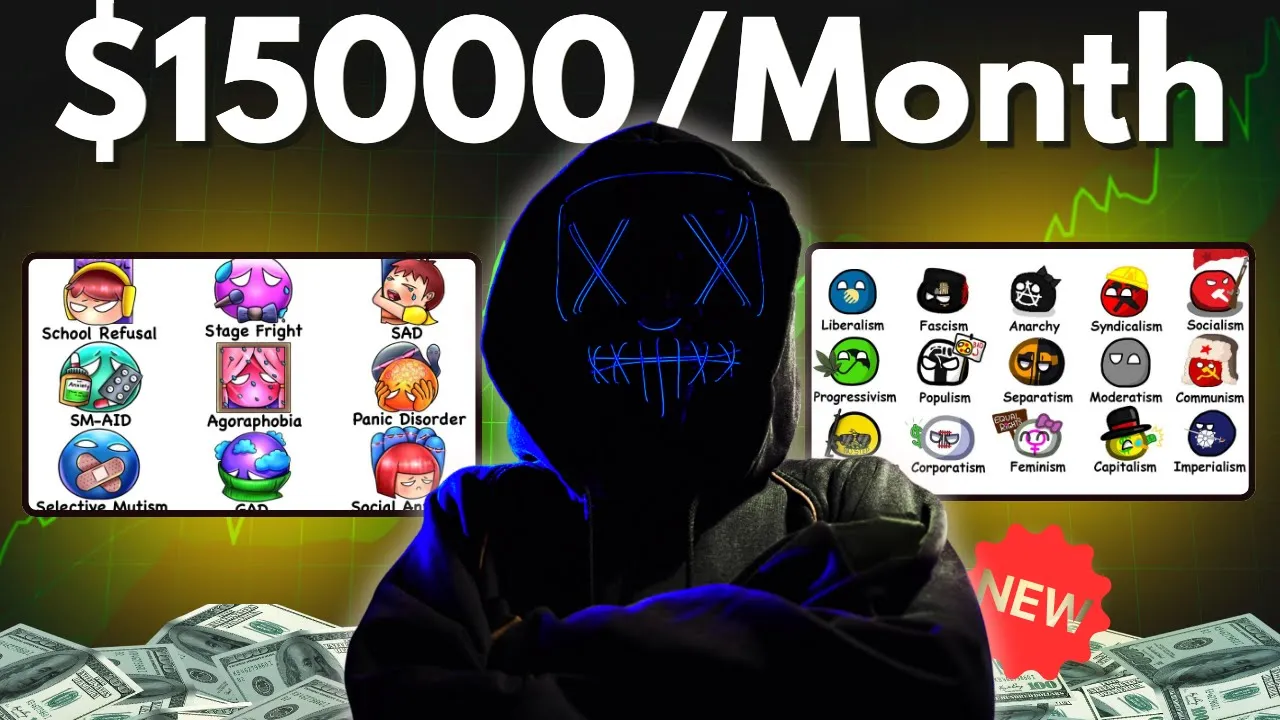
hello moneymakers I got so many requests on comment section to create a tutorial for the explainer videos or videos like the famous paint explainer YouTube channel so those who don't know check out this channel names the paint explainer they have only uploaded around 50 videos and have got over 700,000 subscribers most of their popular videos cross the million views Mark don't forget this channel is just one year old there is another Channel called the evaluator that is also doing the same thing and it is only 10 months old so after researching for almost a week
I found the easiest method to create such videos which I will share on this video moreover since this is a knowledge-based channel there are many other monetization options available like selling your own courses or books too so if you hold your attention and watch this video till the end trust me I will reveal everything that you need to know to start a YouTube channel like this one grab a cup of coffee and let's get started all right so now let's find some video IDE ideas you can either check out similar channels for inspiration or ask
chat GPT for help to get started open chat GPT and ask I want to create a channel like paste the link of the example channel here could you help me with that by providing the channel link chat GPT will analyze the channel understand its concept and give you ideas as you can see chat GPT will give you all the steps you need to create a similar Channel like how to write scripts and everything else you can also also copy a few topics from these channels and save them in a Google doc or somewhere else for
future use then head to chat GPT and give it this prompt generate video ideas that explain complex Topic in under 10 minutes generate video ideas in under 10 minutes you can find this prompt in some example topics in my WhatsApp Channel by clicking the link in the description below once you ask chat GPT it will give you a list of topics if you need more just ask it to generate more also I've saved tons of topics for you in my Google doc and you can access that through the link in my WhatsApp Channel now that
we've got the topics let's move on to the next step step two writing scripts to write a script similar to the reference channels you like all you have to do is open any video from the reference Channel and copy it script from the transcript option then go back to the chat GPT and enter this now I will provide you one script for the reference you just have to analyze it properly then go to chat GPT and say I have an example script that I need you to analyze paste the script you copied this will help
chat GPT understand the style tone and structure of the script now chat GPT is ready to help you write your own script just pick your topic and tell chat GPT write a straightforward script on your topic start directly with the topic without an introduction you can find all the instructions and the prompt on my WhatsApp Channel once you give chat GPT The Prompt it will create a script just like you want however don't just rely on chat GPT if your topic is about body disorders for example you might want to look up more information on
Google to make sure your script is accurate and detailed and if there are unique disorders or something new I'll add that too I'll ask chat GPT to include all these points as well this way my script will be a bit different from others you can also present the script in a funny Style by asking chat GPT just like the reference channels do this way you can create as many scripts as you want with chat GPT but make sure not to forget to add your human touch to the script because in an explainer video The Script
is the most crucial part all right that wraps up our second step now let's move on to the third step voiceover if you're comfortable recording your own voice I would recommend that because it will suit this type of video better otherwise you can use AI But whichever tool you use always remember that the voice should sound very natural and friendly to generate a voice over let's use 11 Labs first open 11 labs and navigate to The Voice Library here you can select your preferred gender and accent you can choose from sections like conversational narrative or
storytelling Clintwood is an iconic American actor and director renowned for his after trying different voices select the one that that suits your video best now about generating The Voice you should do it paragraph by paragraph instead of generating the entire script at once you might be wondering why it's because if you generate the entire script in one go the speaking style of the voice might vary throughout the script which does not suits in this type of videos so I would suggest taking one paragraph at a time and generating the voiceover for it social anxiety disorder
social anxiety disorder is an INT in fear of social situations where continue this process until you have generated voiceovers for all paragraphs of your script and then download them with that our third step is complete now let's move on to the main step creating the video wait wait if you want me to cover a specific topic for you just add the name of the channel and some information in the comment section I will pick your comment and create a dedicated video on that topic for you watch closely as I show you step byep how to
do it first you need to sign into canva.com which you can do for free then from the dashboard select the video option and choose YouTube video next upload all the voiceovers into [Music] canva drag the first voiceover into the timeline if you want you can increase the volume slightly Begin by creating the first page of your video which should include all the points you've added to the script as you can see on this channel the initial page will also serve as the starting point of your video and can be used as a thumbnail based on
my topic I need to display all the disorders I've included in the script in a specific way now head over to the elements section and search for graphics that match your topic in the icons category for instance if my first point is about social anxiety disorder I'll look for a related graphic and add it to this page next I'll find and add an icon related to the second Point typically you can find elements related to any topic on canva but if not you can also download them from Google and add them here you can add
these normally as I just did or if you want to make it colorful you should go to the shapes option and select a circle then choose a color for the circle and adjust it like this place the relevant icon on this circle in such a way you might also want to increase the outline of the circle to ensure the icon inside it is clearly visible after that click on edit and choose Shadow option from here then in cheese the intensity of black color like this this will make everything appear very clear in the same way
you should add icons for all the points if there are many points keep the size small if there are fewer you can make them larger adjust according to your preference this is how you can get your first page ready now it's time to add text for instance according to my topic I'll add the names of all the disorder which I include in my script go to the text section add a text box and then paste the name of the disorder there choose the comic Sands font [Music] option copy this text box and place it under
the next icon then change the text to match the name of the second Point repeat this for all the circles once all names are added below the circles your first page is ready click on share then go to download and select either the PNG or jpg option to download the image now your thumbnail is also ready let's create the second page but before that reduce the duration of the current page to only 9 seconds right click choose the duplicate page option and you have a duplicate of the page drag the voice over a bit backward
select all the elements on this page and group them then zoom in on the point you're going to discuss next like [Music] this and it will look something like this social anxiety disorder keep the duration until you finish saying the name of the first point and yes if you want you can also use canvas magic design to create your own unique Graphics just provide the prompt choose the graphic style and it will create the graphic for you if you can't find elements related to your point you can use this feature as well now let's move
on you'll need to explain the point you've discussed copy it from here and add it to the third page placing it on the [Music] side then enlarge the text and position it towards the top side this way everyone will understand what we're discussing just keep following your script and continue adding photos or related Graphics from the El section as you go along and one amazing thing you can add that will enhance the quality of your video is a stick figure which you can also find in canva by searching there are options related to different positions
and situations suppose my point is about anxiety so I'm adding this one you'll need to change elements for each word keep duplicating the page and adding as you go along for instance my next word is social situation and I'll add a related graphic for it then duplicate the page again and add a new element you can also use arrows and similar objects to help explain Concepts let's start playing from the beginning and see how it looks social anxiety disorder social anxiety disorder is a condition where everyday social situations cause intense fear and self-consciousness duplicate the
page again remove unwanted elements and continue adding new elements or stick figures relevant to the script you can add animations to these figures to create more engagement and movement enhancing the explanation as if you're teaching the concept all the elements you need are available in [Music] canva and you can add text as needed without overcrowding the [Music] visuals additionally you can use the drawing feature in canva to create your own stick figures or other objects just continue this process and create your video if you're ever unsure about Which object or element to add for a
specific line you can also seek advice from chat GPT as you continue to watch videos from reference channels you'll understand where and how to add certain objects to your videos this way you can explain any Topic in a unique way without any cost amazing right if you have any questions please don't hesitate to ask in the comments I'll be sure to respond and if you're interested in a part two don't forget to let me know by commenting now let's take a look at the video we've created but before that don't forget to like share and
subscribe to the channel social anxiety disorder social anxiety disorder is a condition where everyday social situations cause intense fear and self-consciousness people with this disorder often worry about being judged embarrassed or humiliated in public even during casual interactions like making small talk or eating in front of others this isn't just shyness it's a persistent and overwhelming fear that can interfere with daily life physical symptoms like sweating trembling or erasing heart often accompany the anxiety the exact cause is unknown but it's thought to involve a mix of genetic and environmental factors treatments like cognitive behavioral therapy
CBT medication and gradual exposure to social situations can help reduce symptoms from social fears let's now move to a condition that stiffens muscles


![How I use AI to make $30K/MONTH with faceless Instagram theme pages [FULL COURSE]](https://img.youtube.com/vi/L9m3F9LhBME/maxresdefault.jpg)