hi guys what is up how's it going in this video i'm going to be showing you the top five project management tools that are present in sony 21. guys we are going to be comparing click up versus asana versus monday. com versus trello versus right now all these tools are very very good and don't get me wrong and none of them are bad tools but it all depends upon what you want to do with them what is the size of your company what is your end goal and how you want to manage your team so honestly it all depends upon you what your end task is i'm gonna be very very honest with you and i'm gonna show you all the pros and cons and every single thing about these softwares that you need to know before making your own decision so without wasting any more time let's start with asana so island has recently gained a lot of traction nowadays asana is basically a tool that is most suitable for like you know small teams or big businesses and now even if you have a team of two you can still use asana and if you have a team of let's say you know 5 000 people well then you can use asana as well the thing about asana is that the features they give are a really really nice and they honestly make your whole workflow really really stand out and really really productive so for example like they have a list view now with list views what happens is that you can actually like you know see colors see your teammates avatars over here their profile pictures you can even see the task details over here and all these things really like you know give you a compact view and everything that you need to know about a particular task in a very very small space now scrolling down we can even see that they have a timeline view as well now a timeline view is a very very fun to work with now why you ask well firstly because you can like you know move these tabs around anywhere you want adjust them however you like and that really makes it stand out and really really beautiful so after that we even have a boards view as well so like in boards views what happens is that you will be able to like you know visualize the whole project in the form of ports and you can simply drag and drop boards you know like between multiple columns or multiple stages so like that really makes it work efficient as well so after that you can even automate your routine work so what happens is that you can basically you know like put in a reminder that it's going to ask everybody in the team about the update of every single day in the morning and essentially ask them what they are working on and then at the end of the day basically ask them for a report that is gonna you know like basically summarize what they did the whole day so that is how isana really really stands out and asana really makes its mark so after that we can even see that they have over 100 plus integrations that you can use now these integrations range from dropbox slack google drive google calendar is a must for some people we even have gmail onedrive like we have office 360 and all that good stuff now to get started you simply click on try for free and then after that simply put in your email over here and sign up the sign up process is pretty straightforward and i will catch you guys in just a second once i've signed up myself so once you have signed up you will essentially see this web page in front of you so over here you have all of your boards now i have three open boards right now what you can do is that you can simply click on the plus button and then from over there you can choose a template to get started or you can basically import all of your data from a spreadsheet as well if you want to go that route simply choose a template for now because that is really going to save you a lot of time and essentially you know i can make it really really valuable and make it really really you know visually very very pleasant so over here up top we have the four most used templates and then over here we have a list of templates present the last three are premium meaning that you will need essentially like a pay for them and after that you will be able to access them but for now what happens is that you can essentially you know like use any one of these templates and then simply start managing your team i'm gonna click on cross functional project plan because this is my personal favorite and this is how it's gonna look simply click on use template and then after that simply put it in project name now once you put in a project name make sure that it is exactly what your theme is going to be doing so we're going to type in hiring a team after that click on create project and now you have essentially a list view in front of you which you can change to a board view or basically a timeline view if you want to so like in basically a list view you have these groups so you can like rename these groups to anything that you want you can like type in a briefing and then you can name the next group basically you know like something like interviews after that you can name this recruitment and then similarly you can like name this hiring so like you can essentially add sections as well if you want to and then from over here you can actually specify these tasks or like you know a rename at these a task so like you can type in over here receiving cvs and then after that what you can do is that essentially simply like you know make this and then after that click on this and then from the right side you can actually assign this to anybody any email that you want basically any of your teammates you can even put in due dates as well you can even set the priority as well and then also you can add more description over here and also add subtasks as well now if you want to add any tag simply click on these three buttons and then click on add tags from over here what you can do is that you can simply type in over here you know anything that you want so like you could type in needed quickly or anything or get this done by 3 p.
m so now you can even you know add colors basically make it pleasant overall so like guys that is how you know you can actually use a sauna and assign your teammate different things and then basically you know like add more people into your team as well by simply clicking on share and just basically you're not like managing your whole team on the left side we even have an inbox so like asana has all these features and all these features really really make it stand out now this was a sana and now you guys know every single thing about it so now we are gonna go to click up click up so it's click up it's basically an application that is a very very similar to asana but the difference is that they basically support team of up to 2000 plus people and also they have over 1 000 plus integration so so guys what that means is that you have endless customization you have endless things that you can do and they also offer list views they even offer board views box views as well calendar reviews gantt views we even have embed views basically you can like you know embed pictures and videos from different websites they even have a form view a document view chat view we even have an activity view so like essentially the features are endless and this is far better than asana in multiple ways like not just one in multiple ways like i would personally go with click up any time of the day over a sauna but then again if i want something cheap if i want something efficient if i want something free well then i am definitely gonna go with asana because this is you know better for anybody starting out so like essentially everything else is the same if i were to click on sign up i will be able to sign up asap but other than that guys honestly everything else is very very similar so like you have an inbox you have all your projects you can assign tasks to people so i'm not going to waste your time doing exactly what i did on a sauna but the thing is they have far more integrations and far more ways through which you can like essentially you know like customize your own team so like over here we have a list of a different features that are available so basically if you need more functionality you are definitely going to go with click up and now we are going to move on to monday. com now guys money. com has been used quite a lot recently because like every single teenager every single school boy and every big business has basically a monday.
com account now why is that why is that happening and what is causing that now firstly because money. com is really really flexible and honestly very very affordable and they have some of the biggest companies on board like l'oreal adobe coca-cola discovery deezer nbc hulu hbo studios and many many different companies as well so what happens is that on money. com everything is very very you know like fun to work with they have colors they have different options for productivity and this is my personal favorite as well and then they also have you know thousands and thousands of integrations available so simply click on get started at the top right corner or over here and then after that wait for a couple of seconds that is going to load up at the sign up page in front of you simply from over here fill this out put in your email address and then after that at the end you will be able to like access your workspace so i'm gonna do all of that and i will catch you guys in one second so when you have signed up this is essentially what you will see in front of you so over here they basically have all the different templates that are available for you guys to use but right now we are going to take a look at the left side from the left side click on workspaces and then over here this is how your workspace is going to look like now you can name this anything you can like you know name this media agency and then after that you can like even you know like name items from over here you can like put in anything you can name this to you know need the first sample you can even like write an update over here basically you know like stating what you want done and then after that you can basically assign this to anybody by clicking on this button over here and then after that simply putting in any email address that you want and then after that by simply putting in any email address that you want and if you want to add another person to your workspace you simply click on this button and then you simply type in an email address and then that person is going to be added into your monday.
com agency or your money. com account so guys that is essentially how you can use money. com as well and they also have a ton of other features like an inbox for over here at the left side where you can communicate directly with your team so like that really makes a whole lot of difference asana.
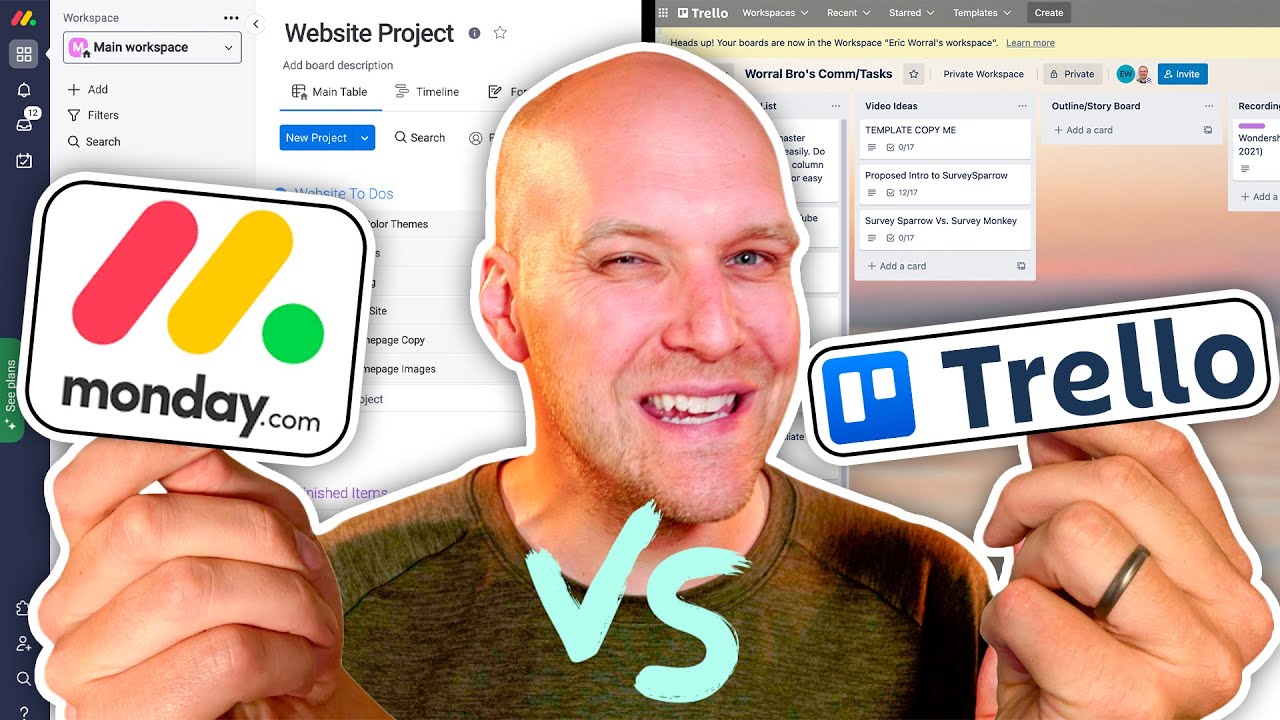
com also has this but i honestly prefer money. com because they have a far better interface now on the right side you can even set due dates you can even like you know like a type in the conversations and then you can even like you know change the status now over here they also offer a timeline view as well now a timeline view is really really important for anybody working with a lot of projects at once this really makes it easy to basically like track every single thing so i would highly recommend going with this particular layout but then again it is all up to personal preference i'm not here to advise you but i'm just here to like tell you everything that you need to know about these tools so guys this was monday. com and now let's move on to trello.
com hello so trello. com has been business for the longest amount of time now they have almost every single feature that all of the previous project management software's had but the part where they lack is basically that they don't have a lot of integrations available they have a couple of integrations but not a lot of integrations and they only offer board views so guys i'm not going to waste your time but you know like telling you the same things over and over again but essentially trello is suitable for anybody on a low budget and anybody who wants to basically you know like just get familiar with these softwares so like once you use trello you can essentially use all the other software's so like it is a good starting software now once you sign up by clicking on the sign up button at the top right corner that is gonna like it take you to a dashboard but firstly you have to create yourself an account either with google microsoft apple or slack once you do that as always i'll catch you guys in just a second so once you have signed up you will see this minimalistic interface in front of you now from over here you can simply click on create a board to basically create yourself a board either through zero or from basically choosing attempted if you want to so from over here click on start with the template and then after that it choose from the hundreds and hundreds of templates that they have available and then essentially you can get started now i'm gonna go back and open up a board that i have right now so like over here you basically have this form of layouts i'm gonna like you know like put in some cards over here so what happens is that you basically like move these cards around and then that basically you know like that is it you can add team members by clicking on this invite button and then after that simply like put in their email address and then they will join shortly and other than that you can even add your google drive over here as well and you know like essentially there are a ton of features so guys that is basically trello and now we are going to move on to rike so reich has also gained a lot of popularity why because it has no issues whatsoever like honestly this is new but the features they provide are really really nice and overall the overall you know interface the overall features and everything else it is absolutely amazing like they even have some testimonials over here from some people who have been using reich for their projects now guys similarly simply sign up by putting in your email address over here but you have to keep in mind something they don't have a free version all the offer is a trial and when that trial runs out after that you are on your own you have no other option but to pay them so always keep that in mind and i will catch you guys in just a second once i log in myself so once you like log in into reich this is what you will see in front of you now rike has a couple of more features that really make it stand out now firstly because they have some a really really gorgeous templates like better than any other tool that i've used personally now i'm gonna choose remote work and then after that i'm gonna select this template now once i select this template after that that is gonna take a couple of seconds now they will give you this short video make sure to watch this video from the start to the very very end because this is going to clear up a lot of questions that you guys might have now once you have you know like started everything over here in front of you you have your spaces now depending upon how many spaces you created you will have more or less but essentially the same thing in front of you now i basically chose this template remote work but before i go into this take a look at the right side now like i said before rike has a couple of features that make it stand out the number one being they offer a to-do list so basically like you can have a list for yourself from where you can like track your progress basically see what you need to get done and what you need to do and then similarly we even have some more options like timesheets we have dashboards reports worksheets streams we even have calendars as well so like we have a lot of features that the other platforms just like so now going into the board now we can see essentially what the board looks like so it is essentially going to be very very similar to like all the other previous boards but this might take a couple of seconds to load up and once this loads up then after that you will be able to see everything that there is to see over here so over here you can see a couple of things in front of you like previously we had all these features in these softwares as well as so like for example i'm gonna click on step one and then from over here i can essentially modify this now guys keep in mind rike is a bit slow sometimes every other platform is fast but because of the number of features that they offer they are sometimes slow and that is just how it is so like you might have you know like wait for a couple of seconds every time but once it loads up well then you won't face any problems so similarly like the previous tools you can modify every single thing over here you can remove the text you can type in anything else you can type in the names up top and then also after that you can even like you know add tags attach files and guys please note this every single one of these tools has attachments and guys note this you might have to pay a lot of money for a reich sometimes because like when you have a lot of people in your company you need to pay a premium or basically ask for an enterprise plan but similarly this does everything that money.













![monday.com Review 2024 | PM Software Analyst's Pros/Cons [1/3]](https://img.youtube.com/vi/gwilKRyuVbs/maxresdefault.jpg)