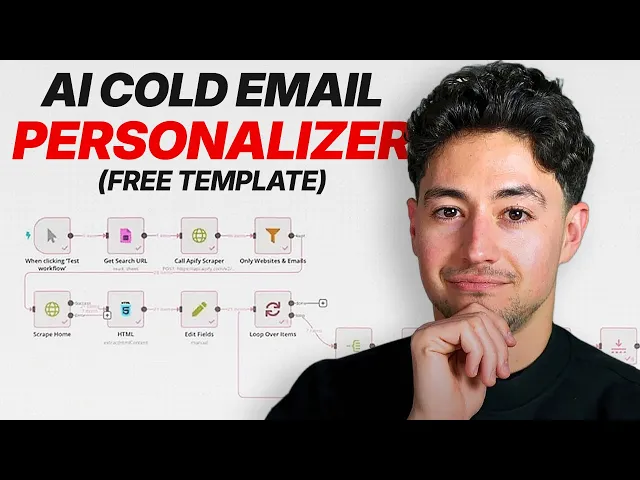
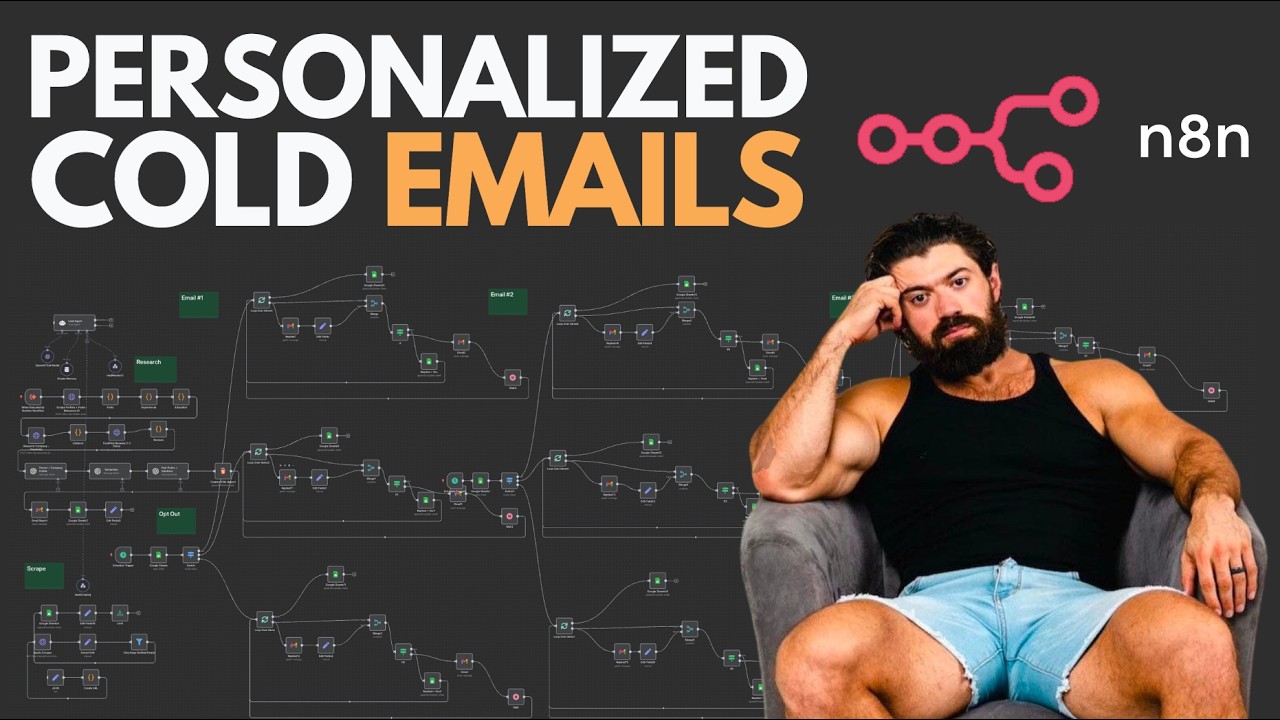
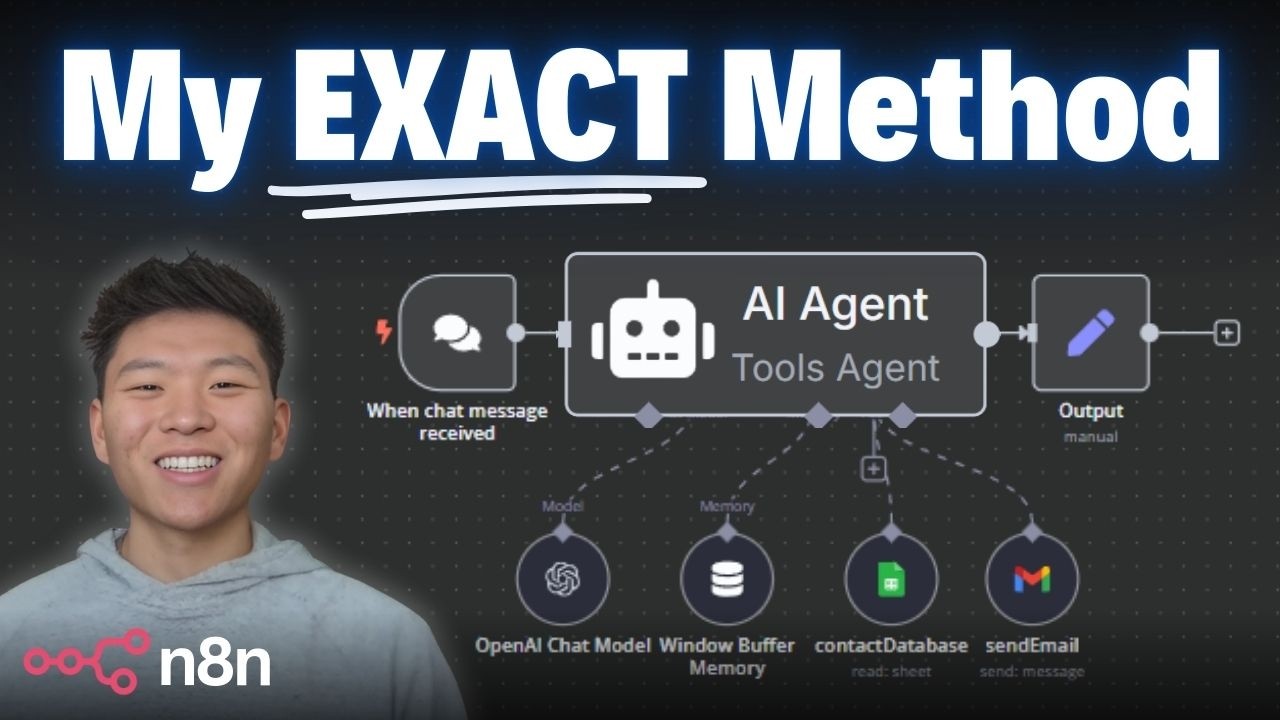
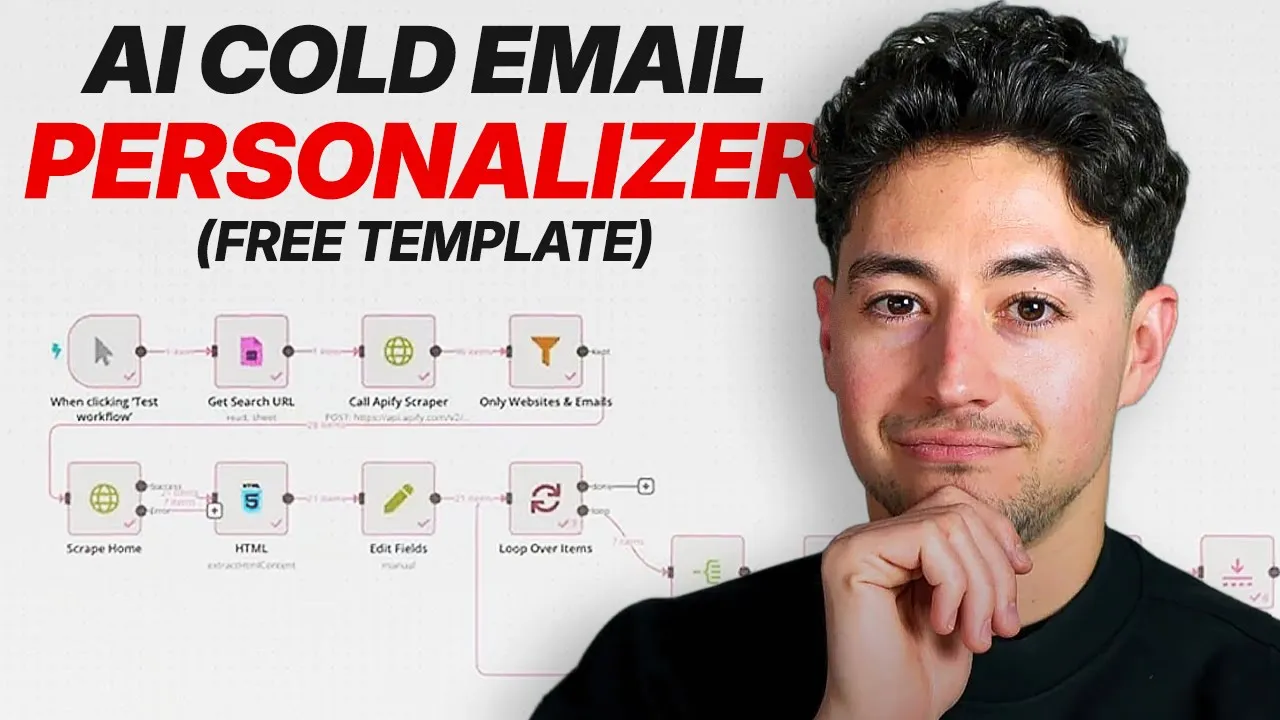
Today I'm going to be building out a multi-line icebreaker generator in NADN that makes use of deep website scraping in order to personalize the first few lines of a highquality cold email. To make a long story short, what we're going to do is we're going to start with an Apollo. io search.
Apollo is just a lead aggregator and lead database. Fortunately, it's very expensive to purchase leads directly through Apollo. So, what most people do nowadays is they scrape it using a third party service.
For that, I'm going to be using Apify. And then I'm going to pump all of that through a pretty complicated NAN flow just to show you guys how at the end of it all we can generate highquality leads. So first things first, let me give you guys a demo of the system.
What I've done here is I built a Google sheet called multi-line icebreaker generator. There's a URL column over here on the left and a sheet called search URLs down at the bottom. Then under leads, we get a bunch of information.
First name, last name, email, website URL, headline, location, phone number, and multi-line icebreaker. This is sort of the juice. What I'm going to do is I'm going to feed in the URL to the Apollo search that I showed you guys a moment ago.
Okay, then I'm going to go and start my flow. What's occurring when I click test workflow is it's grabbing the URL that I just added. So that's that big long Apollo search.
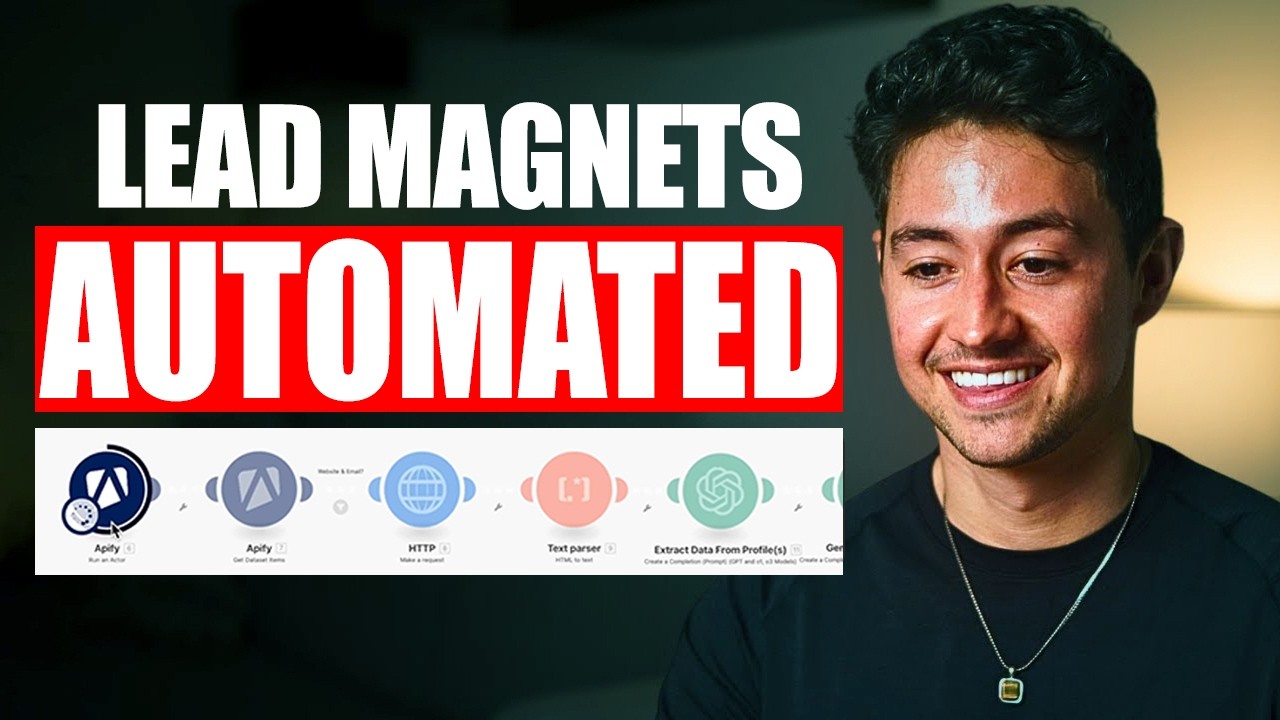
It's now scraping that Apollo list on Appify. What it's doing is it's spinning up a cloud instance of the actor. That's what they're called on Apify that's going out and it's actually getting me a ton of that lead data.
Then we're doing a bunch of data processing to filter for only websites and emails. And then what we're doing is once we have all those websites, we're actually scraping the hell out of them. We're extracting the HTML content and then we're editing the fields.
Now, there's a couple more steps here, but ultimately what ends up happening is we summarize the website pages, then feed that into AI. And the end result, if I go over to my leads page here, is as you'll see, we're filling in this multi-line icebreaker column. What this multi-line icebreaker is is it's a extraordinarily highquality personalized pitch where you add this to the beginning of a cold email and it's so customized that the person on the other end of the line is going to assume that you've actually read through all of their website and done a bunch of personal searching yourself.
So, this is the sort of thing that routinely gets me 5 to 10% reply rates on my cold email campaigns. And it's one of the ways that I scaled my own AI and automation agency to $72,000 per month. So, so you can see, hey Cali, love how L2 makes it easy to filter by acreage.
also a fan of your property update email option. Wanted to run something by you. If I was Cali and I received all of this is like the first few lines of my email.
I'm obviously going to assume that I've done my research in my pitch. Okay. So, in a nutshell, what we do from here is we just take this data and we feed it into a campaign like on instantly.
Instantly is a cold email service, one that I personally use for most of my emailing. What we'll do then if I go to campaigns here, you can see an example one that I set up for website agencies is we pump it directly into a sequence and our end email will look something like this. So in this case, this is for a website design agency.
Hey Katie, love KTL graphics. I wanted to run something by you. I'm new to this so please bear with me, but insert customized information or icebreaker over here.
And this specific pitch has already got me a 4% reply rate and something like over 30 qualified leads that have wanted to book calls or meetings with me. I show you guys all this back end just to make it abundantly clear that the actual work that goes into building out a cold email campaign. If you really want it to crush, it's a little bit more complicated than just scraping a bunch of leads off Apollo and then sending.
You know, a lot of the time you need some sort of way to paraphrase or make the content that you are sending to people seem a lot more customized. So that's in a nutshell how the system works. What I'm going to do now is I'm going to build it for you.
Okay. So I'm going to open up a new NAND panel over here and I'm going to call this deep multi-line icebreaker. We got our canvas right over here.
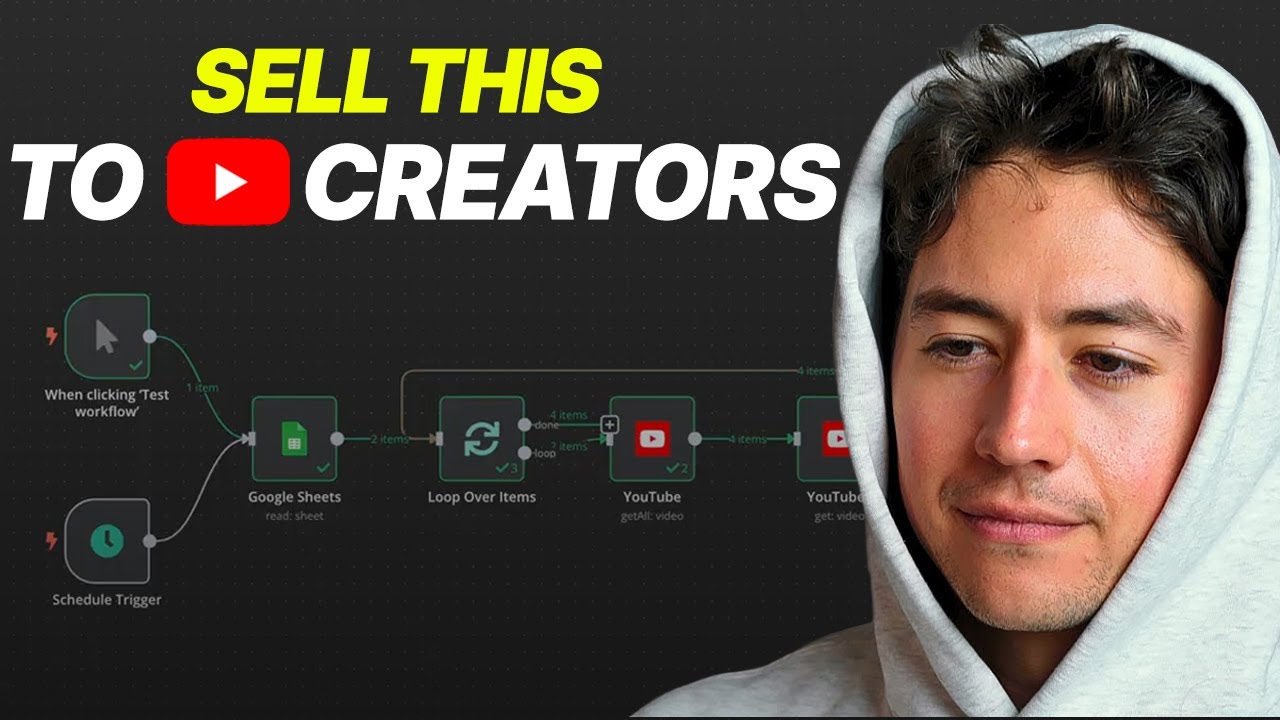
First thing I'm going to do is I'm just going to do a manual trigger. This is just the simplest and easiest thing for me to do and I do it for all of the flows that I'm testing. I'm then going to head over to Google Sheets.
What I'm going to want is I'm going to want a get rows in sheet. What we're going to do is we're going to hook this up to that multi-line icebreaker generator Google sheet. And so in order to do that, you need first to add credentials.
I've already added credentials, but if you haven't done so, all you need to do is click on that little pen icon and then click sign in with Google. From there, what I'm going to do is I'm going to find the specific document that I'm looking for. So that's multi-line icebreaker generator.
Then I also need to select not just the document but the sheet as well. You guys notice how there's search URLs and leads. What that is is that's this tab or this tab.
So what I want to do is I want to grab this search URL and actually not just this one but any search URL that I list just so that I can also scale this up. What I'm going to do is I'm going to head over search URLs. Then once I have all of that in, if I just click test step, what this will do is it'll actually grab me the URL as well as the row number which is handy.
In NAN, I always pin my data. This just allows me to test my flows a lot faster because I don't have to rerun things and it also spares me some API usage. The Google Sheets API is notoriously low rate limit which can be annoying.
Okay, so from there we now have the search. What I need to do next is I need to call my scraping service. And what I'm going to call in this video is Appify.
So I've already preconfigured this Appify scraper module here. And I'm doing it because if you want to converse with the Appify API, you do have to know a little bit about how it works. But to make a long story short, what we're doing is I'm sending a post request to a URL.
The URL looks like this. Okay. And if I make this bigger, you guys will see it.
It's https back/appi. appify. com/v2x um colactor-id/run-sync-get-data set- items.
Now, you may be wondering, Nick, where the hell did you get this? Well, if I just look up Apify API, this is the backend for the service that I'm using. If I scroll down to this right over here, this exact same URL.
So you guys could see and this gives you all the specs on how to use this specific API endpoint. But to make a long story short, what I did was I copied in this curl request. I made a couple of changes and then I ended up with this here.
I imported my curl. So API requests are sort of beyond the scope of this video, but basically you have to put an accept application JSON header and authorization bearer and then apply API token. If you guys like this sort of stuff, I've recorded a lot of detailed documentation and walkthroughs and how to actually like practically read APIs for beginners.
So, I'll link that video above. Okay. What this is going to be doing is this is going to be running our search.
So, if I click test step over here, this is going to do now is it's actually going to push this to ampify. And the way that you check this out in Apify is you have to go to their console. But if I go to runs, you'll actually see there's a live run that is currently now happening because I've sent this request.
Now, I should be getting something like 100 or I guess 96 leads. You can see here I demoed this a couple of times. And once we're done, what we get is we get a bunch of first names, last names, email addresses, LinkedIn URLs, and so on and so on and so forth.
Pretty cool, huh? Now, in addition, we also get a ton of other fields here, which I'm not going to go through all of them cuz there are quite a lot, but that includes stuff like the organization name, the URL of their websites, and so on and so forth. And what we want to do here is we want to take the URL of the websites.
First, we need to verify that they have a URL, and we also need to verify that they have an email. But once we've done that, we want to take the website URL that we're generating and then we want to pump it through some sort of scraper and then we want to throw it into AI to have it tell us something about it. Okay.
So the next thing I'm going to do is I'll go over here and I'll pick the filter node. What the filter node allows us to do is allows us to look specifically to see if we have an email address present. So if I just go command F email, you'll see that some of these fields are null.
So what I want to do is I want to check to see whether or not an email exists. Okay, if the email exists, then I'll continue. If not, I won't.
In addition, I also want to check and whether or not the website URL exists. So I I'm just searching for website URL. I'm going to stick that here and I'll say this has to exist.
Now in this case, it's not existing because this particular example just does not include a website URL. What I'm going to do is I'm just going to click test step. Now carry the data forward and we're going to see what sort of output we got.
If we feed in 96 items, we keep 28 items. That means that of the 96, we are filtering out 68. And that's okay for us.
That's just how Apollo works. So, you're going to feed in, you know, about 100 or so and you're going to get about 30. Just math.
From here on, what we're going to do is we're actually going to feed this into an HTTP request node. Now, the reason why I'm doing this is I basically want to feed that website in that I got a moment ago directly into an HTTP request node. I want to make a request to this website.
I want to search for it. In order for this to work though, what we're going to have to do is we're going to have to add redirects and then click follow redirects with max redirects of 21. If you don't do this, I find that uh in practice, a lot of the websites are going to error out because most of them redirect.
If I click test step, what we're doing now is we're actually scraping this web page right here, assetrealtyindIindia. com. In addition, what we're going to need to do is add one other option here and that is we'll go to settings over here.
And then on error, what I want to do is I want to continue using the error output. Basically, I just want this to continue executing even if there is an error. And if there is an error, we're just going to do nothing.
And the reason why is cuz not all websites scrapes work. Some websites have protections built in that stop us from being able to do this easily. So realistically, if we feed in, I don't know, like 28 or 30, we'll probably get like 15 or 20 websites that are actually able to be scraped.
And it looks like we did. We have 21 items that successfully worked and then seven that didn't. Now, when you add those error branches, you're going to get a success and an error branch.
You know, I'm just going to do nothing with the error, but you can certainly do things with the air if you wanted to recoup your costs. In my case, I usually do these things pretty quick and scrappy, so I don't really worry about doing that recouping. For me, if I could do this for 20 out of 100 leads fed in, well, in Apollo, I'm just going to make sure that my audience size is really big, like 10,000.
Therefore, I'm going to get about 2,000 of those. So, that's okay for me. After that, what we need to do is we actually need to scrape this data, or uh rather extract links from this data.
If I click on show data over here, what you'll see is we're getting a ton of HTML. Do you guys see this? In this case, this is a WordPress website.
But what we want is we just want to extract all the links on this website. So what we want is we basically want a tags with this href equals to. So you see this this is actually a link on the page.
Now in this case this is kind of an empty link but if I keep on searching this we should get stuff. Okay see this hath. com/author/hithadmin.
Well that actually is going to take me to a blog page on the website that might actually be pretty important for me to customize. This is a contact page that might be important for us. Basically what I'm going to do is I'm just going to extract all of these links.
And the way you do this in NAND in a really simple and easy way. So we go to success just go HTML extractor here. Now what we need to do is we need to stick the links that we're finding into a key.
I'm just going to use the term links. The CSS selector is going to be a the value we're going to return is going to be an attribute. And in my case I'll just go href.
I'm going to return an array and then under options I'll trim values and I'm going to clean up the text. What this does to make a long story short is it just gives us a nicely formatted list of links from the HTML that we're feeding in. So the links are going to look something like this.
What we've done now is we've pushed in a homepage to the HTTP request node. And then what it's doing is it's outputting us all of the links on that page. Now, why would we want to do this?
Well, logically, the reason why is because if you really wanted to understand a website deeply, you wouldn't just scrape one page like most other people are doing, you'd actually scrape all the pages on the website and then you'd feed it into some sort of intelligence, in our case AI, to have it tell us something about each page before combining all of that into some big summary, using that to generate some sort of custom asset. Next up, what I'm going to do is I'm just going to rearrange all of this data. If we go to this HTML tag now, what we have is we have 21 items and every one of these items is a big array of links.
Now, this is a ton of information, but if you think about it, we also want to make sure that we're grabbing the lead data, too. Like, we want to make sure we get Joshua's information, for instance, here. So, what I'm going to do here is I'm just going to clean this up by adding an edit fields node right over here.
Now, what edit fields node does is it basically allows us to add fields and then rename them according to some spec. So, if I drag this first name here and then if I do the last name and so on and so forth, then what I'm going to do is I'm just going to output a much simpler version of all this data. I'm basically going to remove all the fields that I don't find important.
Now, in our case, we're getting a ton of these does not exist or unpin node HTML and execute. So, because NAD isn't sure of exactly which record means which thing, what we need to do is we need to unpin them all. And now we need to test this.
What it's going to do is it's going to run through that Google sheet again. It's going to grab the Apollo URL. It's then going to feed that into our Appify scraper over here.
After it outputs, I think it was 96 or 98 items or something. We're then going to filter out a lot of them. It's going to bring us down to I think like 28.
It's going to filter us down to I think like 21 or something. Then out of the 21, we're going to extract all the HTML content. Then finally, we're going to be left with 21 nicely formatted items.
And if you are curious what these look like, it looks like this. We have first name, last name, website, headline if they have a headline, location, phone number. In this case, this is empty.
And then just a big list of links. Okay. From here, if you think about it, what we need to do is we need to find a way to iterate over this list of links because we have technically what, like 22 items here.
But basically, what I want to do is I want to process David first and then after I'm done processing David, process Zane. And after I'm done processing Zayn, process Michael. And the best way to do that in NAD is using what's called a loop over items or split in batches node.
This can be pretty intimidating and annoying to deal with if you haven't ever run one of these before, but I'm just going to delete the replace me node and run you guys through how this works. Basically, there are two routes here. There's a done route and then there's a loop route.
What the loop route does is anything that you put in here will basically proceed until you connect the loop route back to the input. So basically for every one of these 21 items, we're going to do something. If you think about it logically, what do we want to do?
Well, we want to go into these 21 items and then we just want to take all these links and we want to do some processing on these links. Basically, we want to like run HTTP requests for each, right? So that's what we're going to do.
I'm going to go to loop and then I'm just going to type in well first of all if you think about it these right now are all buried inside of an array right so we have to expand these or split these away from the array. So what I'm going to do is I'll go split out and I'm going to feed in the loop directly into the input and I'm just going to put this down here a little lower so it's nicer. Now unfortunately we can't see previous nodes because that's just how the split in loop node works.
Um the fields from the left that I want to split out are called links. So that's just what I'm going to use. And then this done route.
This is going to trigger after we're done our loop. Okay. So, for now, I'm just going to loop this back in.
Just make this super simple. Show you guys what this looks like. And just to make my life a little bit easier, I'm just going to go through and I'm actually going to pin all the rest of these outputs.
Okay? That way when I start, it's just going to run immediately over to the loop over items and then just split out all of these. And you'll see what I mean by uh splitting them.
Okay? So, we just fed in 21 items. Okay?
And now for every one of those items, I want to show you guys what the links look like. Just go down to number one. Notice how now what we're doing is for every run, okay, for all 21, we're outputting a massive list of links.
So this massive list of links, which is pretty long. I think it's 30 something. This is for run one.
This massive list of links is for run two. This massive list of links is for run three. This massive list of links is for run four.
So basically, each of these runs are just a different person and their website. Okay. So now, what do you think we're going to do?
Well, for each person and their website, what we're going to want to do is we're going to want to process these links a little. I mean, like, check this out. This stuff is crazy.
Most of these are basically exact duplicates for Christ's sake. Also, these are um absolute URLs, not relative URLs. What we want to make a long story short is we want a bunch of links that look like this.
Home-valuation y-list-with- us communities leewood real estate. Stuff like this just makes it a lot easier to process using HTTP requests later. So, we're going to have a bunch of relative links.
And then we're going to add the initial website URL. So, then in this case, it' be troy homes sky-list us. So, I'm going to go over here and I'm going to click add filter.
And what I'm going to do, okay, it's unfortunate we we don't have access to that data. But what I'm going to do is I'm just going to make sure that the string starts with an a slash. Okay.
And the way that this data is being output, it is being output under links. So, I actually know how to reference this. I'm just going to go expression.
I'm going to go dollar sign JSON. Okay. Now, if I take this, I pin this and I test this.
Okay. And so, what ended up happening is we fed in 270 items here. We looped over all of these links.
Then, for all of them, we filtered them out and we ended up with just 121 items. Okay. So, basically what we did is we just discarded a bunch of the links that, you know, didn't have anything.
So, these, for instance, are all absolute URLs. We just wanted all the relative ones in the website. Is this the perfect and best way to do it?
No, not really. Like, theoretically, we could extract these. I'm just not doing them because I'm a little lazy and I find that most websites just have relative links to begin with.
In reality, we don't actually scrape every page on every website. That just be a ton more work than is necessary, especially for those really heavy SEO pages. So, I'm just going to go with like my proxy.
Proxy just means like my thing that's close to the right answer, which is just, hey, you know, if a website has any relative links on it, that's what we're going to scrape. Sure, some websites aren't going to have relative links on it, and you can totally adjust the logic to fix that on your own end if you'd like. Okay, one thing I'm noticing now is there's a bunch of duplicates.
So, I'm just going to go to remove duplicates. I'll go remove items repeated within current input. Okay, this is going to immediately remove all of the duplicates in the flow.
Now, I know how this works. I'm pretty confident it's good. So, I'm just going to move forward.
And now, to be honest, we're basically ready to do our HTTP request. So, for all of those that are remaining, what I'm going to do is I'm going to get the URL. Now, I know what this expression already looks like.
It's going to be loop over items item. json website URL and then JSON. links.
What this is going to do is this is basically going to concatenate the website URL with the relative URLs that I'm pulling here. So for instance, if my website was leftclick. ai, this would be the base URL and then this would be the relative URL.
That's what I'm doing right over here. I'm just concatenating. I'm just sticking them together just because sometimes there are redirects.
I'll go down to redirects as well. And now what I'm going to do is I'm just going to test it on all of these links. Okay, it's going to be a lot of HTTP requests, but it's important that we give this a try.
Okay, and what we ended up with was 39 items. So I scraped 39 pages here and the result of these 39 pages are all HTML. What I want to do is I want to convert this into like some sort of language that I understand.
And the simplest and best way to do that is using an HTML to markdown node. So I'm just going to drag in HTML. It's going to get the HTML data inside of this node.
And then uh yeah, to make a long story short, this is just going to convert this into some sort of workable text that I can actually use. After that, we now have a bunch of markdown data. If you've never seen markdown data, it's pretty straightforward.
Just scrolling through here, what we end up with is we end up with just a bunch of links again and then just a bunch of plain text. So this just basically makes the token cost a little bit lower. For those of you that don't know how HTML works, it usually, you mean it looks kind of like this, right?
So to write the word renter experience, you can't just write renter experience. You need to go less than symbol title greater than symbol renter space experience less than symbol/title greater than experience. Uh greater than symbol.
This is just way more to uh tokens than you need. And since we're about to feed all this stuff in AI, we want to minimize the token cost wherever possible. And next up, what we have to do is we just have to feed this into AI.
So you do so by going to open AI and then click messaging a model. I've actually already created this message node. So I'm just going to paste it in here just to make our lives a little bit easier.
But if I feed this in, I'll run you guys through what this is doing. First of all, we need to connect our credential. So I connect it to one.
If you haven't done this already, just head over here and get your API key from OpenAI. It'll actually walk you through all of this stuff. Um, it's very straightforward, luckily.
Although if you are at the beginning or a rate limit, just note that this may actually push you over the rate limit just because we're going to be sending a lot of requests very quickly. The model I'm going to be using is GPT4. 1.
The first prompt I'm going to use is a system prompt that says you're a helpful intelligent website scraping assistant. And then over here is the actual prompt. Okay.
And this is kind of like where the AI magic comes in. So you're provided a markdown scrape of a website page. Your task is to provide a two paragraph abstract of what this page is about.
Return in this JSON format. Abstract. Your abstract goes here.
Rules. Your extract should be comprehensive, similar level of detail as an abstract to a published paper. That's very important.
Use a straightforward Spartan tone of voice. And if it's empty, just say no content. This is necessary because some of these scrapes that we're going to do are going to turn up empty, and we just want a simple and easy way to handle them.
Okay. So, from there, what we're going to do is we're going to feed in all of this directly into AI and just have it tell us something about it. It doesn't have to be super complicated, as I'm hopefully you guys can tell.
All we need to do is just ask it to do this for us. And what I'm going to do here, sorry, I just I I ran this one individually. Give this a click.
What we see is we get an output that looks like this. This web page serves as a contact page for Hathan Company, Inc. , a real estate firm located in Overland Park, Kansas.
It provides organizational contact information, including the physical address, commercial phone, and facts numbers, and a link to the company's website. It also invites users to reach out with assistance. So, this just basically gives us some context about what that specific page is.
And since we're going to be doing this for all of the pages, you know, I'm sure you guys could tell, we're going to rack up a ton of data. What we need to do now is we need a simple and easy way to get all the data. It's funny cuz I'm saying data and data different like every time I do it.
Um anyway, what I'm going to do here is I'm going to get the data and then I'm going to aggregate it into an array and then I'm just going to feed all of that aggregated array into another AI module that says, "Hey, here is a ton of information about a website. What I want you to do is I want you to customize a piece of reach based off that. " So the simplest way to do that here is to go aggregate.
And what you're going to want to do is the specific field that you're going to aggregate is going to be this abstract. So, I'm just going to grab the input field name here. I'm not going to rename the field.
That's okay. Okay. And now I'm just going to run this end to end from left to right.
Make sure that I have all the data laid out, not with pinned nodes, if that makes sense, because if you pin all the nodes and only test off of pin nodes, sometimes it bugs out just because you are sometimes expecting more or fewer records than a later node actually gets. So, we're just going to run this end to end now on new data. Give that a try.
Colonify scraper over here. Okay, we now have a bunch of items. We're then doing tons of HTTP requests.
So, you can see we've gotten a slightly different number of items here. Okay, and it's running and it's just kind of doubling up. What I did is I connected the end to the beginning here.
I'm just looping over. And as you can see, the summarized website page is taking a little bit longer because it's probably a pretty long page. Okay.
And it looks like this is hanging. And I think the reason why is because what we're doing is we're feeding in just a boatload of tokens. It looks like some of the website scrapes just a lot longer than I was anticipating.
So, what I'm going to do is I'm actually going to check to see if the length of the data here is okay. This is 18,000 characters to tokens. One token is around four characters.
So, 18 898 divided by four. That's quite a few words, right? Why don't I cap this out at 10,000?
Let's say then if it's greater than 10,000 then I want to do JSON. So let me go to the expression field to make it easier for you guys. Then if not I want to do this well slice it from 0 to 10,000.
All right. And that should be good. And now we're always going to be working with reasonably simple and small data.
Let's actually do this even less. Let's just go like 5,000. You don't need much more than that realistically.
Okay, let's just touch that formula up. I just added length there by accident. Now, let's run this one more time.
Okay, and then if we click on this little aggregate button here, what we see is we have multiple runs. And every time that there are multiple links, what we do is we actually aggregate them together. Now, in this case, we haven't actually aggregated any because it looks like the first two people that have run through the system are both working for Hay and Company Incorporated, which is just like the, you know, obviously there's like the same number of like links for each, right?
This one did though. Notice how we had one page here, another page over here, another page over here, another page over here. And what it did is it just aggregated all of those fields together.
In this case, it's pretty long, right? It's 23. That's why it took so long for us to finish.
But anyway, what I'm trying to say is now that we've aggregated all the data, what we have to do next, we we kind of have to pass that through another AI node, right? What I'm going to do is I'm going to feed this through a second one here called generate multi-line icebreaker where now what we're going to do is we're going to feed in all these independent website summaries into said multi-line icebreaker. Okay.
Going to give this a double click now. And the way that this is set up is the same as before up here. And the text is we just scraped a series of web pages for a business called Oh, sorry about that.
We don't actually have the text on the business. Your task is to take their summaries, turn them into catchy personalized openers for a cold email campaign to imply that the rest of the campaign is personalized. We actually just tell it what we want and return your icebreers in the following JSON format.
Now, what I've done is I've actually written out a custom icebreaker that I know works pretty well. Hey, name love thing also doing/like/ a fan of other thing. Wanted to run something by you.
I hope you'll forgive me, but I creeped you and your site quite a bit and I know that another thing is important to you guys or at least I'm assuming this given the focus on fourth thing. I put something together a few months ago that I think could help. To make a long story short, it's insert thing you're selling over here.
Okay. And I think it's in line with some implied belief they have. I guess the point I'm making, and you guys can do this however the heck you want, but I just have AI like kind of fill in the blanks for me, but I don't do it like with simple templated variables.
What I do is I will make it flexible. Like I'll use a variable and I'll like tell AI, hey, fill this in with something, right? Where thing is the thing that I wanted to fill in.
This is in contrast to like using actual variables which are procedural and always fixed. If you tell AI like, "Hey, I want you to write this casually in short form. " What it can do is it can paraphrase those things and then it seems a lot more like realistic to a customer, which I find.
So, use whatever the heck you want here. This is just my template. Then I have a ton of rules.
Write in a Spartan Lonic tone of voice. Make sure to use the above format when constructing your icebreers. You write it this way on purpose.
Shorten the company name wherever possible. So, say XYZ instead of XYZ Agency. Love AMS instead of Love AMS Promotional Services.
Love Mayo instead of Love Mayo Inc. Do the same with locations. Then, furry variables.
Focus on small non-obvious things. To paraphrase, the idea is to make people think we really dove deep into their websites. So don't use something obvious.
Do not say cookie cutter stuff like love your website or love your take on marketing. So all of these things are important. This here just makes it seem more human written because humans tend not to write the whole company name.
If you write the whole company name, if you say hello, I love Mayo Incorporated. Odds are you scraped Mayo Incorporated somewhere from the internet. You do, hey, love San Fran, then odds are you did not scrape San Francisco somewhere from the internet.
Odds are if you say for your variables focus on small non-obvious things to paraphrase then you did not you know do all of that stuff. I guess all of this stuff just makes it seem a little bit more human written. Then what I do is I give it some examples of profiles and then websites.
Okay. So what I did is I basically ran this exact same flow on a couple of test demo websites. Then I got the profile and then I got a bunch of different website scrapes.
Okay. So exact same thing here. I'm just feeding this in as like an example.
Then I basically instead of me just telling it what I wanted to do, I fed it an example of the perfect outline for an icebreaker. And then what I'm doing now at the end is I'm actually feeding it on real data. Okay.
So just to make a long story short, I'm doing a system prompt first, then a user prompt where I give it instructions, then a user prompt where I give it an example of an input, then an assistant prompt where I give it an example of an output, then finally I give it the actual user prompt with the actual input and output. Once this is generated, if you think about it, our job here is basically done. All we need to do now is we just need to update or add a section to the Google sheet that we had before.
So, I'm just going to delete all of these. Go to Google Sheets first, then click append row. Mixing up my platforms here.
Just going to use the YouTube credential. What I want is I want to select the document obviously. So, multi-line icebreaker generator.
The sheet I'm going to be pulling data from is or I'm adding data to is going to be leads. Then, what I'm going to have to do is I'm going to have to map all these fields. Now, I can't actually pull this data yet.
So, I'm just going to give it a quick run and then do it in a second. Okay. From here, what I've done is I've now mapped all the correct fields.
So, the first name field is going to fill in this column. The last name field is going to fill in this column. The email field is going to fill in this column.
Website, headline, location, phone number, and then multi-line icebreaker. Okay, this icebreaker is the new field that I can't access. So, we are now just going to give it a run.
And because I need to loop this, obviously I have to grab the output of this and move this all the way here to the input of the loop. And then when it's done, I don't need to do anything. Okay, so let's give this a try now on some real live data.
I'm going to click test workflow. First thing it's going to do is it's going to split it all out like we did before. Then it's going to filter it out, remove all the duplicates, and then start my HTTP requests, format it as markdown, summarize individual pages, aggregate all those individual pages into one array, feed that whole array into the multi-line icebreaker, then it'll add the row, and then it's just going to proceed line by line by line and do the same thing.
Now, the first two leads in this list were obviously um the same company, Hathan Co. , you know, you can filter out duplicates in the company website if you want. Didn't do that in this case cuz I actually think that it makes sense to pitch two people on an individual business.
A cool thing there that you could do, which I'm not doing here, is you could also reference like, "Hey, David, I just reached out to Zayn and I wanted to follow up with you as well. " If you do stuff like that, people are a lot more likely to believe that you are a real human being doing this outreach, not some automated super cool robot. Okay, looks like we just added another one that says, "Love how you got the Casey trusted partners list dialed in.
also a fan of that local lender vetting approach. Very nice. We're just about wrapping up our test set here.
Okay, so hopefully you guys appreciated seeing me put that system together in real time. I hope it's abundantly clear, but that system is just like a nugget. It's a stem.
You can add on to that system, make it arbitrarily complicated if you want. I use some very simple unfiltering logic here because I just wanted to let you guys do whatever the heck you wanted with it. I also just tend to be kind of hacky in the way that I put things together.
So, I will focus on the 80/20 thing that does 80% of what I want, even if it's a little less cost-effective or even if I end up wasting some of the leads. To me, the leads are never the bottleneck here, just because we have platforms like Apollo and Appify and stuff that let us get an almost infinite number of them. Uh, aside from that though, yeah, like you can squeeze a lot of juice out of the system.
You could do a lot more than I did here, you could do a number of things. Instead of just scraping all of the website pages and putting it into an icebreaker, you'd actually like use it to generate an asset. You could build a big dossier on the client.
You could have this be like a person research machine where you build up some massive list of information and extract everything about them and then feed that into a big database and then use that database to pitch people in a lot more detailed of a manner than I am. You could generate multiple different types of icebreers. You could test different icebreers against each other.
You could blast out to everybody in the same domain and then use other people's information to reference those people in those emails. You could say, "Hey, David, I was looking through Zayn's profile. pretty sure he's one of your colleagues and I noticed X Y andZ really unique cool thing that only a human being would notice.
Just wanted to say great work and I had a proposition for you. When you say stuff like that, people again just assume that you're a real human being that sat down and is doing this manually. And whether or not you know your pitch is even that incredible, usually when you can imply that you're a real human being and you can convince someone of that, they're a lot more likely to take the rest of your pitch seriously.
Anywh who, if you guys have any questions on this, feel free to drop them down below. I'm going to include this free template in the description just because I know that it was a little bit faster than I normally do these sorts of builds. Just on a time crunch today, I wanted to make sure I could still get one out and offer a little bit of value.
If you guys like seeing how to apply real automations to building a business, in particular an AI automation agency, definitely check out Maker School. It's my 0 to1 daily accountability roadmap where I show you guys everything you need to do day one, day two, all the way up until I think we're at like day 180 something now. Uh, I give you a whole list of tasks on exactly what you need to do to build your automation business.
If you don't get your first customer within 90 days, I give you all your money back. Okay? Aside from that, uh, like, subscribe, do all the fun YouTube stuff that bumps me to the top of the alone.
I'll catch you on the next one.