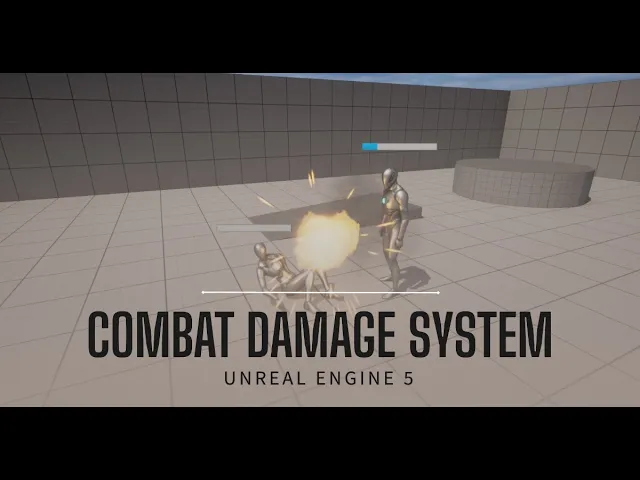
[Music] foreign welcome everyone today I'm going to show you how to create a damage system so this is going to cover things like how to do damage how to take damage uh damage responses like knockback uh things like uh healing uh death and so on so this is going to be a very scalable and flexible system that you can apply to any player character enemy character even objects I'm going to go over how to create this really in the most scalable and efficient way so we're going to be using things like um blueprint interfaces we're going to be using structures enums we're going to be using actor components so really going to try to build a flexible system that you can reuse in any project and it can cover a wide range of use cases so hope you enjoy it alright so I'm starting here with the third person templates I want to start this from scratch so that you can follow along um in here I just have my third person character uh and we want this character to be able to take damage to do damage to heal um and we also want there to be enemies that do the same maybe this box can also take damage and explode at a certain point so we want to build a system that's really um modular and it can be reused for any component or any actor in your game that can take damage or has health or things like that so I'm going to start by let me move this so I'm going to start by creating a folder here called damage system which I've already created and in here I'm going to add all the components for uh this damage system to do that the first thing we need to do is have an interface I'm going to search here for interface call it damageable and for those who don't know what an interface is this is basically a set of instructions or let's say it's a blueprint that you give to your actor to tell it how it should behave so I can apply this interface to my enemies I can apply to my playable character and it instructs them on how to build a damage system it's going to be clear when I dive in a bit more into detail so this interface all you can do is add functions here and not even the implementation of functions just function definitions so for example any damageable component needs a function to get its current health misspelled health uh get its current health and this will just return health and it's going to be a float needs a function to get the max health I'm gonna return Max Health also float needs a function to heal for example this takes input the amount it should heal as a float and maybe it also Returns the new health after it healed you can see here that this is just read only I can't make any changes here I'm just defining what a damageable actor looks like or damageable class and finally we need a function to actually take damage uh now this is the function it's going to be called when you apply damage to an actor here we want a lot of things we want uh how much the damage is going to be so the amount of damage we want to know who it came from we want to know um what kind of uh let's say hit reactions to do but there's going to be a lot of things to identify here and instead of putting them all as parameters in the inputs I want to do it a bit cleanly by creating something called a structure so I'm going to go here again and search for structure call it s underscore damage info now a structure is just a collection of variables that you can reference as a single variable this structure for damage info contains any information that I need to know when a damage event occurs so for example as I mentioned I want to know the amount of damage that's going to be a float I want to know the uh let's say a damage type so damage type here can be something like environmental damage melee damage damage from explosions or the environment or [Music] projectile damage so here I'm going to create an enum for that so go here and we'll go here and search for enumeration and we'll call this uh damage type now an enum not exactly like a structure just defines a finite set of strings or names for a type so the enum for damage type is going to include none so no damage type it's always good to have none as a fallback or as a default value let's say we have melee damage we have projectile damage we have explosion explosion and finally environment damage now I can go back to my structure and use this enum that I just created here this means that damage type can have one of these values great so now we want um damage response this is how the actor should respond to the damage should they be stunned should they be staggered and we also want to create an enum for that so let's call these e underscore damage responses oh let's just keep it singular damage response uh first one is none again always good to have a nun there then hit um reaction so this is going to be just a default hit reaction animation that's yeah there you get pushed back a bit or yeah just do a simple animation then we have stagger uh let's say we have stun and maybe knock back um yeah that seems about right you can add whatever damage responses you want for your own system this is just scalable in that way and here let's pick our damage response um great so there are a few more things I want to add here to make the system really uh flexible uh and things like if you have blocking and dodging in your game uh you would want to add these as well so let's add a Boolean here call it um should damage invincible so what this will basically do is that maybe you have invincibility frames for example when a player is dodging they're Invincible but certain attacks can't be dodged if they can't be dodged then this should damage Invincible will be true and regardless of if the player is currently dodging or within an invincibility frame they will still get damaged and let's say something like can be blocked whether an attack can be blocked or not and can be parried for example you have some attacks that can be blocked some attacks that can be blocked and parried or none of the above [Music] um and finally let's add one called should force interrupt and what this will do is that maybe the player is playing certain animations and some animations can be interrupted by a hit reaction and some maybe cannot and some attacks should force interrupt the player or the enemy at any point and then this is when we'll set this variable to true this will become a lot clearer once we actually start building the damage function but for now this is what our structure looks like if I go back to my interface here this take damage function it will have just one input which is the damage info and it's going to be of type damage info struct so as you can see here this is the structure that we just created and referenced as a single variable we wanted to return one Boolean value let's call it was damaged so sometimes you can try to damage an enemy or a player gets damaged but they're Invincible they Dodge they blocked you want to know if the damage was actually applied or not and I'll show you why in a bit um all right so now we have this interface ready we can actually start applying this interface to different actors in our game let me go here to uh third person uh Blueprints and I'm going to copy this VP third person call it BP player and I want to move it into my uh Papa Powers my damage system yeah move it right here I'm going to create a new folder call it player and put the player in here now let's open that up um I'm not going to change much for the uh player character um but what I will do first of all is let's go here to our world settings find our game modes uh I want to change BP third person to BP player that way the defaults Pawn class will be my player now if I play well it's a bit small now if I play here um nothing you won't see anything different because I copied the third person character to BP underscore player and they're exactly the same but now I'm going to edit this BP player and the first thing I want to do is I want to tell it you should implement this damageable interface that we just created so if you go up here to class settings you'll find section called interfaces we can add our damageable interface now you'll notice what this does is that it gives you on the left here an interfaces tab with all of the functions that we've defined in our interface now you're supposed to implement these functions so if I double click on damage you'll see here that it takes damage info and it returns was damaged but of course doesn't have an implementation yet same for heal get Max health and so on now what I can do is that I can build my uh I can Implement my functions right here so I can get my my Max health I can return it I can add variables for health for Max health and so on but this will mean that all of these all this functionality lives inside the player character while we want the system to be reusable and applied to any other any other actor to do that we'll click we'll create something called a uh blueprint component so I'm going to go here to my damage system I'm going to search for uh actor oh sorry I'm gonna it's a blueprint uh but of type search for actor components yes so actor component is basically a collection of functions variables so basically functionality that can be applied to different actors we're going to call it bpc well bpc is the sort of default naming for a blueprint component uh bpc damage system now if you look here character movement this is also a blueprint it's also an actor components so we're going to add hours similarly bpc damage system and you can see it's getting added here in the actor components section now if I open up this damage system it will look like any other blueprint and it has a begin play has a tick you can add functions and variables and now here I can start the implementation of these functions um now let's start to think what an actor needs to be able to take damage and uh and do damage let's add the variables for that first um so they definitely need health I always misspell health they definitely need Max health uh let's compile and save let's add a default value for these Also let's say they start off with 50. um they need a is invincible Boolean which they will do if they're dodging and so on um and they will have um a Boolean for if they are dead one for if they are interruptible um and maybe one for if they are currently blocking now depending on what kind of game You're Building or what functionality you have if you'll want to play around with these but this is going to work for the majority of the systems that I have in my own game all right so um let me show you how we're going to be using this actor component so I'm going to go back here in my player if you recall we have a function called get Max health and get current health from our interface now to implement this function we're going to get our damageable components and we're just going to get Max health return that and this will be basically it now for our current health drag our damageable components get health return that and great function has been implemented and as you can tell for heal and for damage we're going to do the same but here we're just going to call a function so let's Implement that function right so we're going to implement this in our damage system um so let's create a new function here call it heal and I want this function to follow exactly what we have in our damageable interface so our heal function takes input and as amount and returns output new health so let's give this input the amount float and output the new health now what does a heel function look like basically it takes the current health subtracts oh sorry ads because we're healing adds the amount that we want to heal and set the new health to be this new amount right but there's a few things we need to take care of here we don't want our new health to ever exceed our maximum health for that we're going to use something called a clamp so I'm going to search here for clamp float and basically what a clamp does is at it takes a value and it ensures that value doesn't exceed a minimum and the maximum that we put here so the minimum will be zero and the maximum will be our Max health then this will be our new health one thing we'd also want to check is let's say dead enemies can't heal so let's first check that is dead is not true so getting is dead doing a not Boolean on it and if that's true then proceed to heal if it's true uh or yeah if the player the the character is dead then just won't do anything um yeah that's basically it for our heal function now back to our player here uh we can get our damage system and here we can call this heal function and we're gonna plug in the amount and we're going to plug in the new health now you might be asking at this point why am I implementing the interface on the player and not on the damage system why do I have a heel function here and another heel function here now the reason for doing that is because we want this to be a reusable system this heal function in the damage system will contain all of the generic and normal things you want to happen when a heel event occurs but for the player maybe when the player heals you want to do additional things like I don't know show a specific animation or disable input for a few seconds so you're going to want to add all these additional things that are specific just for the player in this heel function uh right now there's nothing specific so that's why we're just calling the heel from the damage system and returning the same value but this is where you'd override things if you wanted to all right so now we're going to go to the uh complex parts so this is our take damage function I'm going to go here in my damage system and create a function called take damage again we want it to follow the exact structure in our blueprint so input the damage info struct that we created an output was damaged Boolean so back here in our damage system give it an input of damaged info and search for our structure and an output is a Boolean called was damaged all right so again first basic implementation of this damage function will be to decrease the health and check if the player is dead if the player is not dead then continue so uh this damage struct that we created you can pull out from it and search for break this will give you all the variables inside uh the damage structure and this is the reason why we created a structure for it is because we don't want to pass all these variables every time we create every time a damage event occurs because there's a lot um all right so step one here will be first to check like we did in heel is the actor dead or is not dead in this case if so let's get their current health let's subtract the amount from it so this is the amount that's being damaged and let's set this as our new health great we might also want to check if the player died after that so let's add a branch here by the way I click I press B and click left click to do a quick branch um now in this Branch I'm going to check uh is the health value less than or equal zero if true that means the player is dead so let's get is dead and set it to true and we're going to return was damaged to true because indeed the player was damaged and died so if it was false then the player did not die but they were damaged um great I can actually just plug these both into the same node here and I'm going to just clean it up a bit like this all right now there's a lot of things we didn't this is basically what's the take damage function would look like in its most primitive form but there's a lot of things in the structure that we didn't take into account uh the damage response is the player already Invincible are they blocking are they doing something that should be interrupted and so on so let's first check for the invincibility all right and to do that uh we can check for our is is Invincible variable here but we also need to check if uh should damage Invincible is true but we also need to check if they're blocking and can be blocked but we also need to check if they can be parried and so on so there's a lot of checks that need to be done here in this Branch before we actually continue to decreasing the health and checking if they're dead and so on now instead of doing all these if conditions here it's going to get messy I like to create a macro for that so if you go here and click plus let's call this macro can be damaged and if you don't know a macro just is similar to a function but it allows you to return executionable execution pins uh like this so let me do exec um and it allows you also to take execution pins what this looks like if I call it here you can see I can plug and plug it into something and it returns multiple execution pins um now what we want to give it um is an execution pin called then which is the default name so it will remove the name here but we also want to give it uh should be what's it called um should damage Invincible is true or not and if can be blocked is true or not and based on these we're going to check a few things and what we're going to return is um three execution pins one should tell us if we should block the damage one should tell us if we should do damage and one should tell us if there should be no damage this should be execution pin all right so that means that we plug it in here we don't need this Branch anymore uh we give it the should damage invincible and can be blocked and it will return the actions that we should do so let's start by implementing it um first thing we need to check again we'll get a branch we need to check if we are Not Dead this is will always be the first thing you need to do check you're not dead now I'm going to end this um and end means that both conditions need to be true for it to return true so I'm going to check if is dead and uh is not invincible so if they are dead and they are not Invincible we should damage them but we need to check for should damage invincible this is going to go as an or here so or Boolean or should damage Invincible is true this means that we check if they are not Invincible or it should damage Invincible is true whichever one of these variables is true then this entire expression will be true and with an end we need both Expressions to be true uh let's plug this in here to our branch so true here means that they're not dead they're not invincible and should damage Invincible is not true so they should take the damage on end in false there should be no damage which means they are either dead or they are invincible um but what about block damage so block damage should come out of the true here so I'm going to create another branch uh so they're not dead they're not Invincible but maybe they're blocking so we need to check if they are blocking and the attack itself is an attack that can be blocked so both of these need to be true uh and in that case then we block the damage otherwise we do the damage and this is our macro quickly recap check if they're not dead check they're not Invincible or should damage invincible and if both of these are true then we check that they're blocking and that the attack can be blocked if that's true then we block the damage if not then we do the damage and if either of these are false then there is no of their yeah false then no damage will be applied now back to our take damage function let's see what happens uh uh in both of in all three of these execution pins so first one on block damage let's just print something like blocked here and we need to return was damaged false because they blocked it on do damage this is what we've already implemented here so our basic uh Health deduction and on no damage uh let's just return was damaged false and we don't need to do anything more let me clean this up a bit all right um we're gonna replace this uh this print with something soon but let's keep it for now let's see what we've done so far we're checking what type of damage should be applied is it block damage is it normal damage there should be no damage and um we are decreasing the health uh setting a new health checking if the actor is dead or not and if they're dead we set is dead to true and return was damaged or if it's false we just return was damaged right away there are still a few things missing here um after this false node so if they are not dead um but they did get damaged we need to check what type of damage response it is uh if you recall here I'm gonna do a switch on this uh that we have different types of damage responses a hit reaction stagger a stun and so on so here we want to do something uh for now I'm just going to print it so I'm going to print uh what type of damage response it was um let me tidy this up but we don't want to jump into this execution part right away we want to first check if they can be interrupted because this responding to the damage is an interrupt it interrupts whatever they're doing currently so we're going to have another Branch here off of this false and we want to check if is interruptible or should force interrupt either of those either of those are true then we proceed with what we want to do and of course at the end don't forget to call was damaged to return sorry it was damaged to true um all right so now we want to replace these prints with something meaningful actually um what happens when we block what what happens uh when we take a certain damage response but we don't want to implement the block functionality here in this damage system we also don't want to implement the damage response functionality here in this damage system because maybe player responds to a block differently than an enemy and maybe a player gets staggered differently than an enemy and so on so we want this to be oh sorry I need to let my cat out yeah yeah so we need these to be uh something that can be overridden in the player or in the enemy or whatever is applying this damage system so to do that I'm going to replace these prints with event dispatchers now event dispatchers are functions that you can call that you can listen to um in a different actor a different class so for example here I'm going to call an on death I'm going to add an event dispatcher called on death now this on death I want it to be called uh right here after we set is dead to true we're going to call on death as an event dispatcher now if I go back to my player here I'm just going to do this anywhere I can search for oh sorry I need to drag my damage system uh component and I can search for on death you'll you'll see here a sign on death basically what this does whenever on death is called You're binding this event to it so whatever I do here will be done uh this whole execution path will be called once this function is fired and this is what we're going to do we're going to have different event dispatchers from damage system and we're going to listen to all these different event Dispatchers in our player and our enemy respectively so let's dive in show you how to do that on death I'm going to keep it here we want another one for unblocked so on blocked but unblocked we want to add an input for it and this input is can be parried because when you're blocking something you need to know if you can also Parry it or not I'm going to replace this print with on blocked and also pass to it the can be parried input and also here instead of this print we want a new event dispatcher let's say on damage response and then again call on damage response and pass not the string but pass the oh that's my bad first we need to add an input the actual damage response that should be done this will be of Type e underscore damage response that's our enum and here we want to plug it in here great now this is our take damage function it's a lot but let's quickly go over it again First Once an actor takes damage we check everything we have checked here in this macro and it tells us whether they should block the damage whether we should do the damage or no damage at all um if they block the damage we'll dispatch an event called unblocked and then return was damaged to false if we do the damage we're going to decrease the current health by the amount and then set that as a new health check if it's less than zero that means they're dead and then we call on death and return sorry we dispatch the event called on death and return was damaged to true if they didn't die we check if they're interruptible or should be Force interrupted and we then call on damage response and we pass it whatever damage response this event had great compile and save and back to our BP player um go to our take damage function and we want to just drag our damage system actor component call the take damage function from it pass in the damage info was damaged and great now we are implementing that let's not forget to listen to all of the different events that are dispatched um I like to do that actually in the construction script so in the construction script I'm going to pull here damage system and say bind to on death and here I'm going to search for create event because you can't have custom events inside a Constructor I'm going to just um choose an event here that I Define in my event graph so I'm going to have a search for custom event I'm going to have a death event right now let's just print dead I'm going to have another event for blocked this one takes input don't forget can be parried and let's just also print to this print blocked and we want one for custom event for damage response and this takes the damage response which is our enum here and let's just print what kind of damage we're responding to back to our construction script we here select death as the event that's called uh once on death is called now we want one for on blocked oh no sorry not call on blocked bind to unblocked great and the event we're binding to again search for create event and here search for our blocked event and again here bind to on damage response create event damage response note that when you're creating an event you only see events that match the same signature because damage response expects there to be an input damage response then only this event will match the signature of this one so make sure you are creating those correctly let me just tidy this up a bit so I'm sorry I always need my nodes to be clean great yeah it looks better so in the construction script we're saying when on death is called from the damage system then call this event when on block is called call this event when armed damage responses on this event so here uh this is all we need great now the fun part uh we are going to create an enemy folder and we're going to duplicate this player and call it BP enemy let's move it here to our enemy folder I'm going to open it up the enemy is going to be the exact same as the player for now but we don't want a camera and also uh let's change the mesh so that they look a bit different so let's use the uh many mesh yeah the that's the male one and also let's use his um animation blueprints great so now we get to test all of this out I'm gonna go into my world here I'm going to drop in my enemy and remember that both let me close all of this that both the enemy and the player now implement the same events implement the same functions and both have the damage system components so they're almost identical um so if I play here of course we don't have any way to do damage yet so uh let me go back to my player and let's find uh left click Mouse button left Mouse button yeah so when left Mouse button is done we want to attack the enemy in front of us to do that I'm going to do a sphere Trace by sphere trace for object and the object I'm checking for uh so sphere Trace basically does a trace from a start position to an end position and checks if this Trace hit any of the objects I'm defining here in this array so I'm going to make array of Pawn so right now we're only tracing for Pawns um the start Position will be where my actor is so get actor location and my end position let's say we're attacking um 100 or 200 units in front of where we're currently standing so to do that we actually have to get our forward vector get actor forward Vector multiply that by we want to multiply it by float so I'm going to convert this pin to a float multiply it by let's say 100 this means I'm getting wherever the actor is looking uh the forward Vector where they're looking at now increasing that Distance by a hundred and adding that to our existing location and this will be our end let's give it a radius of 20 and let's also draw a debug for one second so compile and save let's see if this works well this is too small now when I click yeah it's drawing a sphere that can Collide the green here means it's colliding with a pawn and here red because it's not colliding with any Pawns great so what happens when we Collide first we want a branch to check if uh a hit actually happened then we want to break this hit result this is also a structure remember the structure we created for damage info this is also a structure for hitch results as you can see it contains many variables so it makes sense for it to be in a structure now we want to see if we hit something that's damageable so of course we can be hitting lots of Pawns but if they don't implement the damageable interface then we don't want to uh that we can't actually do take damage so here we get our hit actor and we can say take damage now if you notice when I call take damage here it had message between brackets this means that you you'll read here as well that the target is the BPI damageable the interface we created and this does nothing if the target does not implement the required interface so by calling this function we ensure that if they Implement a damageable interface then take damage will be called and if they don't nothing will happen great so we want to call take damage and we want to make damage info and set our parameters here so let's say we give them 10 damage we want them this is melee these aren't really important now hit stagger blah blah let's keep everything as default but the amount is an important part that how much damage they'll be taking now if I go here and I'm damaging them they are taking damage and you'll see on the top left you probably didn't see it that's look on the top left you'll see that dead is printed this is because in our enemy we are calling we're printing dead on death but why is nothing being printed on damage response uh let's debug that real quick so let's go back to our damage system uh so we expect on damage response to be called ah I see what's happened is interruptible is default false let's default that to true so that it always so that they're by default interruptible unless they're doing something that caused them to be not interruptible uh now let's see if something is being called great so yeah on the top left you can see hit reaction hit reaction hit reaction and dead great now let's uh make it a bit more uh visible so here in our take damage uh let's do something like um if was damaged is true this is again in our player when we attack uh if was damaged is true let's spawn a particle emitter so spawn emitter at location let's just use the explosion this came with the starter pack and let's say the location is the hit location here so now once they take damage they will be hit let's play again they will spawn this explosion so as you can see here the shaders are compiling but yeah here's the explosion and every time they're hit they spawn the explosion now he's dead so he's not getting hit uh so no explosion is spawning because what's damaged is false but let's do something when they're dead so that it makes sense as well that looks nice now on the enemy on death instead of just printing dead let's um and let's Ragdoll the enemy so to Ragdoll we get this mesh and we say um uh simulate physics is true and we also have to enable Collision so set Collision enabled to query and physics so now once they die the enemy dies they will ragdoll hit them five times and dead Ragdoll great and now they're not hit anymore um now the enemy can also damage the player um so let's go back to player and you can see here the reason why we have implemented different functions here so in the player once they die we want them also to Ragdoll so I'm going to copy these two and apply them to this mesh but we also want to disable the input so the player can no longer move because I can die but I still have movement so to do that search for disable inputs and this needs a player controller so just search for get player controller great now we want the enemy to damage us so let's go here to the enemies begin play let me create a sequence node here so that we just don't uh mess up with these things and here we want to set a timer so let's say every two seconds set this to looping we want the enemy to do an attack and this attack will be exactly as the player does so I'm gonna go here from the player and copy all of this uh go back to the enemy and just paste it well it's a mess let me move things around a bits so that's not as messy all right now I have a lot more space so I'm gonna copy this exact sphere Trace that the player is doing but I'm gonna have the enemy do it oh sorry I'm doing good on the wrong parts we want this to be done here on the custom event let's call it attack and then here is where we want to plug this in um same thing the only difference is that um this time the energy the enemy is attacking us I'm going to change the trace color a bit so that we can differentiate between the enemies attacks and the players attacks right so if we play we can see that every two seconds the enemy is trying to attack us and if we are in the range we will get attacked and after five attacks I should die and I'm clicking I'm trying to move I can't because disable input is called excellent um let's try doing a heel actually before we heal I want to add a health bar so that we can see what's going on um this is going to be a very simple health bar so let's go here to our damage system and search for widgets um we're going to create a widget blueprint of type user widget and call it w underscore health bar um this is going to be custom size let's say 200 by 20. search for canvas panel here and just drop it as you can see it's size 200 by 20.
inside this canvas panel we want a progress bar so drag and drop that in here and we want it to Anchor fill default all these to zero so it fills the entire um 200 by 20. um and this percentage so if it's 0. 5 it's going to be like this if it's one then it's filled and so on now this value wanted to come from the current health so I'm going to click on bind here create new binding uh and we want to check what our Max health is and our current health and divide these by each other so if to do that I'm going to add a variable here called damageable Hector and this is going to be of type VPI damageable so anything that implements this interface uh can have this blueprint basically uh make sure to click this I and expose on spawn so you can pass this variable in uh now here I'm going to get this damageable actor get its Max health get its current health that's why we implemented these two functions in our blue in our interface so that's uh we can access them outside because as you can recall an interface doesn't have variables so I can't say health I can't call the health variable here I can only call functions uh now this is a percentage so we want to divide the current health by the max health and that will be our percentage now let's go to our enemy and add a widget so search here widget make sure it's a child of the mesh so it follows it in our blueprint let's put it on top of his head like this over here change the space to screen and the widget class well we can already add our health bar widget here but we can't pass the variable so we'll do that in the begin play but make sure to set the size here to exactly what we did in the widget so 200 by 20.